


To track AEO, watch three things on a regular schedule: whether AI answer engines cite your brand, how your visibility compares to competitors, and how much AI referral traffic reaches your site. You can do it free with a prompt-tracking spreadsheet you run yourself, or pay for an AI-visibility tool that automates the checking. The hard part is not the tools, it is running the check consistently and controlling for the fact that AI answers change every time you ask.
This post is about the monitoring routine: what to watch, how, and how often. Deciding what counts as success, the benchmarks and KPIs, is a separate job covered in how to measure AEO success. Track first, judge second.
Tracking is not the same as measuring success
Tracking is the ongoing routine of watching where and how often you show up in AI answers. Measuring success is defining what "good" looks like and benchmarking against it. Most guides blur the two, which is why people get stuck.
Think of it like a scale versus a goal weight. Tracking is stepping on the scale on a schedule and writing down the number. Measuring success is deciding what number you are aiming for and whether you are on track. You need both, but they are different activities, and this guide owns the first one. Get a reliable, repeatable tracking habit in place, then apply the KPIs.
Why your usual tools cannot see AEO
Search Console and rank trackers were built for a world of blue links, and they cannot see AI citations. When an engine answers a question directly, there is no ranking and often no click, so your normal reports show nothing.
That blind spot is growing. SparkToro found that 68 percent of US Google searches ended without a click in early 2026, up from about 60 percent two years earlier. When the answer is delivered on the page or inside a chatbot, your analytics see silence even though your content may be doing the work. To see AEO you have to look where the answers actually appear: inside the engines themselves.
What to track
Track four things: whether you are cited, your share of voice against competitors, the AI referral traffic reaching your site, and how accurately the engines describe you. Together they tell you if AEO is working before any revenue shows up.
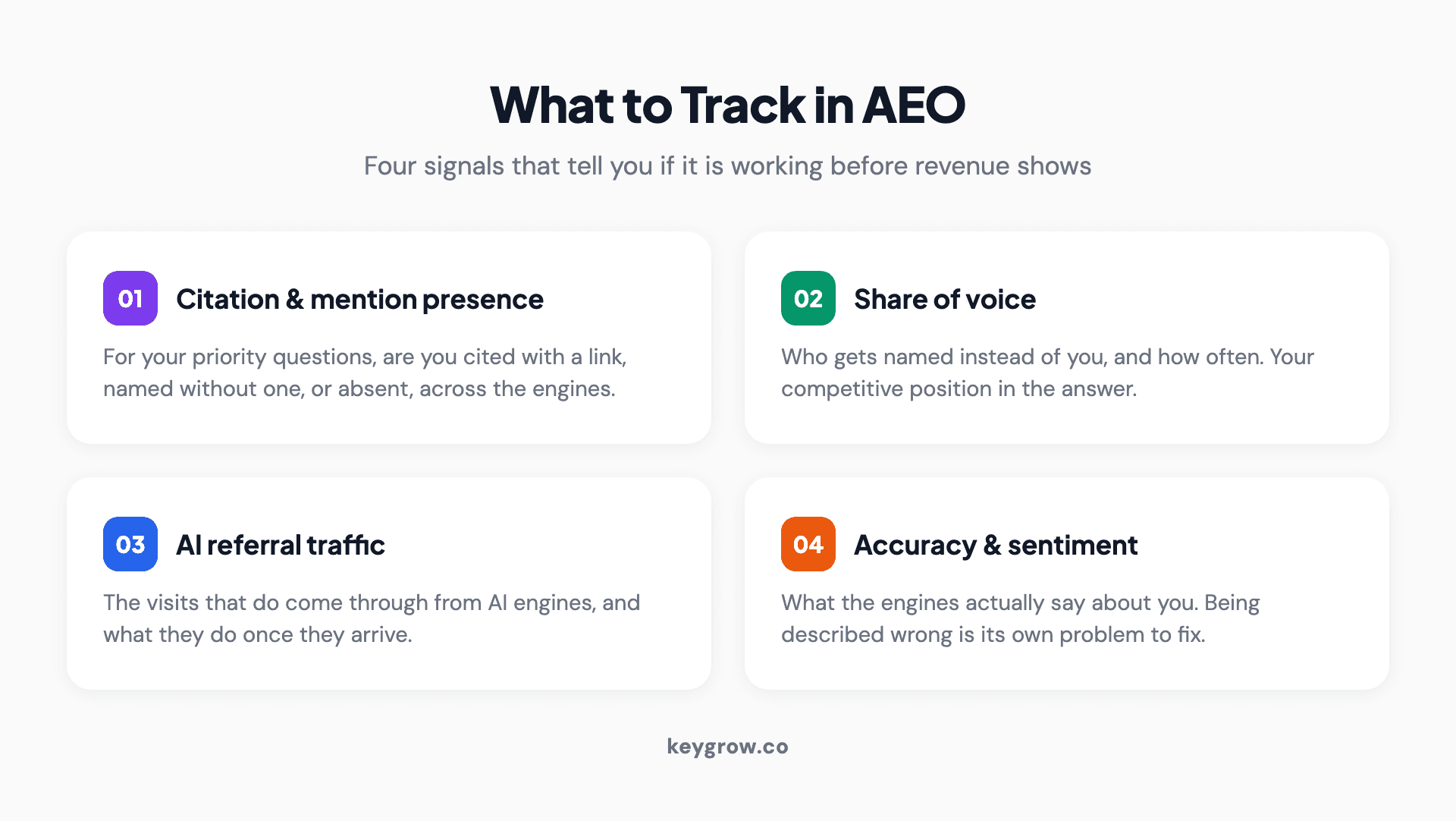
What to track in AEO: citation and mention presence across engines, share of voice against competitors, AI referral traffic in analytics, and the accuracy and sentiment of how engines describe your brand.
- Citation and mention presence. For your priority questions, are you cited with a link, mentioned by name, or absent, across AI Overviews, ChatGPT, Perplexity, and Gemini.
- Share of voice. Who gets named instead of you, and how often. This is your competitive position in the answer.
- AI referral traffic. The visits that do come through from AI engines, and what they do once they arrive.
- Accuracy and sentiment. What the engines actually say about you. Being described wrong is its own problem to fix.
Method 1: the free prompt-tracking sheet
The free way to track AEO is a spreadsheet you run by hand. Build a fixed set of buyer questions, run each through the major engines on a schedule, and log what you find. The trick that makes it trustworthy is controlling for how much AI answers vary.
Most DIY tracking fails because the same prompt gives different answers depending on who asks, from where, and when. Solve that with a few controls, and a manual sheet becomes as reliable as a paid tool.
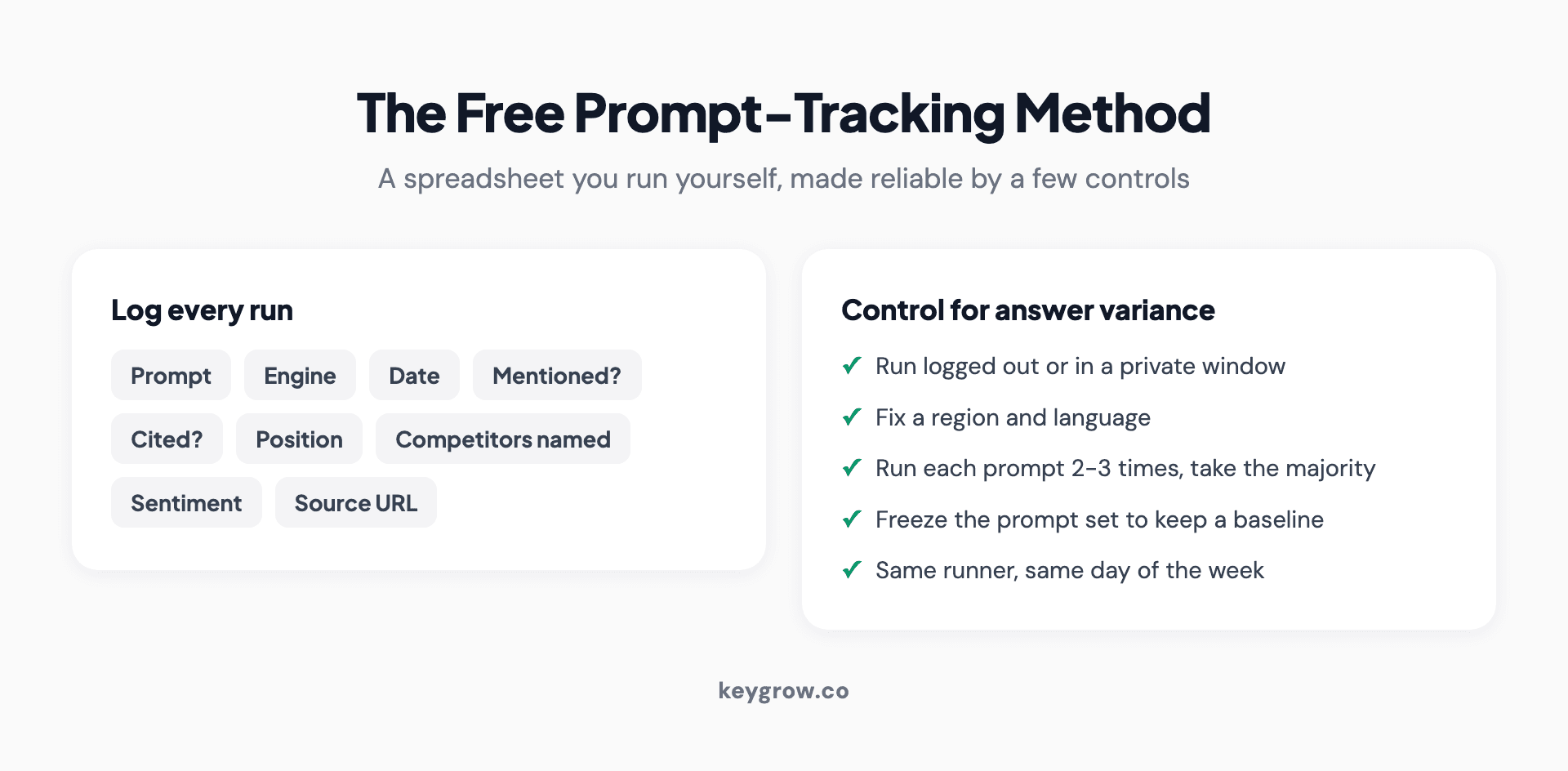
The free AEO prompt-tracking method: log each prompt with the engine, date, whether you were mentioned or cited, your position, competitors named, and the source URL, then control for answer variance by running logged out, fixing your region, and running each prompt a few times.
Set up the sheet with one row per prompt per run and these columns: prompt, engine, date, mentioned (yes or no), cited with a link (yes or no), your position in the answer, competitors named, sentiment, and the source URL that won the citation. Then apply the controls that make the numbers comparable week to week:
- Run logged out or in a private window, so your own history does not personalize the answer.
- Fix a region and language, since answers differ by location.
- Run each prompt two or three times and take the majority result, because a single run is noisy.
- Freeze the prompt set. Change the questions and you lose your baseline. Add new ones in a separate section.
- Same runner, same day of the week, so the routine itself does not introduce drift.
Your prompt set should come from real buyer questions, the same ones your AEO keyword research surfaces. Twenty to fifty prompts is plenty to start.
Method 2: paid AI-visibility tools
Paid AI-visibility trackers automate exactly what the spreadsheet does by hand: running a prompt set across engines on a schedule and logging citations, share of voice, and sentiment. They are worth it once you are tracking dozens of prompts or need a dashboard for a client or boss.
The category is young and growing, with tools that monitor mentions across ChatGPT, Perplexity, Gemini, and AI Overviews and chart your visibility over time. The reason to start with the free sheet first is that doing it by hand teaches you what a good and bad answer looks like in each engine, so when you do buy a tool you know what its numbers mean. Upgrade when the manual routine becomes the bottleneck, not before.
Track AI referral traffic in GA4
The visits AI engines do send you can be tracked in Google Analytics, but not by default. Some AI traffic now lands in a dedicated channel, and some still hides in Direct, so you need to set it up to see the whole picture.
As of 2026, Google Analytics added an AI Assistant channel that recognizes traffic from engines like ChatGPT, Gemini, and Copilot. It does not catch everything, though. Perplexity and some others still slip into Direct or Referral, so a custom channel grouping or a regex filter matching the main AI hostnames is worth adding. It is a small stat today but a telling one: Ahrefs found that AI assistants drove only about 0.5 percent of site visitors but 12.1 percent of signups, roughly a 23-to-1 conversion advantage. AI referral traffic is tiny and converts far above average, which is exactly why it is worth tracking rather than ignoring.
Set a baseline before you optimize
Before you change anything, record where you stand. Run your full prompt set once, log every result with the date, add your top competitors, and save it. That snapshot is what every future check gets measured against.
Without a baseline you cannot tell whether a change helped, hurt, or did nothing. Timestamp it, because AI answers drift on their own as engines update, and you want to separate your improvements from the platform's changes. This first run is both your audit and the start of your tracking system.
How often should you check?
Check your highest-priority prompts weekly, your full prompt library monthly, and switch to daily only when you are actively pushing a campaign. AI answers change faster than search rankings, but not so fast that daily checking is worth it for most prompts.
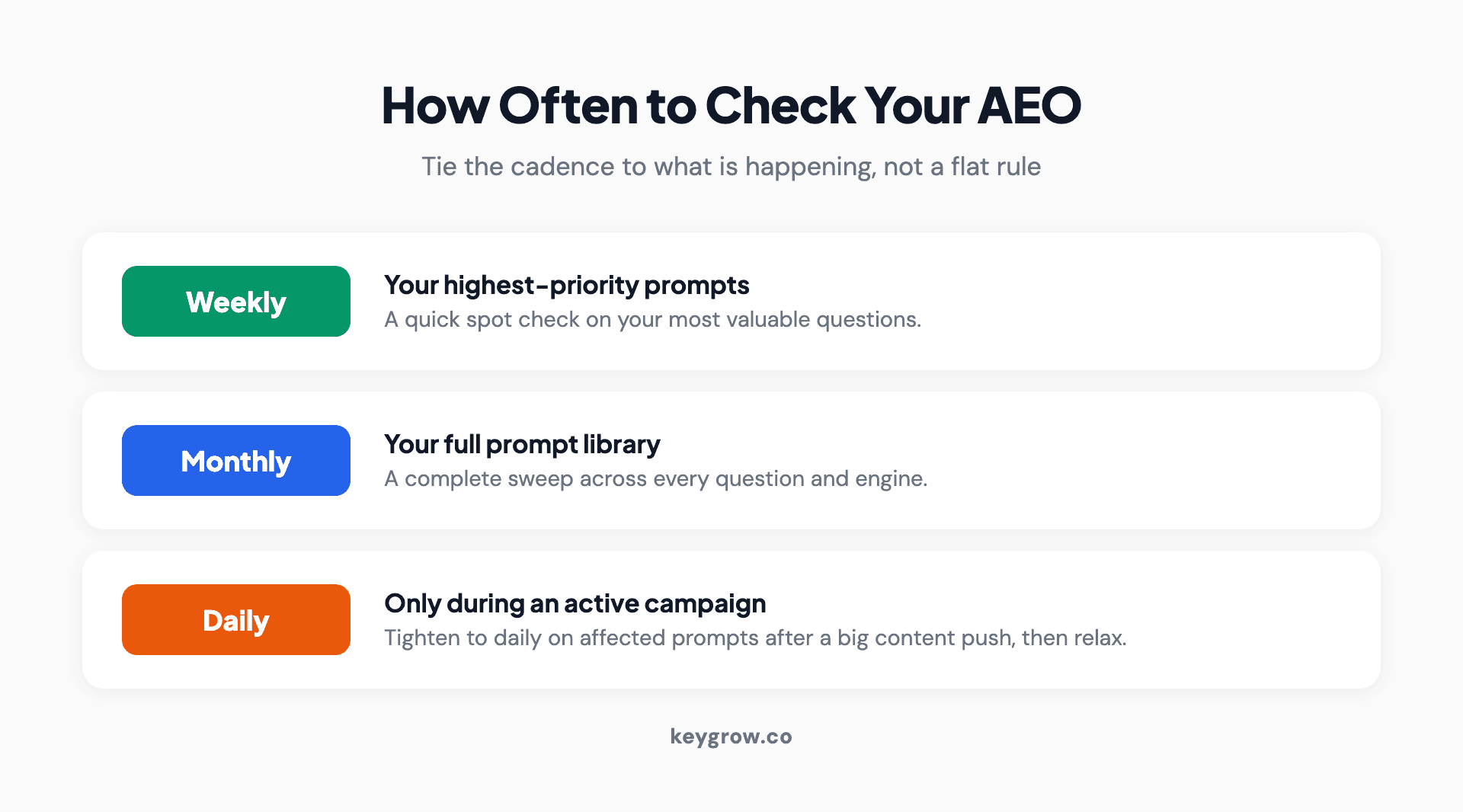
An AEO tracking cadence: check your top priority prompts weekly, run the full prompt library monthly, and move to daily checks only during an active campaign or after a major content push.
Tie the cadence to what is happening, not a flat rule. A steady account gets a weekly spot check on its most valuable questions and a monthly full sweep. During a launch or right after publishing a batch of answer content, tighten to daily on the affected prompts so you catch movement while it is fresh, then relax again. The goal is a rhythm you will actually keep, because inconsistent tracking is barely better than none.
FAQs
How do I know if ChatGPT mentions my brand?
Ask it. Run your priority questions directly in ChatGPT, logged out and with a fixed region, and note whether your brand is named, cited with a link, or absent. Run each a few times and take the majority result, since answers vary between sessions. Log it in a sheet so you can compare over time rather than relying on a one-off impression.
Can I track AI visibility for free?
Yes. A manual prompt-tracking spreadsheet, run on a schedule across ChatGPT, Perplexity, Gemini, and Google's AI Overviews, covers the core of AEO tracking at no cost. Paid tools mainly save time and produce dashboards once you are monitoring many prompts. The free method is also the best way to learn what good and bad answers look like in each engine.
How often should I check my AEO?
Weekly for your most important prompts, monthly for your full prompt library, and daily only during an active campaign or right after a big content push. AI answers change faster than rankings, so monthly-only checking misses shifts, but daily checking every prompt is more effort than it repays for a steady account.
Can I track ChatGPT and Perplexity traffic in Google Analytics?
Partly, out of the box. GA4 now has an AI Assistant channel that recognizes several engines, but it does not catch all of them, and Perplexity in particular can land in Direct or Referral. Add a custom channel grouping or a regex filter matching the main AI hostnames to capture the full picture of AI referral traffic.
How is tracking AI visibility different from rank tracking?
Rank tracking watches your position in a list of links, which AI answers do not have. AEO tracking watches whether you are cited or named inside a generated answer, across several engines, each of which can give a different response to the same question. It is closer to media monitoring than to a rankings report, and your usual SEO tools cannot do it.
Do I need a paid AEO tool or is manual tracking enough?
Manual tracking is enough to start and often enough for a small site. Build the spreadsheet, apply the variance controls, and run it on a schedule. Move to a paid tool when the number of prompts or engines makes the manual routine your bottleneck, or when you need an automated dashboard for reporting. Do not pay before you have a tracking habit to automate.
The bottom line
Tracking AEO comes down to a consistent routine: a frozen prompt set, run across the major engines on a schedule with the variance controls in place, plus AI referral traffic captured in your analytics. Start free with a spreadsheet, set a baseline, and let the pattern show you where you are winning citations and where a competitor owns the answer.
If you would rather have a team run the tracking, interpret it, and fix the pages that are close to being cited, that is part of what our answer engine optimization service does. Bring your top customer questions to the get started page and we will set the baseline with you.



