


Every article about call tracking for PPC is written by a company selling call tracking. Here is the part they tend to leave out: most small advertisers should start with the free version Google already includes, and only buy software once they can name the specific question the free version cannot answer.
Call tracking for PPC means attributing phone calls back to the campaign, ad group, and keyword that produced them, so calls count in your reporting the same way form fills do. Without it, a local business running ads is measuring half its results and optimizing on that half.
There are three levels of it. Most businesses need the first. Some need the second. Very few need the third.
The three levels, and who each is for
| Level | What it is | Cost | Right for |
|---|---|---|---|
| Google call reporting | Google forwarding numbers, built into Google Ads | Free | Almost everyone starting out |
| Third-party dynamic number insertion | A pool of numbers swapped per visitor, attributed to keyword and session | Typically $30 to $150 a month | Multi-channel advertisers, higher call volume |
| Call intelligence | Recording, transcription, and scoring of call content | Higher again | Sales teams where the conversation is the product |
The jump from level one to level two is the one that matters, and the reason to make it is almost never "more accuracy". It is that you have traffic from more than one source and need to tell them apart.
What Google gives you for free, and where it stops
Google Ads includes call reporting at no cost. It works by substituting a Google forwarding number for your own in your ads and, if you turn it on, on your website for visitors arriving from ads.
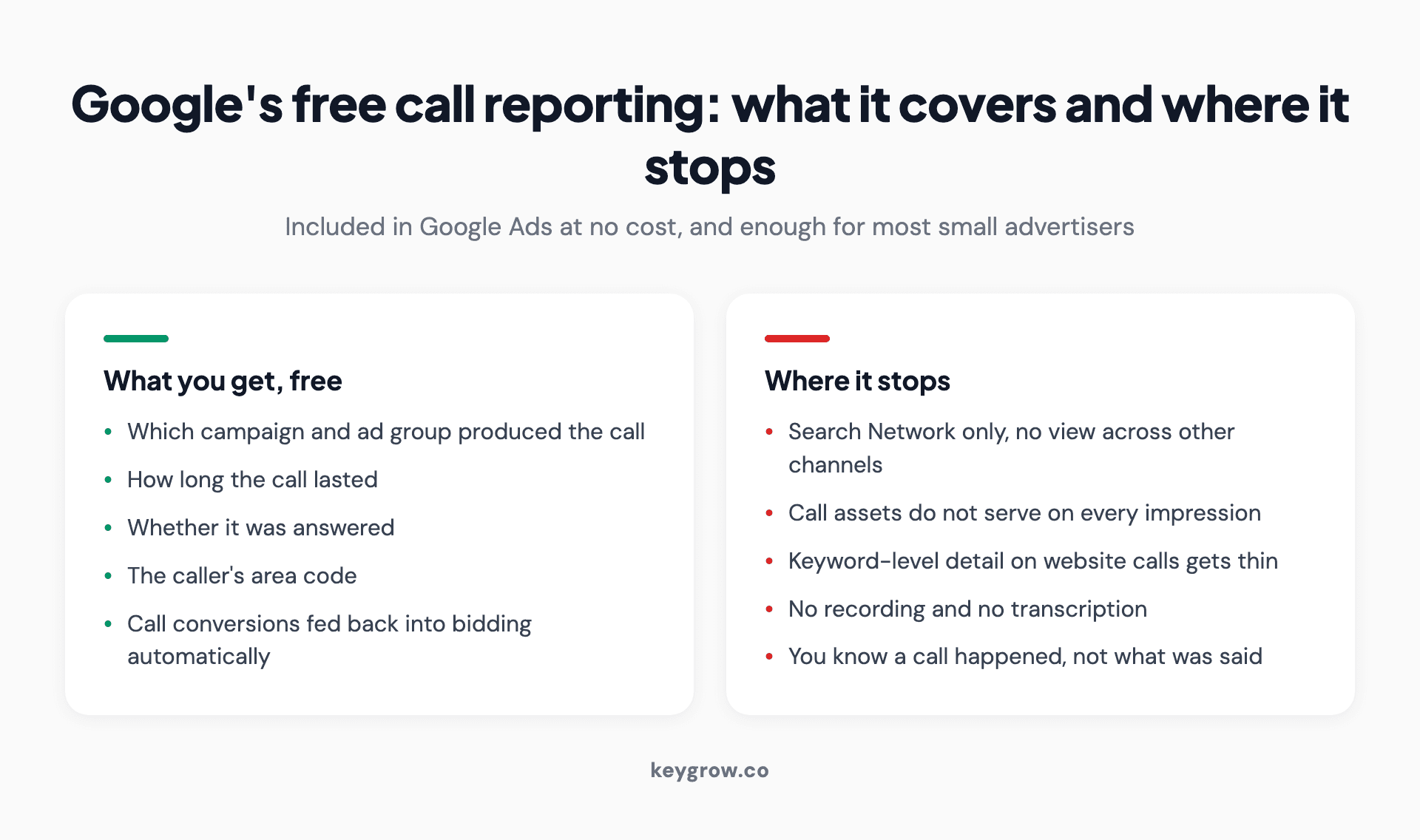
Two-column breakdown of what Google's free call reporting covers and the four places it stops short.
That gets you: which campaign and ad group produced the call, how long it lasted, whether it was answered, and the caller's area code. It feeds call conversions back into bidding automatically.
Where it stops, per Google's own documentation:
Search Network only. Call reporting does not cover calls generated by your other channels, and there is no view across them.
Call assets do not show on every impression. Google serves them based on historical performance and other signals, so the call link is not always there to be clicked.
No keyword-level detail on website calls in every setup. You get campaign and ad group reliably; keyword attribution for calls placed from your site is where the free version gets thin.
No recording or transcription. You know a call happened and how long it ran. You do not know what was said.
For a plumber spending $1,500 a month on search ads, that list of limitations is mostly theoretical. For an advertiser running search, social, and organic into the same phone line, the first limitation alone is the reason to upgrade.
How dynamic number insertion actually works
Third-party call tracking rests on one mechanism, and it is worth understanding before you evaluate any vendor.
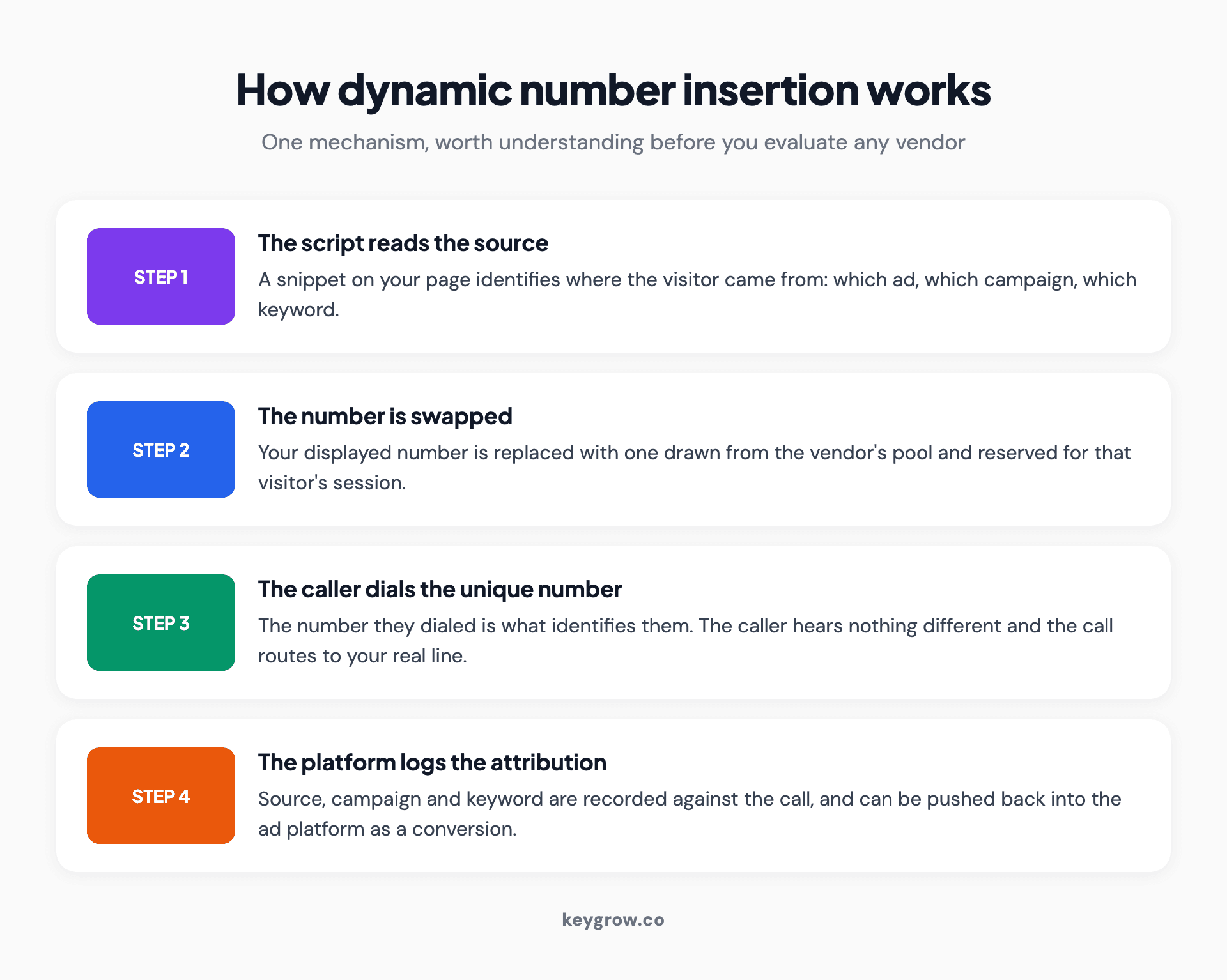
Four-step explanation of dynamic number insertion, from the script reading the traffic source to the platform logging the attribution.
A script on your site reads where the visitor came from. It then replaces the phone number on the page with a different number, drawn from a pool the vendor maintains, and reserves that number for that visitor's session. When the visitor calls, the number they dialed identifies them, the platform logs the source, campaign, and keyword, and forwards the call to your real line. The caller hears nothing different.
Two practical consequences. The pool has to be big enough that two simultaneous visitors never share a number, which is why pricing scales with traffic rather than with calls. And the swap happens in JavaScript, so a page that loads its phone number in a way the script cannot reach will quietly keep showing your real number, attributing nothing. Test this on a real device before trusting the data.
Setting up the free version
- Turn on call reporting. In Google Ads, under account settings, enable call reporting. This is what activates Google forwarding numbers.
- Add call assets to your campaigns. These are the click-to-call links that appear alongside your ads on mobile, and Google Ads Help covers the setup per campaign.
- Create a conversion action for calls from ads. Google creates a default one named for this, and you can add your own.
- Create a second one for calls to a number on your website, if you want to count calls placed after someone lands on your site.
- Set the minimum call length. Covered below, and it is the setting that determines whether any of this produces useful data.
- Decide what counts as a primary conversion. If both calls and form fills are primary, Smart Bidding treats them as equal. Decide whether that is true for your business before leaving it.
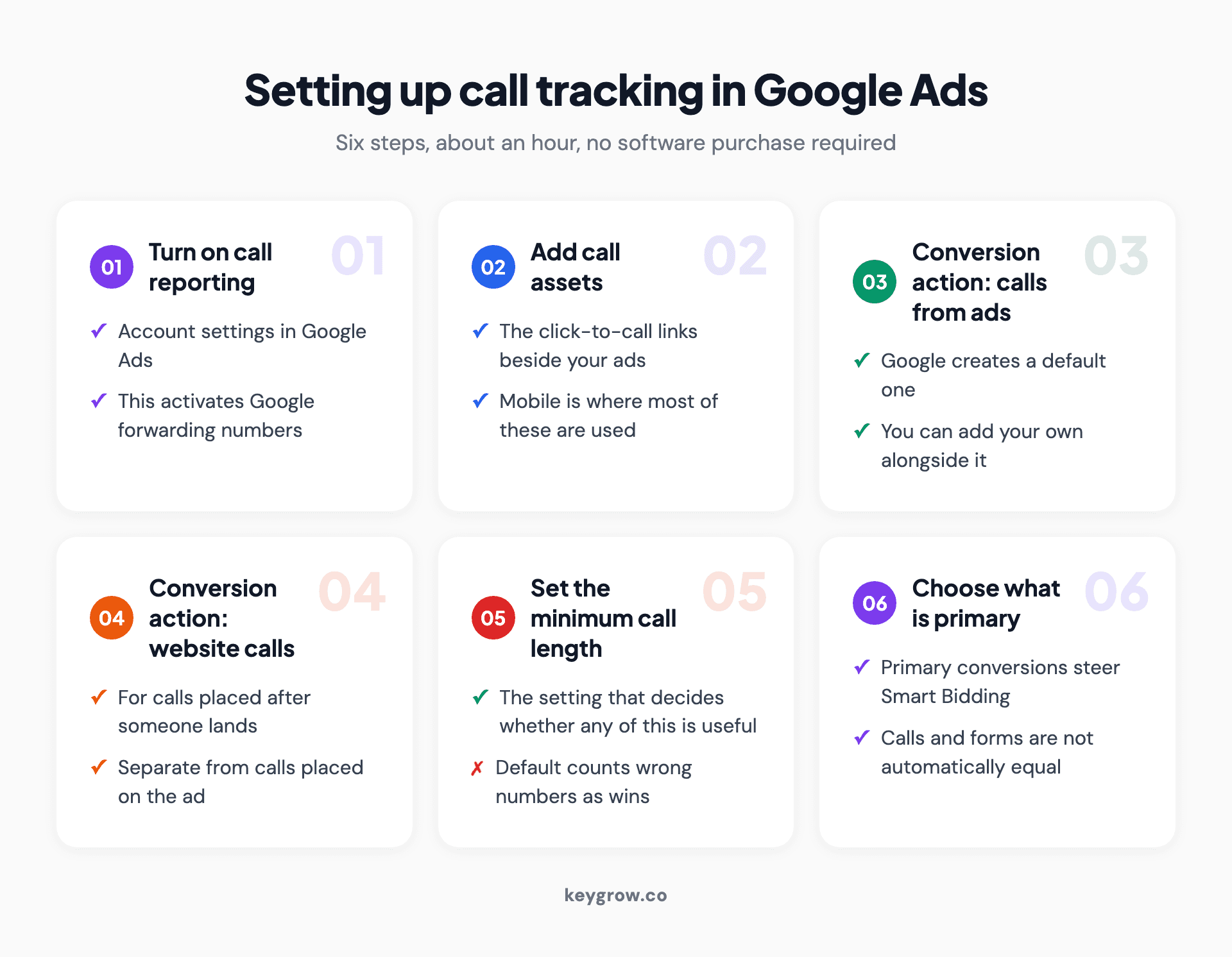
Six-step setup for call tracking in Google Ads, covering call reporting, call assets, both call conversion actions, and the minimum call length.
If you are unsure whether your existing conversion setup is even firing, our guide to finding your conversion ID is the faster place to start than adding new actions on top of broken ones.
The minimum call length setting is the whole game
This is one field and it separates a useful call conversion from a meaningless one.

A headset resting beside a laptop on a desk, ready to take inbound sales calls from a paid search campaign.
Google lets you set how long a call must last before it counts as a conversion. Leave it at the default and you will count wrong numbers, immediate hang-ups, and people who called the wrong business. Those calls then enter your bidding data as successes, and Smart Bidding goes looking for more of them.
The right number depends on how long a real inquiry takes at your business. For most local service businesses, somewhere between 30 and 60 seconds excludes almost all the noise while keeping every genuine call. For a business where the first question is "do you service my area", 30 seconds may be too generous, because a real call that ends in "no" and a wrong number both finish quickly.
Work it out rather than guessing. Listen to, or ask your front desk about, twenty recent calls and note how long the shortest genuine one lasted. Set the threshold just under that.
The double-counting trap
This one damages accounts quietly and we see it regularly.
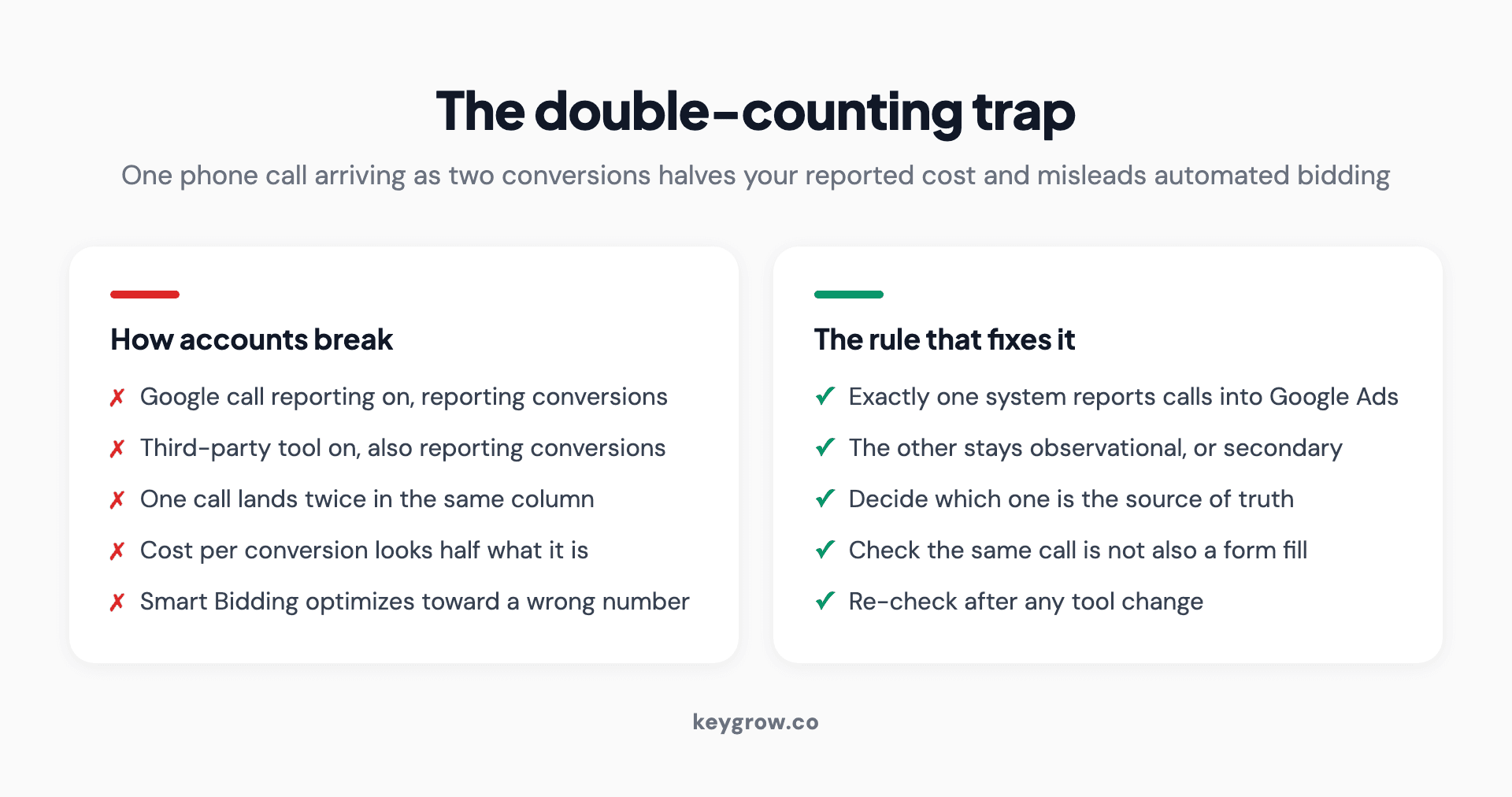
Comparison showing how running two call tracking systems double counts a single call, and the rule that prevents it.
If you run Google's call reporting and a third-party call tracking tool at the same time, and both are configured to report conversions into Google Ads, one phone call can arrive as two conversions. Your reported conversion count inflates, your cost per conversion halves on paper, and Smart Bidding optimizes against a number that is wrong by a factor of two.
The same thing happens in a simpler form when the same call is counted as a call conversion and again as a form fill because the customer did both.
The fix is a rule rather than a tool: exactly one system reports calls into Google Ads. If you buy third-party software, turn Google's call conversions off as conversion actions, or keep them as secondary so they report without feeding bidding. Decide which system is the source of truth and make the other one observational.
Measure quality, not volume
Of every figure in a paid search report, call volume is the one that moves most readily and proves least. A campaign that doubles your calls while halving the share worth having has made your week worse and your report better.
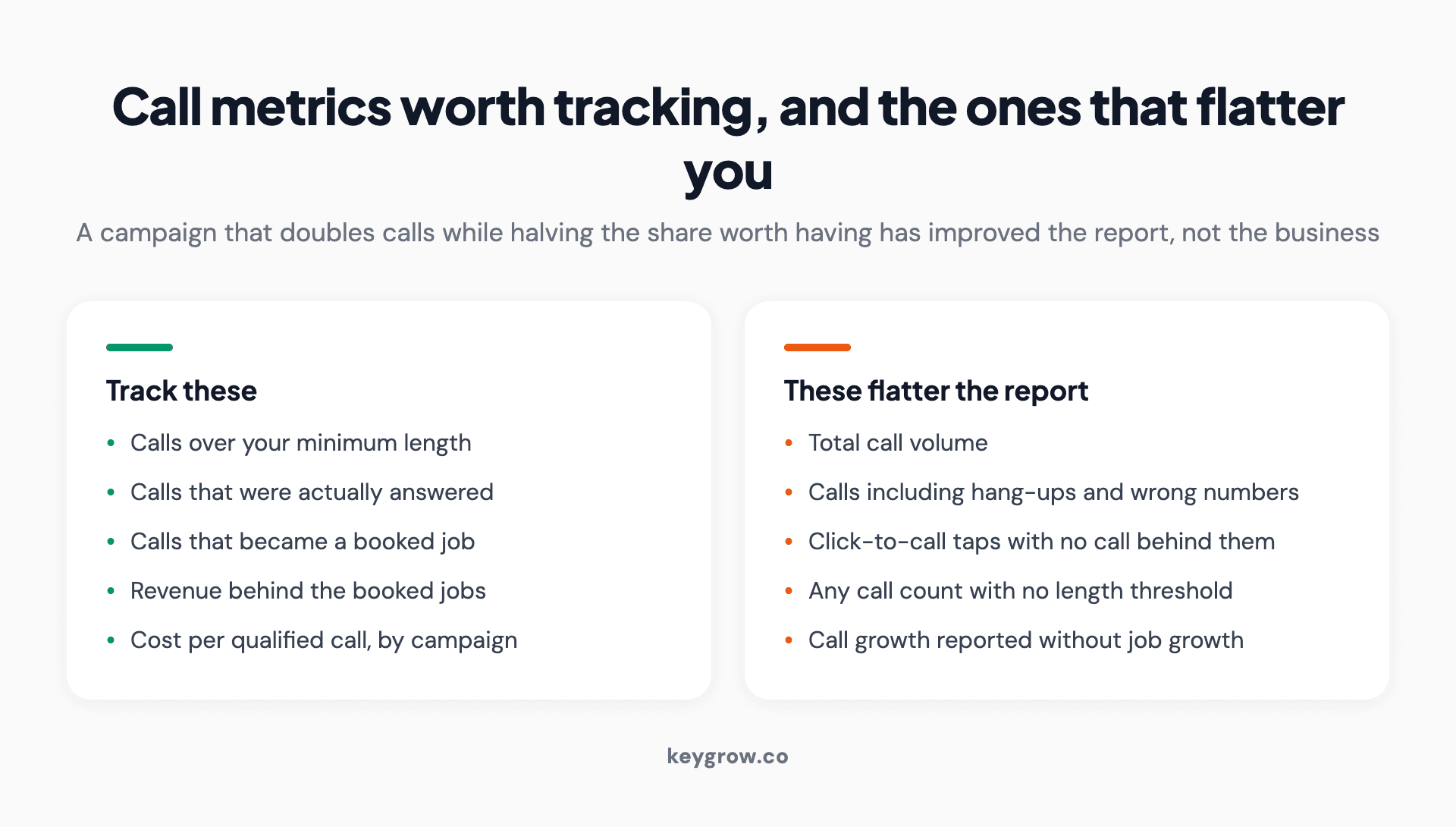
Two-column list separating call metrics worth tracking, such as qualified calls and booked jobs, from the volume metrics that flatter a report.
The metrics worth tracking are the ones that survive contact with the front desk: calls over your minimum length, calls that were answered, calls that became a booked job, and the revenue behind those. The rest is a vanity metric with a phone attached.
This is also how local businesses should be measuring in general. Three of our local service clients reached a point where the phone was the whole scoreboard: a phone repair shop passing 115 monthly calls in seven months, a real estate office at 90 or more over the same period, and a junk removal company clearing 50 a month inside six. Every one of those businesses started from a phone that barely rang. Not one of them judged the work by a position in a rankings report.
Sending qualified calls back into the platform
Once you can tell a good call from a bad one, feed that back rather than keeping it in a spreadsheet.

A sales representative wearing a headset at a computer, handling an inbound call generated by a paid search ad.
The mechanism depends on your setup. A third-party platform can usually push a conversion into Google Ads when a call meets a condition you define, such as lasting long enough, being answered, or being marked as qualified by whoever took it. Google's own offline conversion import can do a version of this with a caller ID match.
The point is to close the loop: bidding improves when it is optimizing toward booked jobs rather than ringing phones. If you are already importing offline data, enhanced conversions covers the matching side of that in more detail.
One caution about attribution. If your calls come from several places, make sure the platform is reading the source correctly and not crediting everything to the last click. And if you have recently changed your location targeting, expect the call mix to change with it, because geography and call quality move together more than most advertisers expect.
What to look for if you do buy software
Five things, in the order they will matter to you:
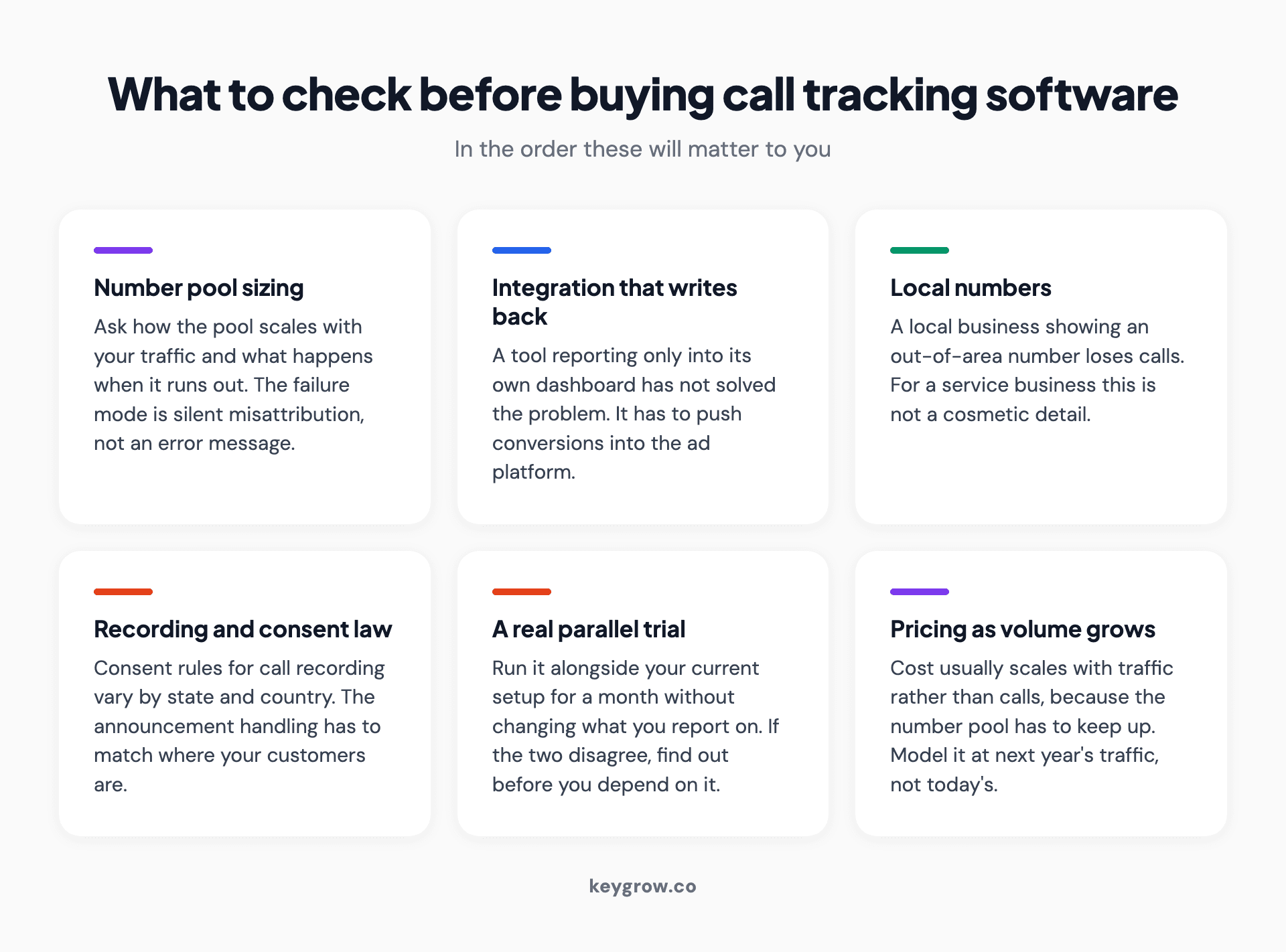
Six things to check before buying call tracking software, from number pool sizing and write-back integration to recording consent law.
Number pool sizing. Ask how the pool scales with your traffic, and what happens when it runs out. The failure mode is silent misattribution, not an error message.
Integration that writes back. A tool that reports into its own dashboard and nowhere else has not solved your problem. It needs to push conversions into the ad platform.
Local numbers in your area codes. A local business displaying an out-of-area number loses calls. This is not a minor cosmetic issue for a service business.
Recording, and the law that applies to it. Call recording consent rules vary by state and country. Whatever you buy, the announcement and consent handling has to match where your customers are.
A real trial. Run it alongside your existing setup for a month without changing what you report on. If the two disagree, you want to know before you depend on it.
When you do not need call tracking
If all your paid traffic comes from one source and you are taking fewer than about 20 calls a month, Google's free call reporting with a sensible minimum call length is enough. Buying software at that volume adds a monthly cost and a JavaScript dependency for data you can get by asking the person answering the phone.
If nobody is going to act on the data, skip it entirely. Call tracking earns its place when somebody reviews it and changes a bid, a keyword, or an ad because of what it showed. Installed and never opened, it is a line item.
And if your calls are not converting into jobs, the tracking is not the problem. Attribution tells you where a call came from; it does not tell you why the person on your end lost it. That is a script and staffing question, and it is usually worth more than the last 10 percent of attribution accuracy.
FAQs
What is call tracking for PPC?
It is the practice of attributing inbound phone calls to the specific campaign, ad group, or keyword that produced them, so calls appear in your reporting alongside form fills. It works either through Google's built-in forwarding numbers or through a third-party tool that swaps the number shown on your site per visitor.
Is Google Ads call tracking free?
Yes. Call reporting using Google forwarding numbers is included in Google Ads at no extra cost. It covers the Search Network only and does not include call recording, which is the main reason advertisers move to paid tools.
How does dynamic number insertion work?
A script on your page detects where the visitor came from and swaps your displayed phone number for one reserved from a pool for that visitor's session. When they dial it, the platform logs the source and forwards the call to your real line, which the caller never notices.
What should I set the minimum call length to?
Long enough to exclude wrong numbers and hang-ups, which for most local service businesses falls between 30 and 60 seconds. Work it out by checking how long your shortest genuine inquiry usually lasts and setting the threshold just below that.
Can I use Google call reporting and a third-party tool together?
You can, but only one of them should report conversions into Google Ads. Running both as conversion sources double counts a single call, which inflates your numbers and misleads automated bidding.
Does call tracking affect my SEO or my Google Business Profile?
It can if you are careless. Your Business Profile and citations should carry your real, consistent number. Using a tracking number as the primary listed number across directories breaks the consistency that local search relies on.
How many calls do I need before call tracking software is worth it?
There is no fixed threshold, but under roughly 20 calls a month from a single traffic source, the free Google option plus a sensible call length setting will tell you nearly as much. Buy software when you have several traffic sources to separate, or when what was said on the call is the thing you need to know.
Start with the free one
Turn on Google's call reporting, add call assets, create the two call conversion actions, and set a minimum call length that reflects how long a real inquiry takes at your business. An hour of setup, and for a small advertiser it answers nearly every question worth asking.
Then run it for a month and see which question you cannot answer. If the answer is "which channel", you need dynamic number insertion. If it is "what did they say", you need recording. If there is no question, you have finished and saved yourself a subscription.
If you would rather have the tracking set up correctly the first time, that is part of how our PPC team starts every engagement, and you can ask for a look at your account.



