

No. Keyword insertion does not work in sitelink text in Google Ads, and the `{KeyWord:...}` syntax will not quietly fail either. It renders exactly as you typed it, braces and all, in front of everyone who sees your ad.
That is the whole answer. What follows is why the parser stops where it does, and the one sitelink setting that does most of what people wanted keyword insertion for.
Where keyword insertion actually works
Keyword insertion is supported in three places: headlines, description lines, and the display path. That is the list.
Google's keyword insertion setup guide walks through those three fields and no others. The companion page on ad customizers puts the same boundary a different way: you can customize any part of your ad text, except the URL. Sitelinks are not ad text. They are a separate asset with separate fields and a separate approval process.
Worth being precise about the wording here, because most pages covering this get it slightly wrong. You will read that Google "prohibits" keyword insertion in sitelinks. Prohibited implies you will get disapproved for trying. Google's sitelink asset policy lists what actually gets a sitelink rejected: duplicate link text across sitelinks, URLs pointing at a different domain than the ad, decorative punctuation and symbols, link text that does not describe the destination, and trademark problems. Dynamic text is not on that list.
The accurate version is duller and more useful: keyword insertion in sitelinks is unsupported, not banned. Nothing rejects it. Nothing parses it either.
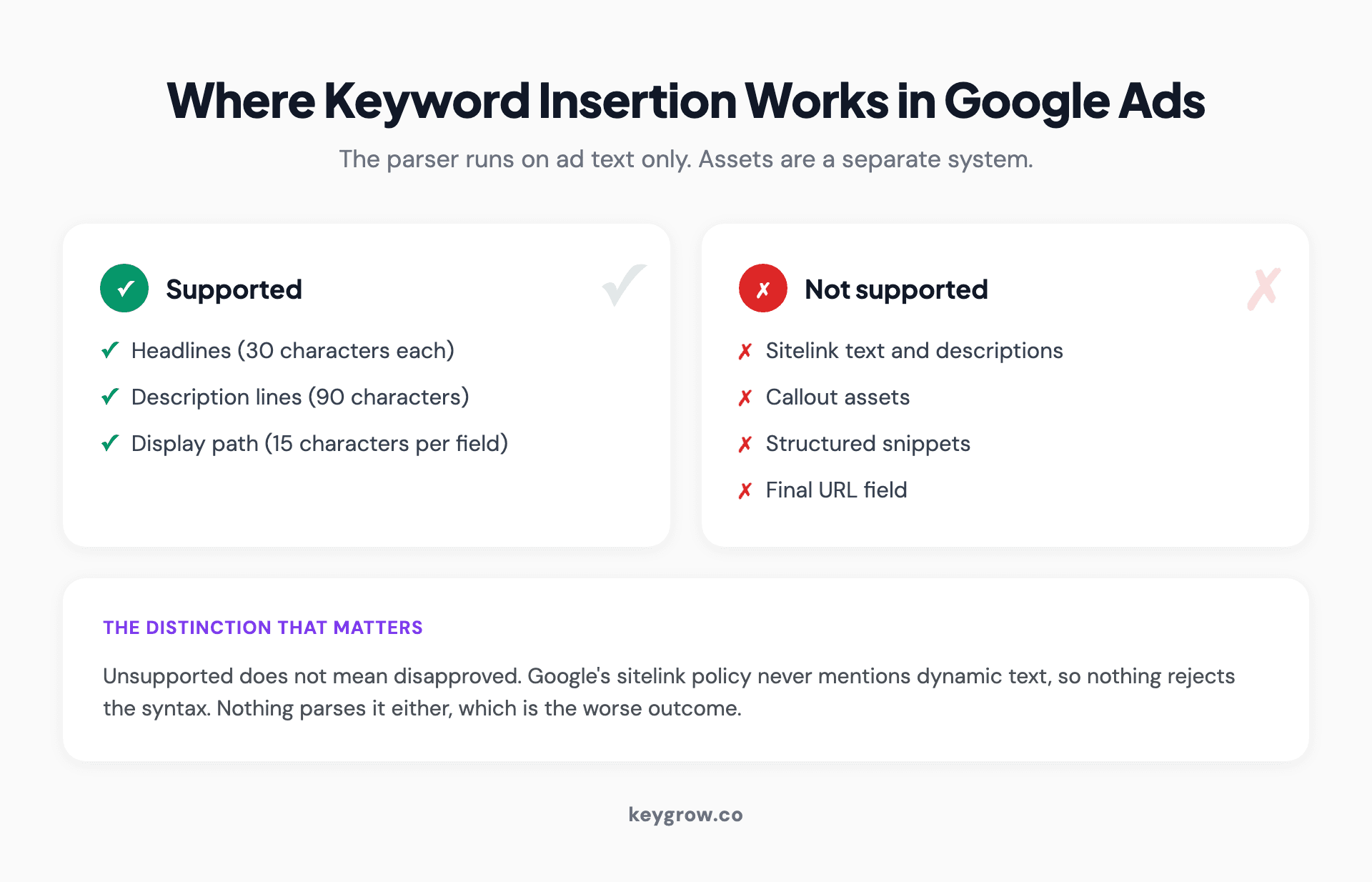
Chart showing keyword insertion is supported in Google Ads headlines, description lines and display path, but not in sitelinks, callouts, structured snippets or the final URL field
What happens if you paste it in anyway
You get a sitelink that reads `{KeyWord:Free Quote}` on live search results.
The braces are not a magic character in the sitelink field. They are three characters out of your 25, sitting there looking like a broken mail merge. Sitelink text is limited to 25 characters in most languages, per Google's sitelink asset documentation, so a fallback of any reasonable length will not even fit inside the syntax.
This is the failure mode people underestimate. A feature that silently did nothing would be fine. A feature that prints your template code in an ad you are paying for is a live problem, and because sitelinks sit below the headline, plenty of advertisers have shipped one and not noticed for weeks.
If you have ever wondered whether anyone checks these, the answer is that the accounts we audit are split roughly evenly between the ones where someone checks and the ones where the sitelinks were written once at launch and never opened again.
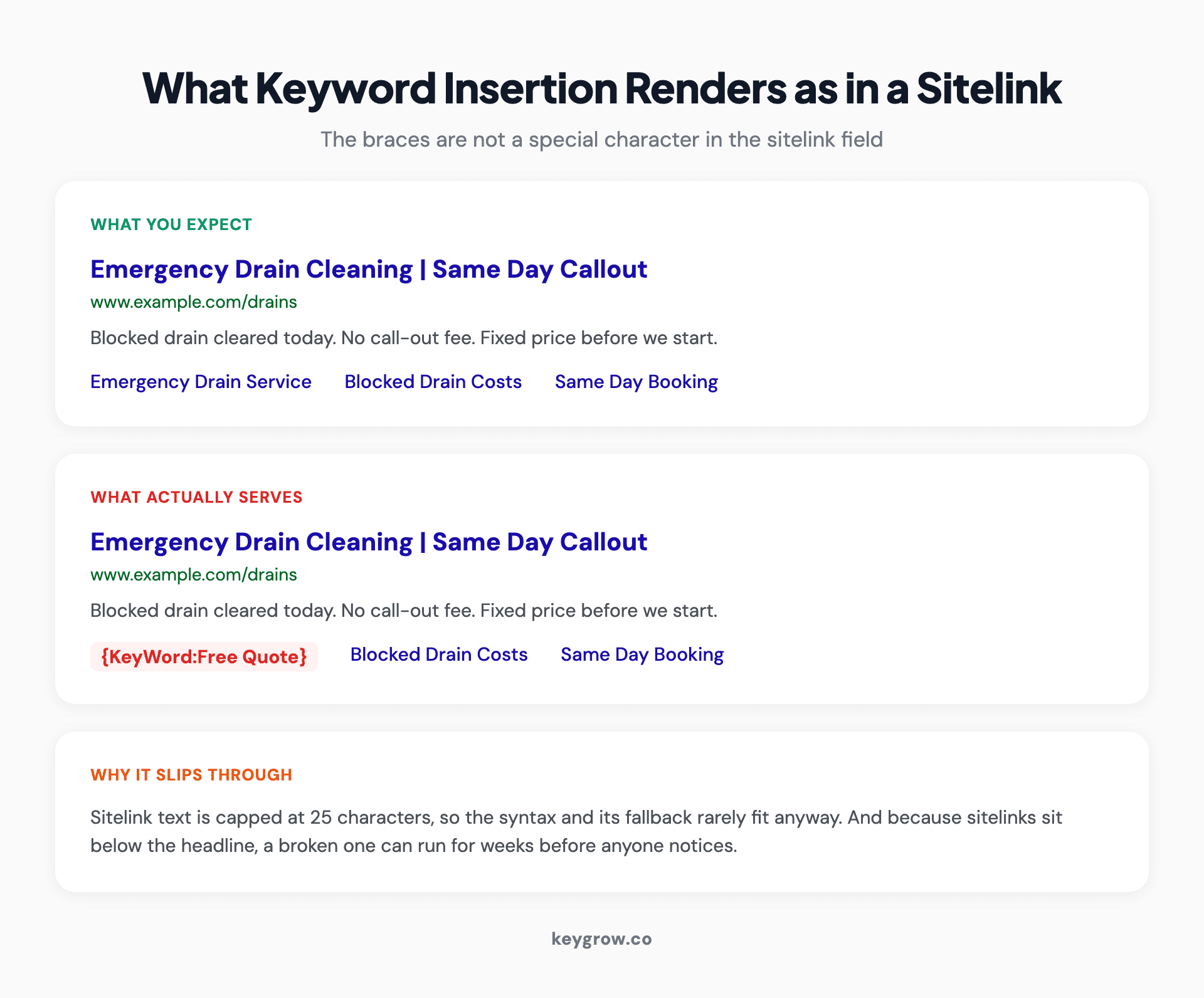
Side by side search ad mockups showing an expected sitelink versus a sitelink displaying the literal text {KeyWord:Free Quote} because the syntax is not parsed
Why people expect it to work
Two reasons, and neither is stupid.
One is that keyword insertion feels like an account-level feature rather than a field-level one. You learn it in headlines, it works, and nothing in the interface announces that the parser stops at the edge of the ad. Sitelink fields look like text boxes. Text boxes usually accept the same things.
The other is that the underlying want is completely legitimate. If someone searches for emergency drain cleaning and your sitelinks say About Us, Contact, Services, and Reviews, you have wasted four lines of prime ad real estate on navigation nobody asked for. Wanting those four lines to reflect the search is the right instinct. Keyword insertion is just the wrong tool for it.
Ad group sitelinks are the answer you were looking for
Sitelinks can be added at four levels: account, campaign, asset group, and ad group. That last one is the mechanism that does what people hoped keyword insertion would do.
Ad group sitelinks override campaign and account sitelinks for that ad group. So if your ad group is tightly themed around one intent, the sitelinks under it can be written specifically for that intent, and they will show for those searches and not for others. No dynamic syntax required, because the targeting already did the work.
Here is what that looks like in practice. A drain cleaning ad group gets sitelinks for Emergency Drain Service, Blocked Drain Costs, Same Day Booking, and Drain Camera Survey. The boiler repair ad group next to it gets four completely different ones. Same campaign, same account, different sitelinks, each matched to the search that triggered them.
Side by side:
| Ad group | Generic account sitelinks | Ad group sitelinks |
|---|---|---|
| Drain cleaning | About Us, Contact, Services, Reviews | Emergency Drain Service, Blocked Drain Costs, Same Day Booking, Drain Camera Survey |
| Boiler repair | About Us, Contact, Services, Reviews | Boiler Repair Costs, Same Day Engineer, Boiler Servicing, Landlord Certificates |
The left column is what most accounts run. Those four links would suit any business on earth, which is the problem with them. The right column answers the question the searcher already typed, and it does it without a single dynamic tag.
There is a catch, and it is worth naming: this only works if your ad groups are genuinely tight. If you have one ad group with 200 keywords spanning six services, there is no single set of sitelinks that fits, and no setting will rescue that. Fix the structure first, then the sitelinks have something to attach to.
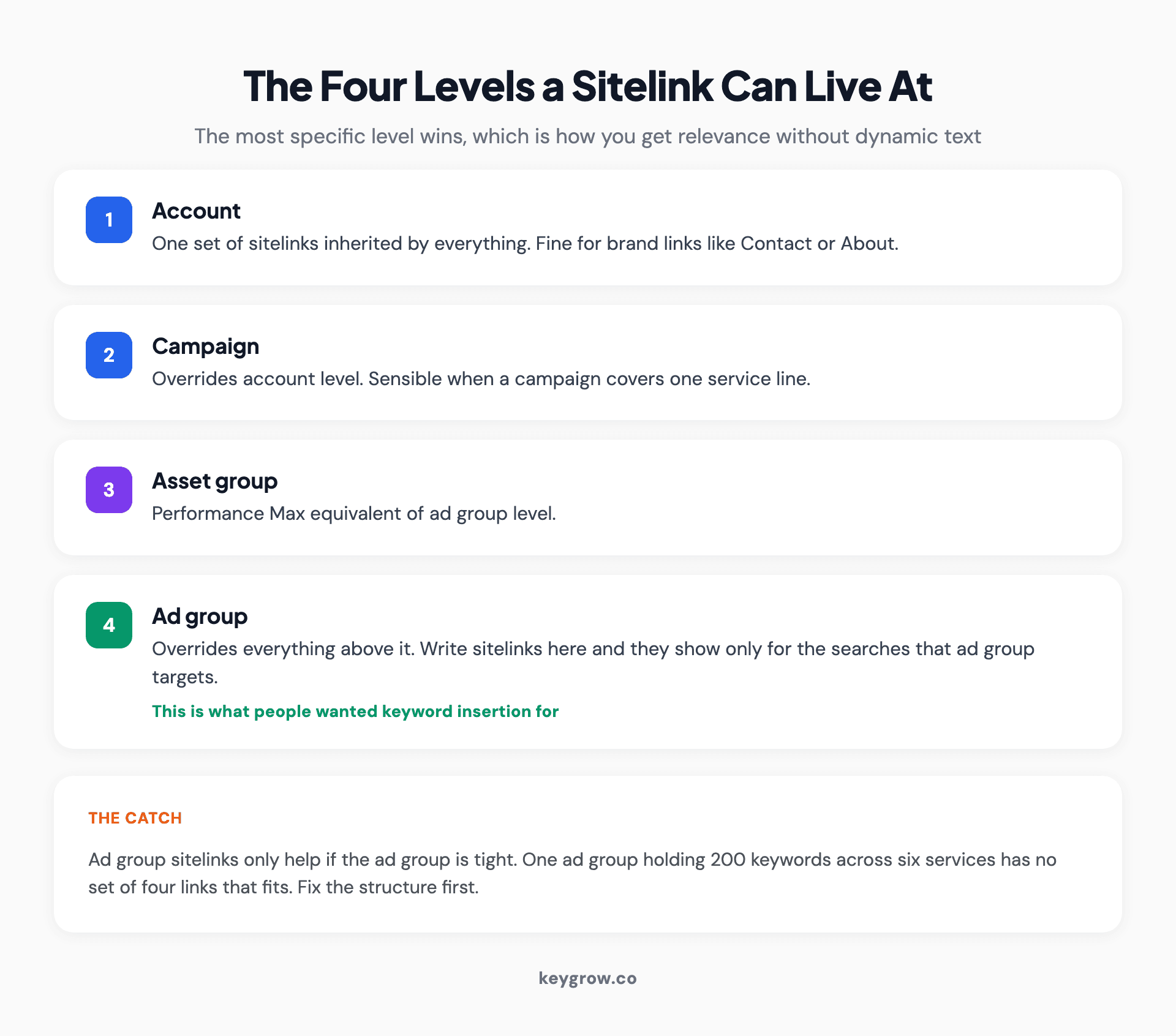
Diagram of the four levels a Google Ads sitelink can be set at, account, campaign, asset group and ad group, with the most specific level overriding the others
Four ways to make sitelinks earn their space
Write them at ad group level wherever the theme is narrow enough. That is the biggest change available here and it costs nothing but an afternoon.
Then point each one at a page that actually exists and actually converts. A sitelink is a promise about a destination, so sending it to a slow page, or to your homepage with an anchor tag on the end, wastes the second click target you just earned.
Give each one a different job while you are in there. Google will not serve two sitelinks with the same link text, and the policy disallows it outright. The more common failure is subtler: four sitelinks that all say some version of "our services" are four ways of saying nothing.
And write at least four. Two is the minimum for sitelinks to appear at all, but Google decides which ones to show based on predicted performance, and two gives it nothing to decide between.
That second point is worth sitting on. Sending ad traffic to your homepage is the most expensive default in paid search, and sitelinks are one of the few places Google hands you extra destinations at no cost. A mobile detailing client came to us paying around $100 per booking with every click landing on the homepage. We rebuilt the campaign structure and pointed traffic at a dedicated booking page, and cost per conversion came down to $22 between August and December. A sitelink is a smaller version of the same move.
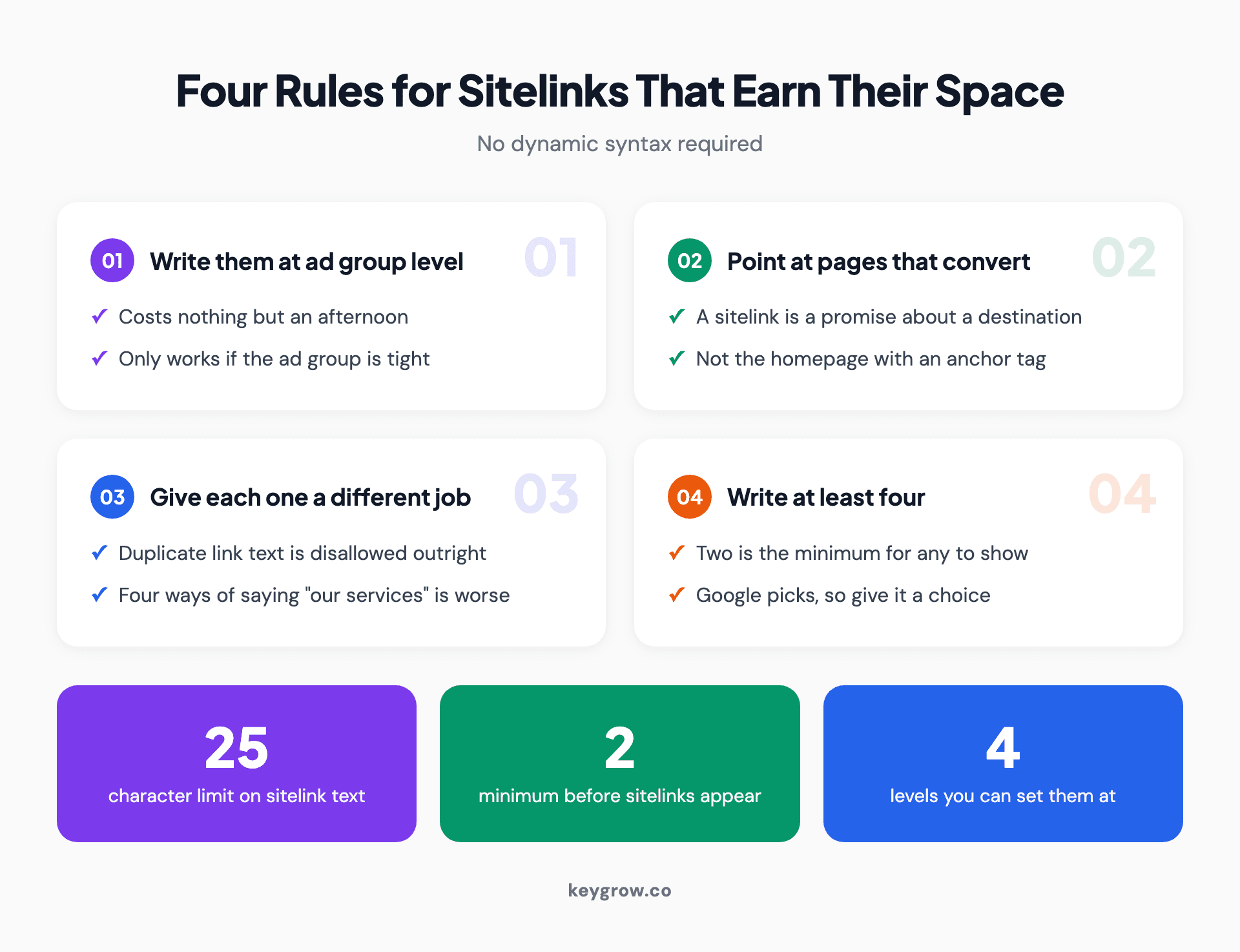
Four rules for effective Google Ads sitelinks with stat cards showing the 25 character limit, the two sitelink minimum and the four levels they can be set at
When this does not matter
If you run one campaign with two ad groups and a $600 monthly budget, ad group sitelinks are not your bottleneck. Write four good ones at campaign level, point them at your four best pages, and spend the time you saved on negative keywords or conversion tracking instead.
Sitelinks are a multiplier on an account that is already structured well. They are not a fix for an account that is not. If your search terms report is full of searches you would never pay for, or you cannot tell which keywords produce booked jobs, those are worth more of your attention than which four links sit under the headline.
FAQs
Can you use dynamic keyword insertion in sitelinks?
No. Dynamic keyword insertion works in headlines, description lines, and the display path only. Enter the syntax in a sitelink and it displays as literal text, braces included, rather than being replaced with the search term.
Will my sitelink get disapproved if I use keyword insertion syntax?
Probably not, and that is the trap. Google's sitelink policy covers duplicate link text, off-domain URLs, decorative symbols, misleading text, and trademarks. Template syntax is not on that list, so the sitelink can run while displaying broken text.
What is the character limit for sitelink text?
Sitelink text is limited to 25 characters in most languages, and 12 characters in double-width languages such as Chinese, Japanese, and Korean. That limit alone rules out most keyword insertion syntax, since the braces and fallback text have to fit inside it.
How many sitelinks do I need before they show?
At least two, for both desktop and mobile. Four or more is the practical recommendation, because Google chooses which to display and two leaves it nothing to choose between.
Can I set different sitelinks for different ad groups?
Yes. Sitelinks can be added at account, campaign, asset group, or ad group level, and the most specific level wins. Ad group sitelinks are how you get search-relevant sitelinks without dynamic text.
Does keyword insertion work in callouts or structured snippets?
No. Keyword insertion is documented for ad text fields only. Callouts, structured snippets, and sitelinks are separate asset types and none of them parse the syntax.
The bottom line
Keyword insertion in sitelink text is not a policy fight you can win or a setting buried somewhere in the interface. The parser only runs on headlines, descriptions, and the display path, and sitelinks live outside it.
The want behind the question is sound though. If you need sitelinks that track the search, tighten the ad group and write sitelinks at ad group level. That gets you relevance that keyword insertion could not have delivered anyway, because it would only ever have swapped in the keyword, not the destination.
If your account has one ad group carrying six services and a set of sitelinks written at launch and forgotten, that is the actual work. Our PPC management team spends more time on account structure than on any other single thing, for exactly this reason. You can also read our take on getting more from a PPC budget or on outranking competitors in Google Ads if structure is already handled.


