


Google Ads ad scheduling is two separate features wearing one name, and most accounts only get to use one of them.
The first is the schedule itself: the hours and days your campaign is allowed to serve. That still works for everybody.
The second is the bid adjustment attached to each block, the plus 30 percent on Tuesday mornings kind of thing. If your campaign runs Target CPA, Target ROAS, Maximize conversions or Maximize conversion value, that half does nothing. Google's bid adjustment documentation is blunt about it: make a manual bid adjustment on a Smart Bidding campaign and it will not be supported.
Almost every guide on this topic spends half its length on the part that no longer applies to most readers. So before anything else, find out which half of the feature you actually have.
Which half applies to you
Open the campaign, look at the bid strategy, and sort yourself into one of two groups.
| Your bid strategy | Schedule works | Bid adjustments work |
|---|---|---|
| Manual CPC | Yes | Yes |
| Enhanced CPC | Yes | Yes |
| Maximize clicks | Yes | Yes |
| Maximize conversions | Yes | No |
| Target CPA | Yes | No |
| Target ROAS | Yes | No |
| Maximize conversion value | Yes | No |
If you are in the bottom four rows, which most lead generation accounts now are, ad scheduling is a binary tool for you. Hours are on or off. There is no dial.
That is less of a loss than it sounds. Smart Bidding already reads time of day as one of its auction-time signals, so the thing your plus 30 percent was trying to do is being done anyway, with more data than your account has. What Smart Bidding will not do is decide that you do not want leads at 2 AM. That decision stays yours, and the schedule is how you express it.
Where it lives and the limits Google puts on it
The setting sits inside each campaign, not at account level, so it has to be applied campaign by campaign.
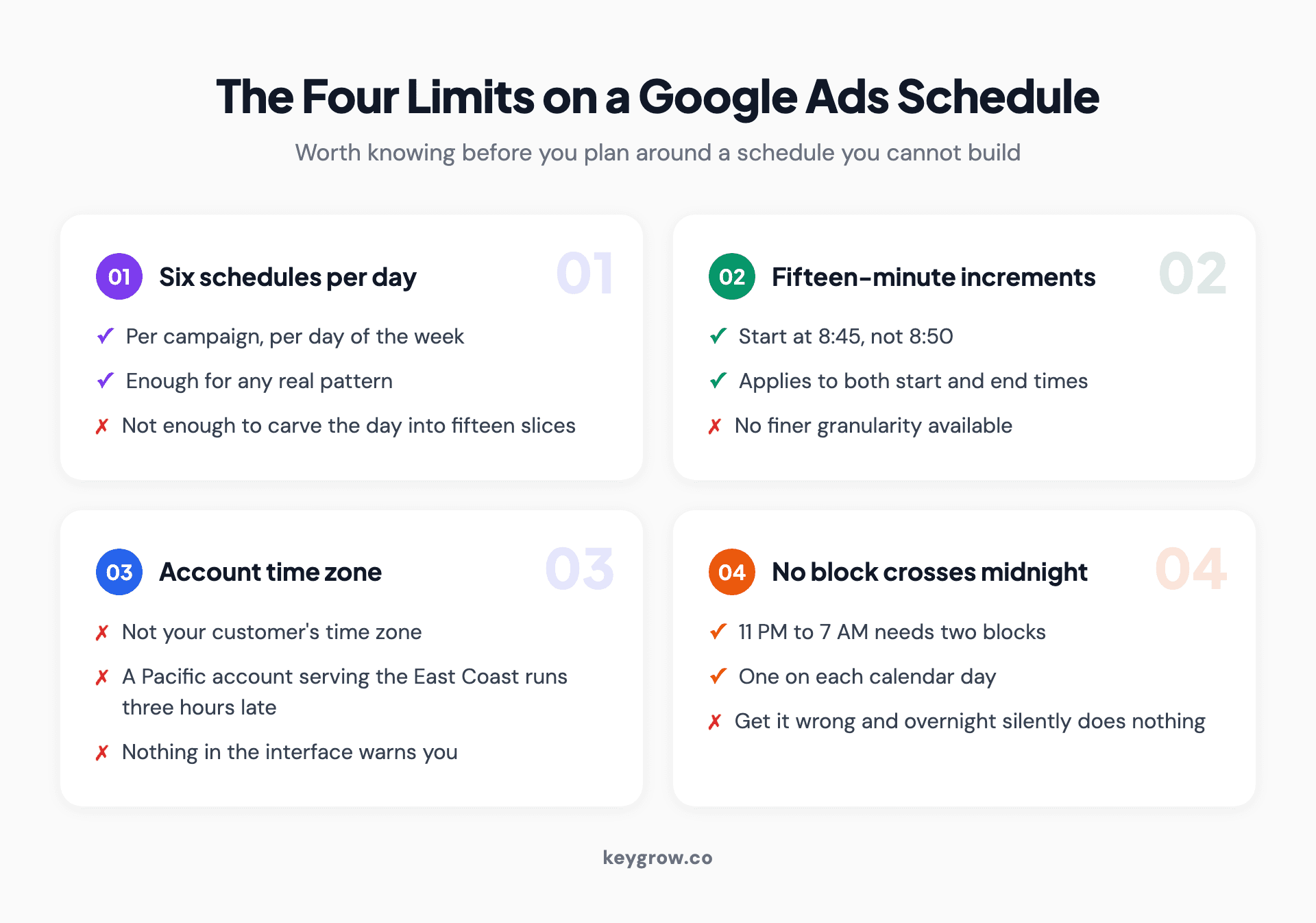
Four constraints Google places on ad schedules: six schedules per day per campaign, fifteen-minute increments, account time zone, and no block crossing midnight.
Three constraints come straight from Google Ads Help, and a fourth shows up the moment you open the time dropdowns:
Six schedules per day, per campaign. Enough for any real pattern, restrictive if you were planning to carve the day into fifteen slices.
Your account time zone, not the customer's. This one causes real damage in accounts targeting several time zones. A schedule built for East Coast business hours in an account set to Pacific time will switch on three hours late every morning.
A block cannot cross midnight. To run 11 PM Monday through 7 AM Tuesday you build two blocks, one on each day.
That last one catches people running late-night emergency services. Two blocks, not one, or the schedule silently does nothing overnight.
The undocumented fourth: start and end times come in fifteen-minute increments. You can begin at 8:45, not 8:50. It is not written down anywhere useful, it is just what the dropdowns give you.
Which campaign types can be scheduled
Ad scheduling is not evenly available, and finding that out after you have planned around it wastes an afternoon.
Search, Display, Shopping, Video and Performance Max campaigns all carry an ad schedule setting. Performance Max is the one that surprises people: the setting exists, it applies, and it is easy to miss because so much else in that campaign type is handed over to Google.
Two things it does not do. It does not work at account level, so a business with eleven campaigns sets eleven schedules and keeps them in sync by hand. And it has no effect on organic visibility, which sounds obvious until somebody schedules a campaign off and then wonders why the Google Business Profile still shows up at 10 PM. Those are different systems.
For accounts running more than a handful of campaigns, the practical move is to decide on two or three standard schedules, apply them consistently, and write down which campaigns use which. Schedules drift apart quietly otherwise, and an hour that is off in one campaign and on in another produces reports that make no sense six months later.
Building the schedule, step by step
The order matters here, because most of the damage from ad scheduling gets done in the first week by people who schedule before they have anything to schedule from.
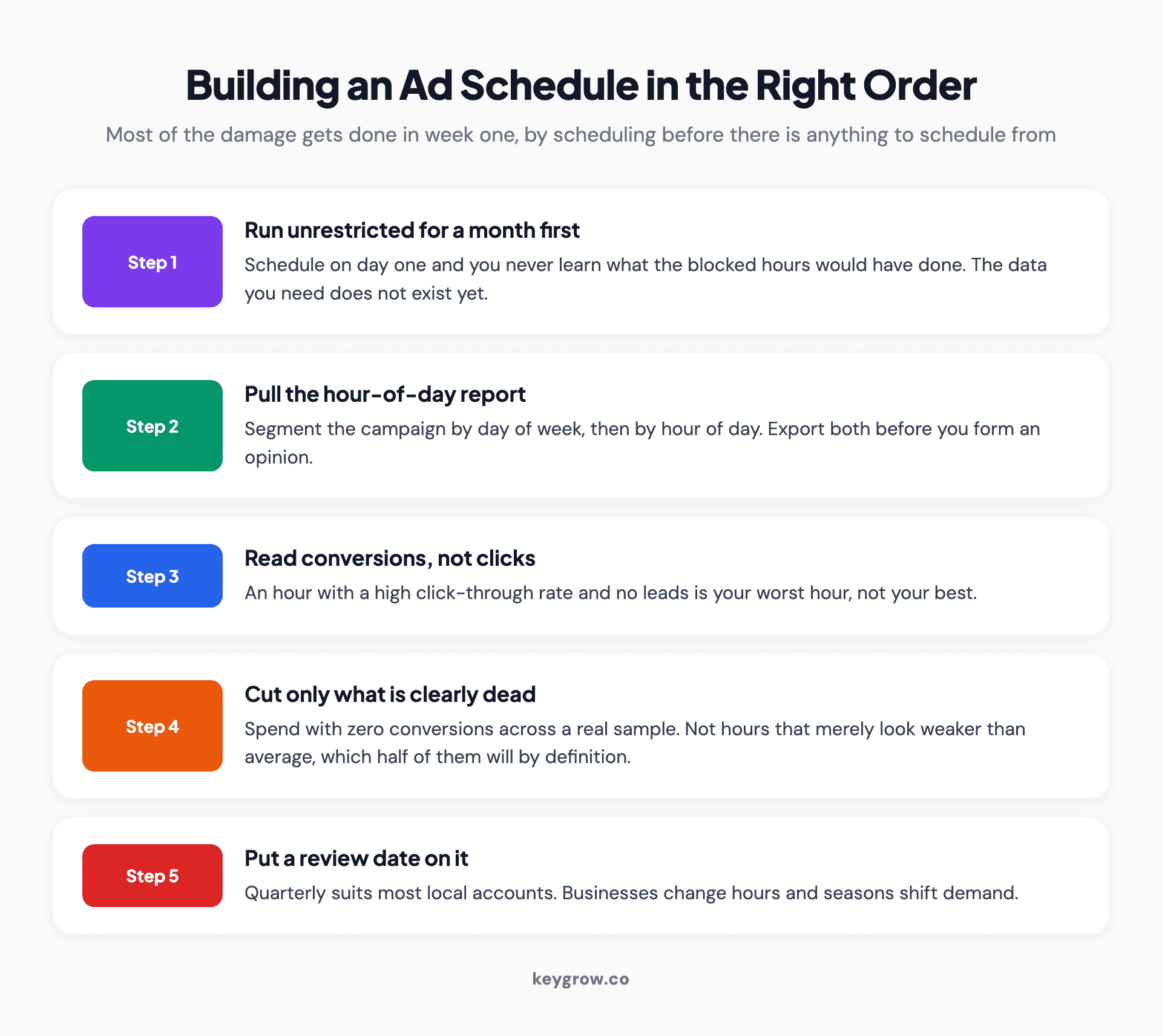
Five-step process for building a Google Ads schedule: run unrestricted first, pull the hour-of-day report, check conversions not clicks, cut only the clearly dead hours, and review quarterly.
1. Run unrestricted first. New campaigns should serve every hour for at least a month. Schedule on day one and you will never learn what the hours you blocked would have done. The data you need does not exist yet.
2. Pull the hour-of-day report. In the campaign, open the reporting section and segment by day of week, then by hour of day. Export both.
3. Look at conversions and cost per conversion, not clicks or click-through rate. An hour with a high click-through rate and no leads is your worst hour, not your best. More on this below, because it is where most schedules go wrong.
4. Cut only what is clearly dead. Hours with spend and zero conversions across a meaningful sample. Not hours that look weaker than average. Half your hours will look weaker than average by definition.
5. Put a review date on it. Quarterly is enough for most local accounts. Businesses change hours, seasons shift demand, and a schedule built in March gets stale by September.
If you are on Manual CPC or Maximize clicks, step 4 has a softer version available: reduce the bid on weak hours rather than switching them off. Google allows adjustments from minus 90 percent to plus 900 percent. Start at minus 20 or minus 30 and watch what happens rather than reaching for the extremes.
Reading the hour report without fooling yourself
Here is the statistical problem nobody in this topic mentions, and it invalidates most of the schedules I see.
Seven days multiplied by 24 hours is 168 buckets. An account spending $3,000 a month at a $40 cost per lead produces roughly 75 leads a month. Spread across 168 buckets, that is well under one lead per bucket. Almost every cell in that grid is going to read zero or one, and neither number means anything.
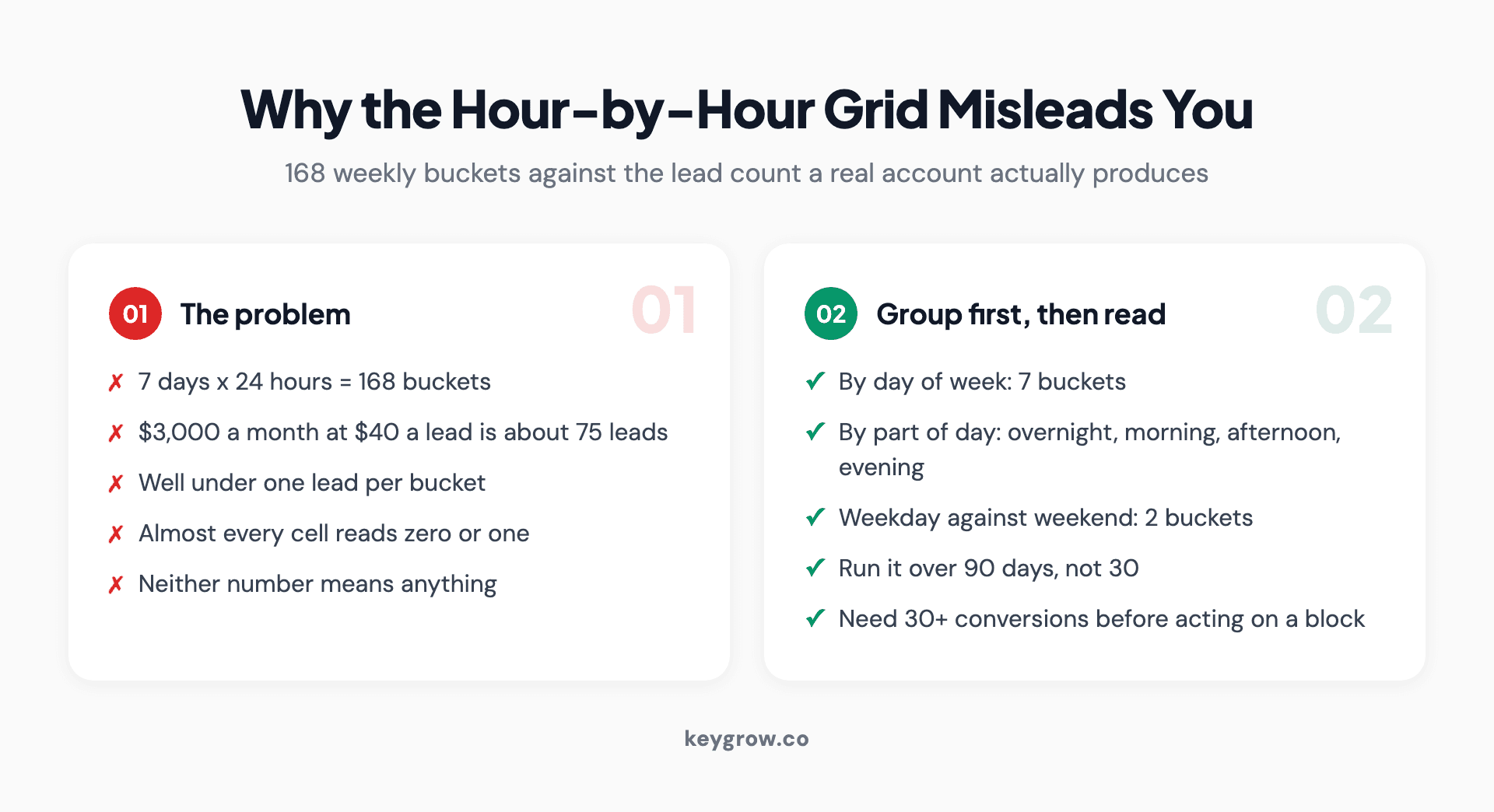
Two cards contrasting why the hour-by-hour grid misleads small accounts with the groupings that produce readable numbers.
So do not read the grid cell by cell. Group first, then read.
Group by day of week on its own. Seven buckets, ten or eleven leads each on that example account, and a weekend that is genuinely dead will show up clearly. Group by broad blocks of the day: overnight, morning, afternoon, evening. Four buckets, readable numbers. Group weekday against weekend. Two buckets, and you will often find the whole story right there.
Then run the same question against three months rather than one. A pattern that survives ninety days is a pattern. A pattern that shows up in a fortnight is usually just Tuesday.
The threshold I use before touching anything: at least 30 conversions in the block being judged. Below that, the difference between a good hour and a bad one is noise wearing a costume.
The question that matters more than conversion rate
For a local service business, the honest first question about ad scheduling has nothing to do with performance data. It is whether anyone picks up the phone.

A handwritten sign taped inside a local shop window.
A plumber whose office answers 8 to 5 and whose ads run until midnight is paying for calls that reach voicemail. Those clicks cost the same as the ones that get answered. A share of those callers ring the next result instead of waiting, which means you paid a competitor's lead generation bill.
Answer three things before you look at a single report:
When does someone actually answer the phone? When do form submissions get a reply, same hour or next morning? And is there an after-hours path, an answering service or a booking form that works at 11 PM, that makes late clicks worth buying?
If the answer is that nobody answers after 6 and forms sit until the next working day, you have your schedule already. It is your opening hours plus an hour on either side, and it took no analysis at all.
That plus-an-hour matters. People search before you open and after you close, and a lead that arrives at 7:50 AM gets called at 8:05. A lead that arrives at 11 PM gets called fourteen hours later, by which point they have hired someone else.
When bid adjustments still earn their keep
If you are on Manual CPC, Enhanced CPC or Maximize clicks, the dial is live and there are three situations where it beats switching hours off entirely.
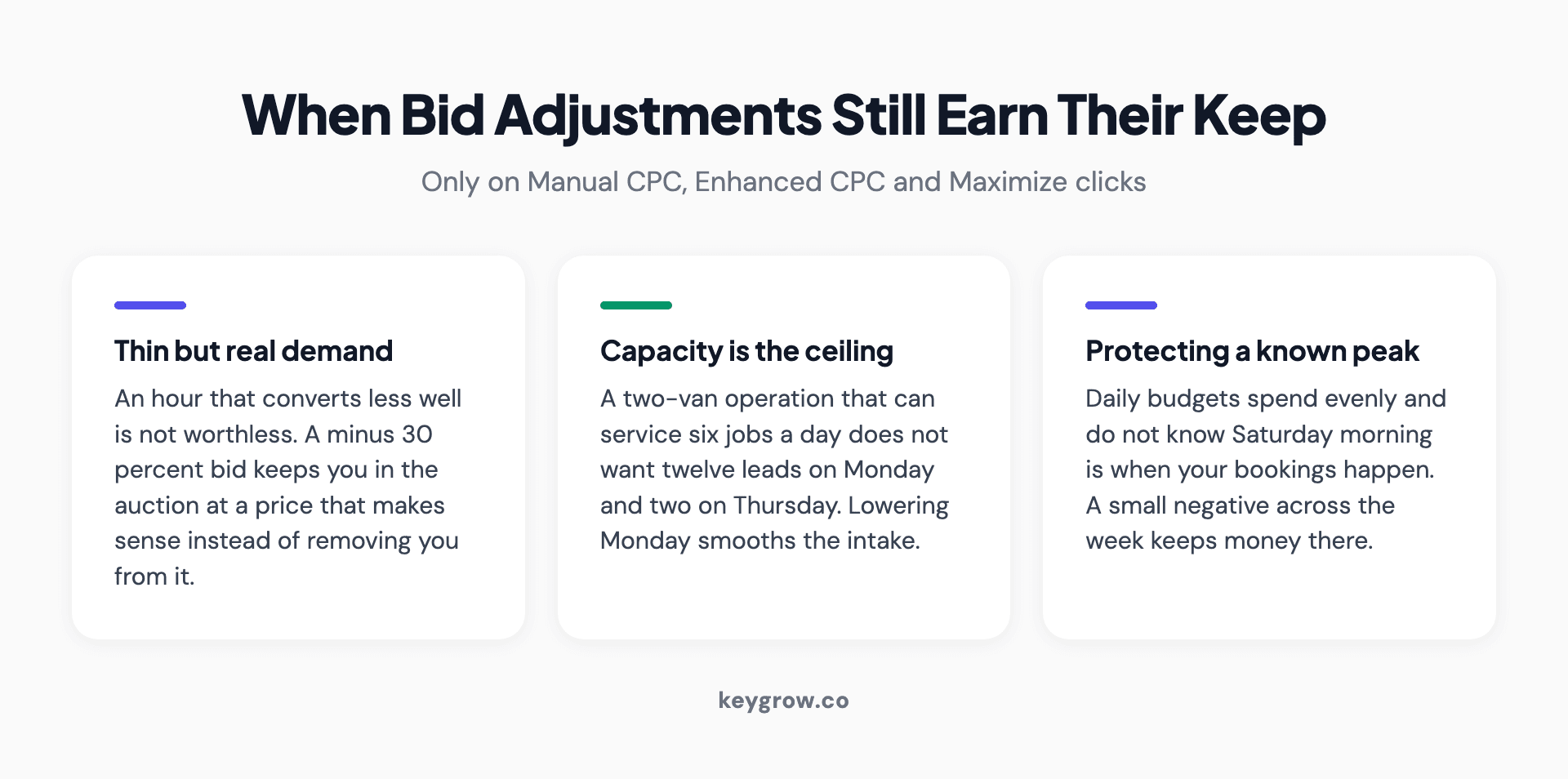
Three situations where ad schedule bid adjustments work better than switching hours off: thin but real demand, capacity limits, and protecting budget for peak periods.
Hours that convert, just less well. A minus 30 percent bid keeps you in the auction at a price that makes sense, rather than removing you from it. Switching off is a decision that the hour is worthless. Usually it is not worthless, it is just worth less.
Capacity, not demand, is your ceiling. A two-van operation that can service six jobs a day does not want twelve leads on Monday and two on Thursday. Lowering Monday bids smooths the intake, which is a scheduling job dressed as a bidding one.
Protecting budget for a known peak. If Saturday morning is when your bookings happen, a small negative adjustment across the week keeps money in the account for it. Daily budgets spend evenly by default and do not know Saturday is special.
Keep the adjustments modest. Plus or minus 50 percent is a large move in a small account, and stacking a schedule adjustment on top of device and location adjustments compounds in ways that are hard to unpick later.
What to do instead when you are on Smart Bidding
Losing the dial does not leave you without options, it just moves them up a level.
Split into separate campaigns. Campaigns carry their own budgets and their own targets. A weekday campaign and a weekend campaign, each with its own Target CPA, gives you per-period control that bid adjustments used to provide. It costs you conversion volume per campaign, so only do it if both halves have enough data to learn from.
Use the schedule as a hard filter, not a dial. Off is still available, and off is the right answer for hours you genuinely cannot serve.
Adjust the target, not the bid. If overnight leads convert worse into actual jobs, the fix is a lower Target CPA on a separate overnight campaign, not a bid adjustment that will be ignored. This is the same logic behind how automated bidding works generally: you steer it with goals and inputs, not with manual overrides.
Feed it better conversion data. Smart Bidding is only as good as what you count. If every form fill counts as a conversion regardless of whether it turned into work, the system will happily optimize toward 3 AM tire-kickers because they fill in forms too.
That last point is the one worth spending money on. Import qualified leads or closed jobs back into Google Ads rather than counting raw form fills, and time of day sorts itself out without a schedule. The algorithm discovers that the 2 AM conversions never become customers and stops chasing them, which is a more precise version of what you were trying to achieve by hand. It takes a CRM connection and some patience, and it outperforms any schedule you could write.
Why scheduling is rarely your biggest lever
Now the part that costs us work to say. Ad scheduling is a tidy, satisfying optimization that usually moves less money than the three things sitting next to it.
A cash home buyer we worked with was drowning in junk leads, and the first instinct in the room was to start cutting hours. The theory was that the rubbish arrived overnight. It did not. Sorting the leads by timestamp showed them spread almost evenly across the clock, and the real culprit was sitting in the search terms report: matching wide enough to catch anyone typing anything adjacent to the offer. Narrowing what the campaigns were allowed to match, and putting language in the ads that actively discouraged the wrong people, took serious leads up 600 percent between December and January. Same budget. Nobody touched the schedule.
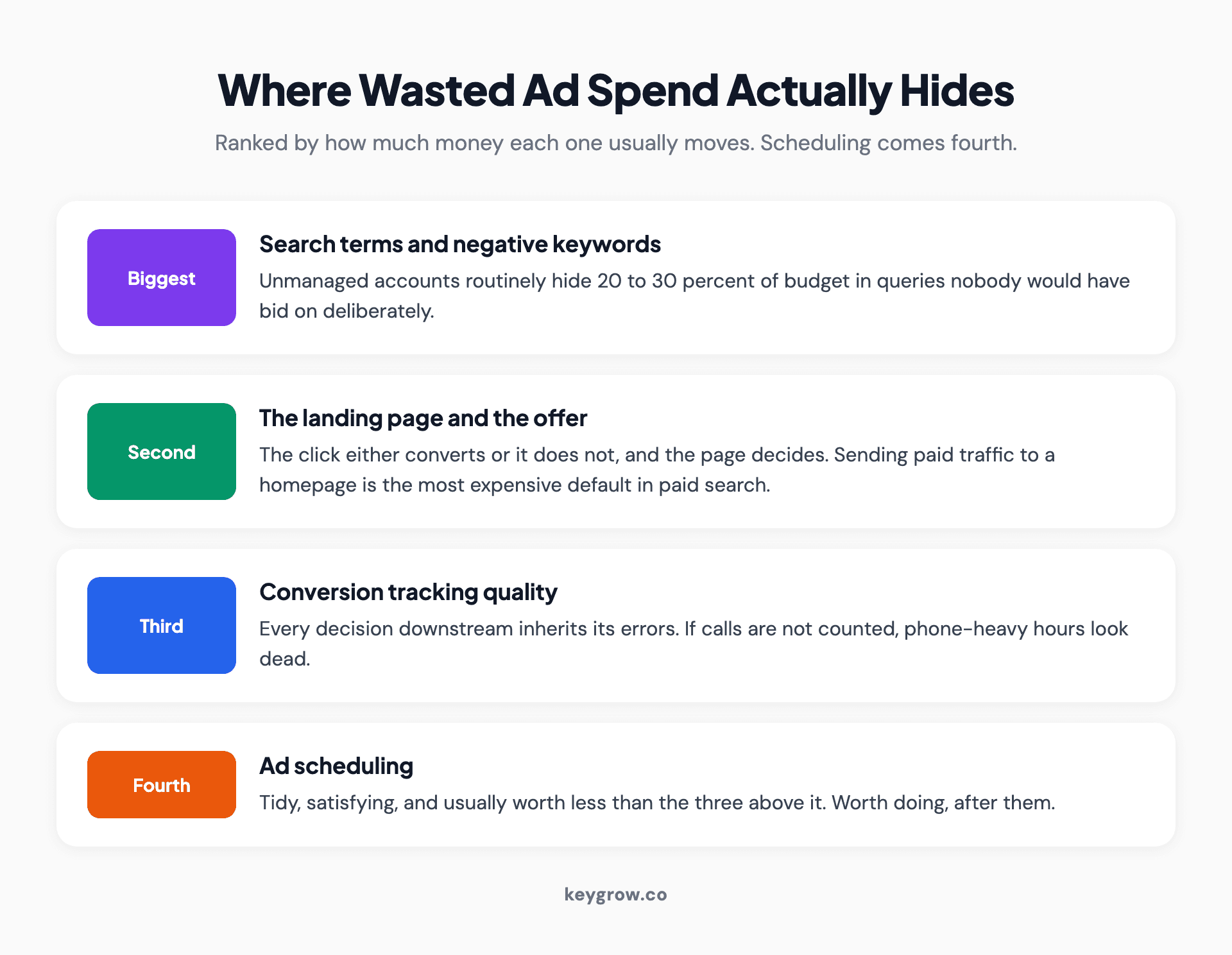
Four levers ranked by how much waste they usually remove: search terms and negatives, landing page and offer, conversion tracking quality, then ad scheduling.
Before you spend an afternoon on dayparting, check the three things that are usually bigger. Your search terms report, where unmanaged accounts routinely hide 20 to 30 percent of budget in queries nobody would have bid on deliberately. Your landing page, where the click either converts or does not. And your conversion tracking, because every decision downstream of it inherits its errors.
Scheduling earns its place after those. Not before.
And if you are spending under about $1,500 a month, there is a version of this you should not hire anyone for. Set the schedule to the hours you can answer the phone, add an hour on each end, and leave it. You will not have enough per-hour data to do better than that for a long time, and neither will anyone you pay.
Mistakes that make scheduling backfire

A man reviewing campaign performance on a desktop computer.
Scheduling by click-through rate. Late-night click-through rates often look excellent because the auction is thin and your ad sits at the top. Those clicks convert badly. Judging hours by engagement rather than booked jobs is the same error as judging an agency report by impressions, and it is just as expensive.
Cutting so much that the campaign cannot learn. Smart Bidding needs conversion volume. Squeezing a campaign into twelve hours a week can starve the algorithm into worse decisions during the hours you kept.
Forgetting the time zone. Worth repeating because it is silent. Your schedule runs on the account's time zone, and nothing in the interface warns you when that differs from your customers'.
Treating it as permanent. A schedule set once and never revisited is a schedule describing a business that no longer exists.
Scheduling before fixing tracking. If calls are not tracked as conversions, every phone-heavy hour looks dead in the report. Plenty of local accounts have switched off their best hours this way.
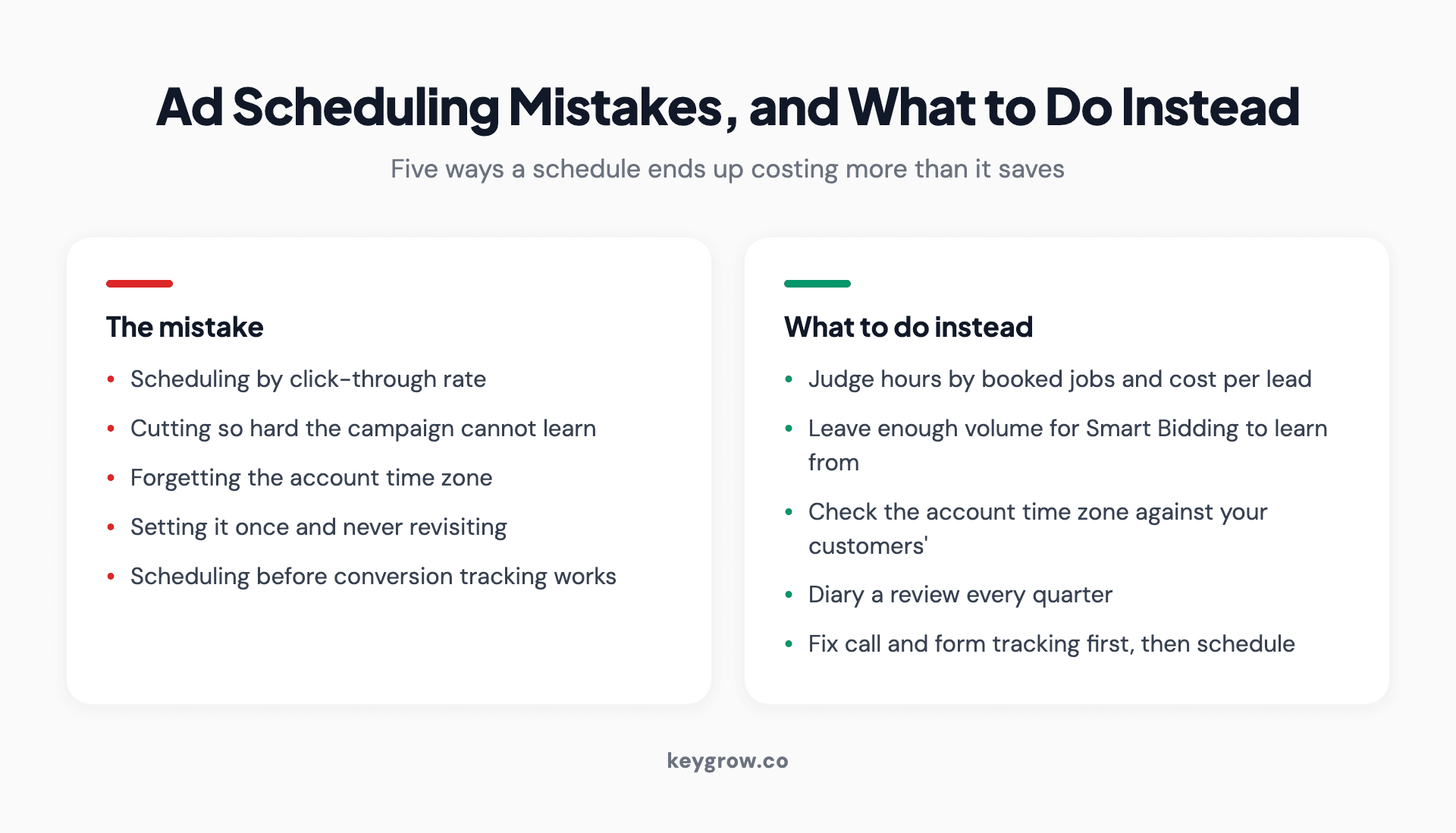
Five ad scheduling mistakes paired with what to do instead, covering click-through rate, learning volume, time zones, review cadence and tracking.
FAQs
What is ad scheduling in Google Ads?
Ad scheduling, sometimes called dayparting, controls which days and hours your campaign is allowed to show ads. On some bid strategies you can also raise or lower bids for specific time blocks. The schedule is set per campaign and runs on your account's time zone.
Does ad scheduling work with Smart Bidding?
The schedule does, the bid adjustments do not. Target CPA, Target ROAS, Maximize conversions and Maximize conversion value ignore manual bid adjustments, including ad schedule ones, because they already weigh time of day at auction. You can still switch hours off entirely.
How much data do I need before setting an ad schedule?
At least a month of unrestricted serving, and ideally three. Judge groups of hours rather than single hours, and look for at least 30 conversions in any block before you act on it. Below that, the difference between hours is usually noise.
Will my ads pause automatically outside scheduled hours?
Yes. Outside the blocks you define, the campaign stops entering auctions and resumes when the next block starts. Nothing needs to be paused by hand, and your daily budget is not spent during blocked hours.
Can I set different schedules for different campaigns?
Yes, and you should. Ad schedules are a campaign-level setting, so a brand campaign can run around the clock while a service campaign runs during business hours. There is no account-level schedule that applies to everything.
What are the best hours to run Google Ads?
There is no universal answer, and any list of best hours you find is describing somebody else's business. The hours that work are the ones where your buyers search and your team responds. For most local service businesses that means weekday business hours plus a short buffer at each end.
The ten minute version
If you do nothing else with this, do this. Open each campaign, check the bid strategy so you know whether adjustments are live for you, and set the schedule to the hours somebody actually answers, plus an hour either side. Diary it for three months out, then go and look at something that matters more.
That takes ten minutes and captures most of the value. The hour-by-hour work is worth doing once your account has the volume to support it, and not before. If you want someone to look at where your spend is really going, our PPC management work starts with the search terms report and the tracking setup rather than the schedule, and you can tell us what you are running if you would like a second opinion.



