

Most accounts that go looking for Google Ads seasonality adjustments should not use them. That is not a warning about an advanced feature, it is Google's own position: the help documentation says to use them only if you expect major changes to conversion rates, because Smart Bidding already manages seasonal events.
So here is the short version before the detail. The feature lets you warn the bidding algorithm, ahead of time, that conversions are about to run a set percentage above or below their usual rate across a window you define. Built for a flash sale, a launch weekend, a single day. Not built for a season, whatever the name suggests.
What the tool actually does
It changes one input, and only one.
You are telling the bidding algorithm to temporarily revise its expectation of your conversion rate. If you say plus 40 percent for Black Friday, Smart Bidding assumes clicks that day are 40 percent likelier to convert and bids accordingly, rather than waiting to observe it and reacting a day late.
What it does not do, which is where most of the confusion sits:
That last distinction matters, because the sibling feature covered further down does exactly the opposite.
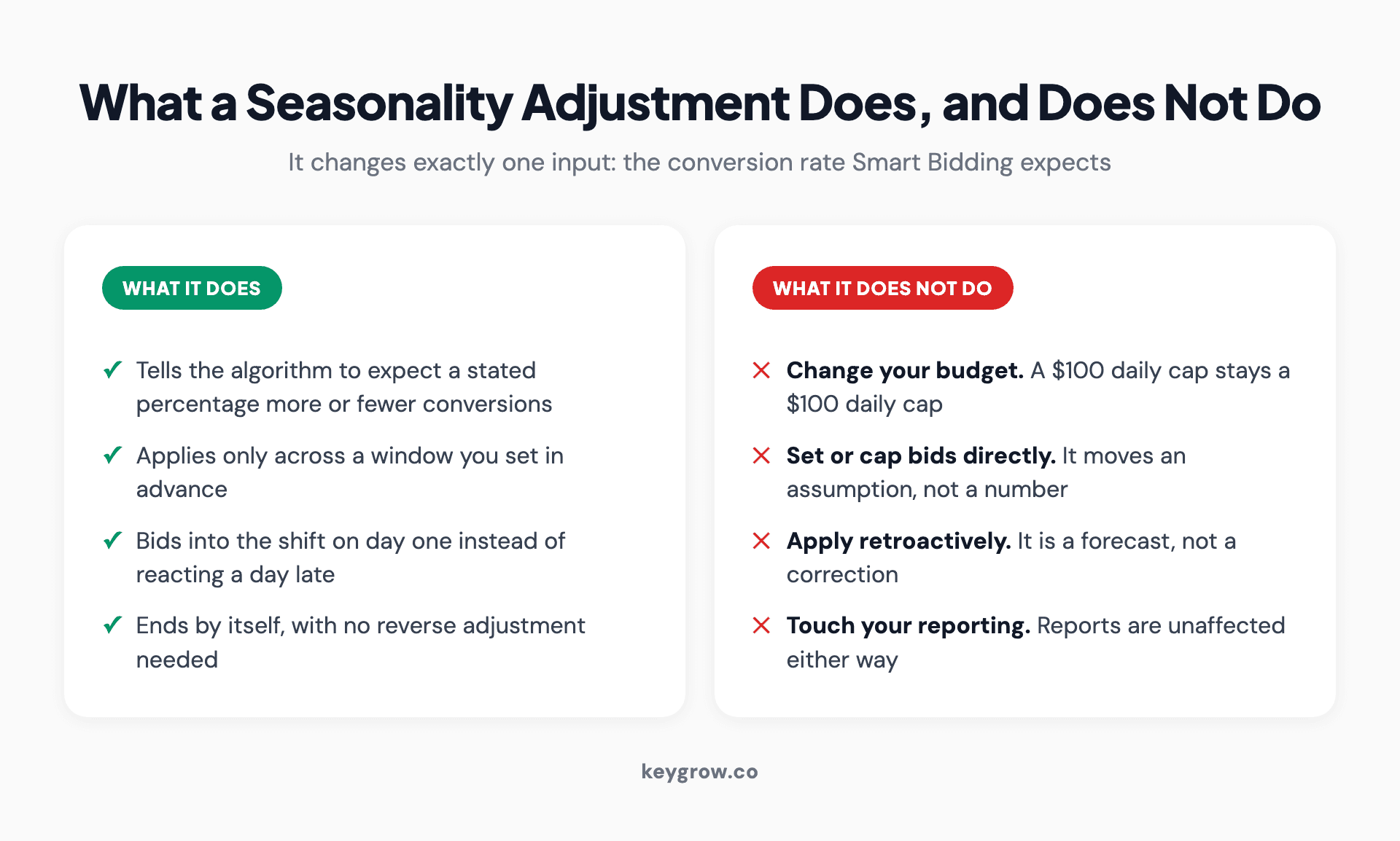
What a seasonality adjustment does against what it does not do: it revises the expected conversion rate across a window you set, but it does not change your budget, cap bids, apply retroactively, or affect reporting.
The rules Google publishes, which the blogs get wrong
Worth reading the documentation directly on this one, because several widely shared guides state the compatibility incorrectly.
Which bid strategies it works with. On Search, Shopping and Display, Google's documentation lists Target ROAS and Target CPA only. Performance Max and App campaigns accept it on any bid strategy. Plenty of articles will tell you Maximize Conversions works on Search. On a manual CPC campaign it does nothing at all, silently.
How long it should run. Ideal for events of one to seven days. Google warns it may underperform when applied for more than 14 days at a stretch. A month-long adjustment is outside the design of the feature.
You do not need to undo it. Google states plainly that no negative adjustment is needed once the promotion is over. Campaigns return to baseline on their own. Applying a reverse adjustment afterwards is a common ritual that does harm rather than nothing.
Travel campaigns do not support it. Which is a striking exclusion for a feature named after seasons.
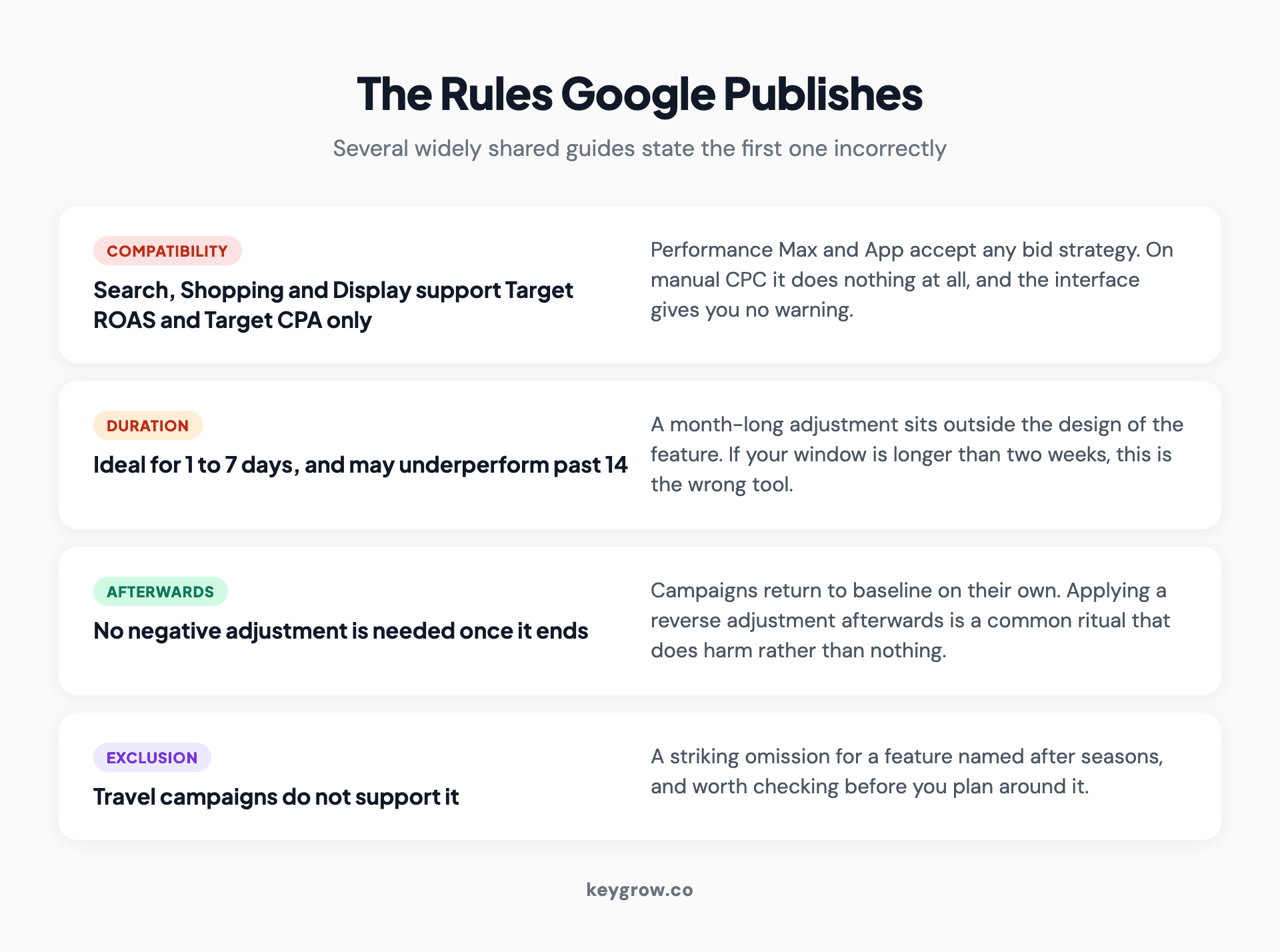
The four published rules for Google Ads seasonality adjustments: Target ROAS and Target CPA only on Search, Shopping and Display, one to seven days ideal, no reverse adjustment needed afterwards, and no support in Travel campaigns.
When it genuinely earns its place
A short list, and if your situation is not on it, the honest answer is to leave the feature alone.
A promotion with a known start and end. A 48-hour sale where you can reasonably predict the conversion rate lifts sharply.
A one-off event driving unusual intent. A conference, a product launch weekend, a television appearance, a local event that reliably moves your category.
A known downward window. You are closed for three days, or a fulfillment problem means you expect conversions to collapse while the ads keep running. A negative adjustment prevents the algorithm learning a lesson that is not true.
A first-time event with no history. This is the strongest case. Smart Bidding adapts well to patterns it has seen before, so the genuine value is in the year you do something new, where there is nothing in the data to learn from.
Notice the shape: short, predictable, sharp, and known in advance. If you are guessing, you are adding noise to a system that is better at this than you are.

A shop window displaying a sale sign.
When it costs you
Using it for an actual season. Q4 for a retailer, summer for a pool company, storm season for a roofer. These are gradual, repeated, and already in the data. Smart Bidding has seen them. An adjustment layered on top double-counts the effect.
Guessing the percentage. A number you invented is worse than no number, because the algorithm treats it as information.
Leaving one running. An adjustment that outlives its event quietly distorts bidding until somebody notices. Put the end date in when you create it.
Using it to paper over a tracking problem. If conversions dropped because a tag broke, this is the wrong tool entirely, and the right one is next.
Using it on a strategy it does not affect. Manual CPC and enhanced CPC ignore it. So does Maximize Conversions on Search. The interface will not stop you.
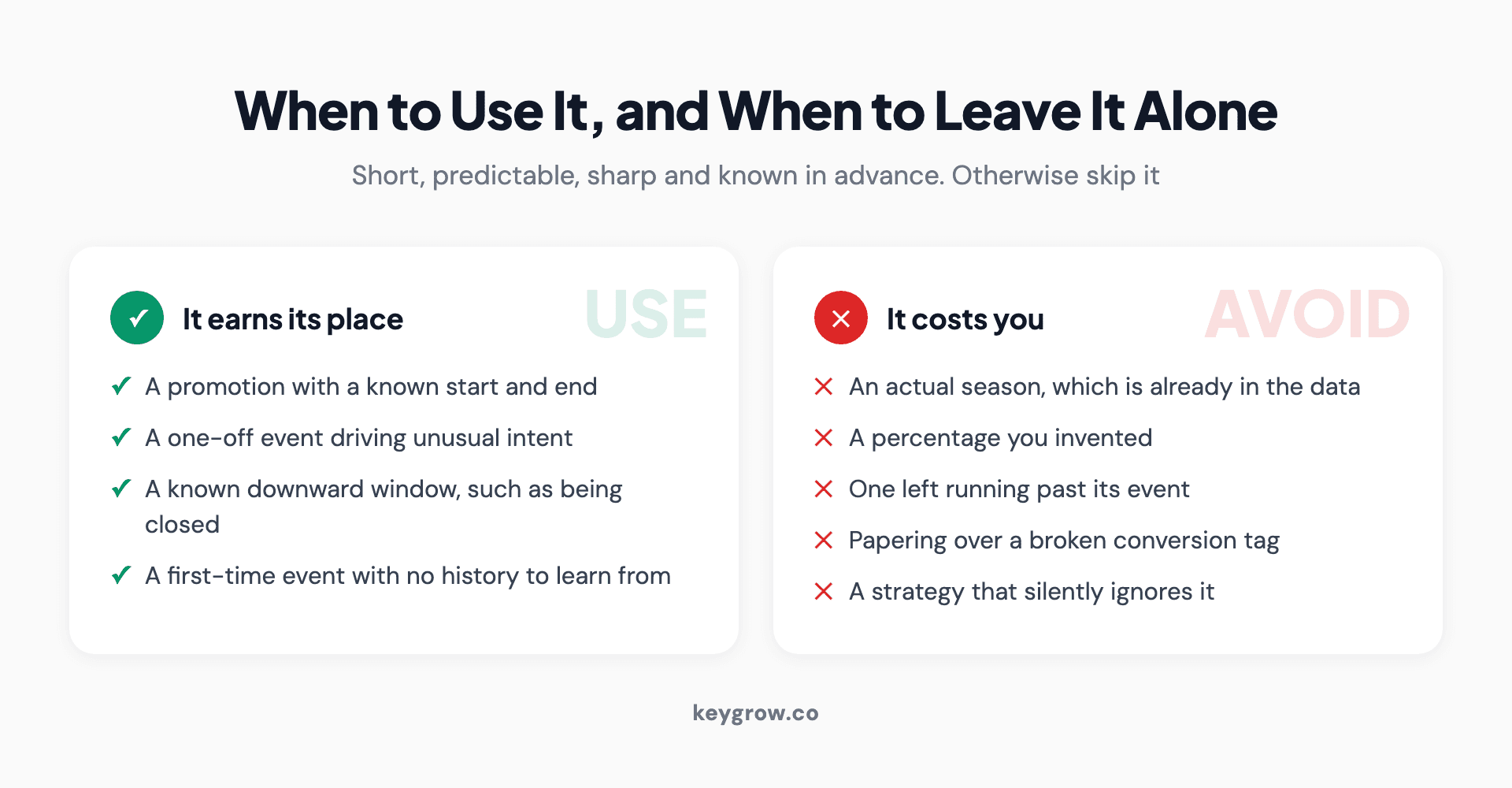
When a seasonality adjustment earns its place against when it costs you, covering promotions with known dates and first-time events versus real seasons, invented percentages and adjustments left running.
Seasonality adjustments and data exclusions are opposites
These two get confused constantly, including in articles that cover both, and they solve opposite problems.
| Seasonality adjustment | Data exclusion | |
|---|---|---|
| What it says | Expect a different conversion rate | Ignore this period entirely |
| Direction in time | Forward looking | Backward looking |
| Use it when | You predict a real shift | Your tracking broke |
| Effect on reporting | None | None, bidding only |
| Google's caution | Only for major expected changes | Do not use frequently or for long periods |
Data exclusions tell Smart Bidding to leave a window of conversion data out of its calculations, for tagging failures, site outages or a broken data import. The conversions still appear in your reports. They just stop teaching the algorithm something false.
Google is blunt about the misuse: data exclusions are not a substitute for fixing the actual problem, and backfilling them when there was no real outage can directly damage bidding performance. In other words, do not reach for this because a week was quiet.
The test for which one you need is one question. Did your conversion rate really change, or did your measurement of it break? Real change is a seasonality adjustment. Broken measurement is a data exclusion. A quiet week is neither.
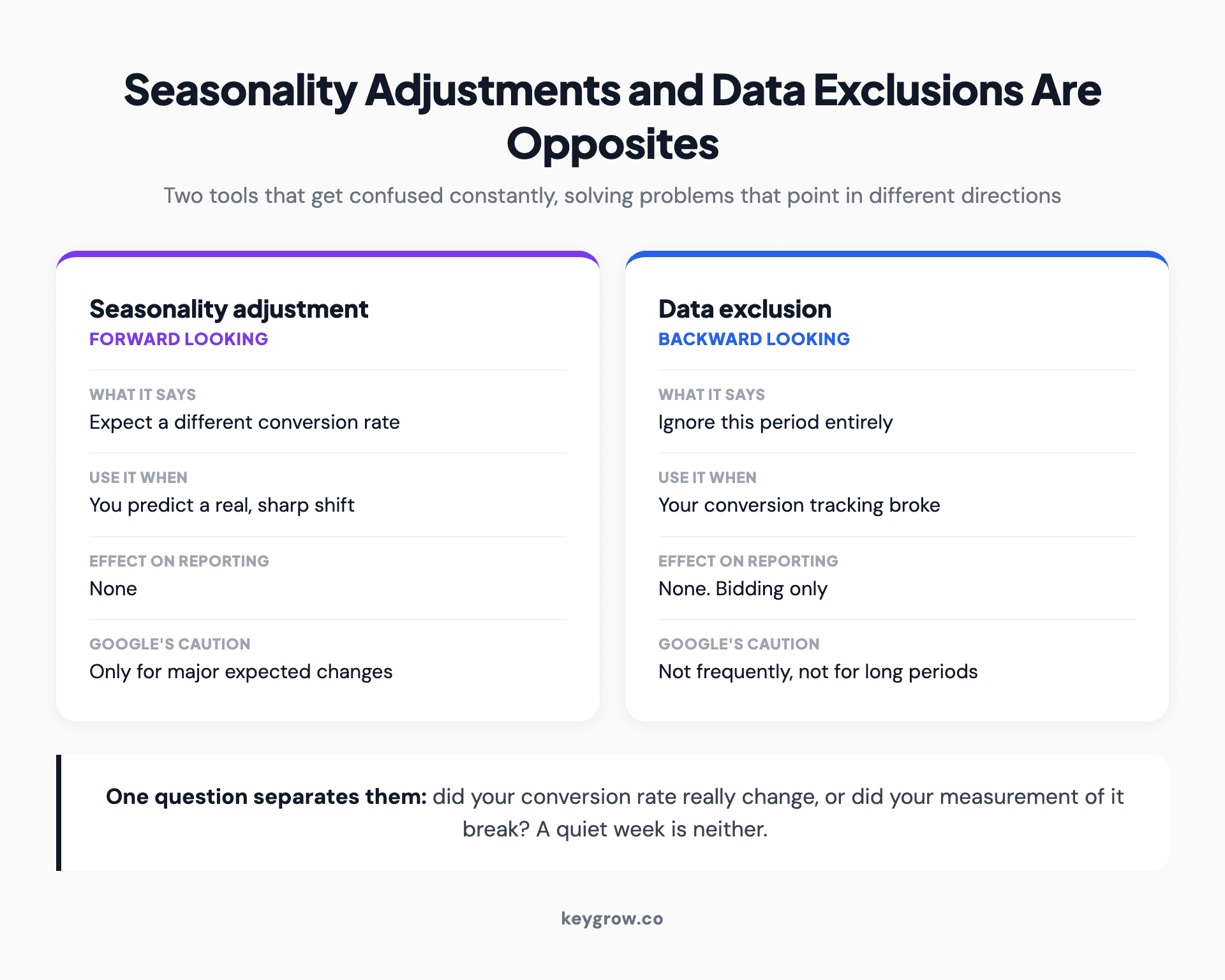
Seasonality adjustments compared with data exclusions: one is forward looking and expects a different conversion rate, the other is backward looking and ignores a period because tracking broke.
How to pick the percentage without guessing
The adjustment is only as good as the number you put in it, so derive it rather than estimate it.
Find the same event last year, if it exists. Compare the conversion rate during the event window against the two weeks before it. That ratio is your starting adjustment. A conversion rate that went from 4 percent to 6 percent is a plus 50 percent adjustment, not plus 2.
If there is no history, look for the closest analogue you do have, and then be conservative. Under-adjusting costs you some efficiency for a day. Over-adjusting hands the algorithm a false expectation and can spend a lot of money quickly.
And if you genuinely have no basis for a number, that is a good signal to skip the feature. An invented percentage applied to a bidding system is not a neutral act.
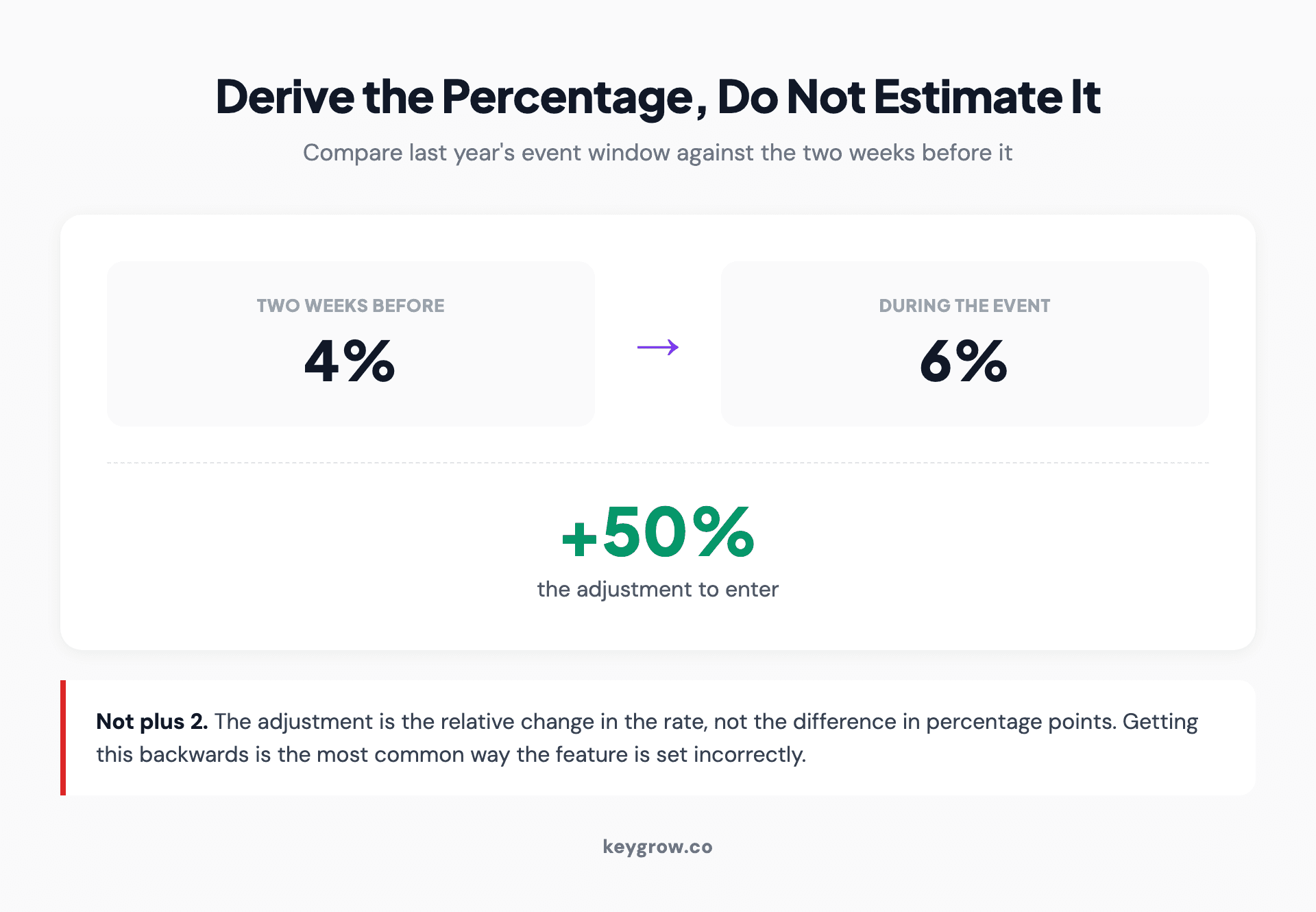
Worked example of deriving a seasonality adjustment: a conversion rate of 4 percent in the two weeks before an event and 6 percent during it gives a plus 50 percent adjustment, not plus 2.
What to do instead for a real season
Since most people arriving at this question have a season rather than an event, here is the work that actually applies.
Give Smart Bidding time and data ahead of the peak, rather than a correction during it. Budgets are the honest lever: raise them before demand arrives, because a capped campaign cannot capitalize on a conversion rate you correctly predicted. Target CPA and Target ROAS targets can be moved deliberately if your margins change during the season, and that is a different and more durable control than a temporary adjustment.
Then build the account so the season is legible. Separate campaigns for seasonal products, search terms reviewed weekly while volume is high, and conversion tracking you trust, because every automated bidding decision is downstream of that. If the tracking is wrong, no adjustment fixes it. Our own view on this is covered in more depth in how automated bidding actually behaves.
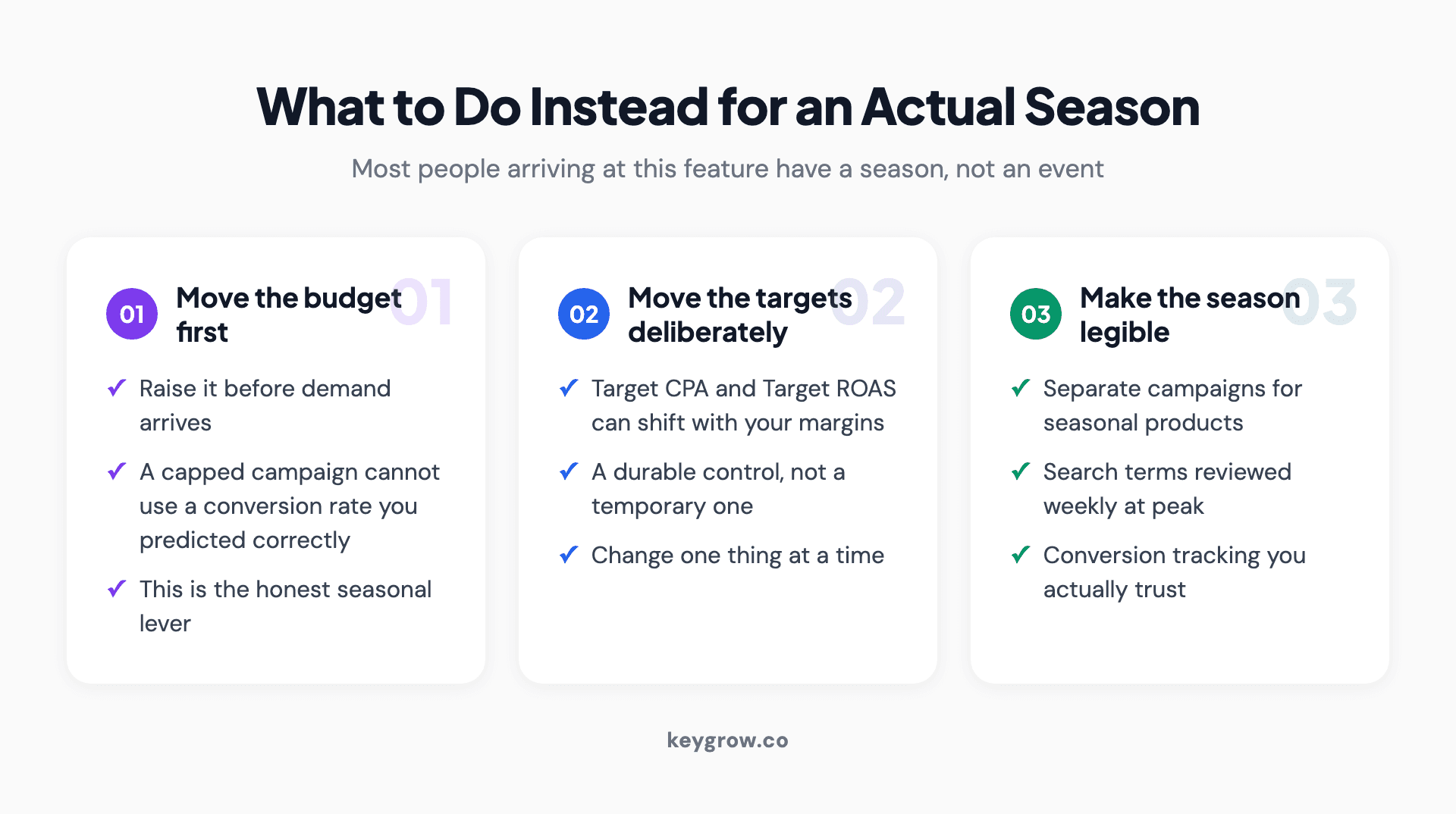
Three things to do for a real season instead of a seasonality adjustment: move the budget ahead of demand, move the bid targets deliberately, and make the season legible in the account structure.
Do you need an agency for this?
For this specific feature, no. Creating a seasonality adjustment takes about two minutes and the hard part is knowing whether to, which this page has covered.
The case for help is not the feature, it is everything around it: whether your conversion tracking is counting real outcomes, whether your budgets are positioned ahead of demand, and whether anyone is reviewing search terms while the spend is running high. Those are where seasonal money is actually won and lost. That work sits inside our PPC management, month-to-month, and the audit comes before any bidding change.

An orange neon sale sign glowing in a dark shop window.
FAQs
What are seasonality adjustments in Google Ads?
They are a scheduled instruction to the bidding algorithm, telling it that conversions will run a stated percentage above or below normal across a window you define. The design target is a short predictable event such as a flash sale or launch weekend, not a long season.
When should I use a seasonality adjustment?
Only when you expect a major change in conversion rate that Smart Bidding has no history of. A first-time event is the strongest case. Google's own guidance is to leave the feature alone otherwise, because Smart Bidding already handles recurring seasonal patterns.
How long can a seasonality adjustment run?
Google recommends one to seven days and warns that performance may suffer beyond 14 days at a time. If your window is longer than that, the feature is the wrong fit for the situation.
Which bid strategies support seasonality adjustments?
On Search, Shopping and Display, Target ROAS and Target CPA only. Performance Max and App campaigns support them across bid strategies. Manual CPC and enhanced CPC ignore them entirely, with no warning.
Do I need to reverse a seasonality adjustment after the event?
No. Google states that no negative adjustment is needed once the promotion ends, and campaigns return to baseline automatically. Applying a reverse adjustment afterwards is a common habit that does more harm than nothing.
What is the difference between a seasonality adjustment and a data exclusion?
A seasonality adjustment is forward looking and says to expect a different conversion rate. A data exclusion is backward looking and says to ignore a period because tracking broke. The question that separates them is whether your conversion rate really changed or your measurement of it failed.
Do seasonality adjustments change my budget?
No. They only change the conversion rate Smart Bidding expects. A campaign that is budget-capped stays capped, which is why raising the budget is usually the more important seasonal move.
What percentage should I set?
Derive it from the same event last year by comparing the conversion rate during the window against the two weeks before it. A rate that moved from 4 percent to 6 percent is a plus 50 percent adjustment. With no history to work from, be conservative or skip the feature.
If you only remember one thing
Seasonality adjustments are a scalpel for events you can see coming and the data cannot. They are not a seasonal strategy, a budget control, or a fix for a bad week.
Before you create one, answer the question that decides everything: did the conversion rate genuinely change, or did the tracking break? Get that wrong and you will use the wrong tool confidently, which is more expensive than using neither.


