


A negative keyword tells Google not to show your ad when a search includes that word or phrase. Used well, it is the single cheapest way to stop your budget leaking, because it cuts off the clicks that were never going to convert before you pay for them.
Here is the part that gets missed. Negative keywords are not a one-time setup task you tick off at launch. They are a weekly habit, because the searches that trigger your ads change constantly, and each week brings new junk to block. In accounts nobody is actively managing, this is where a fifth to a third of the budget quietly disappears.
Below is how to find your negatives, which match type to use, where to add them, and the one mistake that turns a money-saver into a traffic-killer.
What a negative keyword does, and why it matters
Your keywords tell Google which searches you want to appear for. Because match types are loose, Google shows your ads for far more searches than the exact words you entered. Negative keywords are the counterweight: they carve out the searches you do not want, so your budget stays on the ones that can actually turn into a lead.
The classic example is intent. If you sell premium roofing, a search for "free roof repair" or "diy roof patch" is a click you pay for and never convert. Add "free" and "diy" as negatives and that budget goes back to the searches from people ready to hire.

A crumpled dollar bill on a wooden windowsill, a picture of the budget lost to clicks from searches that will never become a lead.
Where to find your negative keywords
You do not guess at negatives. You read them out of the account. The search terms report shows the actual queries people typed to trigger your ads, and it is the highest-return half hour in Google Ads.
Open the report, sort by cost, and read down the list. Every search that is irrelevant, off-intent, or just curious is a negative keyword waiting to be added. Google's search terms report is built for exactly this, and it rewards a weekly look rather than a quarterly one, because broad match keeps finding new ways to spend your money. If you are still deciding whether to run broad match at all, our guide to Google Ads broad match covers the four conditions it needs first. This is the same report we lean on hardest during a PPC audit, because it is where most of the waste hides.
The three match types for negatives
Negative keywords have their own match types, and they work a little differently from positive ones. There is no negative broad match that expands to synonyms, which is a good thing, because you rarely want a negative to block more than you meant.
| Negative match type | Blocks searches that... | Use it for |
|---|---|---|
| Negative broad | contain all your words, in any order | General junk themes like "free," "jobs," "cheap" |
| Negative phrase | contain your words in order | Specific unwanted phrases like "free estimate template" |
| Negative exact | are exactly your term, nothing more | Blocking one query while keeping close variants |
The safe default is negative broad for whole themes you never want, such as "free" or "salary," and negative phrase or exact when you need to block one specific query without accidentally cutting good traffic around it.
Build a starter list before you spend a dollar
You do not have to wait for the search terms report to fill up. Most accounts should launch with a starter negative list built from the categories that waste budget in almost every industry:
- Free, cheap, and DIY searches from people who will never pay you.
- Job seekers, with negatives like "jobs," "salary," "career," and "hiring."
- Wrong intent, such as "how to," "what is," and "meaning," when you sell a service rather than answer questions. Be careful here if you also run content, since some of those searches are worth reaching.
- Wrong product or service you do not offer but that shares words with what you do.
- Competitor and location mismatches, where the search is clearly outside what you sell or where you sell it.
A starter list stops the most obvious waste on day one, and the search terms report handles the rest as it comes in.
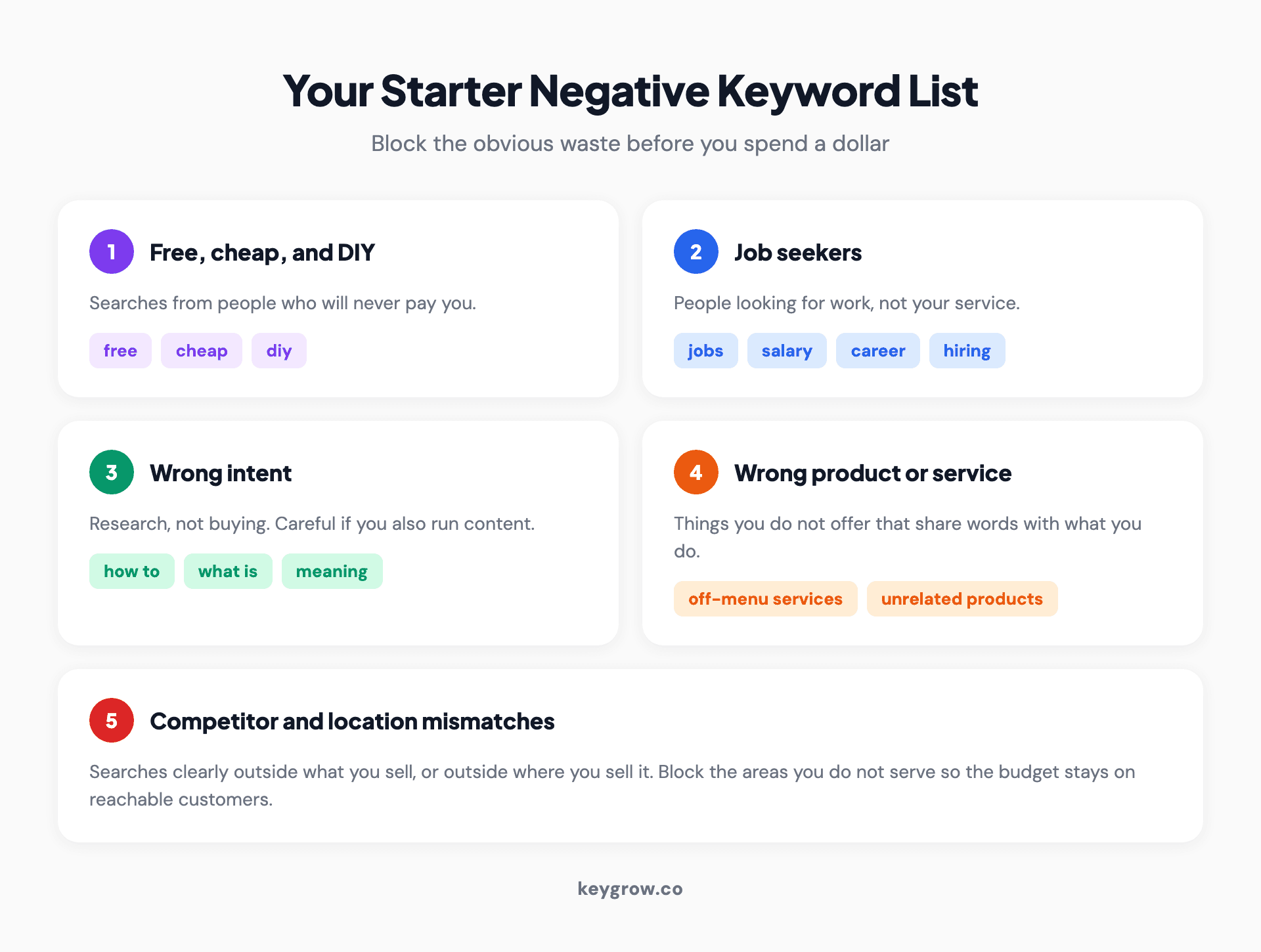
Five-card checklist of a starter negative keyword list: free, cheap, and DIY searches; job seekers; wrong intent; wrong product or service; and competitor or location mismatches.

A no entry road sign against a cloudy sky. A starter negative list does the same job for searches that never become leads.
Account, campaign, or ad group: where to add them
Negatives can live at three levels, and the level matters.
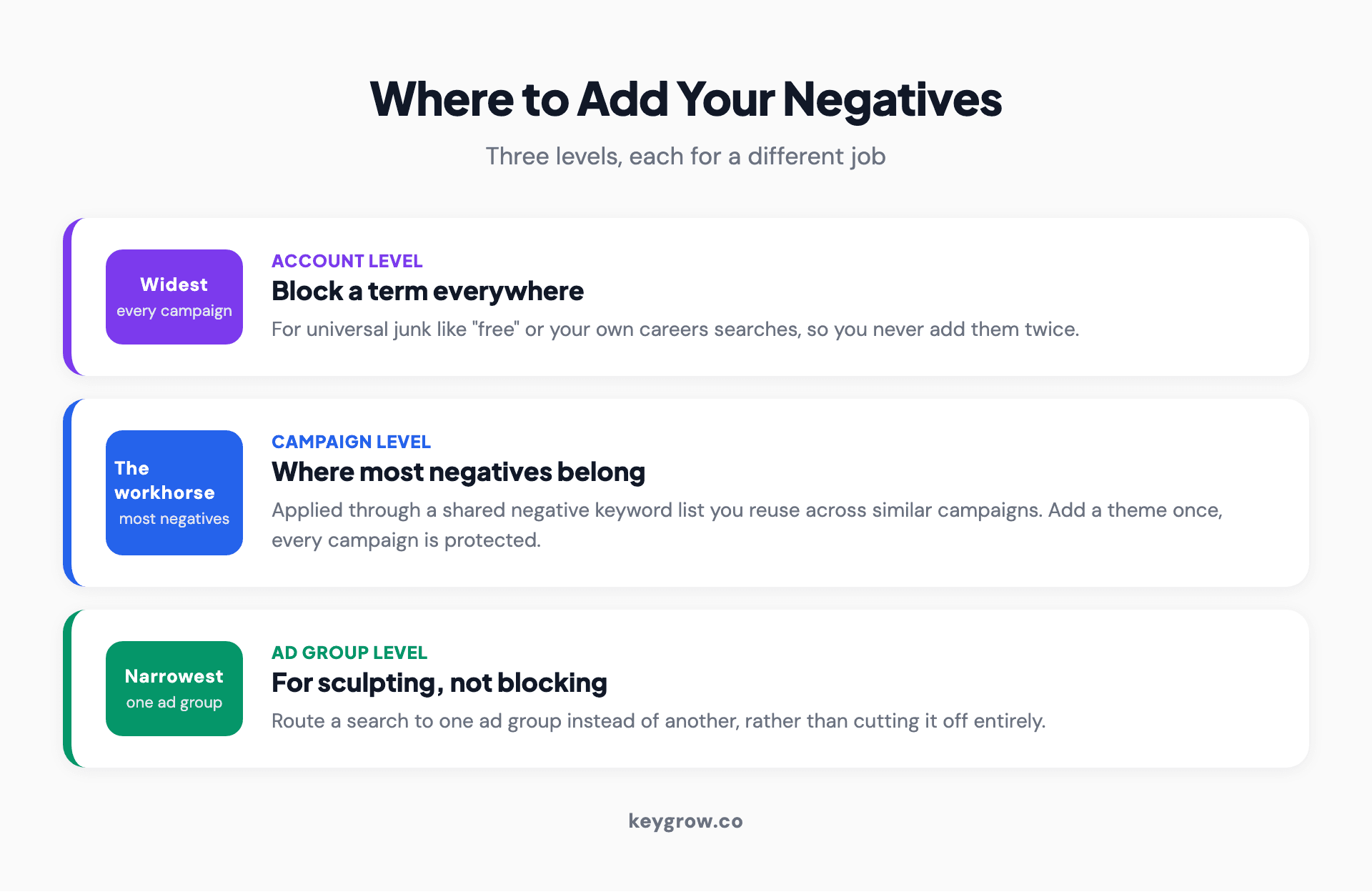
Hierarchy of the three levels for adding negative keywords: account level for universal junk, campaign level as the workhorse using a shared list, and ad group level for sculpting.
- Account level blocks a term across every campaign. Use it for universal junk like "free" or your own careers searches, so you never have to add them twice.
- Campaign level is the workhorse. Most negatives belong here, applied through a shared negative keyword list you can reuse across similar campaigns.
- Ad group level is for sculpting, when you want a search to go to one ad group instead of another rather than being blocked entirely.
Building a shared negative keyword list and applying it across campaigns is the trick that keeps this manageable. Add a new theme once, and every campaign using that list is protected.
The mistake that quietly kills good traffic
Negatives are powerful, which is exactly why they are easy to overuse. The most common error is adding a negative that is broader than you meant and silently blocking searches you wanted.
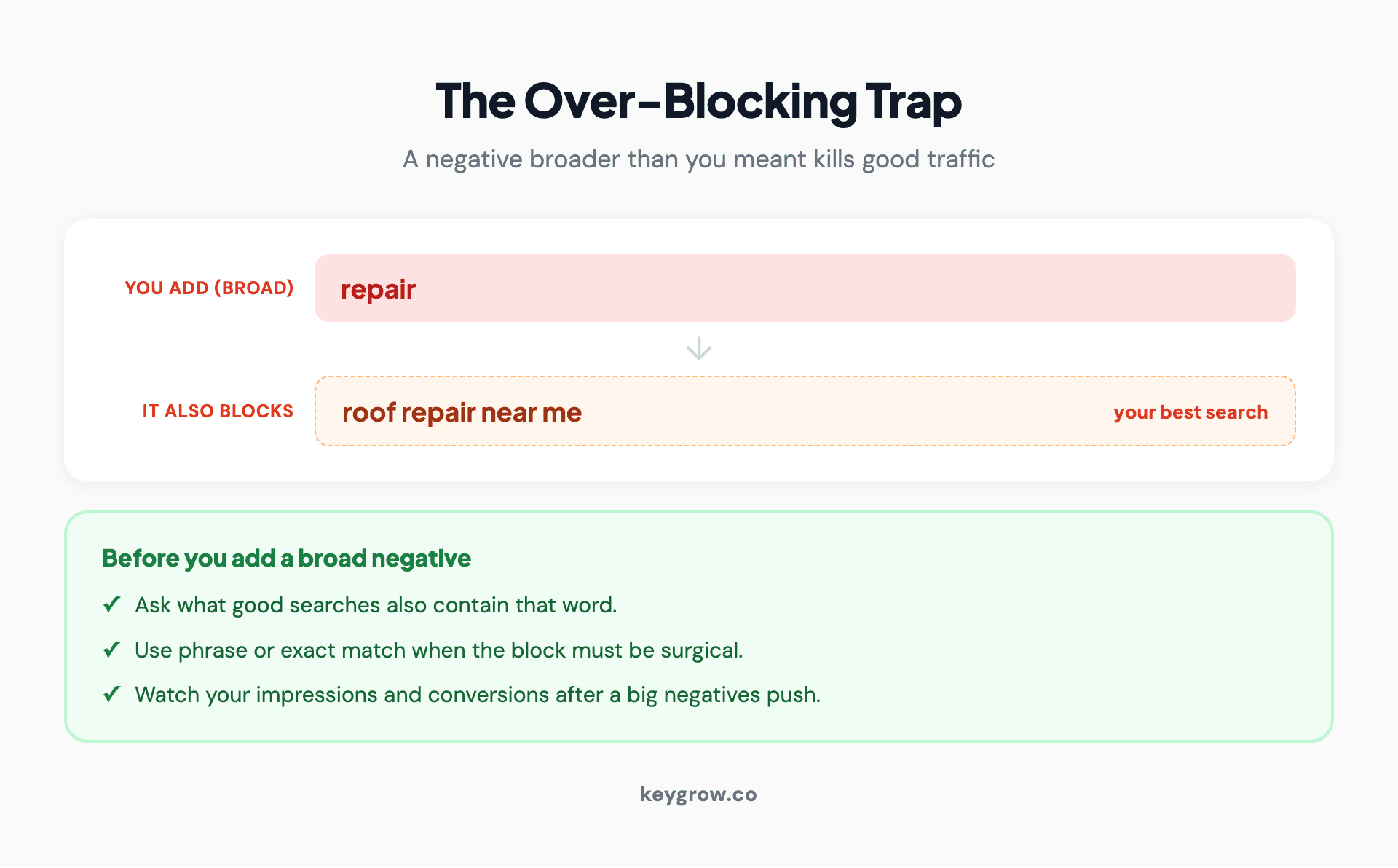
Example of the over-blocking trap: adding "repair" as a broad negative also blocks "roof repair near me," with a checklist to run before adding any broad negative.
Add "repair" as a negative broad keyword to block "how to repair," and you also block "roof repair near me," which is your best search. Add a city name to cut one bad area, and you may block every search that mentions a neighborhood inside it. Before you add a broad negative, ask what good searches also contain that word. When in doubt, use phrase or exact match so the block is surgical. And check your search terms and conversion volume after a big negatives push, because a sudden drop in impressions on a good keyword is usually a negative you did not mean to add.
This is the same discipline behind not stuffing an account with too many keywords in the first place. We cover the flip side in is adding too many keywords bad for Google Ads.
FAQs
What is a negative keyword in Google Ads?
A negative keyword is a word or phrase you tell Google to exclude, so your ad does not show for searches that contain it. It is the counterweight to your regular keywords, used to keep your budget off searches that are irrelevant or will not convert, such as "free," "jobs," or a service you do not offer.
How do I find negative keywords to add?
Read your search terms report, which shows the actual queries that triggered your ads. Sort by cost, and add anything irrelevant or off-intent as a negative. Do this weekly, because broad match keeps surfacing new searches. You can also launch with a starter list of common waste categories before the report fills up.
What is the difference between negative broad, phrase, and exact match?
Negative broad blocks searches containing all your words in any order and is best for whole junk themes. Negative phrase blocks searches with your words in order. Negative exact blocks only the precise term. Unlike positive broad match, negative broad does not expand to synonyms, so it will not block more than the words you chose.
Where should I add negative keywords?
Add universal junk like "free" or careers searches at the account level so it applies everywhere. Put most negatives at the campaign level using a shared negative keyword list you can reuse. Use ad group level negatives only to route a search to one ad group instead of another.
Can negative keywords hurt my campaign?
Yes, if they are broader than you intended. A negative that shares a word with a good search will silently block that traffic too. Use phrase or exact match when a block needs to be precise, ask what good searches contain the word before adding a broad negative, and watch your impressions after a big change.
What to do this week
Open the search terms report, sort by cost, and read the top 50 searches. Add the obvious junk as negatives, using a shared campaign-level list so the work carries across your campaigns, and reach for phrase or exact match whenever a broad negative might catch a good search. Put half an hour on the calendar to do it again next week, because this is a habit, not a task.
If your account is large enough that this is a job rather than a habit, or you want a second set of eyes on where the budget is leaking, our paid search team runs this weekly and reports on cost per booked job. Tell us your numbers on the get started page.



