


Targeting the right audience with PPC ads comes down to two moves: show your ads to people whose behavior says they are close to buying, and actively exclude everyone else. Do both and your cost per lead falls, because you stop paying for clicks from people who were never going to convert. Google gives you the audience tools to do it. Most accounts just leave them switched off.
The average Google Ads conversion rate across industries sits around 8.18 percent, per WordStream's 2026 benchmarks. That means roughly nine in ten clicks do not convert, and a good chunk of those were the wrong person to begin with. Audience targeting is how you tilt that ratio in your favor without spending a dollar more.
Start with who actually buys, not who you wish would
Before you touch a single setting, write down who your best customer really is. Not the flattering version. The one who pays, stays, and does not haggle.
Look at your existing customers for the pattern: what problem were they trying to solve, what did they search, what were they worth over a year. A roofer's best audience is a homeowner with a leak and insurance, not a renter pricing a DIY patch. That distinction is the whole game, and every targeting decision below is just a way to encode it into the account.
The audience types in Google Ads, in plain terms
Google offers a stack of audience segments, and the names are more confusing than the ideas behind them. Here is what each one actually reaches.
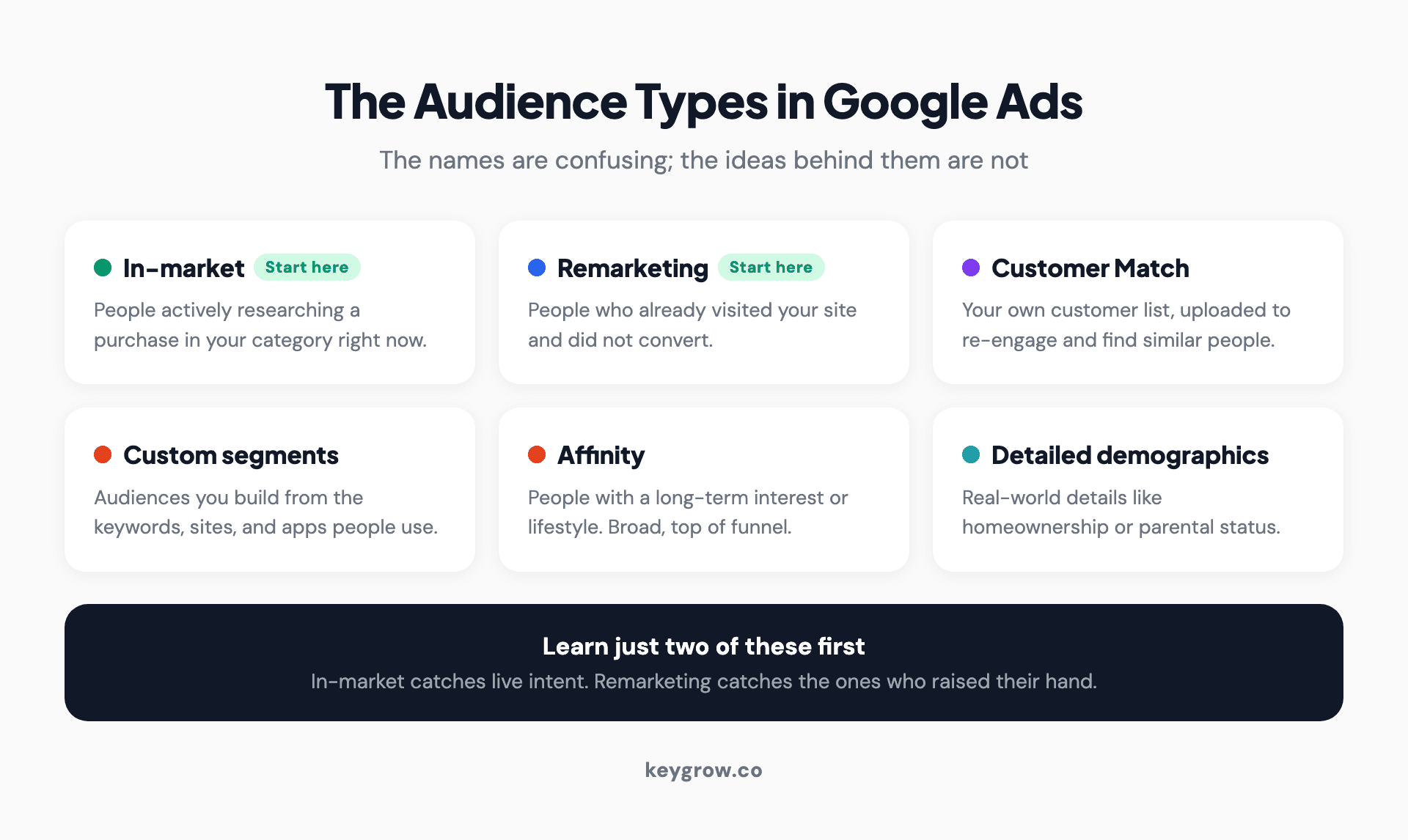
Card grid of the audience types in Google Ads: in-market, remarketing, Customer Match, custom segments, affinity, and detailed demographics.
| Audience type | Who it reaches | Best used for |
|---|---|---|
| In-market | People actively researching a purchase in your category right now | Catching live buying intent |
| Affinity | People with a long-term interest or lifestyle | Broad awareness, top of funnel |
| Custom segments | Audiences you build from keywords, URLs, and apps | Reaching people who search or browse specific things |
| Remarketing | People who already visited your site | Bringing back the ones who did not convert |
| Customer Match | Your own customer list, uploaded | Re-engaging buyers, and finding similar people |
| Detailed demographics | Life details like parental status or homeownership | Narrowing to a real-world segment |
| Combined segments | Two or more of the above, layered | Tightening to a specific overlap |
If you learn only two of these, learn in-market and remarketing. In-market audiences catch people with live intent, and remarketing catches the ones who already raised their hand. Between them they cover most of the value for most local and niche businesses.
The setting that trips everyone up: observation vs targeting
Here is where accounts either get smart or get throttled. When you add an audience to a campaign, Google asks whether you want "Targeting" or "Observation," and the difference is bigger than it sounds.
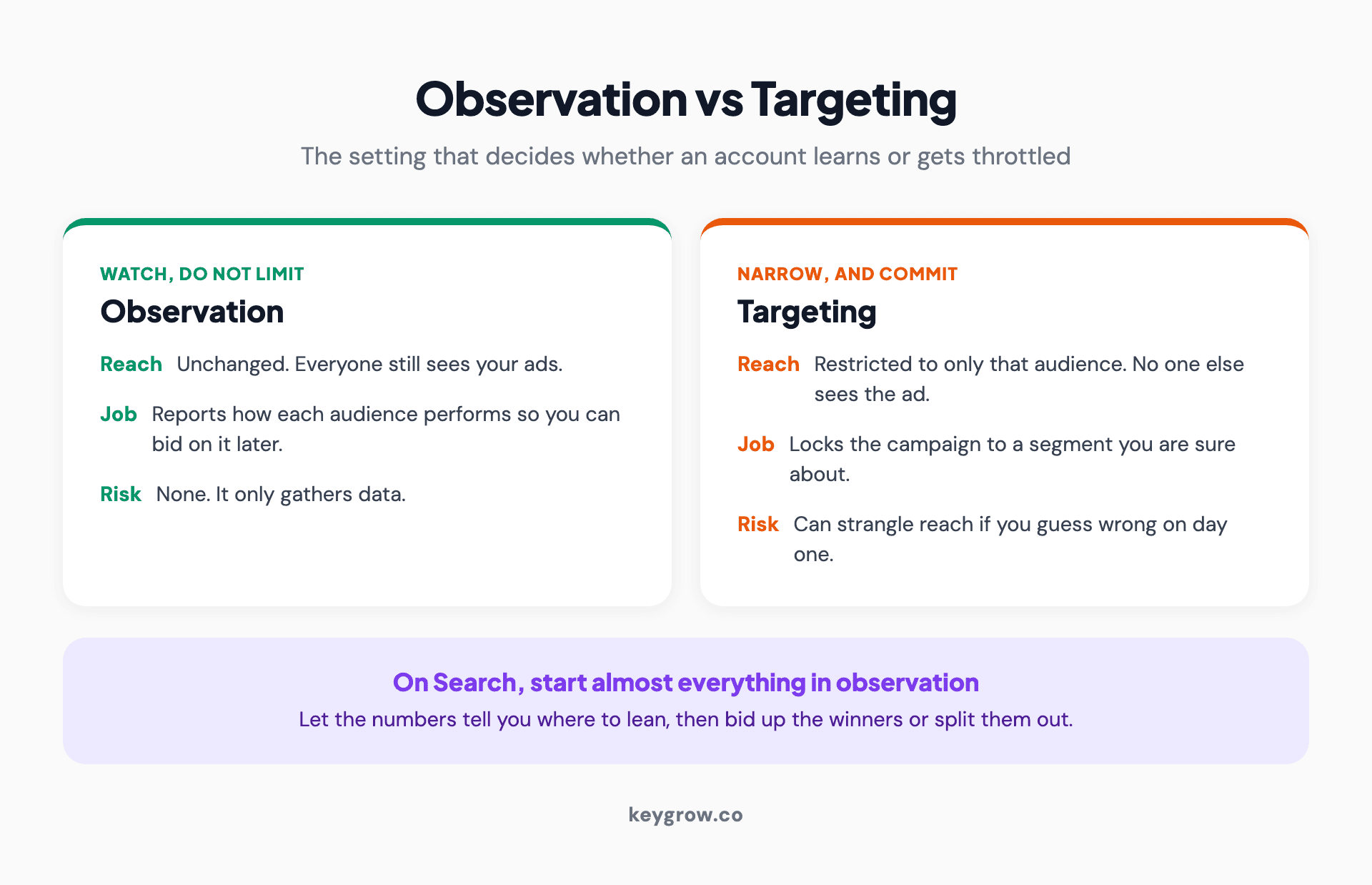
Two-panel comparison of observation versus targeting mode in Google Ads: observation watches how an audience performs without limiting reach, while targeting restricts the campaign to only that audience.
Targeting narrows the campaign to only that audience. Your ads show to those people and no one else. Observation changes nothing about who sees your ads; it just lets you watch how that audience performs so you can bid differently later.
On Search campaigns, start almost everything in Observation. Add in-market and Customer Match audiences as observation layers, let them run, then read the segment report. If in-market "roofing services" converts at twice your account average, bid it up or split it into its own campaign. If a segment quietly burns budget, exclude it. You are letting real data tell you where to lean, instead of guessing on day one and strangling your reach. That single habit, observe first then act on the numbers, separates accounts that improve from accounts that just spend.
Layering audiences on Search versus Performance Max
The audience job changes depending on the campaign type, and getting this backward wastes money.
On Search, keywords do the heavy lifting and audiences refine. Someone typing "emergency roof repair" already told you their intent; the audience layer just helps you bid more on the ones most likely to be worth it. On Performance Max, you cannot pick keywords, so your audience signals are the main steer you get. Feed it your customer list and your best custom segments as audience signals, and you are handing the algorithm a map instead of letting it wander. Either way, the account you feed better data converts better. If you also import audiences from analytics, our guide on Google Analytics audiences in Google Ads covers how to wire that up.
The exclusions that quietly save the budget
Targeting the right audience is half the work. Excluding the wrong one is the half everyone skips, and it is usually where the bigger win hides.
We had a cash home buyer drowning in junk leads. The fix was not more traffic. It was filtering: negative keywords, tighter match types, and qualifying language in the ads that scared off the tire-kickers. Serious leads went up 600 percent between December and January on the same budget. More traffic is almost always the wrong fix for bad lead quality. Better exclusions are the right one.
In practice, that means negative audiences (exclude existing customers from acquisition campaigns so you stop paying to reach people who already bought), placement and audience exclusions on Display and Performance Max, and a weekly pass through the search terms report. Broad targeting with no exclusions is a standing donation to Google. Our guide on negative keywords covers the keyword side of that defense in detail.
First-party data is the real edge now
The sharpest targeting lever most businesses own is sitting in their CRM: the list of people who already paid them. Uploading that as a Customer Match list does two things. It lets you re-engage past buyers, and it lets Google find new people who resemble them.
This matters more every year as third-party cookies fade and audience data gets harder to rent. Companies that put first-party data to work in their marketing saw about 2.9 times the revenue lift and 1.5 times the cost savings of those that did not, according to a BCG study with Google. Your customer list is data no competitor can buy. Most accounts never upload it, which is exactly why it is an edge.
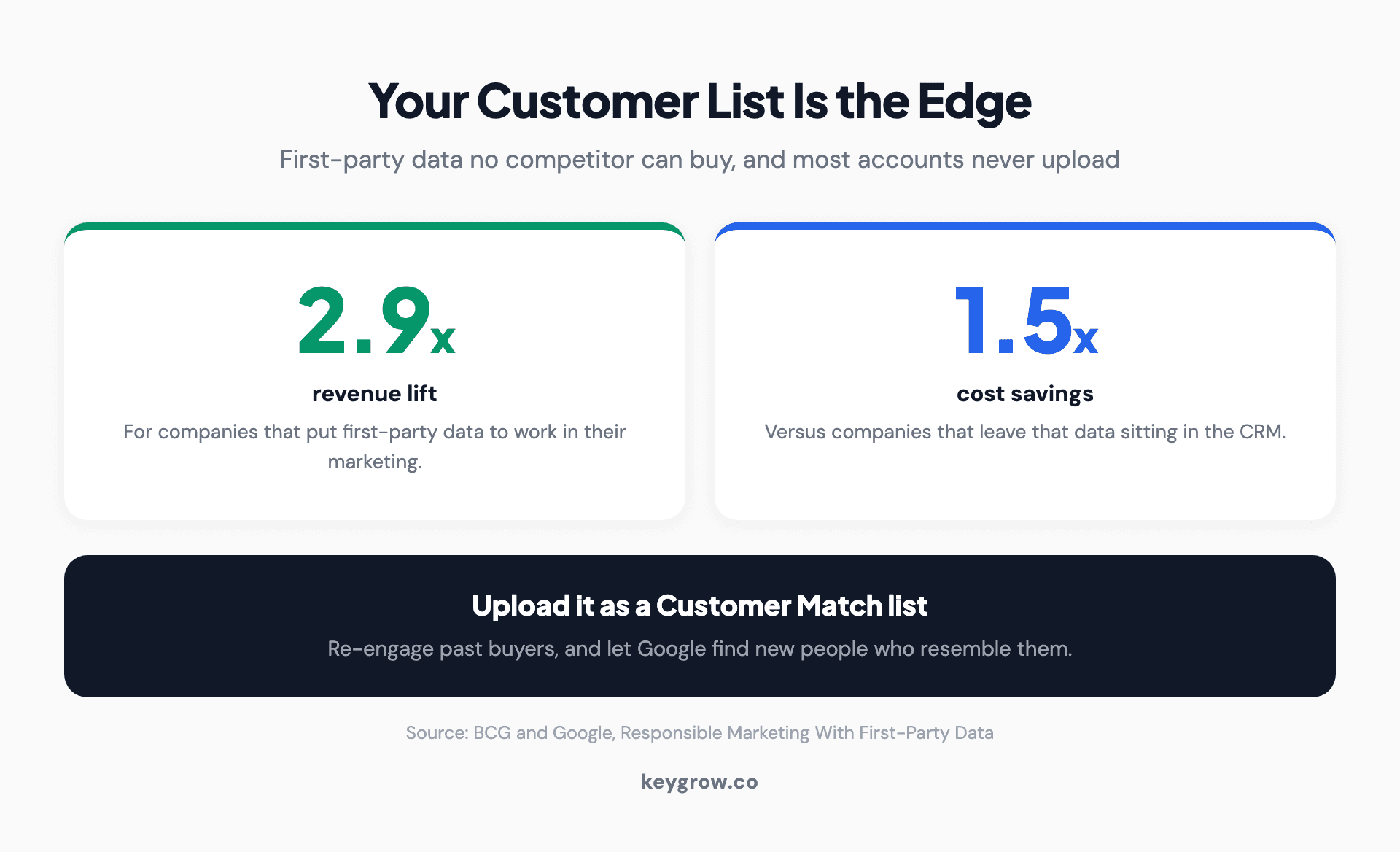
Two stat cards showing companies that use first-party data saw 2.9 times the revenue lift and 1.5 times the cost savings, from BCG and Google.
Read the segment report like a scoreboard
Setting audiences up is the start. The value comes from reading what they do and moving budget toward the winners, which most accounts never get around to.
Once your observation layers have run for a couple of weeks, open the audience segment report and look at conversion rate and cost per acquisition by segment, not just clicks. You are hunting for two things: segments converting well above your account average, which deserve a bid increase or their own campaign, and segments quietly spending with nothing to show, which deserve an exclusion. Then take it one step further and match the message to the segment. A remarketing audience already knows you, so the ad can say "still thinking it over" rather than reintroducing your business from scratch. Testing an audience-specific ad against your generic one is usually a bigger win than another round of keyword tweaks, because you are speaking to where the person actually is. A higher Quality Score follows from that relevance, which lowers what you pay per click on top of the better conversion rate.
FAQs
What is audience targeting in PPC?
Audience targeting is choosing which people see your ads based on their behavior, interests, demographics, or past interaction with your business, rather than only the keywords they type. In Google Ads it includes in-market, affinity, custom, remarketing, and Customer Match segments. Used well, it lowers wasted spend by focusing budget on people more likely to convert.
What is the difference between in-market and affinity audiences?
In-market audiences are people actively researching a purchase in your category right now, so they carry live buying intent. Affinity audiences are people with a longer-term interest or lifestyle, better suited to awareness than immediate sales. For most direct-response campaigns, in-market audiences convert better because the intent is closer to a decision.
What is the difference between targeting and observation in Google Ads?
Targeting restricts your campaign to only the audience you add, so no one outside it sees your ads. Observation leaves your reach unchanged and simply reports how that audience performs so you can adjust bids later. On Search campaigns, observation is usually the safer starting point because it gathers data without cutting your traffic.
Can you use audience targeting on Search campaigns?
Yes. You can layer audiences onto Search campaigns alongside your keywords, most often in observation mode. The keywords decide who is eligible to see the ad, and the audience layer lets you bid more or less depending on how each segment performs. It is one of the most underused settings in Search.
How does bad targeting waste PPC budget?
Broad targeting with no exclusions pays for clicks from people who will never buy: job seekers, existing customers, DIY researchers, and out-of-area searches. Every one of those clicks costs the same as a real prospect but returns nothing. Adding negative keywords and audience exclusions is usually a bigger, faster win than raising your budget.
How to put this to work
Open your account and do three things this week. Add your two most obvious in-market audiences in observation mode. Upload your customer list as a Customer Match list. Exclude your existing customers from any campaign meant to find new ones. None of that costs extra, and all of it points the budget at people closer to buying.
If your account is large enough that reading segment reports is a weekly job, or your lead quality is the problem and more clicks keep making it worse, our paid search team runs this process and reports on cost per booked job, not clicks. Tell us your numbers on the get started page and we will tell you honestly whether the targeting is the fix.



