


Once you link Google Analytics to Google Ads, Google Ads can use your GA4 audiences to do five concrete things: remarket to people who already visited, target or exclude specific groups of users, feed first-party signals into Smart Bidding and Performance Max, expand to new similar users through optimized targeting, and act on predictive audiences like people likely to buy in the next week. In short, the segments you build in Analytics become live targeting and bidding tools inside your ad account.
That is the capability list most guides bury under setup screenshots. GA4 audiences export to any linked Google Ads account automatically when you create them, so the real question is not whether you can use them, but which ones to build and how to point them at the right campaigns. Here is the practical version, current for 2026.
What Google Ads can actually do with them
The five capabilities are worth seeing together, because each one answers a different marketing job.
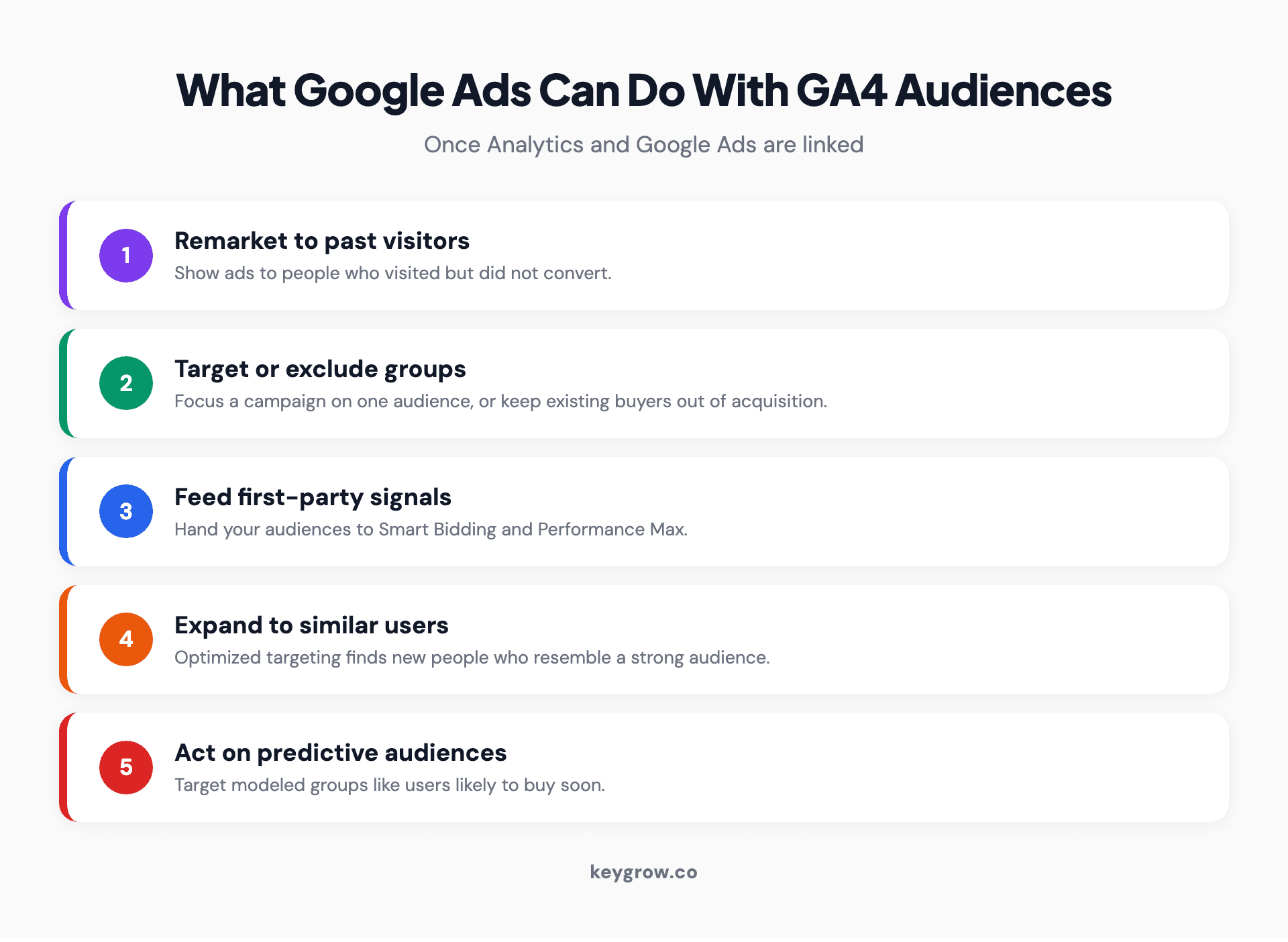
Five things Google Ads can do with audiences from Google Analytics: remarket to past visitors, target or exclude specific user groups, feed first-party signals to Smart Bidding and Performance Max, expand to similar new users through optimized targeting, and act on GA4 predictive audiences such as likely purchasers.
Remarketing is the classic use: show ads to people who visited but did not convert. For the full menu of segments and how to layer them, see how to target the right audience with PPC ads. Targeting and exclusion let you focus a campaign on one group, or keep existing customers out of an acquisition campaign so you stop paying to reach people who already bought. Signal-feeding hands your first-party audiences to Smart Bidding and Performance Max, so Google's automation optimizes toward people who resemble your real customers. Expansion uses optimized targeting to find new users similar to a strong audience. And predictive audiences let you target GA4's modeled groups, such as users with a high probability of purchasing soon. Google's audience docs describe these as being used two ways, as remarketing lists and as audience segments, and both flow from the same link.
First, the plumbing
None of this works until the connection is live, so get the setup right once. It takes a few minutes and three settings.
Link your GA4 property to your Google Ads account, then enable Google Signals and confirm Personalized Advertising is on, since those are what allow audiences to export for ad targeting. You will need Editor access on the GA4 property and Admin access on the Google Ads account, ideally under the same Google login. (While you are in the account settings anyway, that is also the moment to bulk-tag every campaign with UTM parameters using one account-level suffix.) Once linked, audiences you create in GA4 export on their own and usually become usable in Google Ads within about a day; Google reports audience export freshness averages around 24 hours, so allow up to 48 hours before troubleshooting. You will find them under Tools and then Audience Manager. You do not rebuild them in Ads; you build them once in Analytics and use them in both places.
The five GA4 audiences worth building
Skip the generic "all users" list. The audiences that earn their place are the ones tied to real intent and behavior. Build these five and you cover most of what a small account needs.
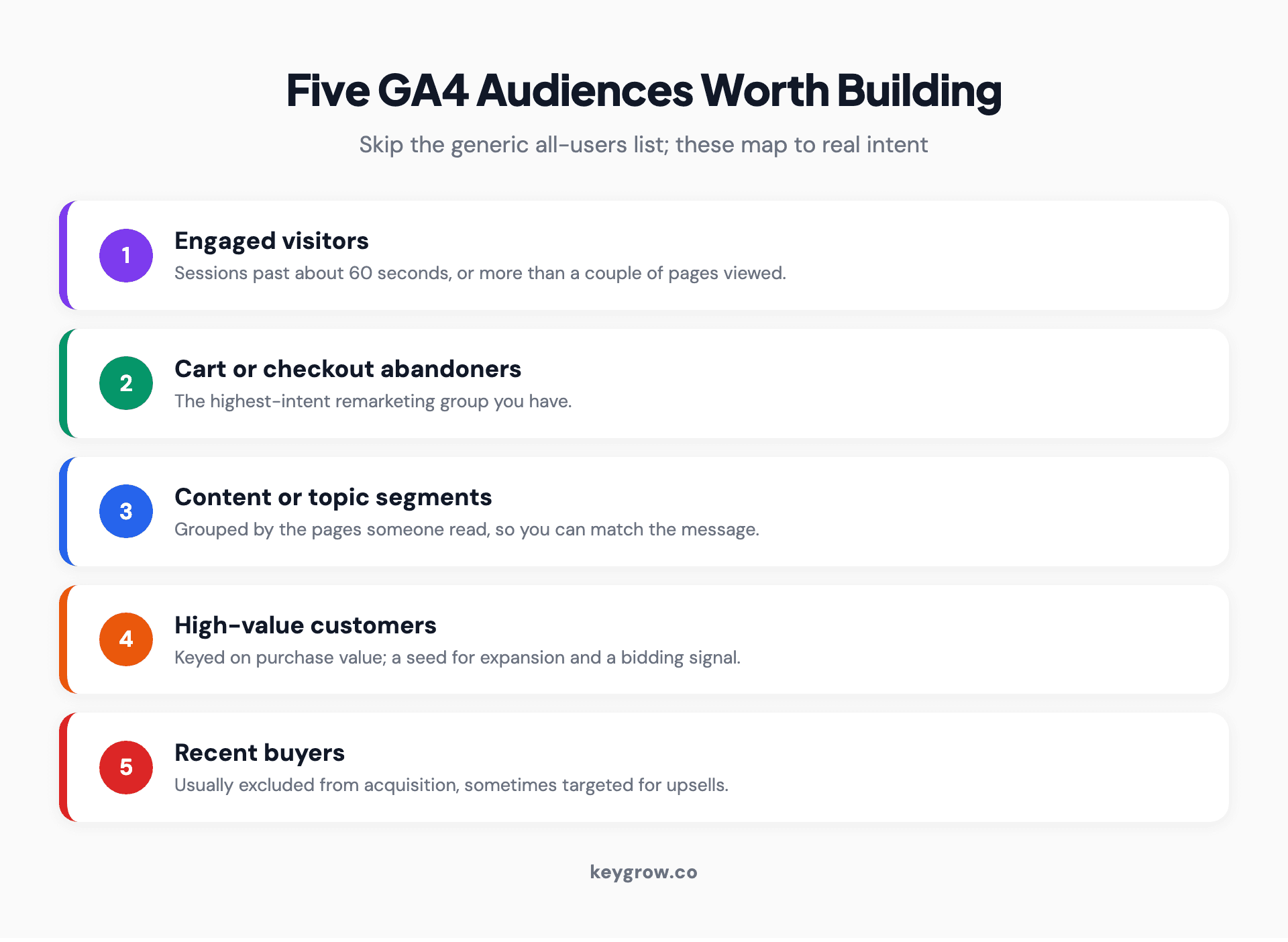
Five GA4 audiences worth building for Google Ads: engaged visitors who stayed over 60 seconds, cart or checkout abandoners, content or topic segments by pages viewed, high-value customers by purchase value, and post-conversion buyers to exclude from acquisition or target for upsells.
Start with engaged visitors, people whose session ran past about 60 seconds or who viewed more than a couple of pages, since they showed real interest. Add cart or checkout abandoners, the highest-intent remarketing group you have. Build content or topic segments based on the pages someone read, so you can match the message to what they cared about. Create a high-value customer audience keyed on purchase value, then use it two ways: as a seed for expansion, and as a signal for bidding. Finally, build a post-conversion audience of recent buyers, which you will usually exclude from acquisition campaigns and sometimes target for upsells.
Set membership duration to fit the funnel stage, since GA4 allows anywhere from 1 day to 540 days with 30 days as the default. A cart abandoner is a short-fuse audience, so a 7 to 30 day window keeps it hot and relevant. A high-value customer seed can run long, 180 days or more, because you want a stable pool for expansion and bidding. A recent-buyer exclusion should cover your typical repurchase gap, so a subscription business might exclude buyers for 30 days while a big-ticket seller excludes them far longer. The default 30 days is a fine starting point, but matching the window to the behavior is what makes these audiences pull their weight.
Targeting versus observation: the setting that trips everyone up
When you add an audience to a campaign, Google asks whether to use it as Targeting or Observation, and choosing wrong either strangles your reach or wastes the data. The rule is simpler than it looks.
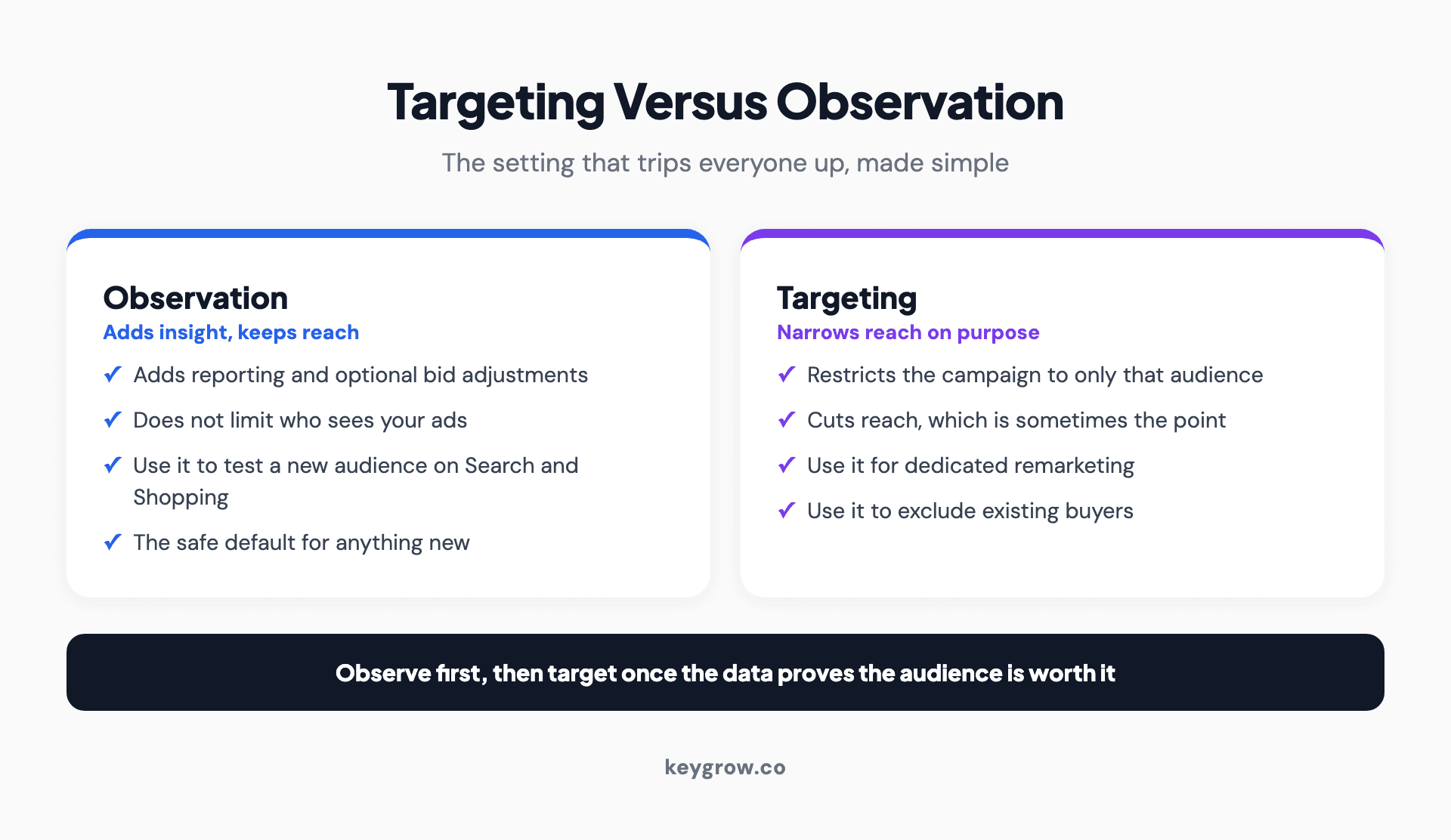
The difference between targeting and observation for Google Ads audiences: targeting restricts a campaign to only the chosen audience and narrows reach, while observation adds reporting and optional bid adjustments without limiting who sees the ads.
Targeting restricts a campaign so only your chosen audience can see the ads. It narrows reach, which is exactly what you want for a dedicated remarketing or exclusion campaign. Observation does not restrict anything; it adds reporting and lets you set optional bid adjustments, so you learn how the audience performs inside your existing reach without cutting anyone off.
The practical default: use Observation first on your Search and Shopping campaigns. Let the audience gather performance data, see whether it converts better, and only then decide whether to build a dedicated Targeting campaign around it. Jumping straight to Targeting on a new audience is how advertisers accidentally shrink a working campaign to a trickle. Observation costs you nothing and tells you what is worth targeting.
| Setting | What it does | Use it for |
|---|---|---|
| Observation | Adds reporting and optional bid adjustments, keeps full reach | Search and Shopping, testing a new audience |
| Targeting | Limits the campaign to only that audience | Dedicated remarketing, excluding buyers |
Using them across campaign types
Different campaigns treat audiences differently, and one 2023 change still trips people up. Match the audience to the campaign job.
On Search and Shopping, observe first, then target once the data justifies it. For dedicated remarketing, use Targeting so only your warm visitors see the ads. In Performance Max and Demand Gen, audiences act as signals and suggestions rather than hard filters; you are guiding Google's automation, not fencing it in. And note what is gone: Google retired its old similar audiences, the former "similar segments," in 2023, when they stopped generating in May and were removed from campaigns that August. Their replacement is optimized targeting and audience expansion, which lean on your first-party GA4 audiences to find new users. So a strong high-value-customer audience is not just for remarketing anymore; it is the seed your expansion runs on. This first-party foundation is part of why we lean on CRM and audience data across our PPC management, the same logic behind offline conversions in does PPC work for B2B.
Why your GA4 audience size never matches Google Ads
A common panic: an audience shows thousands of users in GA4 and a fraction of that, or zero, in Google Ads. That is usually normal, not broken.
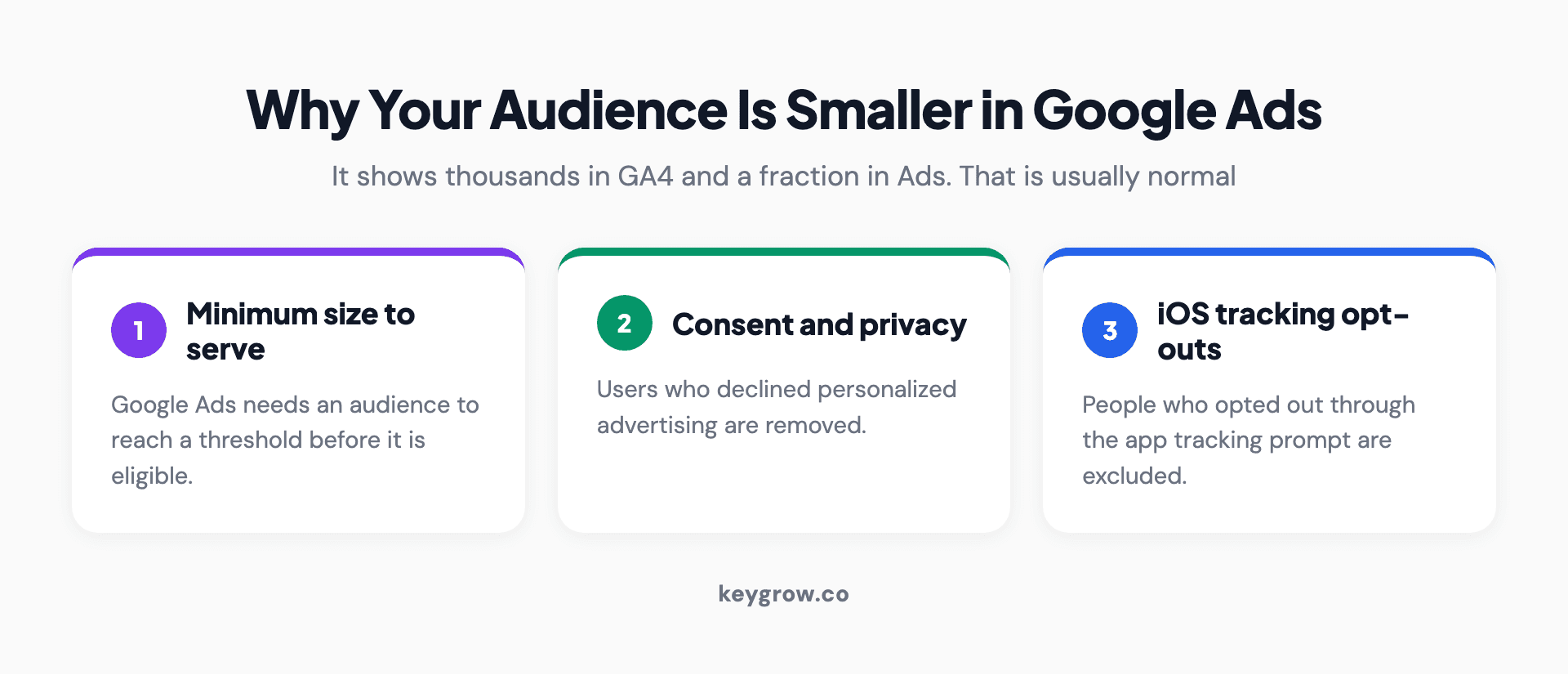
Why a GA4 audience is smaller in Google Ads than in Analytics: Google Ads counts only addressable, consented users, so audiences below the minimum size stay ineligible to serve, users who declined personalized advertising are removed, and iOS users who opted out of tracking are excluded from the exported audience.
Three things shrink the number on the way over. Google Ads needs a minimum audience size to serve, so small audiences stay ineligible until they fill up. Consent and privacy choices remove users who did not allow personalized advertising. And iOS users who opted out through the app tracking prompt are excluded from the exported audience entirely. So the Ads number reflects addressable, consented users, not everyone who matched in Analytics. If an audience shows zero in Ads, it is most often too small yet or too fresh, since a new audience only backfills up to 30 days of past data and otherwise builds forward from creation.
Privacy and consent decide whether audiences even populate
Before you blame a broken setup, know that privacy settings quietly govern how many people ever reach an audience. In 2026 that is often the difference between an audience that works and one that stays empty.
For an audience to export for targeting, the user has to be both trackable and consented. Consent Mode governs whether the ad_user_data and ad_personalization signals are allowed, and where a visitor declines, they can still be measured but not added to a personalized-advertising audience. Keep personal information out of your audience definitions entirely, since names, emails, or similar data in event and parameter names break Google's rules and can get an audience rejected. And in regions where personalization is off by default, a real visitor can count in your analytics while never becoming targetable. The practical takeaway: a healthy share of your traffic is measurable but not addressable, and that is now normal rather than a bug to chase.
Measuring whether the audiences actually helped
Building audiences is easy; proving they worked is the part most people skip. Read the audience columns in your campaign reports and compare conversion rate and cost per acquisition for each audience against the campaign as a whole. Use the bid-adjustment data from Observation to size an opportunity before you commit to Targeting.
One honest caveat: remarketing audiences tend to flatter last-click reporting, because they re-touch people who were already likely to come back, so a glowing remarketing conversion number is partly credit for a sale that may have happened anyway. The way to cut through that is to think in terms of lift, not totals. If a remarketing audience shows a wonderful conversion rate but your overall sales barely move when you turn it on, you were mostly paying to reach buyers who would have returned on their own. A simple holdout, running the audience on part of your traffic and comparing against the rest, tells you far more than the raw conversion count ever will. Judge these audiences on incremental lift where you can, not raw conversions, the same discipline we bring to reading any Google Ads results.
FAQs
What can Google Ads do with audiences from Google Analytics?
When GA4 and Google Ads are linked, Google Ads can use your Analytics audiences as remarketing lists and as targeting or exclusion segments. That means remarketing to past visitors, targeting or excluding specific groups, feeding first-party signals to Smart Bidding and Performance Max, expanding to similar users, and acting on predictive audiences like likely purchasers.
How do I import GA4 audiences into Google Ads?
Link your GA4 property to Google Ads, enable Google Signals, and confirm Personalized Advertising is on. After that, audiences you create in GA4 export automatically. You do not manually import each one; they appear in Google Ads under Tools and Audience Manager, usually within 24 to 48 hours.
How long do GA4 audiences take to appear in Google Ads?
Usually within about a day; Google reports audience export freshness averages around 24 hours, so allow up to 48 hours. A brand new audience also needs time and volume to become eligible to serve, so if it shows zero users at first, it is usually still filling up rather than failing.
What is the difference between targeting and observation?
Targeting restricts a campaign so only the chosen audience sees the ads, which narrows reach. Observation adds reporting and optional bid adjustments without limiting who sees the ads. Use Observation to test a new audience on Search and Shopping, and Targeting for dedicated remarketing or to exclude existing customers.
Why does my audience show users in GA4 but not in Google Ads?
Because Google Ads only counts addressable, consented users. Audiences need a minimum size to become eligible, users who declined personalized advertising are removed, and iOS users who opted out of tracking are excluded. A new audience also backfills only about 30 days of past data, so small or fresh audiences often look far smaller in Ads.
Do similar audiences still exist in Google Ads?
No. Google retired similar audiences in 2023, and they were removed from campaigns that August. The replacement is optimized targeting and audience expansion, which use your first-party GA4 audiences to find new, similar users. That makes a strong high-value-customer audience valuable as an expansion seed, not just for remarketing.
What is the minimum audience size for Google Ads?
An audience must reach a minimum number of users before it can serve ads, currently 100 active users within the last 30 days for Search, Display, and YouTube. Until it crosses that line, the audience sits in your account but stays ineligible. Customer lists uploaded before February 2024 still carry the older 1,000-user requirement, which is why some legacy lists behave differently.
Getting this live
Linking Google Analytics to Google Ads turns your GA4 audiences into working targeting and bidding tools: remarketing, exclusions, first-party signals, expansion, and predictive targeting, all from segments you build once in Analytics. Get the plumbing right, build the five audiences that map to real intent, observe before you target, and check that the audiences actually lifted performance rather than just flattering your remarketing report.
If you would rather have that built and measured properly inside your account, tell us about your business and our expert team will set your GA4 audiences to work where they earn their keep.



