


Which searches are you willing to pay for, and how much is each click worth to you? Answer those two questions and you've done keyword research for PPC. The job is picking which searches deserve your money, what you can afford to bid on them, and which ones to block before they cost you anything. The biggest number in the tool is rarely the answer.
Most guides stop at "brainstorm, use a tool, group your keywords." The checklist below adds the two parts they skip: the math that tells you what a click is worth, and the controls (match types and negatives) that decide which searches you end up paying for.
How is PPC keyword research different from SEO keyword research?
PPC keyword research picks searches you pay for per click, so intent and affordability matter more than volume. SEO research picks topics you can rank for over months.
The tools overlap. The questions don't. An SEO keyword with 50 searches a month and low competition is a decent target. In paid search, those same 50 searches are only worth buying if the people typing them are ready to hire you and the click costs less than the lead is worth.
| Question | SEO keyword research | PPC keyword research |
|---|---|---|
| What you pay | Time and content, up front | Every click, forever |
| Main filter | Can we rank for it? | Will this searcher buy, and at what cost per click? |
| Volume | Higher is usually better | Only matters if the intent is right |
| Informational terms | Often the best targets | Usually a waste of budget |
| Controls | Content and links | Match types, negatives, bids, ad groups |
| How fast you learn | Months | Days |
If you are working on the organic side for a local business, our guide to local keyword research covers that job, including why most city-level terms show zero volume in the tools.
The PPC keyword research checklist
Twelve checks in three passes: decide what a click is worth, build and filter the list, then set the controls. Do them in order. The math in the first pass decides how long your list is allowed to be in the second.
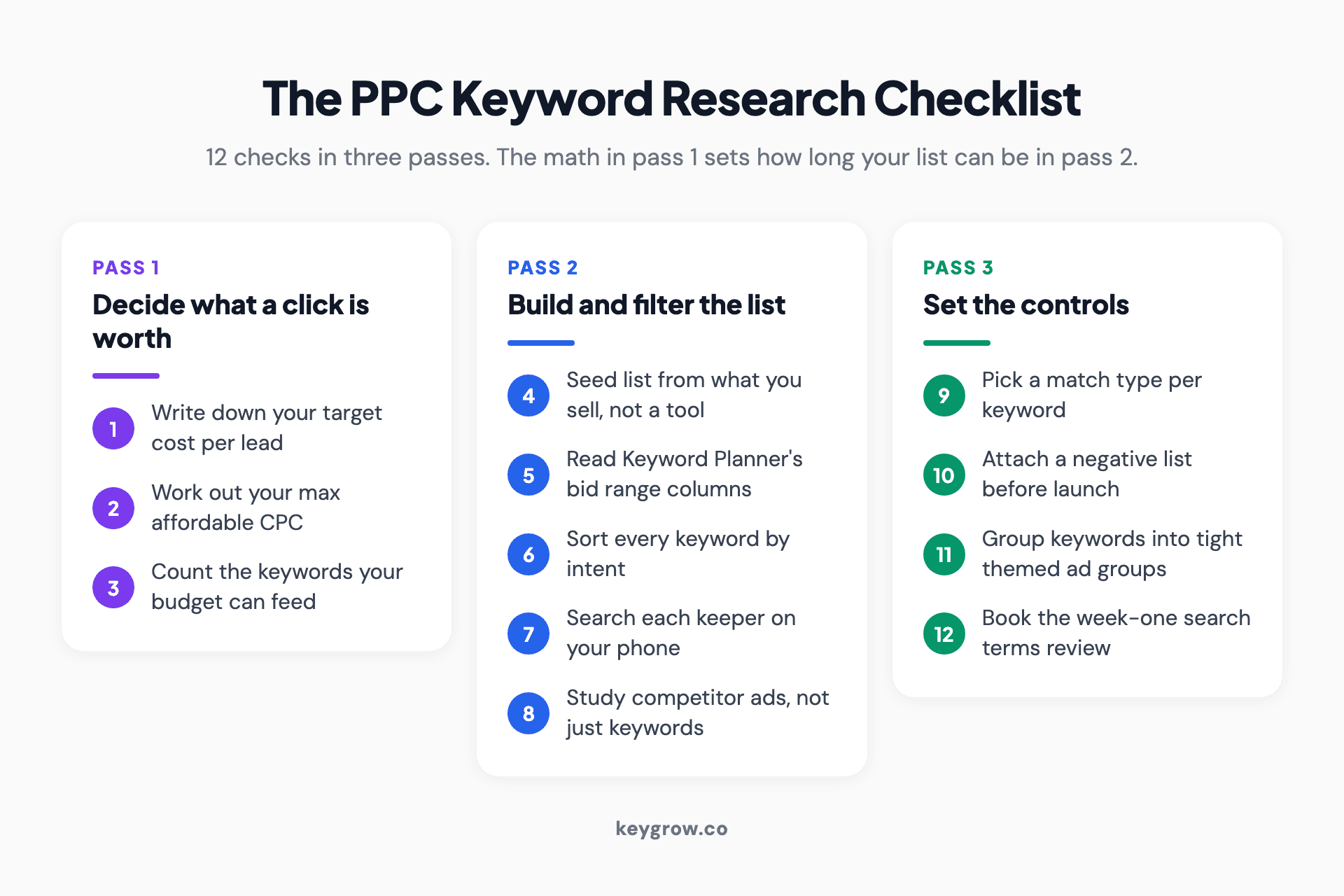
Twelve-item PPC keyword research checklist in three passes: decide what a click is worth (target cost per lead, max affordable CPC, keywords your budget can feed), build and filter the list (seed list from what you sell, Keyword Planner columns, intent sort, live results check, competitor ads), and set the controls (match type per keyword, negative list before launch, tight ad groups, first search terms review).
Pass 1: Decide what a click is worth
1. Write down your target cost per lead
Start with the number your business can live with: what you can pay for one lead and still make money. If a new roofing job is worth $9,000 in gross profit and you close one in five leads, a lead is worth up to $1,800 to you on paper. You will want to pay far less than that, but now you have a ceiling.
Skip this step and every keyword in the tool will look fine.
2. Work out your maximum affordable CPC
Max CPC = target cost per lead x conversion rate. If you want leads at $100 and 8 percent of your clicks become leads, you can afford about $8 a click. If your landing page converts 4 percent, the same $100 target means you can only pay $4.
For a starting conversion rate, use your own data if you have it. If you don't, the 2026 search benchmarks from LocaliQ's benchmark report put the all-industry average at 8.18 percent, with an average cost per click of $5.42. Their home and home improvement category averages $8.33 a click and 8.05 percent conversion, dentists $8.00 and 10.67 percent, and attorneys $9.87 and 5.55 percent.
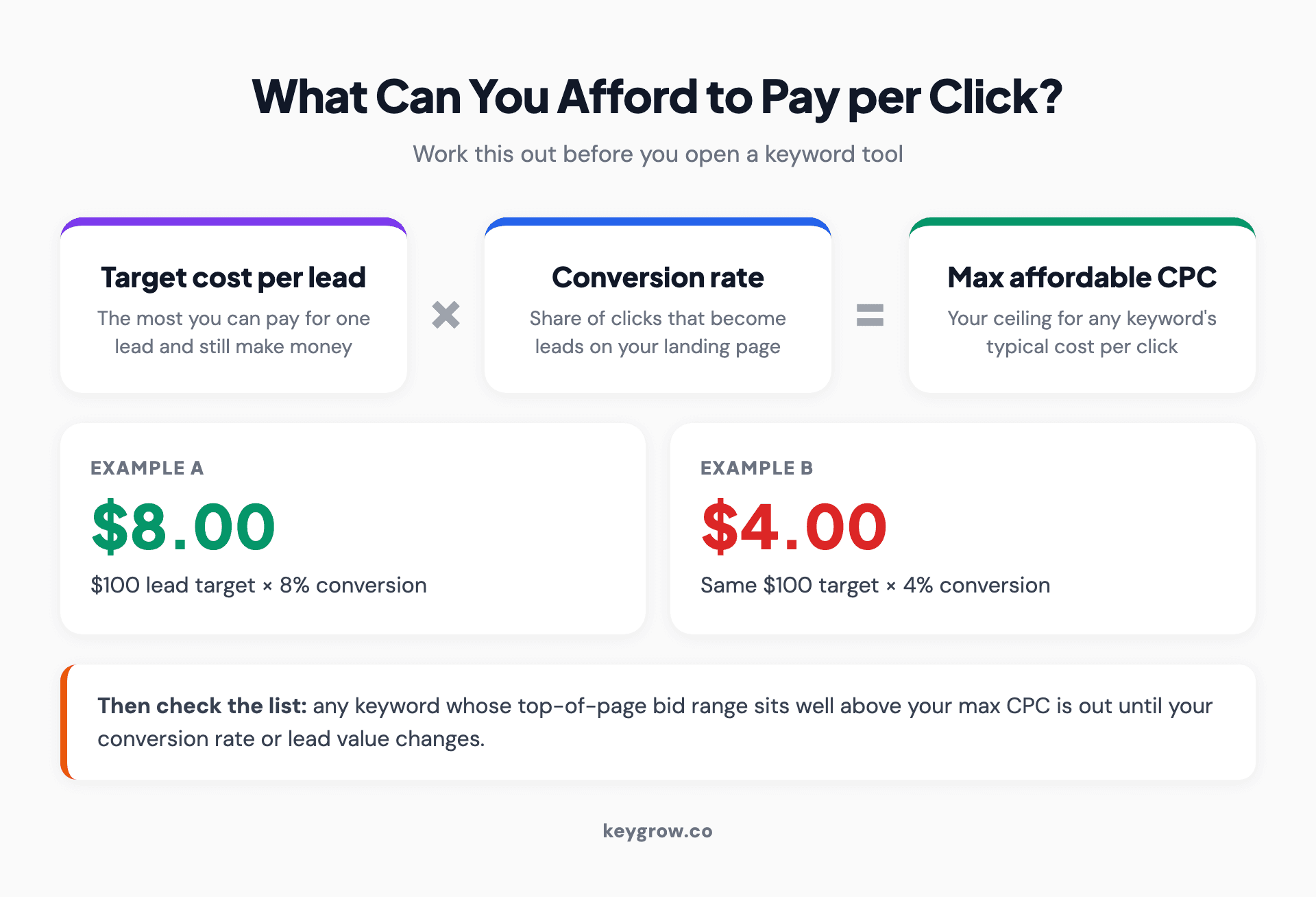
The max affordable CPC formula: target cost per lead multiplied by landing page conversion rate equals the most you can pay per click, with a worked example of a $100 lead target at 8 percent conversion giving an $8 maximum bid and the same target at 4 percent giving $4.
| Target cost per lead | Conversion rate | Max affordable CPC |
|---|---|---|
| $60 | 5% | $3.00 |
| $100 | 8% | $8.00 |
| $130 | 5.5% | $7.15 |
| $150 | 10% | $15.00 |
Any keyword whose typical cost sits well above your max CPC is out. Not forever, just until your conversion rate or your lead value changes.
3. Check how many keywords your budget can feed
Divide your monthly budget by your expected CPC to get clicks per month. A $1,500 budget at $8.33 a click buys about 180 clicks. That is six a day.
Now spread those clicks across 60 keywords and each one gets three clicks a month. Nothing learns at that rate, not you and not Google's bidding. With a small budget, we'd recommend starting with your strongest 10 to 20 keywords and adding more once those have proven they convert. A short list that gets real traffic beats a long list that gets a trickle.

A person typing on a laptop with a spreadsheet of keyword data open, the kind of list PPC keyword research produces before it is cut down to what the budget can feed.
Pass 2: Build and filter the list
4. Start from what you sell, not from a tool
Write your seed list before you open any tool. Sort it into four buckets:
- Services: what you'd write on the truck. "Roof repair," "roof replacement," "emergency roof tarp."
- Problems: what the customer is dealing with. "Roof leaking in ceiling," "missing shingles after storm."
- Buyer modifiers: words that signal someone is ready. "Near me," "cost," "quote," "company," "same day."
- Places: the cities and neighborhoods you serve.
Leave out services you don't offer, even if a tool says they're popular. Paying for a click you can't sell to is the most common way a new account wastes its first month.
5. Run your seeds through Keyword Planner and read the right columns
Google's Keyword Planner is free with a Google Ads account and has two modes: discover new keywords, and get search volume and forecasts for a list you already have. Use the first to expand your seeds, then the second to check the expanded list.
Three columns matter, and two of them are often misread. Per Google's Keyword Planner help, "Top of page bid (low range)" is roughly the 20th percentile of what advertisers have paid, and "high range" is roughly the 80th. That spread is your realistic CPC range, and it's the number to check against your max CPC from step 2.
"Competition" means how many advertisers bid on the term compared with other keywords. It says nothing about how hard the term is to rank for organically. And search volumes are rounded, so treat a keyword showing 90 searches and one showing 110 as the same size.
6. Sort every keyword by intent
Volume tells you how many people search. Intent tells you whether they'll pay. Sort every keyword into one of four groups and only bid on the first two.
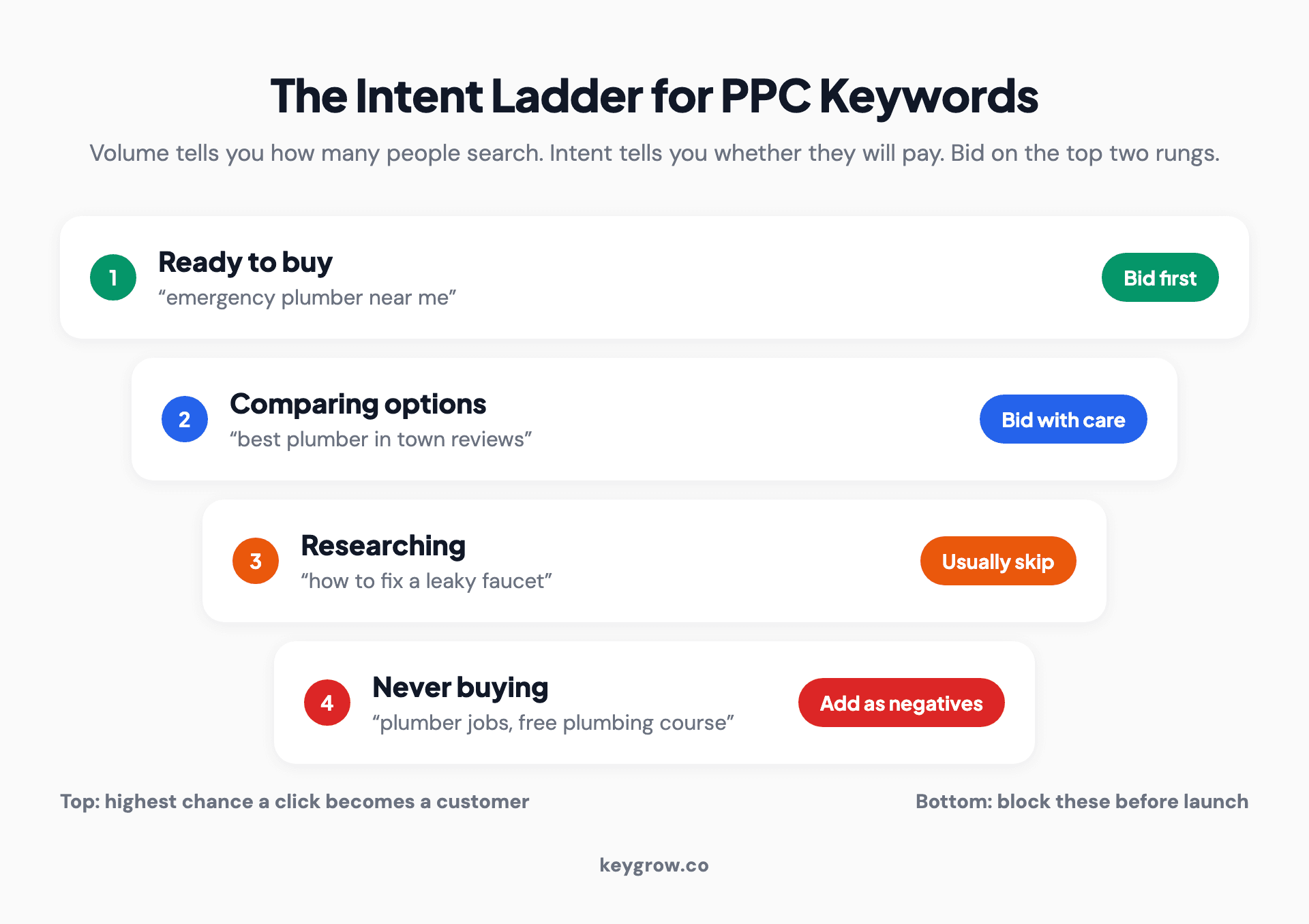
Four-step intent ladder for PPC keywords: ready to buy (bid first, for example emergency plumber near me), comparing options (bid with care, for example best plumber in town reviews), researching (usually skip, for example how to fix a leaky faucet), and never buying (add as negatives, for example plumber jobs or free plumbing course).
| Intent | Example | What to do |
|---|---|---|
| Ready to buy | "emergency plumber near me" | Bid first, highest priority |
| Comparing | "best plumber in [city] reviews" | Bid if the budget allows |
| Researching | "how to fix a leaky faucet" | Usually skip in paid search |
| Never buying | "plumber salary," "free plumbing course" | Add as negative keywords |
The researching group is where the tools mislead you. Those terms often have the biggest volumes and the lowest CPCs, which makes them look like bargains. They are cheap because they rarely turn into customers.
7. Search each keeper yourself
Type your top keywords into Google, in your area, on your phone. Look at three things: are other businesses running ads (if nobody is, ask why), what do those ads promise, and do the results show what you sell? A search for "roof cost" might return a page of calculators and articles. That tells you most of those searchers want a number, not a roofer.
8. Look at competitor ads, not just their keywords
Tools that show competitor keywords are useful, but the ads tell you more. Google's Ads Transparency Center shows the ads any advertiser is running. Note the offers, the prices they mention and the phrases they repeat. Those phrases tell you how the market talks.
Bidding on a competitor's brand name is allowed in Google Ads, but it is rarely cheap and can start a bidding war. Test it in its own campaign with its own budget, so it can't eat the money meant for your core terms.
Pass 3: Set the controls
9. Choose a match type for each keyword
The match type decides which searches can trigger your ad, so it matters as much as the keyword itself. Google's current definitions are based on meaning, not exact words:
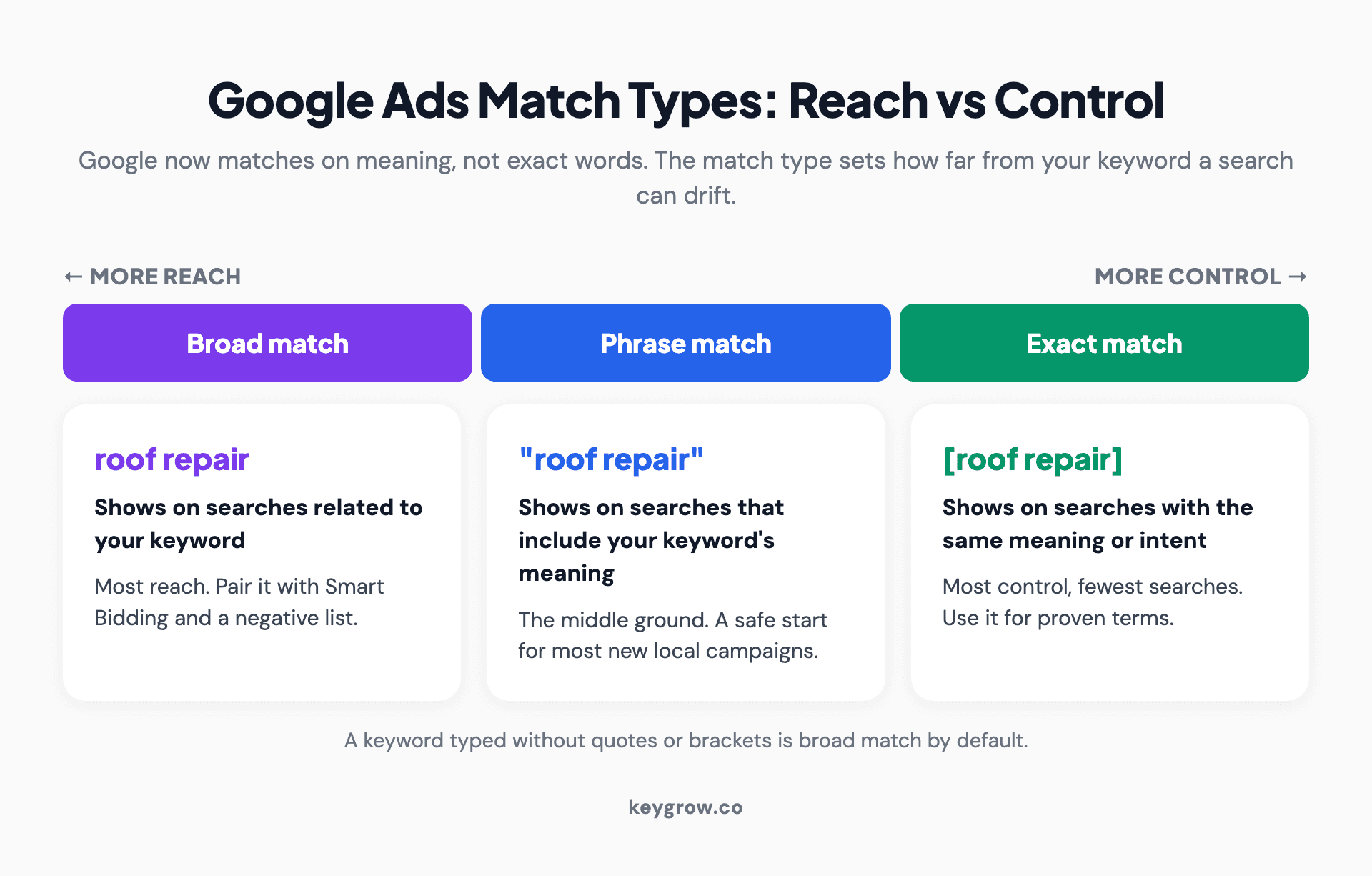
Match type spectrum from most reach to most control: broad match shows ads on searches related to the keyword, phrase match on searches that include its meaning, and exact match on searches with the same meaning or intent, with the syntax for each, when to use it, and a reminder that a keyword with no quotes or brackets is broad by default.
| Match type | Syntax | What Google says it matches | Best for |
|---|---|---|---|
| Broad | roof repair | Searches related to your keyword | Accounts with steady conversions and Smart Bidding |
| Phrase | "roof repair" | Searches that include the meaning of your keyword | Most new local campaigns |
| Exact | [roof repair] | Searches with the same meaning or intent | Your proven, highest-value terms |
That's from Google's matching options page, which also says it's "critical to use Smart Bidding with broad match." Broad is the default, so a keyword typed without quotes or brackets is broad.
For a new account with little conversion data, phrase and exact are the safer start. Broad match earns its place later, once the bidder has conversions to learn from. Our broad match guide has the decision path and the guardrails.
10. Build your negative keyword list before launch
Negatives tell Google which searches to skip. Build the first list during research, while you are already looking at the junk, and add it before your ads go live.
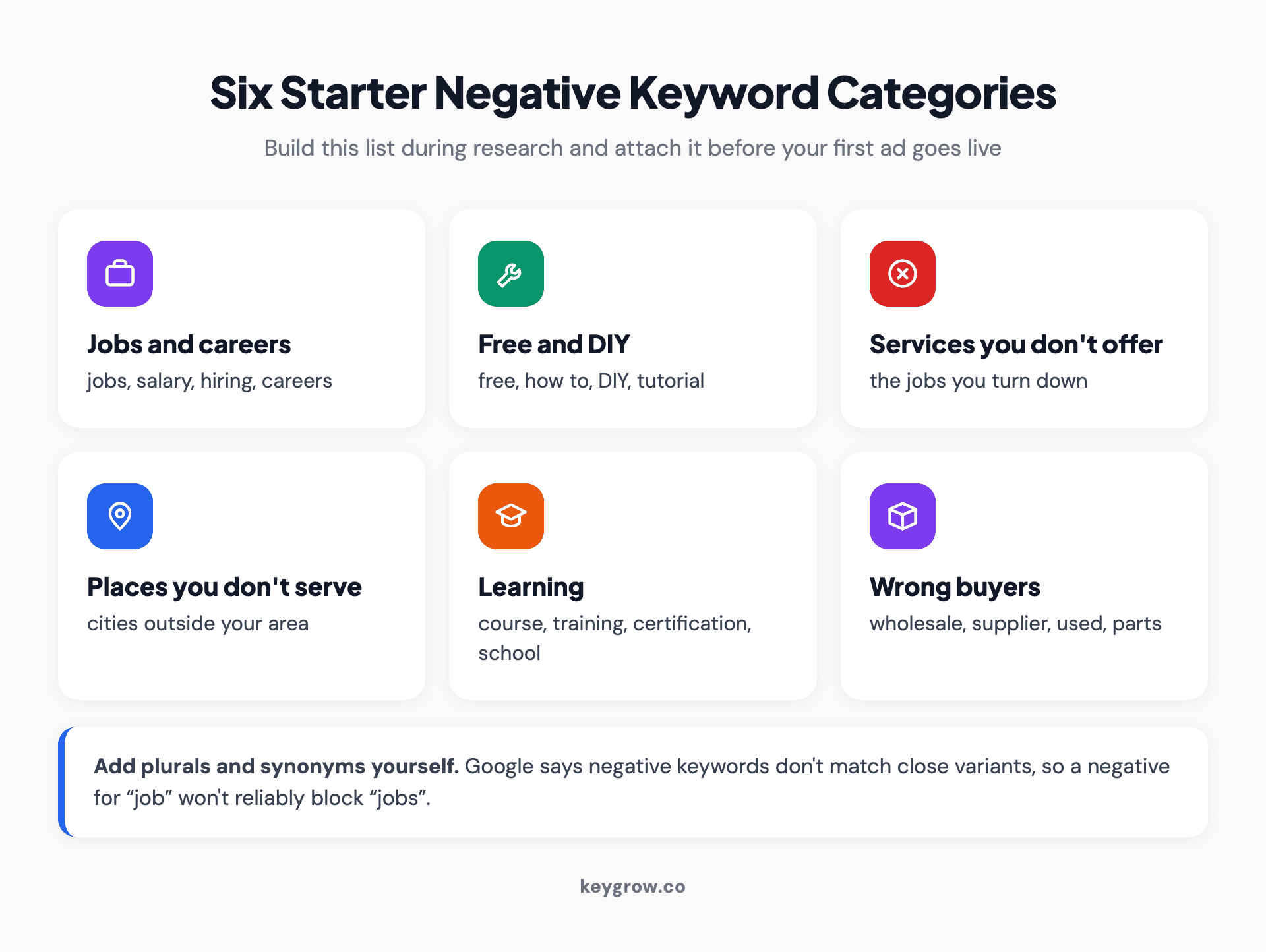
Six starter negative keyword categories with examples: jobs and careers (jobs, salary, hiring), free and DIY (free, how to, DIY), services you do not offer, places you do not serve, learning (course, training, certification), and wrong buyers (wholesale, supplier, used).
One quirk to know: negative keywords don't match close variants, according to Google, so add plurals and synonyms yourself. A negative for "job" does not reliably block "jobs."
Here's our position: broad match without a negative list is a donation to Google. We saw the other side of that with a cash home buyer who was flooded with junk leads. Traffic was never the problem. Negative keywords, tighter match types and qualifying language in the ads took serious leads up 600% between December and January, on the same budget. Our negative keywords guide walks through where to add them and how to avoid blocking good searches.
11. Group keywords into tight ad groups
Put keywords that share one meaning into one ad group, so the ad and landing page can speak to exactly that search. "Roof repair" and "roof leak repair" belong together. "Roof replacement" gets its own group, with its own ad about replacement.
You don't need one keyword per ad group. That structure made sense before match types went meaning-based, and our piece on single keyword ad groups explains why a tight theme does the same job now with less upkeep.

A hand writing a checklist in a notebook beside a laptop, like the pre-launch checks that finish PPC keyword research.
12. Put the first search terms review on the calendar
Your keyword list is a guess until real searches arrive. The search terms report shows the exact searches that triggered your ads, and it is where keyword research continues after launch. Book 30 minutes at the end of week one: sort by cost, add the junk as negatives, and promote the searches that converted into their own keywords.
Then repeat it every week. After launch, your own search data is a better research tool than any keyword planner.
When you can do this yourself
If you run one service in one area with a budget under a couple of thousand dollars a month, you can do this in an afternoon. Keyword Planner is free, the math above fits on a sticky note, and nobody knows which jobs you want more than you do. Paying an agency to research 15 keywords isn't a good use of your money.
Bring in help when the list runs into hundreds of terms across several services and cities, when you're spending enough that a week of wasted clicks hurts, or when you'd rather spend Friday afternoons on your business than in a search terms report.
FAQs
How do I do keyword research for PPC?
Start with your target cost per lead and work out the most you can pay per click. Then build a seed list from the services you sell, expand it in Keyword Planner, sort the results by intent, and keep only terms you can afford. Finish by choosing match types, building a negative list and grouping keywords into tight ad groups.
What is the best free tool for PPC keyword research?
Google Keyword Planner is the best free option because it shows Google's own volume estimates and the low and high range of top-of-page bids. It needs a Google Ads account with billing set up, but you don't have to run ads to use it. Google autocomplete and the live results page are free checks on top of it.
How many keywords should a PPC campaign have?
As many as your budget can feed with real traffic. Divide your monthly budget by your expected cost per click to get your monthly clicks, then make sure each keyword can get a meaningful share of them. For small local budgets, starting with 10 to 20 strong keywords usually works better than starting with hundreds.
Should I use broad, phrase or exact match?
For a new account with little conversion data, phrase and exact match give you the most control. Broad match reaches the most searches, and Google says it works best with Smart Bidding, so it suits accounts that already get steady conversions. Many accounts end up using phrase and exact for core terms and testing broad later.
What are negative keywords in PPC?
Negative keywords are searches you tell Google not to show your ads for, such as "jobs," "free" or a service you don't offer. They stop wasted clicks before they happen. Negatives do not match close variants, so you need to add plurals and synonyms yourself.
How often should I redo PPC keyword research?
Review your search terms report every week for the first few months, adding negatives and new keywords as real searches come in. Redo the full research when you add a service, enter a new area or see your cost per lead drift. The tool gives you a starting list, and your own search data improves it.
Before you launch
Run through this one last time before you switch the campaign on:
- You have a target cost per lead and a max CPC written down.
- Every keyword you're bidding on is ready-to-buy or comparing intent.
- Each keyword's top-of-page bid range sits near or under your max CPC.
- Each keyword has a deliberate match type, not the broad default by accident.
- A negative list is attached, with plurals and synonyms.
- Each ad group has one theme and an ad written for it.
- The first search terms review is on your calendar.
If all seven pass, launch. If you'd rather have a team build the list and read the search terms with you each week, our PPC management service does exactly that, reports on cost per lead, and works month-to-month.



