


Most title tag best practices articles will tell you Google occasionally rewrites what you wrote. The largest study on the question found it rewrote 61.6 percent of them.
Zyppy's rewrite study put just under 81,000 URLs from 2,370 sites through that test, and the result reframes the whole exercise. You are not writing a title that Google will display. You are writing a title that Google will consider, alongside your H1, your visible page heading, your og:title, and the anchor text other sites use to link to you.
Write for that reality and your titles hold. Write for the 2015 version of this advice and you will keep wondering why the search result does not say what you typed.
What a title tag is, and the three places it shows up
The title tag is the line of text in a page's head section that names the page. It is not visible on the page itself, and it is not the same field as your H1.
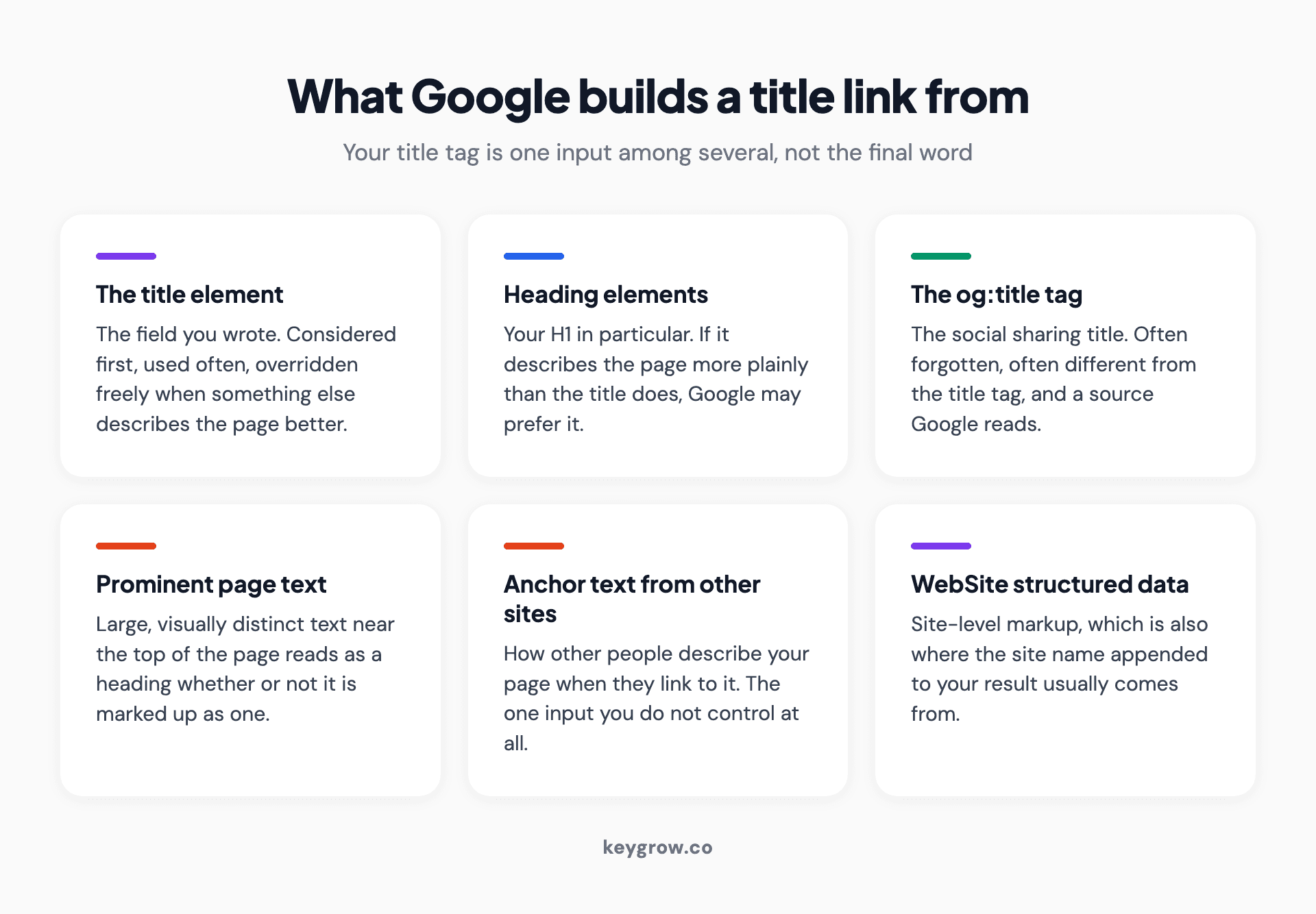
Six-card grid of the sources Google draws on to build a title link, from the title element and H1 to anchor text on other sites.
It surfaces in three places, each with different rules:
| Where | What it does | What governs it |
|---|---|---|
| Search results | The clickable blue headline | Google, which may use your title or replace it |
| Browser tab | The label on the tab and in bookmarks | Your title, always, unmodified |
| Social shares | Usually the og:title, falling back to the title tag | The sharing platform |
The browser tab is the only one of the three you fully control. That is worth remembering when someone insists the title is a ranking lever you own outright.
Google rewrites more titles than the guides admit
This is where most advice on the subject is a decade out of date.
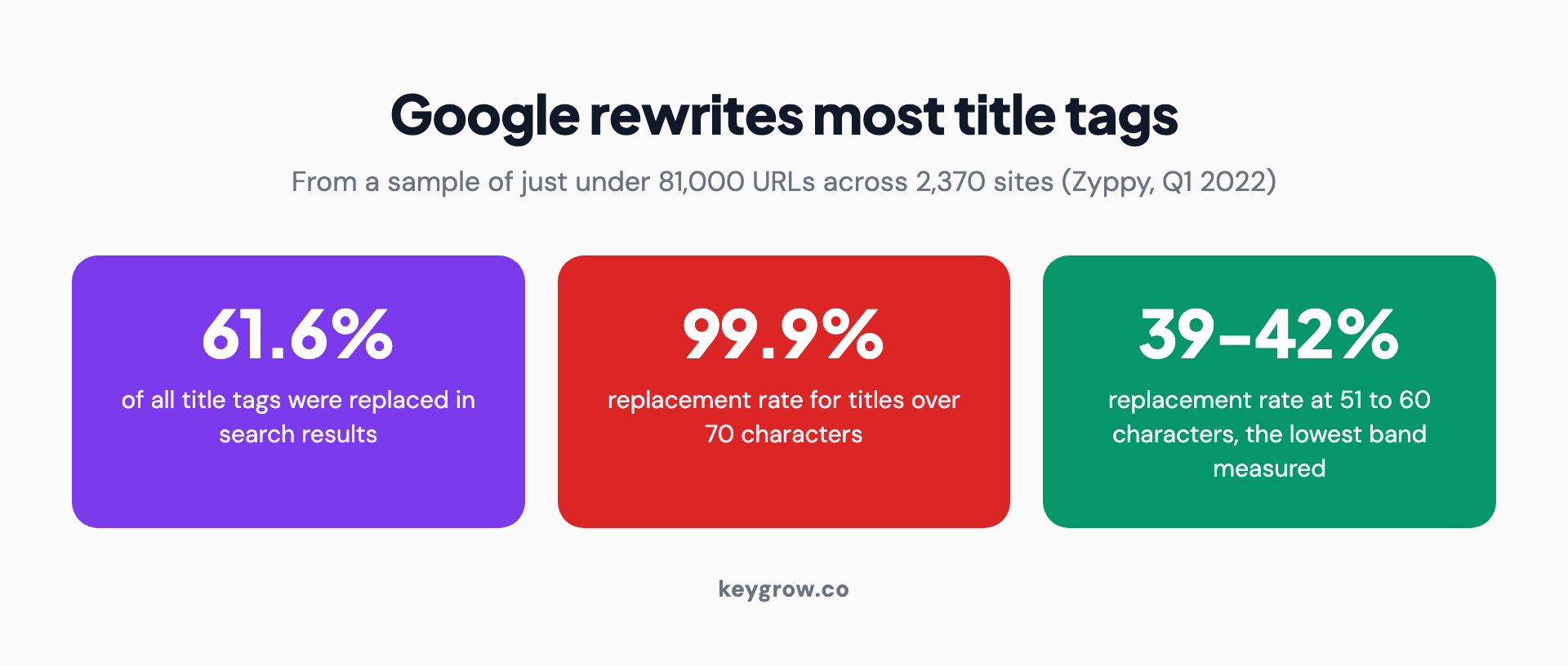
Stat panel showing Google rewrote 61.6 percent of title tags, rising to 99.9 percent for titles over 70 characters.
The common claim is that Google changes titles less than 20 percent of the time. Zyppy's sample says 61.6 percent, and the rate is not evenly distributed. It depends almost entirely on length:
| Title length | Rewritten by Google |
|---|---|
| 1 to 5 characters | 96.6% |
| 20 characters or fewer | Over 50% |
| 51 to 60 characters | 39 to 42% |
| Over 60 characters | Over 76% |
| Over 70 characters | 99.9% |
Read the bottom row again. A title longer than 70 characters is effectively a suggestion Google ignores. And the shortest titles fare just as badly, because a page titled "Home" or "Services" gives Google nothing to work with and it goes looking elsewhere.
Google is open about this. Its Search Central documentation lists the sources it draws from when generating a title link: the main visual title on the page, heading elements, og:title, large prominent text, the page content generally, anchor text from other sites, and WebSite structured data. Your title tag is one input among seven.
It also says plainly that it cannot manually change title links for individual sites. There is no appeal process. There is only writing a better title.
So what length should you write to?
Between 50 and 60 characters, and check the pixel width rather than the character count when it matters.
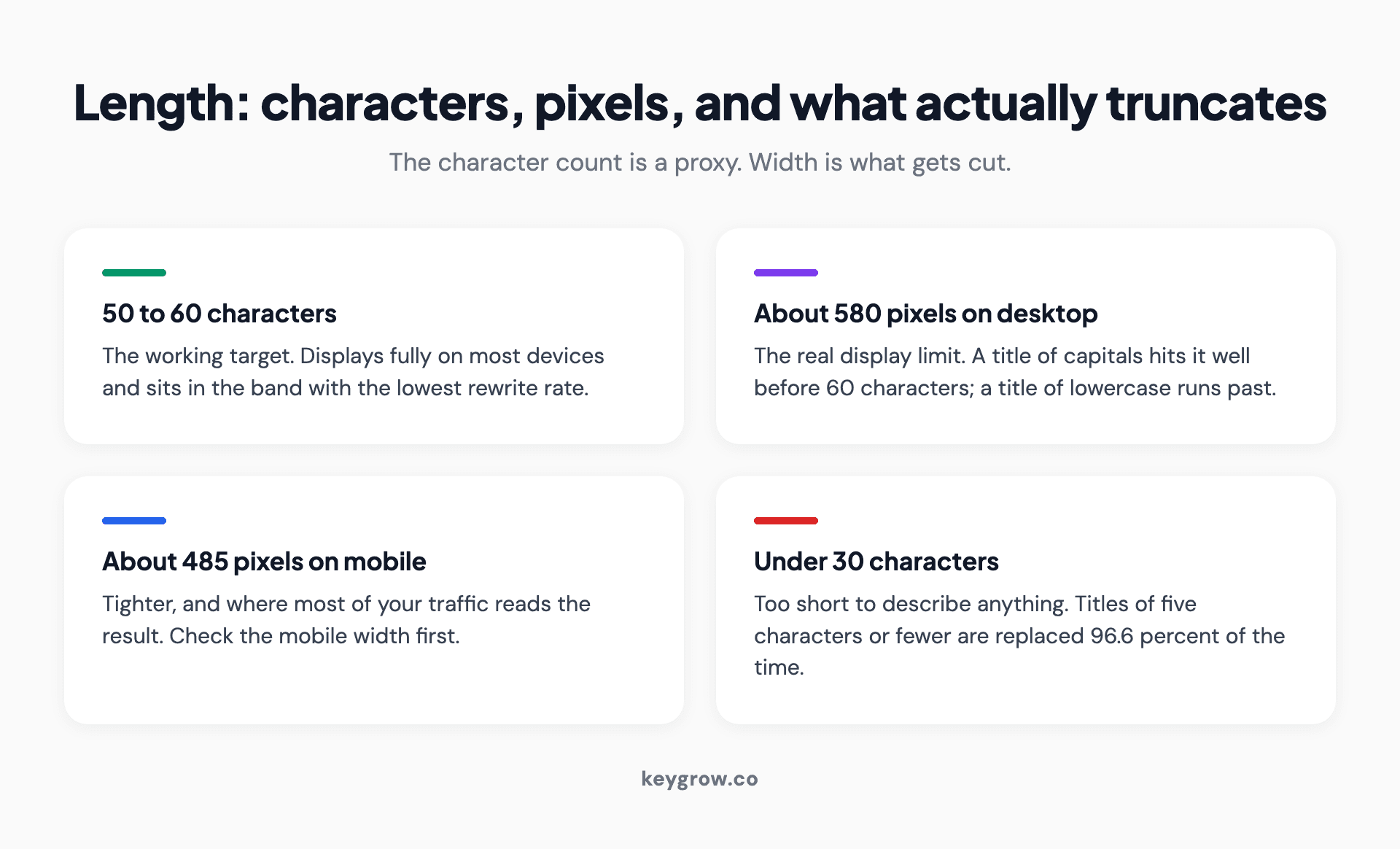
Four-card explanation of title tag length, covering the 50 to 60 character target and the 580 pixel desktop and 485 pixel mobile display limits.
The character count is a proxy. What actually gets truncated is pixel width, because a capital W eats roughly three times the space of a lowercase l. Screaming Frog puts the practical display limits at about 580 pixels on desktop and about 485 on mobile. A 60-character title in a narrow typeface fits. The same 60 characters full of capitals does not.
The 51 to 60 band is also where Zyppy found the lowest rewrite rate, which is a useful coincidence: the length that displays best is the length Google is most content to leave alone.
Two practical notes. Nothing terrible happens if a title runs long, it just gets cut or replaced, so this is an optimization and not an emergency. And if you want to see the truncation before you publish, our SERP preview tool renders it at real widths.
Where the keyword goes, and how much it matters
Front-load it. Not because of a secret weighting, but because of how people read a results page.
Search results are scanned, not read. The first two or three words decide whether the eye stops. A title reading "Emergency Plumber in Sacramento, Available 24/7" earns attention from someone in Sacramento with a burst pipe. The same information as "Sacramento's Trusted Local Service Professionals Since 1998, Plumbing and More" does not, and will likely be rewritten anyway for length.
One primary keyword per title. Two at most, and only when they genuinely belong together. Stuffing a third does not improve ranking and does raise the odds Google swaps the whole thing out, since Search Central explicitly lists keyword stuffing and repeated terms among the problems it corrects for.
Brand in the title, and when it earns its characters
The convention is "Page Topic | Brand Name". Whether that is right depends entirely on how well known your brand is.

A marketer writing page titles in a notebook beside a laptop while planning a site's SEO metadata.
If people search for you by name, the brand belongs in the title and it will raise click-through on every result. If nobody has heard of you, those characters are paying rent they cannot afford. A 12-character brand name on a 60-character budget is a fifth of your line spent on something the searcher does not recognize.
The middle position, which we use for most local clients: brand on the homepage and main service pages, dropped on blog posts and deep pages where the topic needs the room. Google often appends the site name to the result anyway, which makes the manual version redundant more often than not.
The separator question
Pipe, dash, colon, or comma. It does not matter for ranking. It matters slightly for width, because a pipe surrounded by spaces costs three characters and a comma costs one.
Pick one and apply it site wide. Inconsistent separators across a site are not a penalty, but they do make a title audit harder to read, and they are a reliable sign that nobody owns the titles.
Title tag and H1 are not the same field
They are different fields with different jobs, and treating them as one is the most common structural mistake we see.
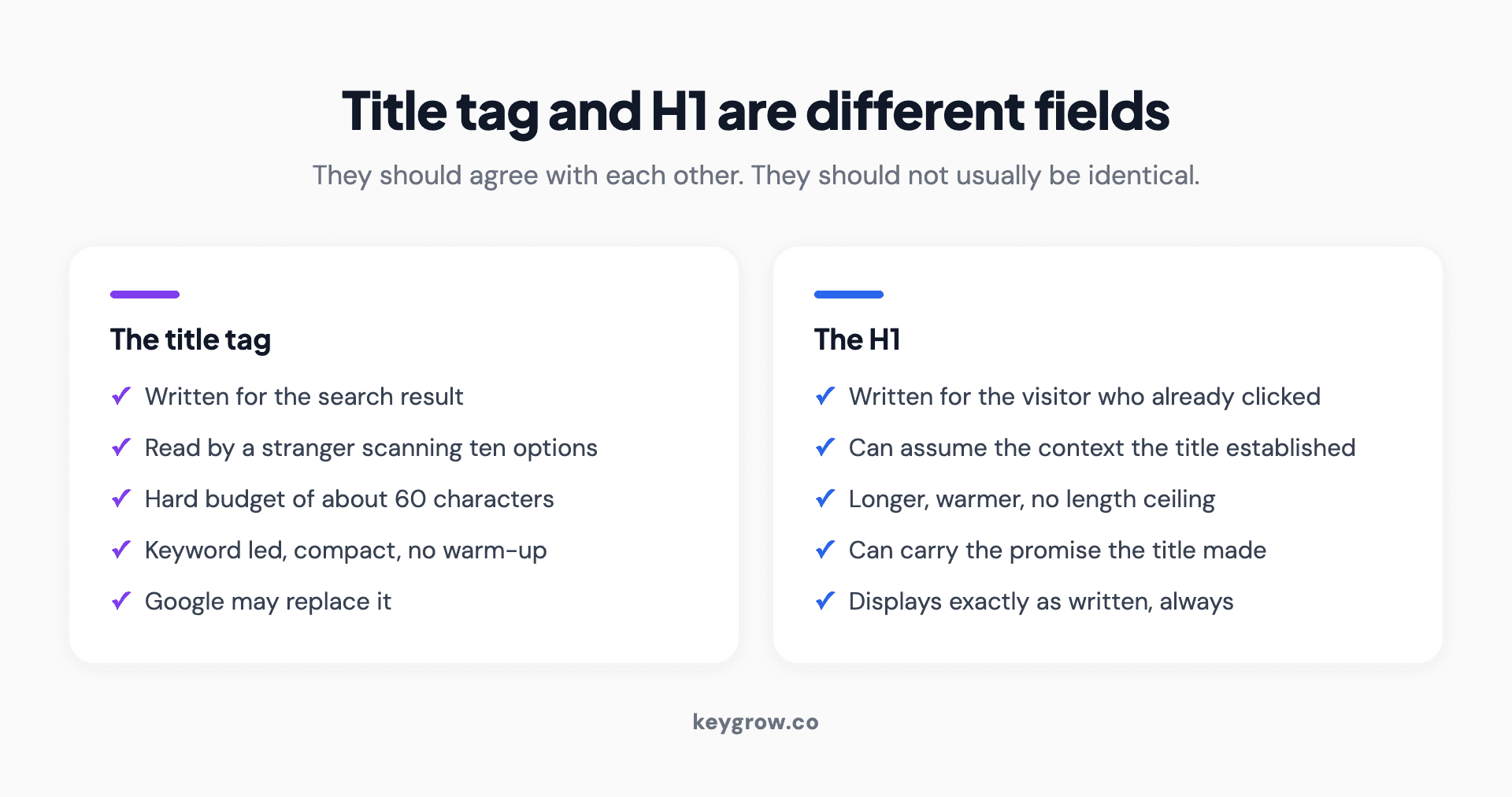
Side-by-side comparison of the title tag and the H1 heading, showing their different audiences, length budgets, and jobs.
The title tag is written for the search result: compact, keyword-led, built to earn a click from a stranger scanning ten options. The H1 is written for the person who already clicked: it can be longer, warmer, and can assume the context the title had to establish.
They should agree with each other. Someone who clicks a title about emergency plumbing and lands on a page headed "Welcome to Our Website" has been misled, and Google reads that inconsistency as a reason to distrust the title. Agreement is not sameness. Our guide to heading tags covers the H1 side of this in more detail.
Every page needs its own title, and this is where sites fail
Duplicate titles are the single most common finding in the technical audits we run, and they are almost always generated rather than written.
A CMS that outputs "Services | Company Name" on every service page has made nine pages indistinguishable to a search engine and to a human scanning results. Google's documentation names boilerplate text as a specific problem, and in practice those pages either get rewritten or get collapsed against each other.
A junk removal client of ours in Minnesota had this exact shape of problem. Building out six separate service pages, each with its own title naming its own service and area, put those pages into the results inside six weeks. Nothing exotic was involved. The pages simply became individually describable for the first time.
Title formats that work, by page type
The right structure depends on what the page is for. These are the patterns we use, with the reasoning rather than just the shape.
| Page type | Format | Why |
|---|---|---|
| Homepage | Brand: What You Do, Where | This is the one page where the brand belongs first |
| Service page | Service in City, Qualifier | Matches the search almost word for word |
| Location page | Service in Suburb, Brand | The suburb is the differentiator, so it goes early |
| Blog post | The Question or The Claim | Drop the brand, the topic needs the characters |
| Product page | Product Name, Key Attribute | Attribute is what separates you from the same product elsewhere |
| Category page | Category, Qualifier or Count | Qualifiers like "for small business" beat a bare noun |
Two patterns to avoid across all of them. Do not start every title with the same word, because a results page listing five of your pages that all begin "Professional" is a page the searcher stops reading. And do not describe the page type in the title. Nobody searches for "our services page", and the words are doing no work.
Why Google replaced your title, and how to get yours back
There are five common reasons, and four of them are fixable.
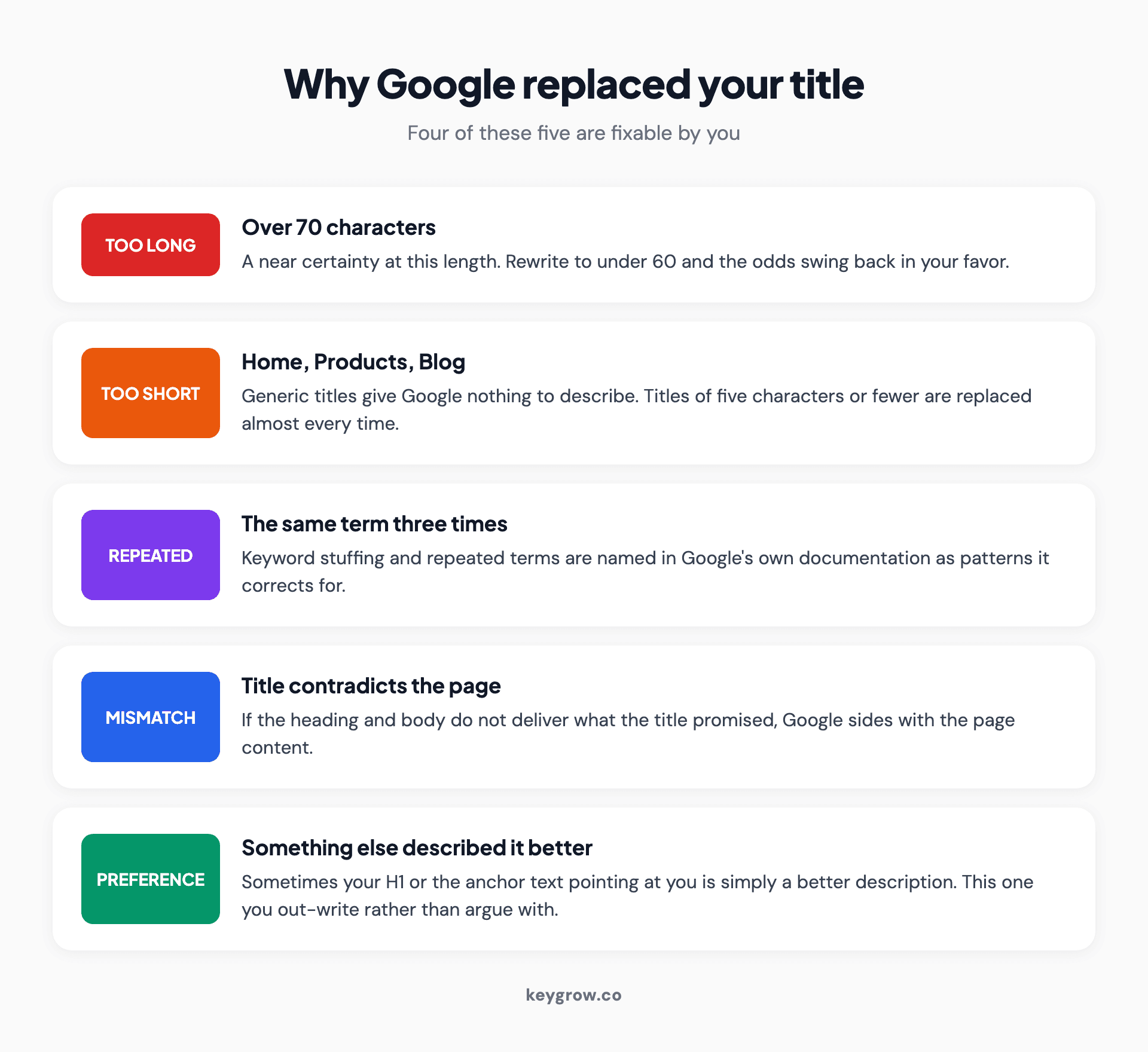
Five reasons Google replaces a title tag: too long, too short, repeated terms, a mismatch with the page, or a better description elsewhere.
- It was too long. Over 70 characters is a near certainty. Rewrite to under 60.
- It was too short or generic. "Home", "Products", "Blog". Give it something to describe.
- It repeats terms. Keyword stuffing triggers a rewrite reliably.
- It contradicts the page. If the title promises something the H1 and body do not deliver, Google favors the page content.
- Google simply preferred another source. Sometimes your H1 or the anchor text pointing at you describes the page better. This one you cannot argue with, only out-write.
Before rewriting a title on a page that already ranks, it is worth reading what the controlled tests show about changing a page title, because the downside case is real and avoidable.
When you fix a title, the change is not instant. Google states that updates can take days to weeks to appear, because the page has to be recrawled and reassessed. Changing a title and checking the result an hour later tells you nothing.
What happens to titles when the result is an AI answer
Worth thinking about now, because the shape of a search result is changing under all of this.

A person working on a laptop at a table, reviewing search results and AI generated answers.
When an AI answer summarizes three sources and names them, the title tag is no longer a headline competing for a click. It becomes one of the signals deciding whether you are the named source at all. The question changed from how do I rank to how do I become the source, and the numbers behind that are uncomfortable: ChatGPT cites only about 15 percent of the pages it retrieves.
What that changes in practice is small but real. A title that plainly describes what the page answers is easier for a retrieval system to match to a question than a clever one. "How Much Does Local SEO Cost" survives that translation. "The Real Price of Getting Found" does not. If you are weighing a clever title against a plain one, the plain one is now worth more than it used to be, and our writing on answer engine optimization goes further into why.
Audit every title on your site in an afternoon
- Crawl the site. Any crawler that exports page titles will do.
- Sort by length. Everything over 60 characters and everything under 30 goes on the list.
- Sort by title text and find the duplicates. These are usually the biggest and cheapest win available.
- Check the empties. Pages with no title at all are more common than anyone expects, particularly on paginated archives and filtered views.
- Compare titles against their H1s. Flag any pair that disagrees on what the page is about.
- Rewrite in priority order: duplicates first, then missing, then over-length, then generic.
- Note the date you changed them. You will want it when you check whether it worked in a month.
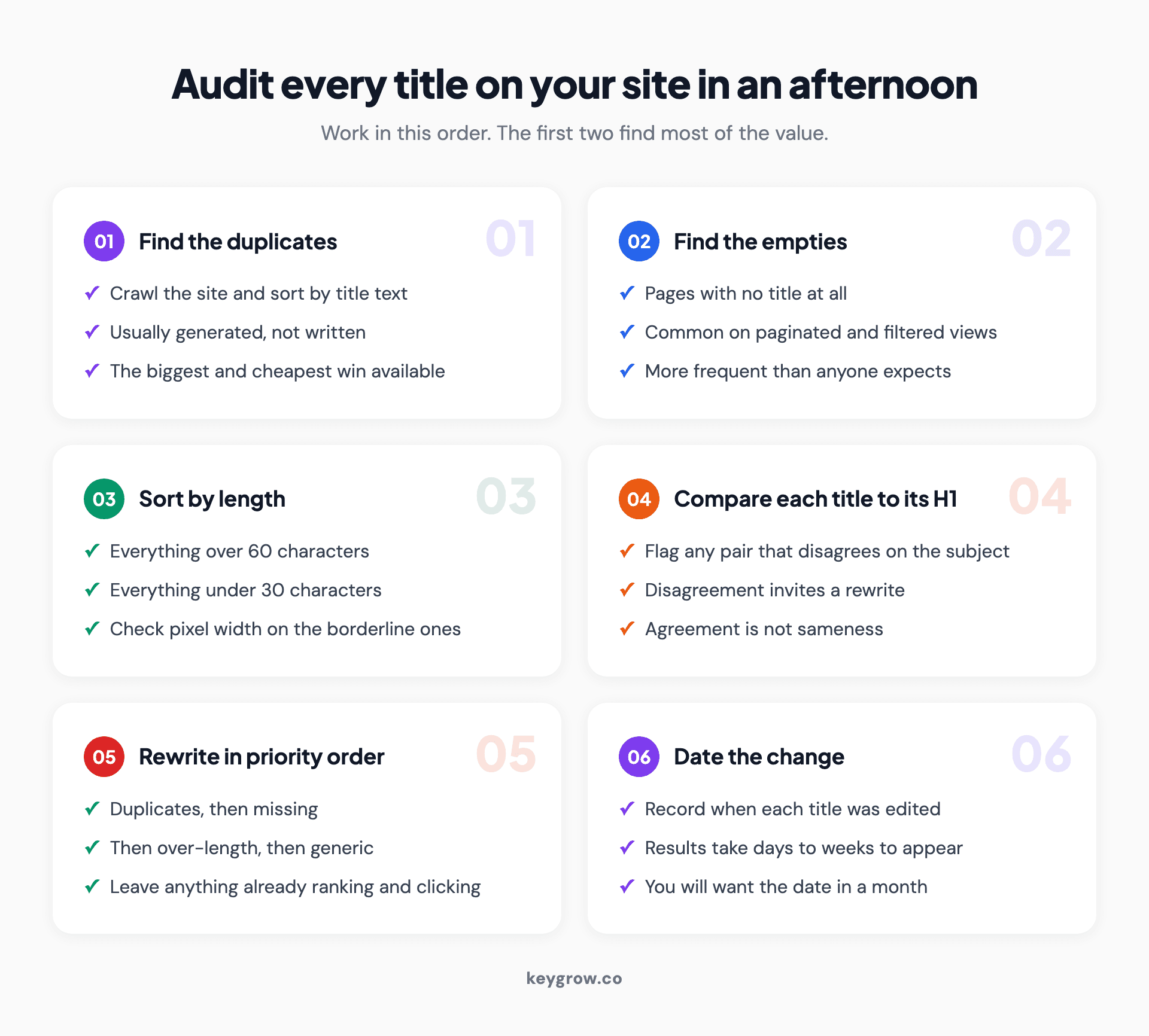
Six-step title tag audit checklist, running from finding duplicates and empty titles through to dating every change you make.
For a small site, our meta title and description generator will get you drafts to edit faster than writing from scratch.
Write the title before you write the page
This is a habit rather than a rule, and it is the one that has improved our own output most.
Writing the title first forces the page to have a single subject. If you cannot name the page in under 60 characters before writing it, the page is probably trying to cover two topics and should be two pages. That test catches structural problems while they are still cheap to fix.
It also changes what you write. A page drafted under the title "How Much Does Local SEO Cost" tends to answer that question in the first paragraph. The same page drafted first and titled afterwards tends to bury the answer under four paragraphs of context, because the writer found their way to the point gradually and left the journey in.
The version of this we use on client sites: title, then the one-sentence answer, then the outline, then the page. By the time anyone writes a paragraph, the page knows what it is.
Mistakes that get a title rewritten or ignored
- Writing the title last, in the CMS field, in a hurry. It shows, and it is usually the sentence with the least thought in the entire page.
- Using the same title as the H1 everywhere. They have different jobs and different length budgets.
- Dates that go stale. "Best Tools 2024" on a page you will not update is a countdown timer on your click-through rate.
- Title case applied to everything. Sentence case reads more naturally in results and does not cost you anything.
- Chasing a keyword you do not rank for. A title cannot make a page relevant to a query the content does not answer.
- Rewriting titles that are working. If a page ranks and earns clicks, leave it. Not every field needs optimizing.

Six-card grid of title tag mistakes that cost clicks, including duplicating the H1, putting a year in the title, and rewriting titles that already work.
When title tags are not your problem
If a page is not indexed, its title is irrelevant. If it ranks on page four, a better title moves it to a slightly better position on page four.
Titles influence click-through rate on results people already see, and they are a modest relevance signal. They do not fix thin content, missing links, or a page Google has decided not to index. If you are unsure which of those you have, start with a technical SEO audit rather than a title rewrite.
The exception, and it is a real one: a page sitting in positions four through ten with decent impressions and a poor click-through rate is exactly the page a better title fixes. Search Console will show you those in about two minutes.
FAQs
What is the ideal title tag length?
Between 50 and 60 characters. That range displays fully on most devices and has the lowest rate of being rewritten by Google. What actually gets truncated is pixel width, around 580 on desktop and 485 on mobile, so a title full of capital letters will cut off sooner than the character count suggests.
Why does Google change my title tag?
Usually because it was too long, too short, repeated keywords, or did not match the page content. Google generates title links from several sources including your H1, prominent page text, and anchor text from other sites, and picks whichever it thinks describes the page best.
Are the title tag and H1 the same thing?
No. The title tag appears in search results and browser tabs and is written to earn a click. The H1 appears on the page and is written for someone who already arrived. They should agree with each other, but they should not usually be identical.
Should my brand name be in every title tag?
Only where it earns the characters. Put it on your homepage and main service pages. On blog posts and deep pages, the topic usually needs that space more, and Google often appends your site name to the result anyway.
How many keywords should a title tag contain?
One, or two if they genuinely belong together. Additional keywords do not improve ranking and they raise the chance Google replaces the title, since repeated terms are one of the patterns it corrects for.
How long until a title tag change shows up in search?
Days to weeks. The page has to be recrawled and reassessed before the new title appears. Checking the same afternoon tells you nothing useful.
Do title tags still matter with AI search?
Yes, with a shift in emphasis. A title that plainly states what the page answers is easier for a retrieval system to match to a question than a clever one, which makes descriptive titles more valuable than they used to be, not less.
The version to write
A good title names the thing, names the place or the qualifier if there is one, stays under 60 characters, and does not repeat itself. That is most of it.
If you want a rule to carry: write the title as though it has to make sense to somebody who has never heard of you, reading it in a list of ten alternatives, on a phone. Everything else in this article follows from that.
If your titles are fine and the traffic still is not arriving, the problem is upstream of the title, and our SEO team can tell you where in one pass. You can also start with an audit if you would rather see the list before deciding anything.



