

WordPress against Webflow comes down to one question, and it is not the one the comparison pages argue about. Who is going to touch this website after launch, and what will they be trying to do?
Answer that and the choice usually makes itself. Webflow suits a team where a designer or marketer needs to change the site without waiting for a developer. WordPress suits a site with a lot of content, unusual requirements, or a real budget for someone technical to maintain it. Everything else in this comparison is detail.
Worth saying up front: almost every page ranking for this question is published by one of the two vendors or by an agency that only builds on one of them. We build on both, and we sell neither.

Two people working through a site plan on a whiteboard before choosing a platform.
The honest one-paragraph version
Webflow is a hosted, closed platform where design, CMS and hosting arrive as one product. You pay a monthly fee, nothing breaks on update, and the visual editor gives a non-developer more control than any WordPress page builder does. In exchange you accept the platform's boundaries and its exit terms.
WordPress is free open-source software you install somewhere, then assemble into a website using a theme and plugins. It can do essentially anything, it is entirely portable, and it costs less in fees. In exchange you own the maintenance, the security, and the consequences of whatever plugin collection you end up with.
Neither is a better piece of software than the other. They fail in different directions.
Who maintains it decides this
The real cost of a website is not the build. It is the two years afterwards, and platform regret almost always traces back to a mismatch between the tool and the person operating it.
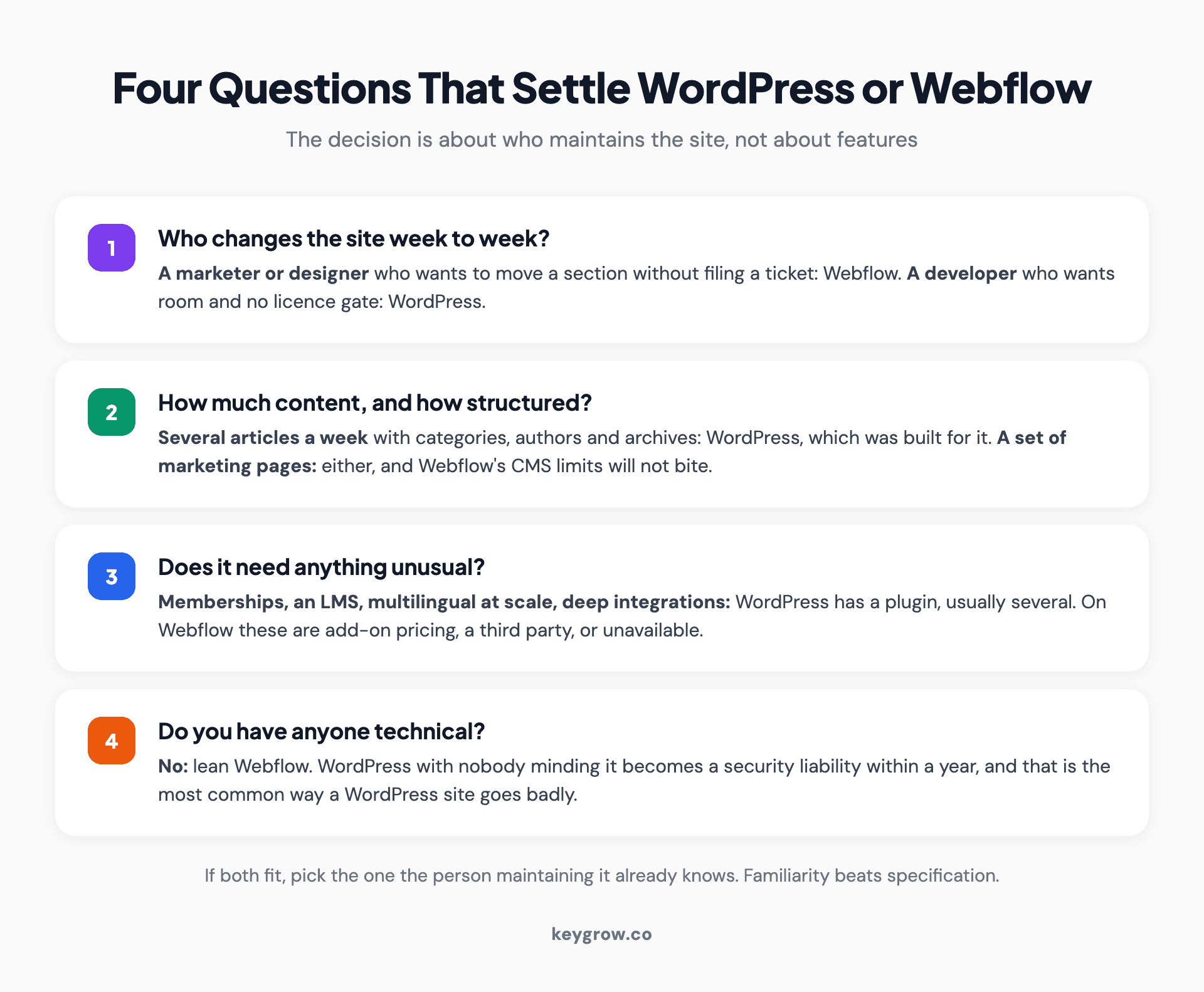
Decision framework for choosing between WordPress and Webflow based on who maintains the site, content volume and functional requirements.
Four questions settle most cases:
Who changes the site week to week? If it is a marketer or designer who wants to move a section, restyle a page, or launch a landing page without filing a ticket, Webflow is built for that and WordPress is not, whatever the page builder marketing says. If it is a developer, WordPress gives them more room and no licence gate.
How much content, and how structured? A site publishing several articles a week with categories, authors, tags and archives is what WordPress was built for and it remains better at it. Webflow's CMS is capable but its collection and item limits are real, and hitting them is a plan upgrade rather than a config change.
Does it need anything unusual? Memberships, complex forms, an LMS, multilingual at scale, deep integration with software you already run. WordPress has a plugin for almost all of it, usually several. On Webflow these are either add-on pricing, a third-party service, or not available.
Do you have anyone technical? WordPress with nobody minding it becomes a security and update liability within a year. That is the single most common reason a WordPress site goes badly, and it has nothing to do with WordPress being bad software.
Where each one genuinely wins
Feature tables flatten this. Here is what actually separates them in practice.
| Webflow | WordPress | |
|---|---|---|
| Design control without a developer | Genuinely excellent | Constrained by theme and builder |
| Maintenance burden | Effectively none | Real and ongoing |
| Content at volume | Capable, with plan limits | Built for it |
| Unusual functionality | Add-ons or not possible | Plugin for nearly anything |
| Predictable monthly cost | Yes, on a plan | Varies with hosting and licences |
| Portability | Limited, see below | Complete |
| Failure mode | You hit a wall you cannot code around | Nobody updated it for eight months |
The last row is the honest summary. Webflow fails by boundary. WordPress fails by neglect.
What leaving costs, which nobody mentions
This is the section the vendor pages will not write, and it deserves weight because it is the one decision here that is hard to reverse.
WordPress is portable by design. Your content lives in a database you control, your files sit on a host you chose, and moving between hosts is a routine migration that thousands of people do every day. If you dislike your host, your agency, or your theme, you change that thing without changing the website.
Webflow is different. You can export your site's code, but Webflow's export documentation is clear about what does not come with it. CMS collections, user accounts and ecommerce content are not included in the exported code. Collection lists render their empty state and collection pages show nothing bound to collection fields. Site search and forms will not work on an exported site. Password protected pages lose their protection.
You can export collection items separately as CSV, which is a backup rather than a working site. So the practical position is this: a Webflow brochure site is reasonably exportable, and a Webflow site built on the CMS is not portable in any useful sense. Leaving means rebuilding.
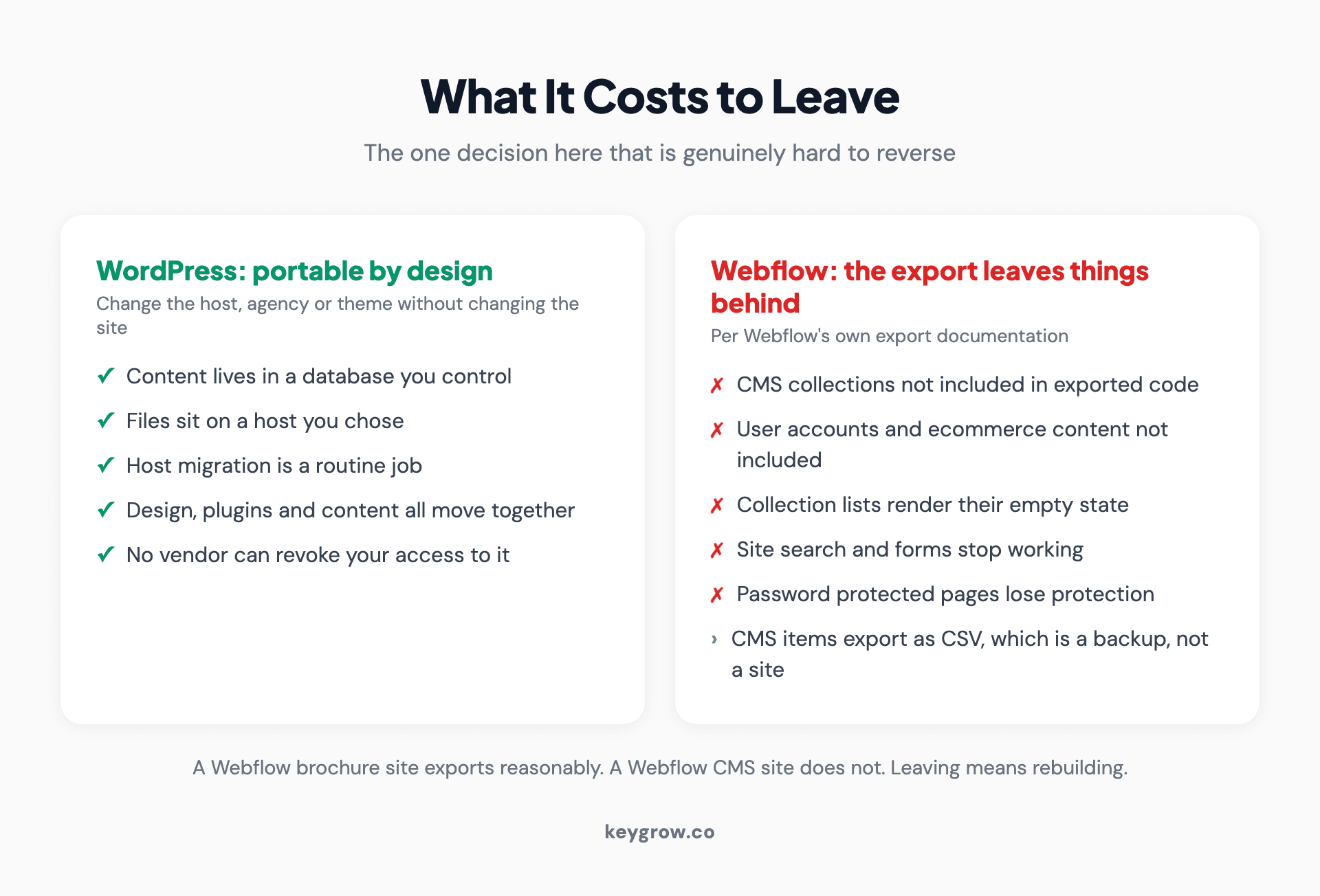
What transfers when you leave each platform, showing WordPress full portability against Webflow export limitations for CMS and dynamic content.
That is not a reason to avoid Webflow. It is a reason to know what you are choosing. If the site is a marketing site you expect to rebuild in three or four years anyway, lock-in costs you little. If it is a content library you intend to keep compounding for a decade, it matters a great deal.

Developer working through code on screen while evaluating a platform migration.
What each actually costs
Both are cheap compared to the labour around them, which is the point people miss.
Zapier's comparison puts Webflow site plans at roughly $14 a month for basic and $39 for business, billed annually, with ecommerce from $29 and workspace seats charged separately. WordPress core is free, with hosting from a couple of dollars a month at the bottom to $15 or more for managed, plus a domain, plus whatever themes and premium plugins you buy.
On paper WordPress is cheaper and it usually is, but the comparison misleads in two ways.
WordPress's cost is variable and back-loaded. Cheap hosting plus a stack of premium plugin licences plus somebody's time to maintain it frequently exceeds a Webflow plan, and the maintenance line is the one nobody budgets. Webflow's cost is fixed and visible, and the add-ons are where it climbs: extra workspace seats, localization per locale, and optional analytics or optimization products are all priced separately.
The number that actually decides it is neither. It is whether you are paying somebody to make changes you could have made yourself, which is a Webflow argument, or paying platform fees for capability you are not using, which is a WordPress argument.
Does either one rank better?
No, and this is where we will be blunter than the comparison pages are.
Neither platform meaningfully advantages you in search. Both can produce fast, crawlable, well-structured sites. Both can produce slow, bloated, badly structured ones. Google does not know or care which one you used, and the SEO differences people argue about are execution differences wearing a platform costume.
What actually decides organic performance is the same on both: page speed, information architecture, content quality, internal linking and authority. A Webflow site with clean markup and nothing to say ranks for nothing. A WordPress site running twenty-two plugins and loading in six seconds ranks for nothing either.
If there is a platform-shaped risk, it is on the WordPress side and it is self-inflicted: plugin accumulation is the most common cause of slow small business websites, and every plugin is a performance and security decision that nobody revisits. Webflow removes that failure mode by removing the option.
We have covered each side separately in is WordPress good for SEO and is Webflow good for SEO, and both articles reach the same conclusion from different directions.
The clearest evidence we have for this is a client, not an argument. An eviction law firm came to us already running ads to an already-built landing page and getting almost nothing: one conversion a week from 22 clicks, at $240 each. Nobody changed the platform. We rebuilt the page around one clear action and restructured the campaigns, and within a week it was 21 conversions from 189 clicks at $31.79 each.
Same technology. The page was the bottleneck, as it nearly always is.
Speed, and why the answer is usually not the platform
Both competitors' comparison articles skip performance entirely, which is odd, because it is the thing most likely to differ between two real sites.
Webflow ships lean by default. The visual editor generates the CSS, hosting and the content delivery network come as part of the plan, and there is no plugin layer adding scripts you did not ask for. A Webflow site built without much thought will usually still be reasonably fast.
WordPress can be faster than Webflow or dramatically slower, and which one you get is decided by choices rather than by WordPress. Good hosting, a lean theme, restrained plugin use and compressed images produce a very fast site. Cheap shared hosting, a bloated multipurpose theme and twenty-two plugins produce a slow one, and this is by far the more common outcome in the wild.
So the honest phrasing is not "Webflow is faster." It is that Webflow has a higher floor and WordPress has a higher ceiling. If nobody is going to think carefully about performance, the higher floor is worth a lot.
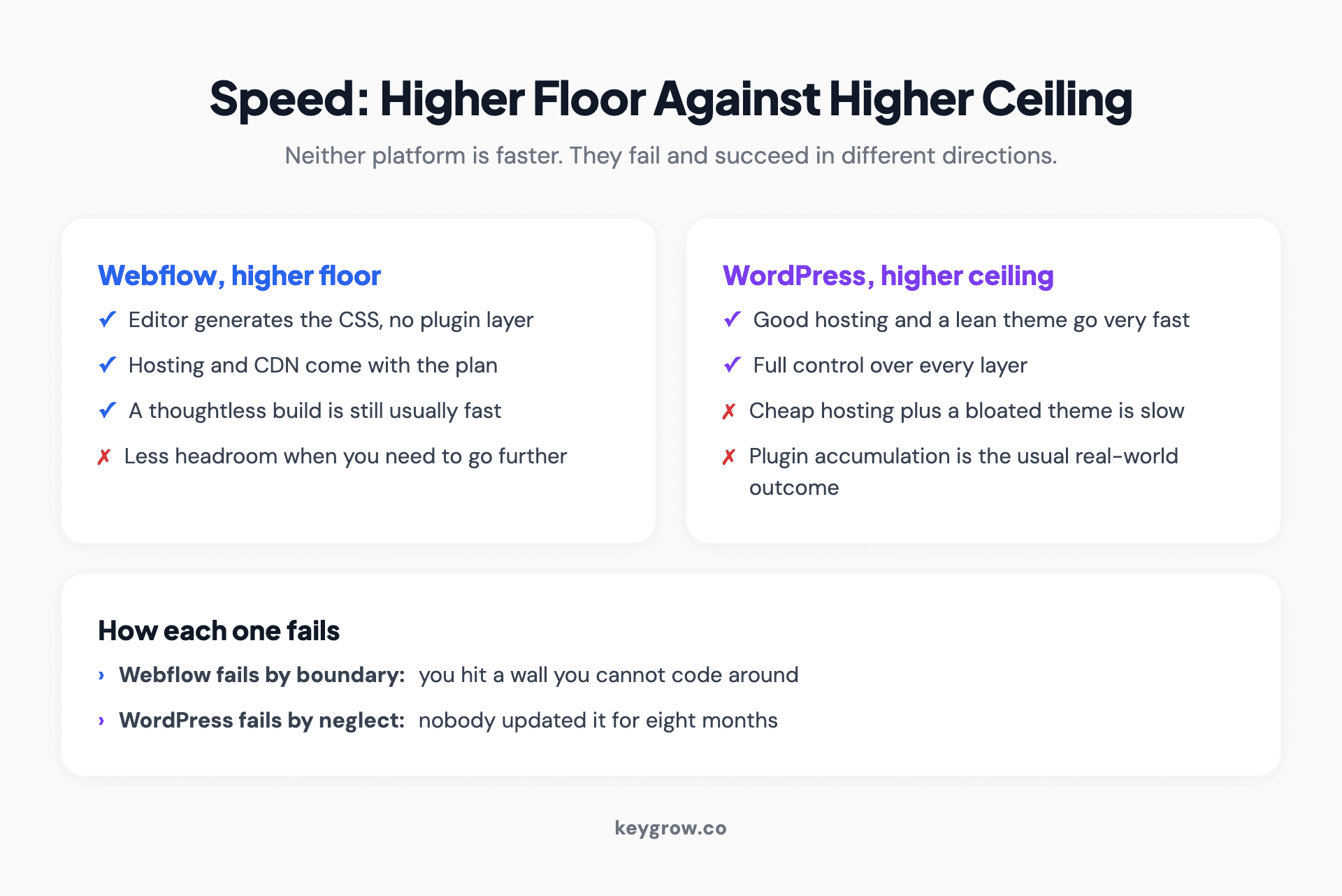
Performance comparison showing Webflow's higher default floor against WordPress's higher achievable ceiling for site speed.
Security is the WordPress tax
Webflow is a hosted platform, so platform security is the vendor's problem. There is nothing to patch, no plugin with an abandoned maintainer, and no admin login on your own domain to be brute forced.
WordPress powers a very large share of the web, which makes it the most attractive target on the web. The software itself is not insecure; the exposure comes from the ecosystem around it. Vulnerabilities appear in themes and plugins, and the sites that get compromised are almost always the ones running a version of something from two years ago.
Handled properly this is routine. Managed hosting with automatic core updates, a small and audited plugin list, real backups, and someone who reviews updates monthly reduces the risk to something ordinary. Handled the way most small business sites handle it, which is not at all, it is a matter of time.
Price that maintenance honestly when you compare the two. A WordPress site with nobody minding it is not cheaper than Webflow, it is deferred.
Selling things on either one
Ecommerce is where the two diverge most sharply and where the decision is usually easiest.
Webflow's ecommerce is genuinely good for a small, design-led catalogue: a few dozen products, simple variants, standard checkout. The design control that makes Webflow attractive elsewhere applies to the store too, which is rare. Beyond that it gets constrained quickly, and the pricing tier for larger stores climbs steeply.
WordPress handles ecommerce through plugins, which means it can do essentially anything and requires you to assemble it. Large catalogues, complex tax and shipping rules, subscriptions, wholesale pricing and integrations with inventory systems are all achievable, and all of it is more moving parts to maintain.
If ecommerce is the main purpose of the site rather than a feature of it, be honest that a dedicated commerce platform may beat both. We compared one of those directly in WordPress or Shopify for SEO, and the reasoning there applies to this decision too.
The team question people get wrong
Webflow's strongest argument is not design. It is that it collapses three roles into one interface.
On a typical WordPress project, the designer works in one tool, a developer implements it in another, and the marketer edits content in a third, with handoffs between each. On Webflow the designer builds the actual site, and the marketer edits it in a restricted editor without being able to break the layout. For a small team, removing two handoffs is worth more than any feature on either list.
The inverse is also true and less often said. If your organization already has developers, a build pipeline, a component library and version control, Webflow's closed model gets in the way rather than helping. Teams like that generally find WordPress, or a headless setup, less restrictive rather than more.

Team reviewing website designs together on a screen during a platform decision.
How long each takes to learn
Worth pricing in, because the learning curve is a real cost and both vendors describe theirs as gentle.
Webflow is harder than people expect and easier than it looks after two weeks. It exposes genuine CSS concepts through a visual interface: flexbox, positioning, breakpoints, the box model. A designer who understands layout picks it up in a fortnight and then moves very fast. Someone who has only used drag-and-drop builders hits a wall early, because Webflow will let you build something structurally broken and will not warn you.
WordPress is easier to start and harder to master. Publishing a post on day one is trivial. Choosing a theme that will not fight you in a year, evaluating whether a plugin is maintained, and diagnosing why the site slowed down after an update are skills that take considerably longer, and most site owners never acquire them. That gap is where the maintenance cost actually lives.
The restricted editor matters here too. Webflow separates designing the site from editing its content, so a marketer can change copy and images without being able to dismantle the layout. WordPress has roles that approximate this, but a page builder generally hands the same person enough control to break things. If several non-technical people will be editing, that difference is worth more than any feature comparison.
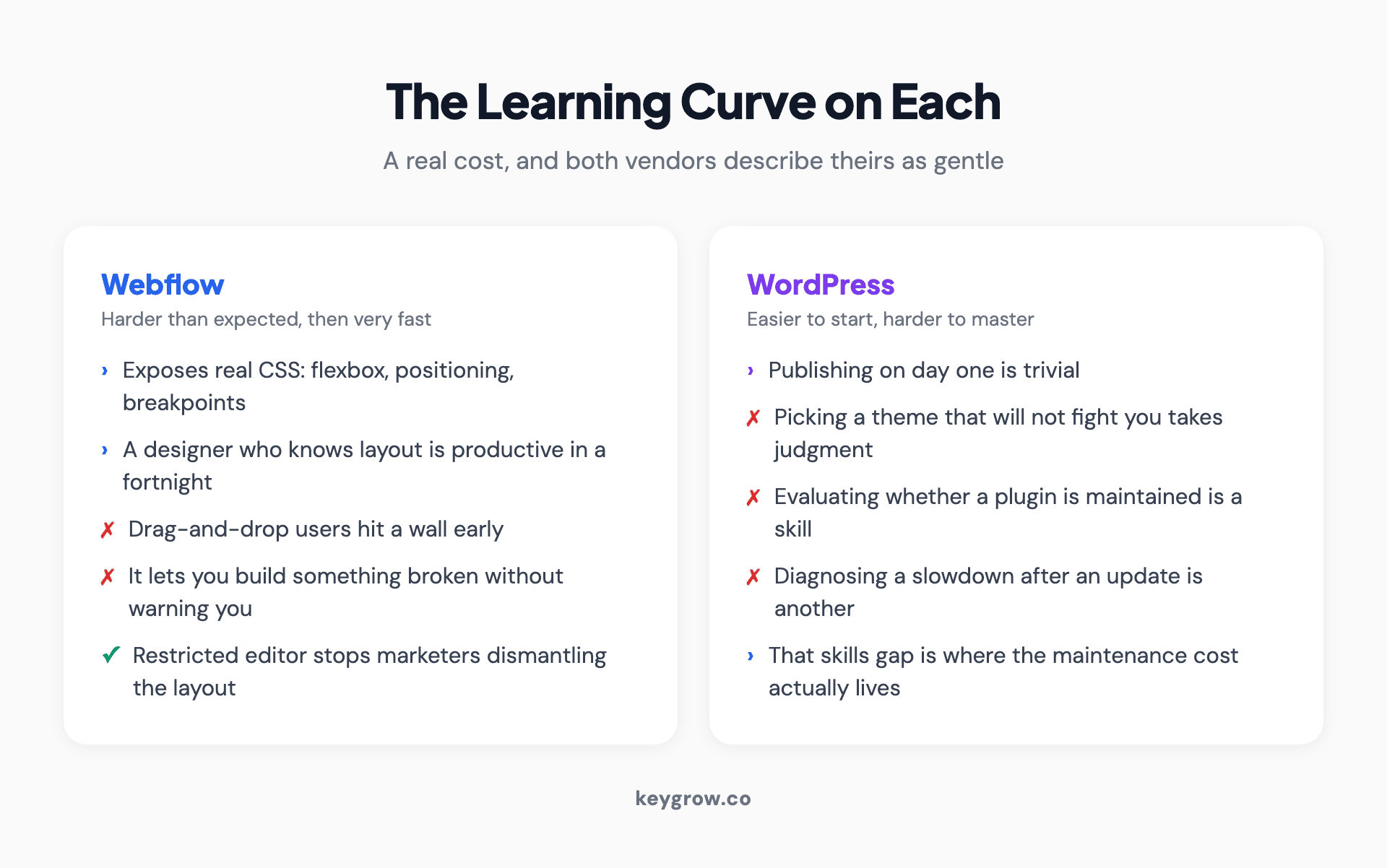
Comparison of the learning curve for Webflow and WordPress, showing where each gets harder and what skills each demands.
Migrating between them
Both directions happen, and they are not symmetrical.
WordPress to Webflow is a rebuild. Content can be exported and imported into Webflow collections, but the design is recreated rather than moved, and any plugin functionality has to be replaced with a Webflow equivalent or a third-party service. Budget it as a new site with content supplied.
Webflow to WordPress is also a rebuild, and a harder one, for the export reasons above. Content comes across as CSV. Everything else is built again.
In both directions, the part that determines whether the migration is a success or a disaster is the URL mapping, not the platform. Every URL that changes needs a redirect, and the sites that lose rankings after a replatform almost always lost them to unmapped URLs rather than to the new technology. We wrote that process up in redesigning without losing SEO, and it is worth reading before anyone starts building.
So which should you pick?
Pick Webflow if a non-developer needs real design control, your team is small, the site is primarily marketing pages, you want maintenance to be somebody else's problem, and predictable monthly billing suits you better than variable costs.
Pick WordPress if you publish a lot of content, you need functionality that only exists as a plugin, you have or can hire technical help, portability matters to you over a long horizon, or you already run other things on it.
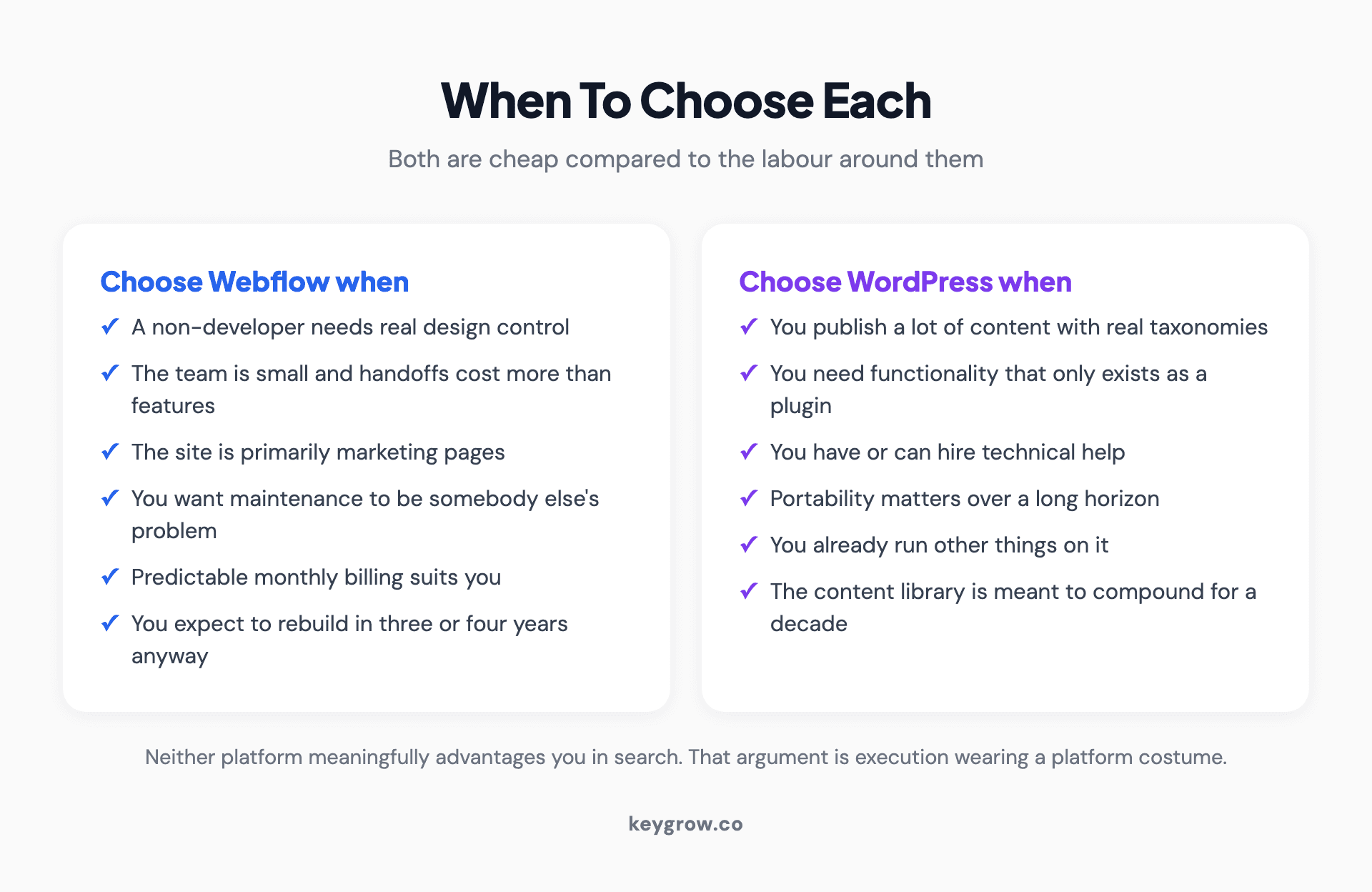
Side by side summary of when to choose Webflow and when to choose WordPress, based on team, content volume and functional needs.
If both fit, pick the one the person maintaining the site already knows. Familiarity beats specification, every time, and the difference in outcomes between a platform someone is fluent in and one they are learning is far larger than the difference between these two products.
FAQs
Is Webflow better than WordPress?
Neither is better in general. Webflow is better when a non-developer needs design control and you want maintenance handled for you. WordPress is better for content-heavy sites, unusual functionality, and situations where portability or having technical help available matters. The right answer depends on who maintains the site.
Is WordPress or Webflow better for SEO?
Neither has a meaningful advantage. Both can produce fast, crawlable sites with clean structure, and both can produce slow, bloated ones. Search performance is decided by speed, architecture, content and authority, not by the platform. The only platform-shaped risk is plugin accumulation on WordPress, which is self-inflicted.
Can you export a website from Webflow?
Partially. Webflow lets you export your site's code, but CMS collections, user accounts and ecommerce content are not included. Collection lists show their empty state, collection pages show no bound content, and site search and forms stop working. CMS items can be exported separately as CSV, which is a backup rather than a working site.
Is Webflow more expensive than WordPress?
Usually in fees, not always in total. Webflow charges a predictable monthly plan with separately priced seats and add-ons. WordPress core is free but you pay for hosting, premium plugins, and maintenance time. Once maintenance labour is counted, the totals often land closer together than the headline prices suggest.
Is Webflow good for blogs?
It is capable but WordPress is better at it. Webflow's CMS handles blog content well up to a point, with real limits on collections and items that become a plan upgrade rather than a configuration change. A site publishing several articles a week with complex taxonomies is doing what WordPress was designed for.
Can you move from Webflow to WordPress?
Yes, but it is a rebuild rather than a migration. Content transfers as CSV and everything else is built again, because the design and dynamic functionality do not export in a usable form. The critical part is mapping every URL and redirecting it, since replatform ranking losses almost always come from unmapped URLs.
Do you need to know how to code to use Webflow?
No, but you do need to understand how web layout works. Webflow exposes real CSS concepts like flexbox, positioning and breakpoints through a visual interface, which gives far more control than a drag-and-drop builder and carries a steeper learning curve than one. Designers pick it up quickly. Complete beginners often do not.
Pick the one you will still be able to run in three years
The comparison pages will keep arguing about features because features are easy to tabulate. The decision is simpler and more boring than that.
Look at who is going to open this website on a Tuesday afternoon eighteen months from now to change a headline, and pick the tool that person can use without asking anyone. If that is a marketer, you have your answer. If it is a developer, you have a different one. If it is nobody, choose the platform that does not punish neglect, which is Webflow.
Then spend the energy you saved on the things that actually decide whether the site works, which is what is on the pages and how fast they load. If you want that scoped with someone who does not sell either platform, our web development team is happy to talk it through.



