

Is WordPress good for SEO? Yes. It is arguably the most SEO-capable mainstream CMS there is, because it hands you near-total control: clean URLs, full command of your title tags, meta descriptions, canonicals and schema through plugins, automatic sitemaps, and redirects. It powers more of the web than any other platform, and it can rank with anything.
There is a catch, and it is the honest half competitors skip. That same control cuts both ways. You own the performance, the security updates, and the plugin bloat, and WordPress is the easiest mainstream platform on which to quietly break your own SEO. So the real answer is yes, WordPress is excellent for SEO in capable hands, and a liability in careless ones. Here is both sides.
Is WordPress good for SEO? The short answer
Yes. WordPress gives you more SEO control than any other mainstream CMS, which is why it powers a huge share of the web. Its limits are not about capability but about responsibility: speed, security, and plugin bloat are yours to manage.
This is the same thing our guides to Squarespace and Webflow conclude, with the dial turned toward control. Squarespace hands you a managed, tidy box. WordPress hands you the whole workshop. The workshop can build anything, and it can also be left a mess.
Why WordPress is strong for SEO
WordPress is strong for SEO because it gives you direct control over everything search engines read: your URLs, titles, meta descriptions, headings, canonicals, schema, sitemaps, and redirects. Little is hidden from you, and almost nothing is locked.
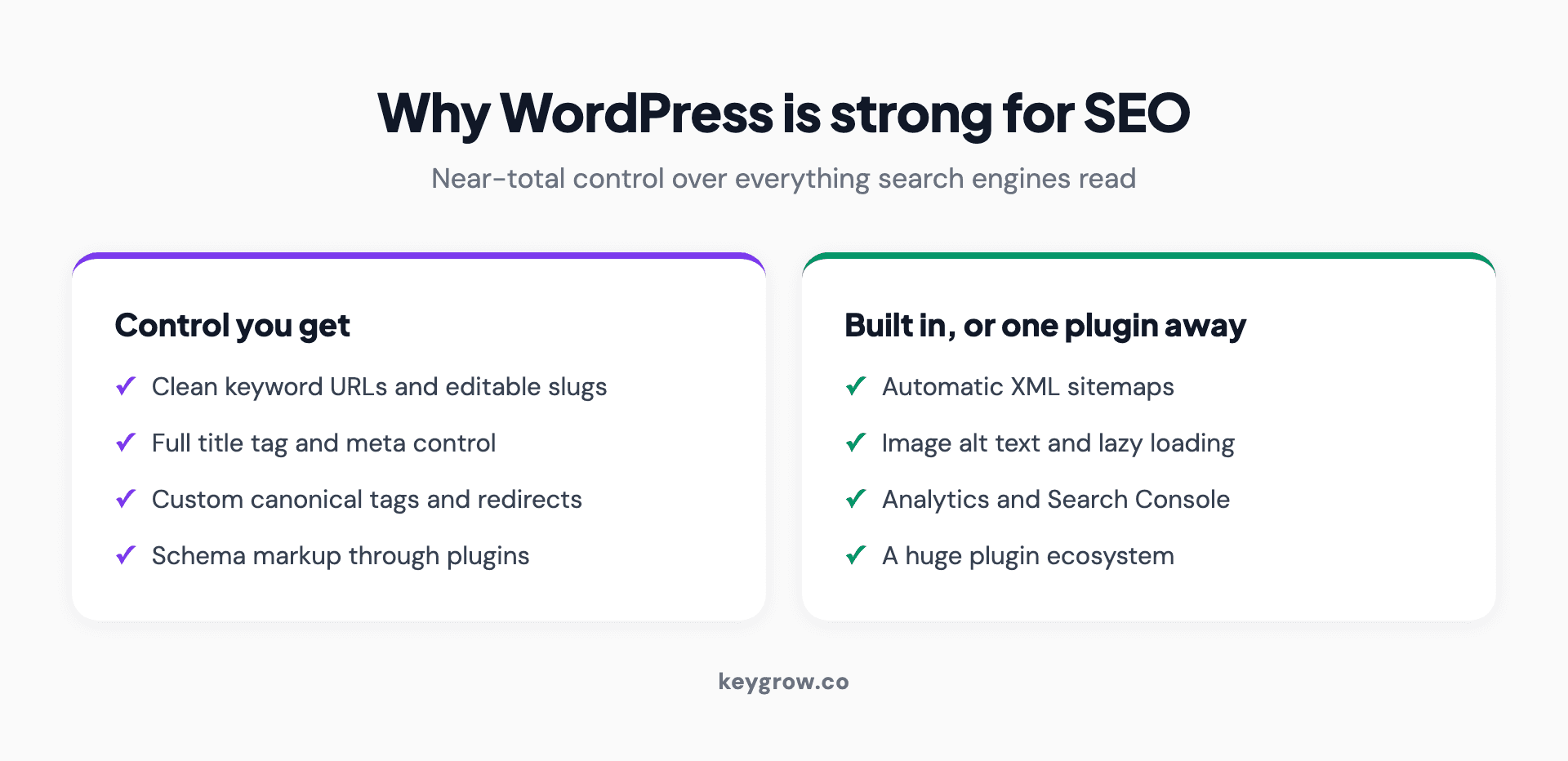
Infographic of WordPress SEO strengths in two groups. Control you get: clean keyword URLs and editable slugs, full title tag and meta description control, custom canonical tags and redirects, and schema markup through plugins. Built in or one plugin away: automatic XML sitemaps, image alt text and lazy loading, Google Analytics and Search Console integration, and a huge plugin ecosystem.
The strengths that matter, in plain terms:
For control, nothing mainstream beats it. That is the case for WordPress, and it is a strong one.
The catch: that control is a double-edged sword
The freedom that makes WordPress powerful is the same freedom that lets you wreck your own SEO. Every plugin, theme, and setting is yours to get right or wrong, and the most common result is a slow, bloated site that fails Core Web Vitals.
Here is the data behind the warning. The Web Almanac found in 2025 that only 45 percent of WordPress sites passed Core Web Vitals on mobile, among the lowest of the major platforms and well behind Wix at 74 percent and Duda at 85 percent. WordPress is not slow by nature. It is slow by accident, weighed down by too many plugins, heavy themes, and unoptimized images that the platform happily lets you pile on, the kind of bloat a periodic technical SEO audit is built to catch.
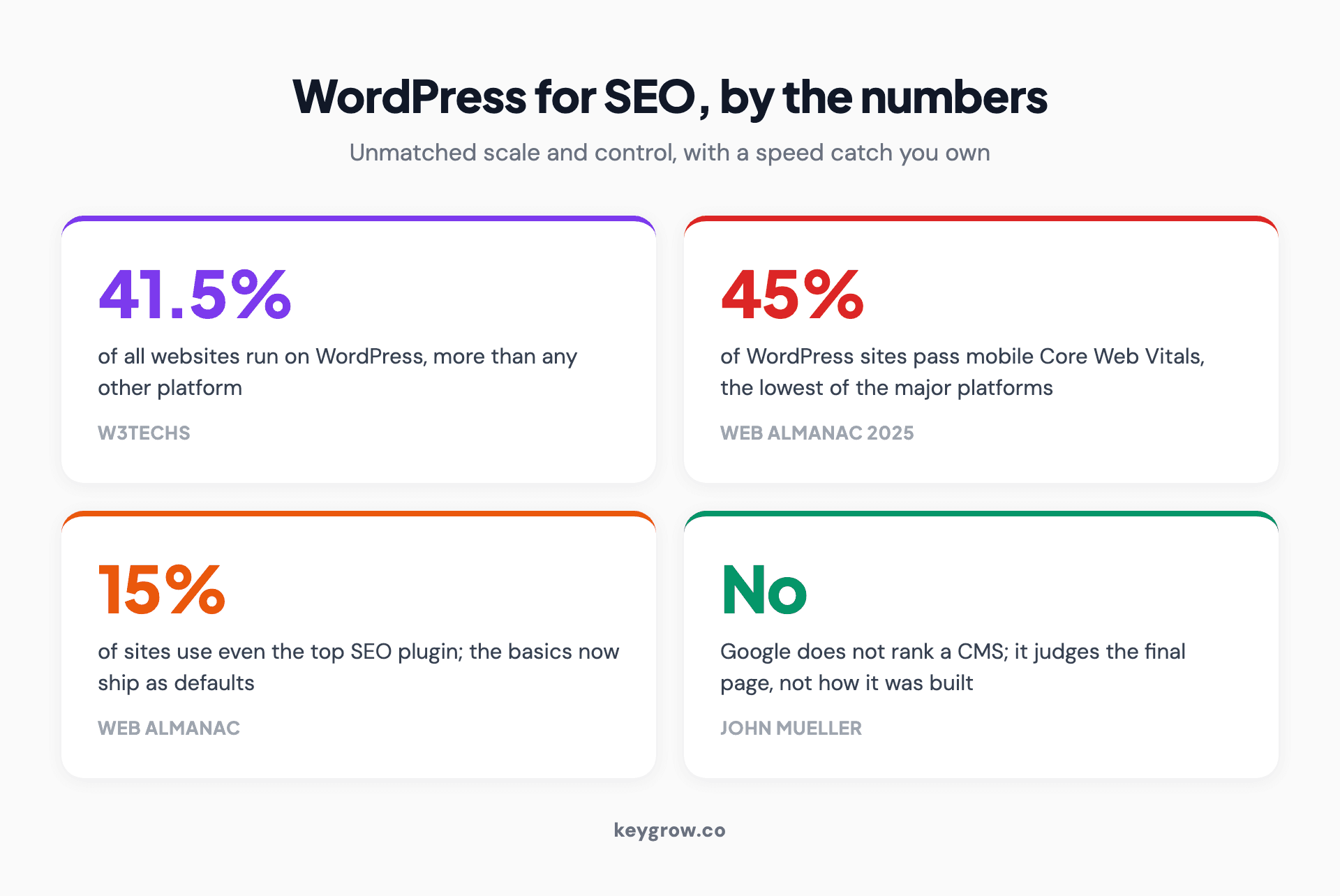
Infographic of WordPress for SEO by the numbers, four figures: 41.5 percent of all websites run on WordPress, 45 percent of WordPress sites pass Core Web Vitals on mobile which is the lowest of the major platforms, about 15 percent of sites use even the most popular SEO plugin because the basics now ship as defaults, and Google does not rank a CMS but judges the final page.
This is the opinion worth holding: WordPress does not have an SEO problem, it has a discipline problem. The platform will let you install thirty plugins, run an unmaintained theme, and never compress an image, and then the slow site that results is blamed on WordPress. The same openness that lets an expert tune everything lets everyone else quietly degrade it. You also own security and updates, which a managed builder handles for you, so a neglected WordPress site is a maintenance liability in a way a hosted platform is not.
A plugin configures SEO, it does not do it
An SEO plugin sets up the technical basics. It does not do your SEO. Yoast or Rank Math will generate your sitemap and let you write meta tags, but rankings still come from content, authority, and crawlability, the same as on any platform.
This trips up a lot of WordPress owners who install Yoast, see the green lights, and assume SEO is handled. It is not. The plugin configures the plumbing. The actual ranking work, useful content, earned links, and a crawlable structure, is the same job it would be anywhere. Google's John Mueller has said that search systems do not look for a particular CMS to treat it differently, and focus on the final result rather than how the page was made. Tellingly, Search Engine Journal, citing Web Almanac data, notes that even Yoast, the most popular SEO plugin, appears on barely over 15 percent of sites. Its point is that platforms now cover the technical basics by default while the more advanced work still needs real attention. Either way, the plugin handles plumbing, not strategy.
WordPress versus Squarespace and Wix
On raw SEO capability WordPress leads on control, while hosted builders lead on ease and out-of-the-box speed. The right pick depends on whether you want a workshop or a managed box.
| WordPress | Squarespace | Wix | |
|---|---|---|---|
| SEO control | Highest | Moderate | Moderate |
| Ease and maintenance | You manage it | Managed for you | Managed for you |
| Out-of-the-box speed | Depends on your setup | Strong | Strong |
| Best for | Control, scale, complex sites | Simple, tidy small sites | Fast, easy small sites |
WordPress wins when you want control and scale and have someone to maintain it. Squarespace and Wix win when you want the platform to handle performance and security so you do not have to. None of them is a ranking shortcut, and the gap people imagine on capability is far smaller than the gap in who carries the upkeep.
WordPress.org versus WordPress.com for SEO
For serious SEO, you want WordPress.org, the self-hosted version, not the free WordPress.com tier. WordPress.org gives you full control over plugins, themes, code, and hosting. The free WordPress.com plan restricts plugins and customization that SEO depends on.
This distinction confuses a lot of beginners. WordPress.org is the self-hosted software most people mean by "WordPress," and it gives you the complete toolkit this article describes. WordPress.com is a hosted service built on the same software, and its lower tiers limit the plugins and custom code that real SEO needs. If you are choosing WordPress for SEO, choose self-hosted WordPress.org or a WordPress.com plan high enough to allow plugins.
When WordPress is the right choice, and when it is overkill
WordPress is the right choice for content-heavy sites, blogs at scale, and projects that need deep customization or control. It is overkill, and more maintenance than it is worth, for a simple brochure site that will rarely change.
If you publish a lot, need a large or complex site, or want full technical control, WordPress earns its keep and its SEO ceiling is as high as any platform's. If you just need a handful of pages you will rarely touch, a managed builder will cost you less time and frustration and reach the same SEO outcome, since for a small site the platform is not the bottleneck anyway. And if you are moving an existing site onto WordPress, do it carefully, because the redesign is where rankings get lost, not the platform.
FAQs
Is WordPress good for SEO?
Yes. WordPress gives you more control over on-page and technical SEO than any other mainstream CMS, with clean URLs, full meta and schema control through plugins, sitemaps, and redirects, which is why it powers a huge share of the web. Its weak spots are speed, security, and plugin bloat, all of which you manage rather than the platform doing it for you.
Does WordPress do SEO automatically, or do I need a plugin?
WordPress handles some basics, but you will want an SEO plugin like Yoast or Rank Math to manage titles, meta descriptions, sitemaps, and schema easily. Even then, the plugin only configures the technical foundation. The actual ranking work, content, links, and a crawlable structure, is yours to do regardless of the plugin.
Is WordPress better than Wix or Squarespace for SEO?
For control, yes; for ease and out-of-the-box speed, not necessarily. WordPress gives you more technical control, while Wix and Squarespace manage performance and security for you and now match or beat WordPress on mobile Core Web Vitals. None is a ranking shortcut, so choose based on whether you want control or low maintenance, not on a supposed SEO advantage.
Is WordPress.com or WordPress.org better for SEO?
WordPress.org, the self-hosted version, is better for SEO because it gives you full control over plugins, themes, code, and hosting. The free WordPress.com tier limits the plugins and customization SEO depends on. If you are serious about SEO, use self-hosted WordPress.org or a WordPress.com plan high enough to allow plugins.
Does Google rank WordPress sites higher than other CMSs?
No. Google's John Mueller has confirmed the CMS is not a ranking factor and that search systems judge the final page, not how it was built. WordPress does not get a boost for being WordPress. Its advantage is that it makes good SEO easy to implement, not that Google favors it.
Which SEO plugin is best for WordPress, Yoast or Rank Math?
Both are excellent and cover the same core ground: titles, meta descriptions, sitemaps, schema, and redirects. Yoast is the most established and beginner-friendly; Rank Math packs more features into its free tier. For most sites either is a fine choice, and the plugin matters far less than how you use it. Pick one and configure it properly rather than running both.
Can plugins and themes hurt my WordPress site's SEO?
Yes, and this is WordPress's most common SEO problem. Too many plugins, a heavy or poorly built theme, and unoptimized images slow a site down and drag its Core Web Vitals, which is why WordPress trails hosted builders on mobile speed. Keep plugins to the few you need, choose a lightweight theme, and compress images to avoid the bloat.
How long does it take to see SEO results on a WordPress site?
The same as any platform: usually months, not weeks, because SEO timelines depend on content, links, and Google's trust, not your CMS. WordPress can make the work faster to implement, but it does not speed up how long Google takes to rank you. Expect early signs in three to six months and real traction around a year.
The short version
Is WordPress good for SEO? Yes, and arguably the best mainstream CMS for it, because it gives you complete control over the things search engines read and powers more of the web than anything else. The honest caveat is that the same control makes it the easiest platform to slow down and neglect, which is why WordPress trails hosted builders on Core Web Vitals. The capability is unmatched; the discipline is on you.
So if you want control and have someone to maintain it, WordPress is an excellent SEO choice. If you would rather the platform handle speed and security, a managed builder reaches the same destination with less upkeep. Either way, the CMS is not what ranks you. If you are still weighing the platform itself, we put the two head to head in WordPress vs Webflow. If you want a WordPress site built to be fast and findable, or an audit of the one you have, that is what our web development and SEO teams do. Tell us about your site and we will tell you whether the platform is helping or holding you back.


