

To redesign a website without losing SEO, you preserve the things Google already rewards: your URLs, your content, and your metadata. Keep the URLs you can, 301-redirect every one that changes, carry over your titles and content, and never let the staging site get indexed. Do it in that order and a redesign is safe. Skip a step and you bleed rankings.
Here is the part nobody wants to hear: most redesign traffic losses are self-inflicted, not Google's fault. They come from changing URLs with no redirects, losing title tags in the database transfer, or breaking internal links, not from the new design itself. This guide is the do-it-in-this-order playbook that prevents all of that.
Does a website redesign hurt your SEO?
A redesign only hurts your SEO if it is done carelessly. Some short-term ranking volatility is normal after launch and settles within weeks. A large, lasting drop is the sign of a preventable mistake, not of Google punishing the new look.
Google is clear on both halves. Its site-move guidance says visibility fluctuates temporarily during a move with URL changes and that rankings settle down over time. And Google's John Mueller has warned that rebuilding a site, changing URLs, altering the design, and changing internal linking can all significantly affect search performance, noting it can go up as well as down. The design is not the risk. The handling is.
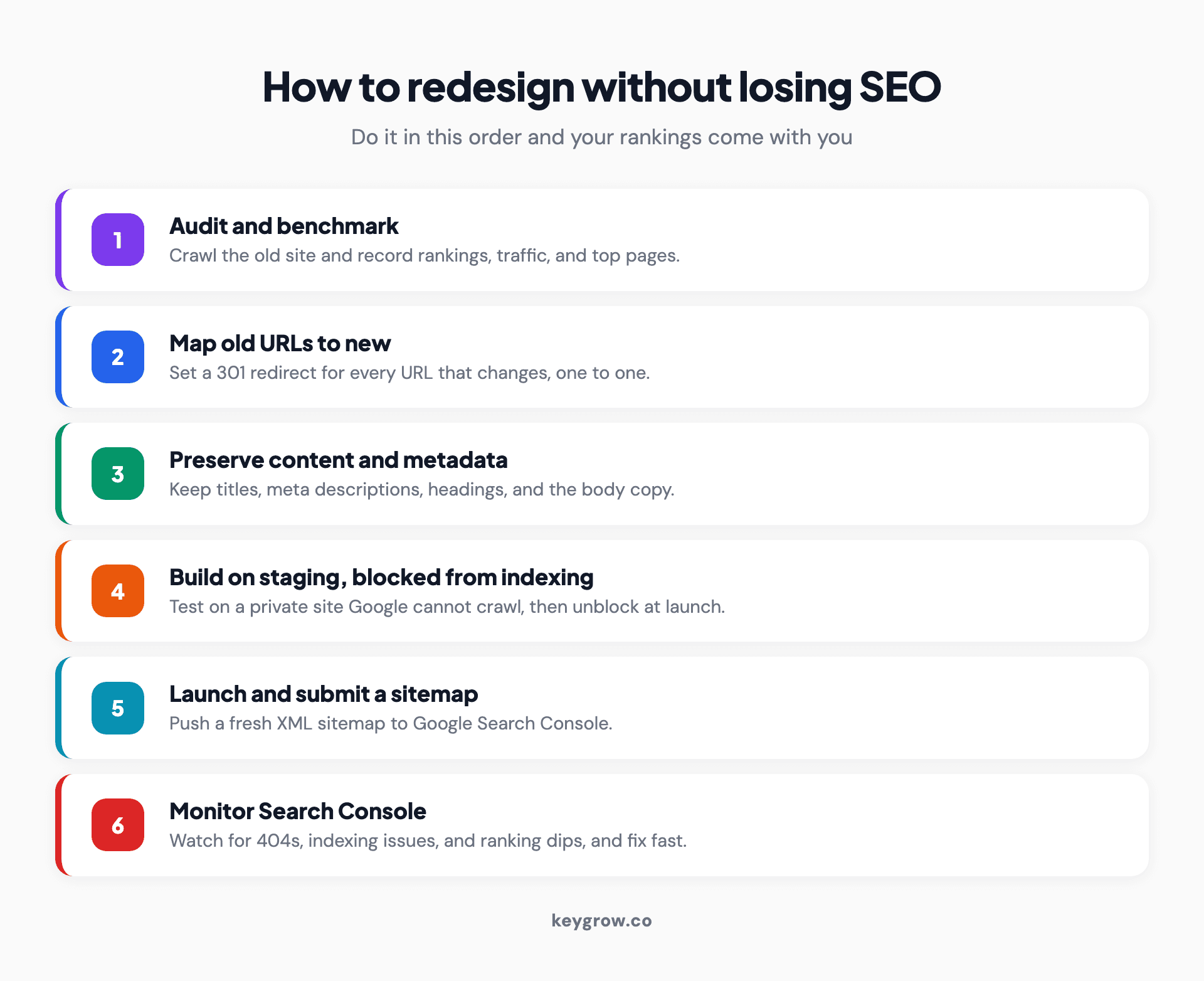
Infographic showing the six-step order of operations to redesign a website without losing SEO, as a numbered list: audit and benchmark the current site, map every old URL to its new one with 301 redirects, preserve content and metadata, build and test on a staging site blocked from indexing, launch and submit a fresh sitemap, then monitor Search Console for crawl errors and rankings.
Step 1: Audit and benchmark before you start
Before anyone touches the design, document what you have. Crawl the current site, record your rankings, traffic, and top-performing pages, and back everything up. You cannot protect what you have not measured.
This is the step people skip and regret. Run a crawl to get a full list of your live URLs, and note which pages drive your organic traffic and conversions, because those are the ones you protect at all costs. Export your current rankings and organic traffic so you have a clean before-picture to compare against after launch. This is the same inventory our guide to a technical SEO audit produces, and it doubles as your redesign baseline. Then take a full backup of the existing site, so a worst case is a rollback, not a rebuild.
Step 2: Map every URL and set up 301 redirects
This is the single most important step. Build a one-to-one map of every old URL to its new URL, and set a 301 redirect for any that changes. A missing redirect is the number one cause of lost rankings in a redesign.
If a page's URL changes and nothing tells Google where it went, the ranking that page earned is gone and visitors hit a 404. A 301 redirect carries both the visitor and the ranking signal to the new URL. The good news is the cost is not what it used to be: Google's guidance confirms permanent redirects do not cause a loss in PageRank, and per a 2016 statement from Google's Gary Illyes, reported by Search Engine Land, 30x redirects no longer cause PageRank loss at all.
Do the redirects properly:
Step 3: Preserve your content, metadata, and structure
Keep your content and your on-page SEO intact through the move. Carry over your title tags, meta descriptions, headings, and body content, and keep the same URL structure wherever you can. A prettier site with thinner content usually ranks worse.
Two things quietly die in redesigns. The first is content: a redesign is not the time to cut the text that ranks, so the page that earns traffic should keep its substance even if the layout changes. The second is metadata, which often vanishes in the database transfer, taking your carefully written title tags and meta descriptions with it. Search Engine Journal names broken redirects, lost metadata, and broken internal links among the common causes of post-migration traffic loss. Keep all three, and update your internal links to point at the new URLs rather than relying on the redirects to do it.
Step 4: Build on staging, and keep it out of Google
Build and test the new site on a staging environment, and block that staging site from being indexed. An indexed staging site is one of the most damaging and most common redesign mistakes.
The danger runs both ways. If your staging site is crawlable, Google can index it and you end up competing with yourself on duplicate URLs. Semrush warns you must block search engines from your test site or it could appear in search results. The opposite mistake is just as deadly: staging sites are usually set to noindex while in development, and if that sitewide noindex ships to production on launch day, you have told Google to remove your entire site. Block staging from indexing, and triple-check that the block is gone before you go live.
Step 5: Launch, then watch Search Console closely
On launch day, submit a fresh XML sitemap to Google Search Console and then monitor it daily for the first few weeks. You are watching for crawl errors, 404s, and indexing problems, and fixing them fast.
The launch is not the finish line. Submit the new sitemap so Google can find the new URLs quickly, then live in Search Console for a while. Check the Pages report for indexing issues, watch for a spike in 404s that would reveal a missing redirect, and confirm your important pages are getting crawled and indexed. Make sure your analytics and conversion tracking survived the move too, since a redesign that quietly breaks your lead tracking costs you data you cannot get back.
Run a quick technical check on launch day, because a handful of settings can silently suppress a freshly launched site. Confirm robots.txt is not blocking the live site, that every new page has a self-referencing canonical tag and none still points at the staging domain, that the site passes a mobile-friendly test, and that the staging noindex is gone. Those four are the technical defaults most likely to bite a new site, and all four are quick to verify.
What recovery looks like, and the mistakes that cause real drops
Expect some volatility, not a collapse. A small, temporary dip of around 10 percent while Google reprocesses the site is normal. A drop of 30 to 50 percent that does not recover is a signal that something broke, almost always a redirect or indexing mistake.
Here is the opinion worth holding: a redesign that tanks your traffic was not unlucky, it was mishandled. Google's site-move guidance notes a medium site can take a few weeks for most pages to move over in the index, and larger sites longer, so patience is part of the plan. But the difference between a few weeks of wobble and a permanent loss is entirely in the preventable mistakes.
| After launch | Normal | Red flag |
|---|---|---|
| Traffic | A dip around 10 percent, recovering over weeks | A 30 to 50 percent drop that does not recover |
| Rankings | Short-term volatility, then settling | Key pages falling out of the index |
| Crawl | A few 404s you find and fix | Hundreds of 404s from missing redirects |
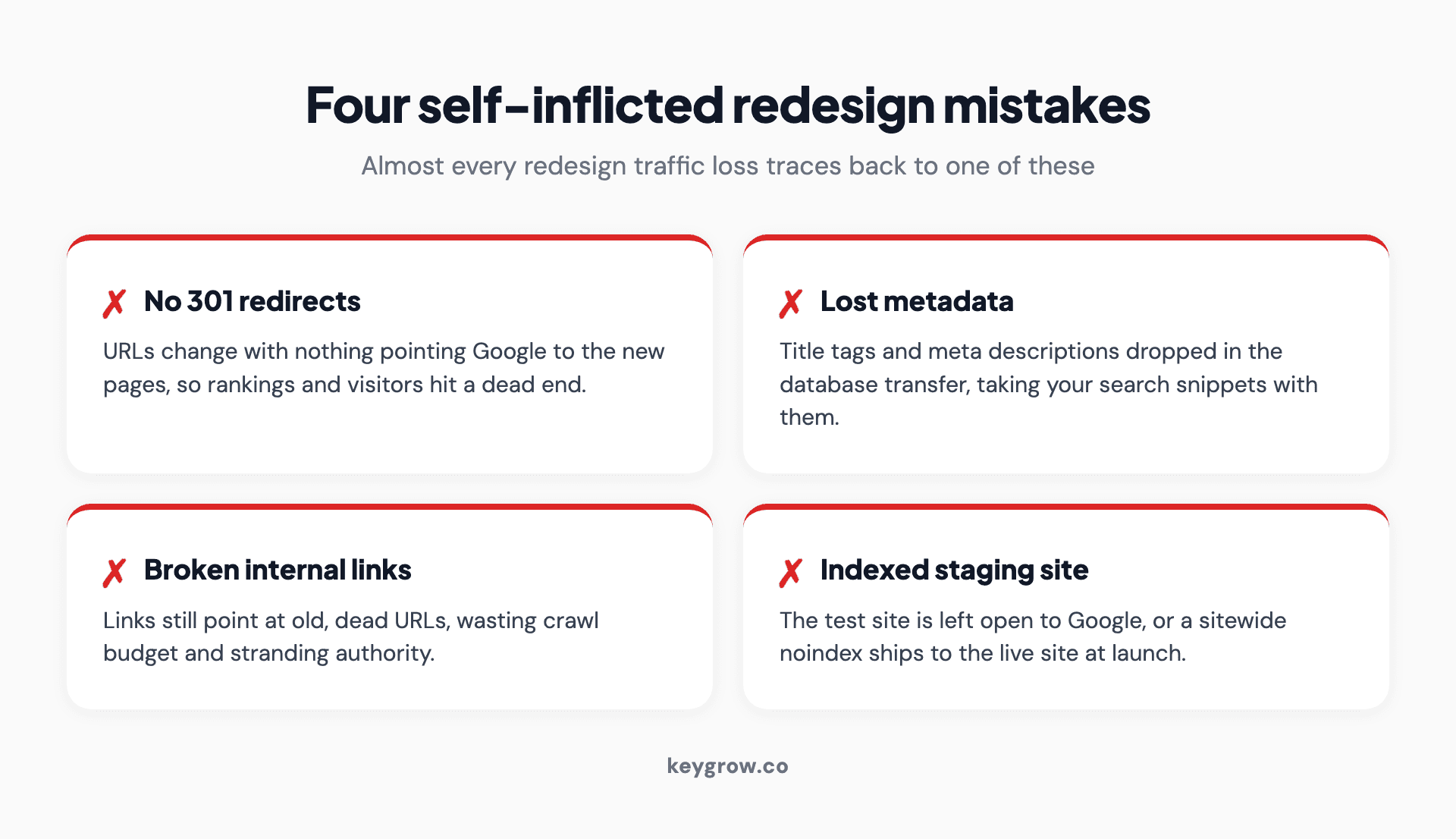
Infographic of the four self-inflicted mistakes that cause real traffic loss in a website redesign, each marked with a cross: changing URLs with no 301 redirects, losing title tags and meta descriptions in the transfer, breaking internal links, and leaving the staging site open to indexing.
The four mistakes above account for almost every redesign horror story. None of them is Google being harsh. All of them are avoidable with the steps in this guide.
Should you redesign it yourself or hire someone?
A small brochure site can be redesigned and migrated carefully by an owner who follows this checklist. A large site, an e-commerce catalog, or a move to a new platform needs a professional, because the redirect mapping and technical risk scale fast.
Be honest about the size of the job. If you have 15 pages, you can map 15 redirects and watch Search Console yourself. If you have thousands of URLs, faceted navigation, or you are changing platforms at the same time, the redirect map alone is a serious project and a single mistake is expensive. That is the line: DIY the small, careful move, and bring in help when the scale or the platform change raises the stakes, which is the same caution our guides to Webflow SEO and Squarespace SEO raise about migrations.
FAQs
Does a website redesign hurt your SEO?
Only if it is done carelessly. Short-term ranking volatility after launch is normal and settles within weeks. A large, lasting drop comes from preventable mistakes like missing 301 redirects, lost metadata, or an indexing problem, not from the new design itself. Handle the move properly and rankings hold or improve.
How long does it take for SEO to recover after a website redesign?
Usually a few weeks for a medium-sized site, longer for large ones, as Google reprocesses and re-indexes the new URLs. Google's own guidance says a medium site can take a few weeks for most pages to move in the index. A small temporary dip is normal during this window. If traffic is still down 30 percent or more after several weeks, something broke and needs fixing.
Should I keep the same URL structure when I redesign my website?
Yes, keep URLs the same wherever you reasonably can, because an unchanged URL keeps its rankings with no redirect needed. Only change a URL when there is a real reason, and when you do, set a 301 redirect from the old one to the new. The fewer URLs you change, the less risk you carry into the launch.
What is the biggest SEO mistake to avoid during a website redesign?
Changing URLs without setting up 301 redirects. When a URL changes and nothing points Google to the new location, the ranking that page earned is lost and visitors hit a 404. A complete one-to-one redirect map, implemented as permanent 301s before launch, prevents the single most common cause of redesign traffic loss.
What is a staging site and why should I block it from being indexed?
A staging site is a private copy of your site where you build and test the redesign before launch. You block it from indexing so Google does not crawl it and create duplicate versions of your pages in search. Equally important, make sure the staging noindex is removed at launch, or you will accidentally hide your live site from Google.
How long should I keep 301 redirects in place after a redesign?
At least one year. John Mueller advises keeping 301 redirects for a minimum of a year because Google needs to see the redirect several times before it fully records the change and transfers the signals. Many SEOs keep important redirects permanently, since removing them later can resurrect old 404s and lose the equity again.
What is the difference between a website redesign and a website refresh?
A refresh updates visuals, copy, or sections while keeping the same URLs, structure, and CMS, so the SEO risk is low. A redesign rebuilds the site, often with new URLs, templates, or a new platform, which is where the SEO risk lives. The bigger the structural change, the more the redirect and preservation work in this guide matters.
Can I redesign my website myself without losing rankings, or should I hire a professional?
You can do it yourself for a small site if you follow the steps: audit, map redirects, preserve content and metadata, keep staging out of the index, and monitor after launch. Hire a professional for large sites, e-commerce catalogs, or platform changes, where the redirect mapping and technical risk are large enough that one mistake is costly.
The short version
You keep your SEO through a redesign by protecting what already ranks. Audit and benchmark first, map every old URL to its new one with 301 redirects, carry over your content and metadata, keep the URL structure where you can, block the staging site from indexing, and watch Search Console after launch. Some short-term volatility is normal. A real collapse is not, and it is always one of a few preventable mistakes.
The honest takeaway is that the new design is rarely what costs you rankings; a missing redirect or an indexed staging site is. If your site is small, you can run this playbook yourself. If it is large or you are changing platforms, that is what our web development and SEO teams do together. Tell us about your redesign and we will make sure it launches without giving up your rankings.


