

Is Webflow good for SEO? Yes. Out of the box it gives you strong technical control: clean semantic code, full command of your title tags, meta descriptions, canonicals and redirects, fast hosting on a global CDN, and automatic SSL and sitemaps. Its real limits are about scale, cost, and relying on a designer to make changes, not about whether a Webflow site can rank. It can, and plenty do.
This is the sister question to a debate we already settled about another builder. If you read our take on whether Squarespace is bad for SEO, you know the thesis: the platform is rarely what holds a site back. Webflow is no exception, and in some ways it gives you more SEO control than its hosted-builder peers. Here is the honest version of what it does well, where it limits you, and when it is the right tool.
The short answer, with the important caveat
Webflow is good for SEO. It handles the technical fundamentals well and gives you more hands-on control than most website builders. Its limits show up at scale and in cost, not in basic ranking ability.
The reason Webflow earns a better reputation than the typical drag-and-drop builder is that it outputs clean, standards-based HTML and lets you control the technical details that matter. You are not fighting the platform to set a canonical tag or a custom meta description. That said, "good for SEO" is not the same as "does SEO for you." Webflow gives you a strong foundation. Whether you rank still comes down to your content and the links pointing at it, the same as on any platform.
What Webflow does well, and where it limits you
The honest verdict is a split. Webflow gives you genuine technical control and fast hosting, and it withholds a few things larger or higher-volume sites need. Here is both sides in one view.
| What Webflow does well | Where it limits you |
|---|---|
| Clean, semantic HTML output by default | CMS collection and item limits on lower plans |
| Full control of title tags, meta descriptions, slugs | Higher cost than most builders at scale |
| Editable canonical tags and 301 redirects | Layout changes often need a designer |
| Automatic SSL, sitemap, and robots.txt | No native enterprise-scale blogging tools |
| Fast hosting on a global CDN | Schema markup needs custom code or an app |
| Per-image alt text and responsive images | Steeper learning curve than simple builders |
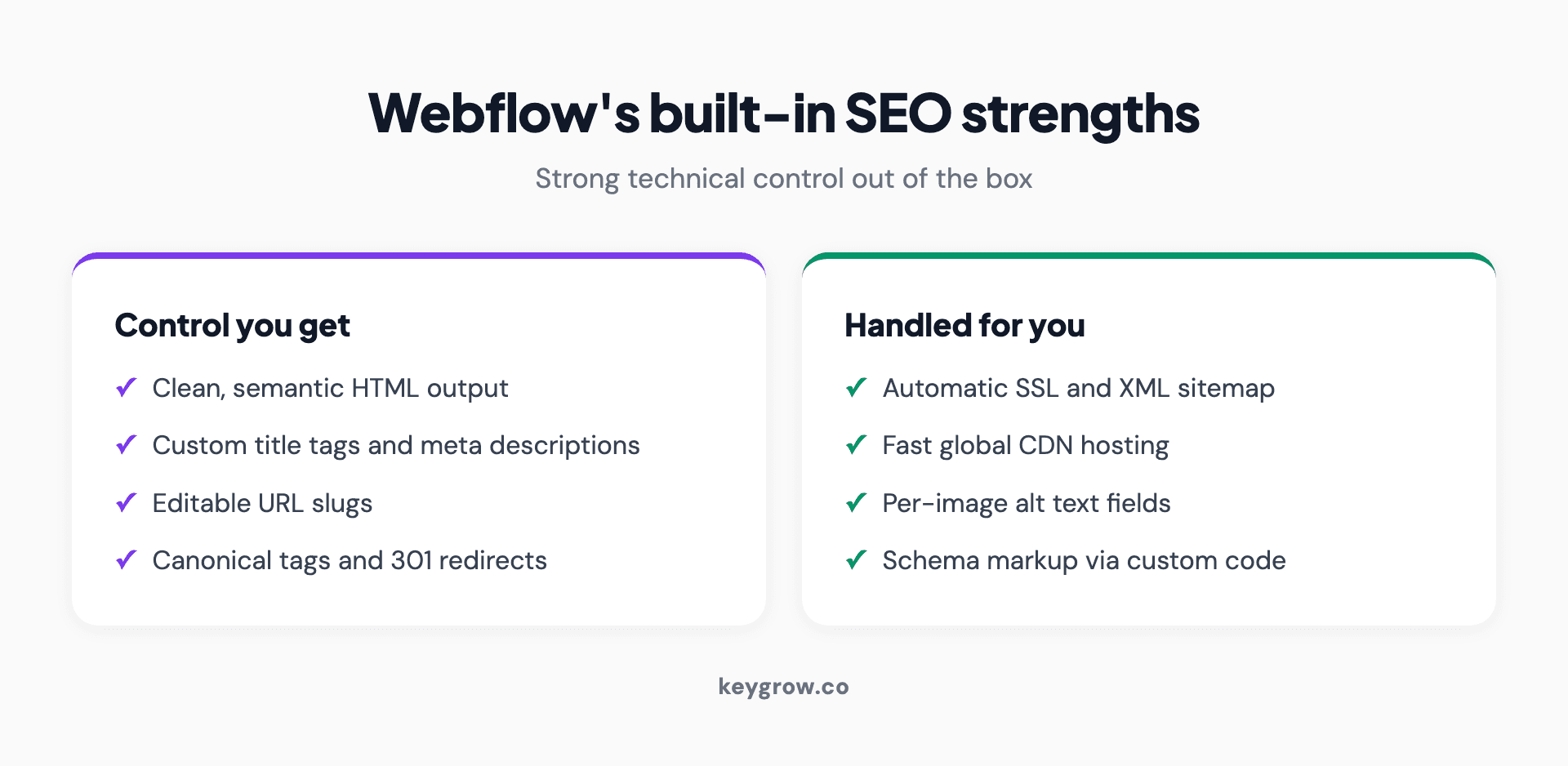
Infographic grid of Webflow's built-in SEO strengths: clean semantic HTML output, full control of title tags and meta descriptions, editable URL slugs, custom canonical tags and 301 redirects, automatic SSL and XML sitemap, fast global CDN hosting, per-image alt text, and custom code for schema markup.
Read the table and the pattern matches every platform debate: Webflow nails what most marketing and design-led sites need, and restricts what only large or high-volume sites tend to need. For a business site, a portfolio, or a marketing site, almost nothing in the right column will bite you. For a 10,000-page content operation, the right column is the whole conversation.
The platform is rarely the bottleneck
For most sites, the platform is not what limits rankings. Content quality, topical authority, backlinks, and crawlability decide rankings, and those are the same on every CMS. Webflow gives you a clean starting point, but it cannot supply the work.
Here is the opinion worth holding onto: most "is my platform good for SEO" anxiety is misplaced. Google has said plainly that it does not favor any particular CMS and judges the final page, not how it was built. The data backs the point from the other side. Ahrefs found that 96.55 percent of the pages in its index get zero traffic from Google, and those pages are not failing because of their website builder. They fail because nothing links to them and they answer nothing better than the pages already ranking.
So before you credit or blame Webflow, ask the harder questions: can the site be crawled, is the content genuinely better than what ranks above you, and does anyone have a reason to link to it. That is where almost every ranking problem lives, and it is the same diagnosis our guide to a technical SEO audit walks through.
Webflow and site speed: a genuine advantage
Webflow's hosting is a real SEO strength. Sites are served from a fast global CDN with clean code, which helps Core Web Vitals, and speed is both a confirmed ranking signal and a major driver of conversions.
Speed is not a vanity metric. Google's own documentation states it highly recommends good Core Web Vitals for success in Search, and that they, along with other page experience aspects, align with what its core ranking systems seek to reward. The business case is even louder. Google found that as mobile load time goes from one second to three, the probability of a visitor bouncing rises 32 percent. Portent's study of more than 27,000 landing pages found a site that loads in one second converts about 2.5 times better than one that loads in five. And in the Google-commissioned Deloitte study, a 0.1-second improvement in mobile speed lifted retail conversions by 8.4 percent and average order value by 9.2 percent.
Webflow's managed CDN hosting and lean output mean you start ahead on the metric most builders struggle with. You can still slow a Webflow site down with huge images or heavy embeds, so the win is not automatic, but the foundation is strong. To put the platform comparison in context, the Web Almanac reported in 2025 that 74 percent of Wix sites and only 45 percent of WordPress sites passed Core Web Vitals on mobile, a reminder that managed, hosted platforms tend to out-measure self-hosted setups left to a stack of plugins.
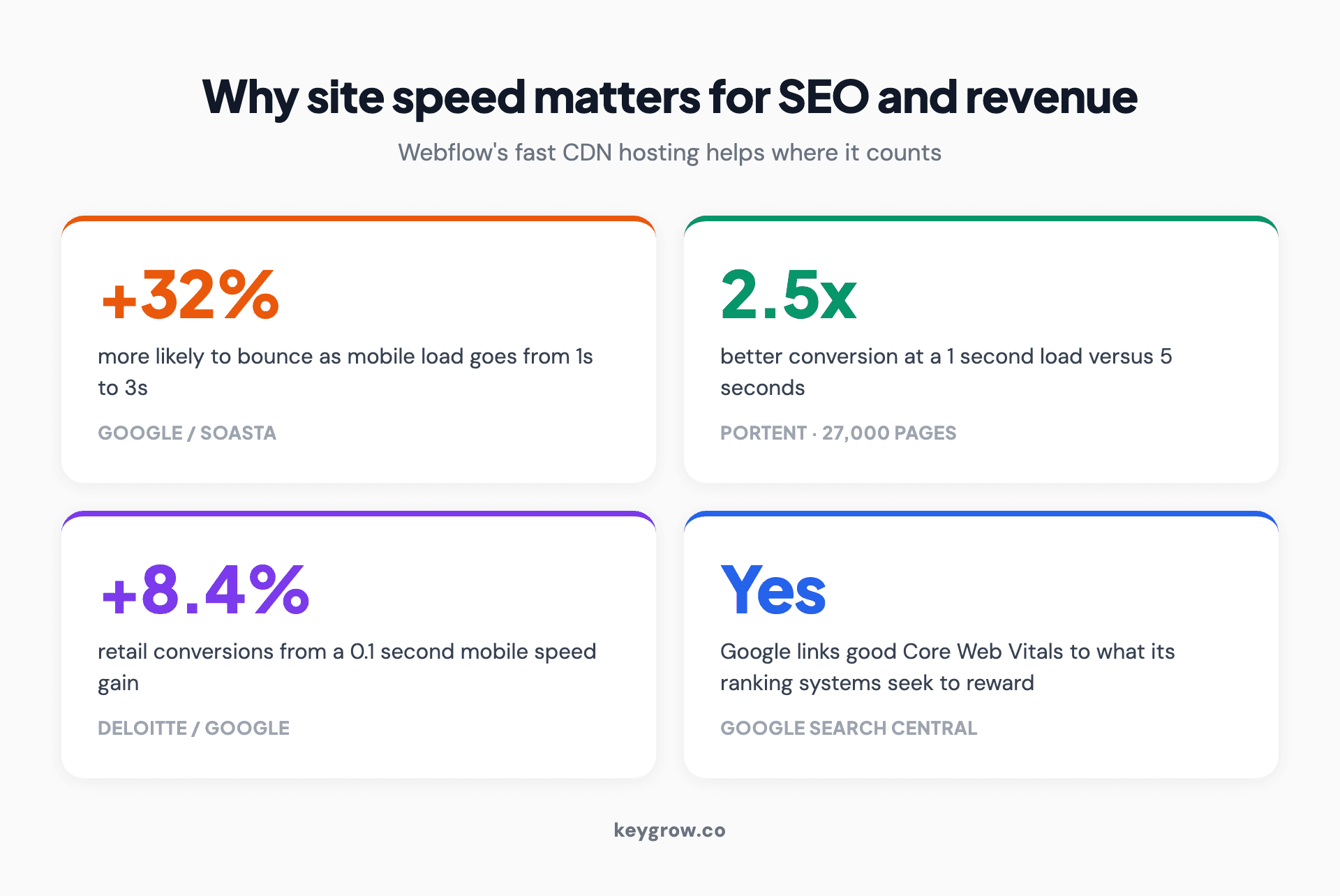
Infographic showing why site speed matters for SEO and revenue, with four statistics: mobile bounce probability rises 32 percent as load time goes from one to three seconds, a one-second page converts 2.5 times better than a five-second one, a 0.1-second mobile speed improvement lifted retail conversions 8.4 percent in a Deloitte study, and Google confirms Core Web Vitals are used by its ranking systems.
Webflow versus WordPress and Wix
The platform debate usually narrows to these three. On raw SEO capability they are closer than the marketing suggests, but they trade control for ease in different ways.
| Webflow | WordPress | Wix | |
|---|---|---|---|
| Control and flexibility | High | Highest | Moderate |
| Ease of use | Moderate, design learning curve | Lower | High |
| Hosting | Managed, fast CDN included | You arrange and maintain it | Managed |
| Code quality | Clean semantic HTML | Depends on theme and plugins | Improved, less control |
| Blogging at scale | Good, with CMS limits | Best in class | Basic |
| Best for | Design-led and marketing sites | Large or content-heavy sites | Simple sites, fast setup |
WordPress still wins for huge, content-heavy sites and large-scale blogging, at the cost of hosting, security, and plugin maintenance you have to manage yourself. Wix wins on pure simplicity. Webflow sits in between: more design and technical control than Wix, less maintenance burden than WordPress, and cleaner output than either when a site is built carefully. As the comparison shows, platform choice barely moves your ceiling. Pick the one your team can maintain and publish on consistently, because the publishing is what ranks you.
Webflow's SEO limitations you should know
Webflow's real limits are about scale and cost, not capability. The CMS has collection and item caps, advanced schema needs custom code, layout changes usually need a designer, and the pricing climbs as your needs grow.
None of these stop a normal site from ranking, but you should know them before you commit:
These are limits, not blockers. Most have a workaround, and the on-page basics like custom meta data are fully under your control, which is more than some builders can say.
When Webflow is the right choice, and when it is overkill
Webflow is the right choice for design-led marketing sites, business sites, and portfolios where look and technical control both matter. It is overkill for a simple site you will rarely touch, and the wrong fit for a very large content or commerce operation.
If you want a polished, fast, technically clean site and you have a designer or the willingness to learn the tool, Webflow is an excellent fit, and its SEO foundation is genuinely strong. If you just need a few simple pages and will not touch them again, a simpler builder will cost less and frustrate you less. And if you are running thousands of pages or large-scale e-commerce, WordPress or a dedicated commerce platform will serve you better than fighting Webflow's CMS limits.
Worth saying plainly: you do not need to hire anyone to do Webflow SEO. The on-page work, slugs, titles, meta descriptions, alt text, internal links, is all in your hands, and a motivated owner can handle it. Bring in help for a migration, a large build, or ongoing content and link building, the parts that are genuinely hard, not to fill in fields you could fill in yourself.
Migrating to Webflow without losing your SEO
The biggest SEO risk with Webflow is not the platform, it is a careless migration to it. Most lost rankings after a rebuild come from broken URLs and missing redirects, not from Webflow itself.
If you move an existing site to Webflow, protect your equity. Map every old URL to its new one and set 301 redirects so authority and rankings carry over. Keep URL structures as close to the originals as you can. And make sure the temporary webflow.io staging subdomain is not indexed, or you can end up competing with yourself. After launch, submit the new sitemap in Google Search Console and watch indexing closely for a few weeks. A clean migration preserves what you built. A sloppy one hands it back, and then people blame the platform for a self-inflicted wound.
Does the platform matter for AI search?
No. The same fundamentals that decide classic rankings, crawlable content and genuine authority, decide whether AI engines cite you. Your CMS is not the deciding factor for AI visibility either.
This is the newest version of the platform worry, and the answer is the same as it was for Google. AI Overviews, ChatGPT, and other answer engines pull from pages they can crawl and that genuinely cover a topic. None of them care whether the page came from Webflow, WordPress, or hand-written HTML. They care whether the content is there in the HTML, loads cleanly, and says something worth quoting. Webflow's clean output and fast hosting help here, since easy-to-crawl pages are easy for every bot, which is the whole point of our guide to AI search optimization.
FAQs
Is Webflow good for SEO?
Yes. Webflow outputs clean, semantic HTML and gives you full control of title tags, meta descriptions, canonicals, redirects, slugs, and alt text, with automatic SSL, sitemaps, and fast CDN hosting. Its limits are about CMS scale, cost, and designer reliance, not basic ranking ability, so most business and marketing sites can rank well on it.
Is Webflow or WordPress better for SEO?
Neither is inherently better for ranking, because Google judges the page, not the CMS. WordPress wins for very large, content-heavy sites and large-scale blogging, at the cost of hosting and plugin maintenance you manage yourself. Webflow gives cleaner default output and managed fast hosting with less upkeep. For a design-led marketing site, Webflow is often the better fit.
Is Webflow better than Wix for SEO?
Webflow gives you more technical control and cleaner code than Wix, which matters if you want fine control over canonicals, schema, and structure. Wix is easier for a non-designer to use. Both can rank fine for typical small sites, so the choice comes down to how much control versus simplicity you want, not a large SEO gap.
Is Webflow or Squarespace better for SEO?
They are close. Both give solid on-page control and fast managed hosting, and both can rank well. Webflow offers more granular technical control and cleaner custom output, while Squarespace is simpler for a non-technical owner. Our [Squarespace SEO guide](/blog/is-squarespace-bad-for-seo) covers that side in depth; the honest verdict for both is that the platform rarely decides your rankings.
Does Webflow have built-in SEO tools?
Yes. Webflow includes editable title tags and meta descriptions, custom slugs, canonical tags, 301 redirects, automatic SSL, an auto-generated sitemap, robots.txt control, per-image alt text, and easy Google Analytics and Search Console connection. The main gap is automatic schema markup, which you add with custom code or an app.
How do I optimize a Webflow website for SEO?
Set a custom title and meta description on every page, use clean keyword-relevant slugs, add alt text to images, compress images before upload, and build internal links between pages. Add schema with custom code where it helps, make sure the staging subdomain is not indexed, and submit your sitemap in Search Console. Then focus on content and links, which do the real ranking.
Is Webflow good for blogging and content at scale?
It is good for normal blogging and capable for mid-size content libraries, but it has CMS collection and item limits that can become a ceiling for very large operations. If you plan to publish thousands of articles, check the CMS limits on your plan first. For a typical business blog, Webflow handles it well.
What are the SEO downsides or limitations of using Webflow?
The main ones are CMS collection and item caps on lower plans, higher cost at scale, layout changes that often need a designer, and schema markup that requires custom code rather than being automatic. All have workarounds, so they are limits rather than blockers for most sites, but they matter for very large or budget-sensitive projects.
The short version
Is Webflow good for SEO? Yes. It gives you clean code, full control of the on-page and technical details that matter, and fast hosting that helps Core Web Vitals, which is more hands-on control than most builders offer. Its limits are real but narrow: CMS caps, cost at scale, and reliance on a designer for layout changes. None of them stop a normal site from ranking.
As with every platform, the builder is rarely what decides your rankings. What ranks you is the content and whether anyone can find and cite it, and that is your job on any CMS. So build the site carefully, migrate it without breaking URLs, and then do the actual SEO work. If the platform decision itself is still open, we compared them directly in WordPress vs Webflow. If you want help with a Webflow build or the web development and SEO behind it, tell us about your site and we will tell you whether the platform is really the problem.


