


Most articles about AI for Google Ads are lists of tools you could buy. Here is the more useful version: the AI that will change your account this quarter is not one you chose, and it starts arriving on September 1, 2026.
From that date Google begins automatically upgrading Search campaigns that use campaign-level broad match or standalone automatically created assets into AI Max. Dynamic Search Ads follow in February 2027. Since August 3, 2026 you have not been able to create those legacy structures in the interface, in Editor, or through the API. That timeline is confirmed in Search Engine Land's report.
So before anyone evaluates an AI tool, the first job is to find out what is about to switch on by itself.
Three different things get called AI for Google Ads
They get discussed as one topic and they are not remotely the same purchase.
| What it is | Who chose it | Where it fails | |
|---|---|---|---|
| Google's own AI | Smart Bidding, Performance Max, AI Max, automatically created assets | Increasingly, not you | It optimizes perfectly toward a badly defined goal |
| Third-party AI tools | Software on the Google Ads API that monitors, alerts, generates and automates | You, for a monthly fee | It speeds up work that should not be happening |
| Generative AI you use yourself | Drafting copy, clustering search terms, writing scripts, summarizing reports | You, ad hoc | It has no idea what your margins are |
The first row is the one with a deadline attached, so it goes first.
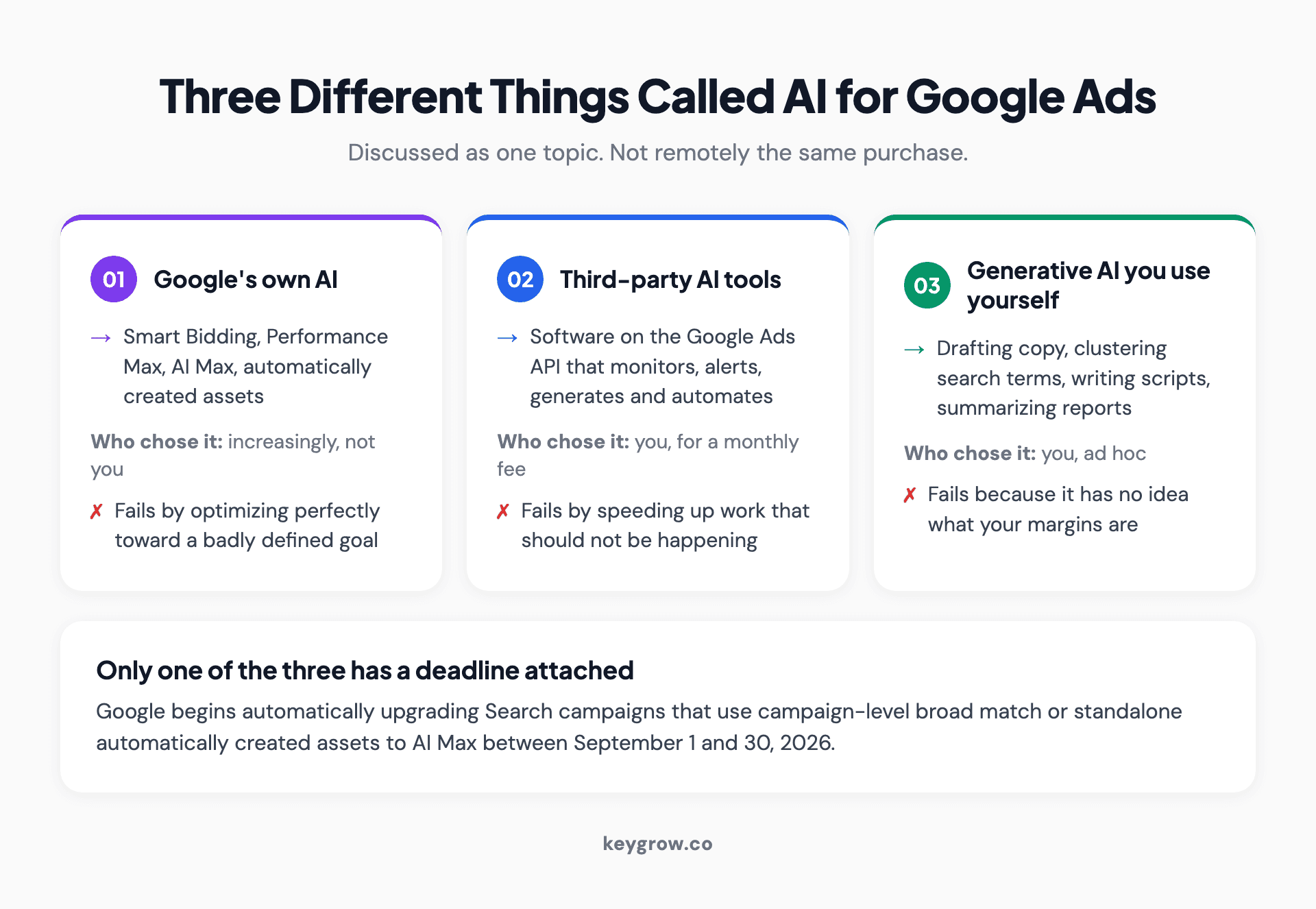
Three cards separating Google's own in-platform AI, third-party AI tools bought on subscription, and generative AI used by hand, with where each one fails.
What AI Max actually changes
Google describes AI Max as a suite of targeting and creative features that optimize ads in real time. Underneath the description it does three specific things, and it is worth knowing them separately because they have different risk profiles.
Search term matching. Broad match plus keywordless technology, finding queries beyond the keywords you listed. Your keyword list stops being a boundary and becomes a hint.
Text customization. Google generates ad copy from your existing ads, your landing page text and your assets, using generative AI. This is what used to be called automatically created assets.
Final URL expansion. Google sends the click to whichever page on your site it predicts will perform best, rather than the one you nominated.
The third one deserves a pause. Sending ad traffic to a page you did not choose is a close relative of the most expensive default in paid search, which is sending it to your homepage. The ad is half the job and the page is the other half, and in the accounts we rebuild, the page is routinely the half that was broken. An automation that picks the landing page is therefore making one of the two decisions that decide whether the click was worth buying.
That is an argument for using the controls, not for refusing the feature.
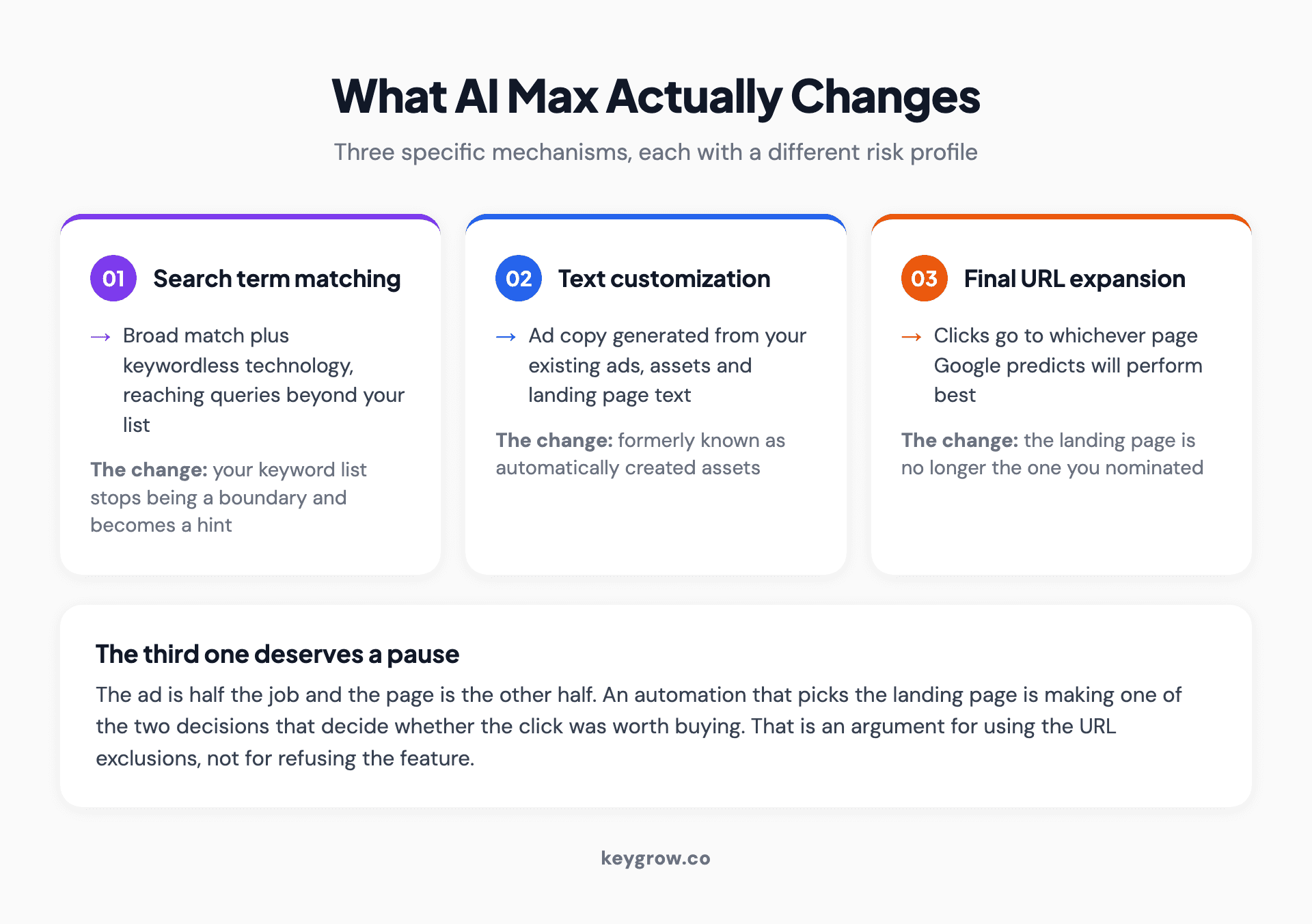
Three cards describing the components of Google AI Max: search term matching, text customization and final URL expansion, with the risk each one carries.
The migration calendar, in dates
| Date | What happens |
|---|---|
| August 3, 2026 | Creation of campaign-level broad match and standalone ACA blocked in the interface, Editor and API |
| September 1 to 30, 2026 | Search campaigns using campaign-level broad match or standalone ACA automatically upgraded to AI Max |
| September 2026 | In-account notices begin encouraging voluntary upgrade of Dynamic Search Ads |
| February 1 to 28, 2027 | Dynamic Search Ads migrate automatically |
| Around September 2027 | Older Google Ads API versions sunset |
If your account uses none of those structures, nothing happens to you this September. If it uses any of them, something changes in an account you may not be watching closely.
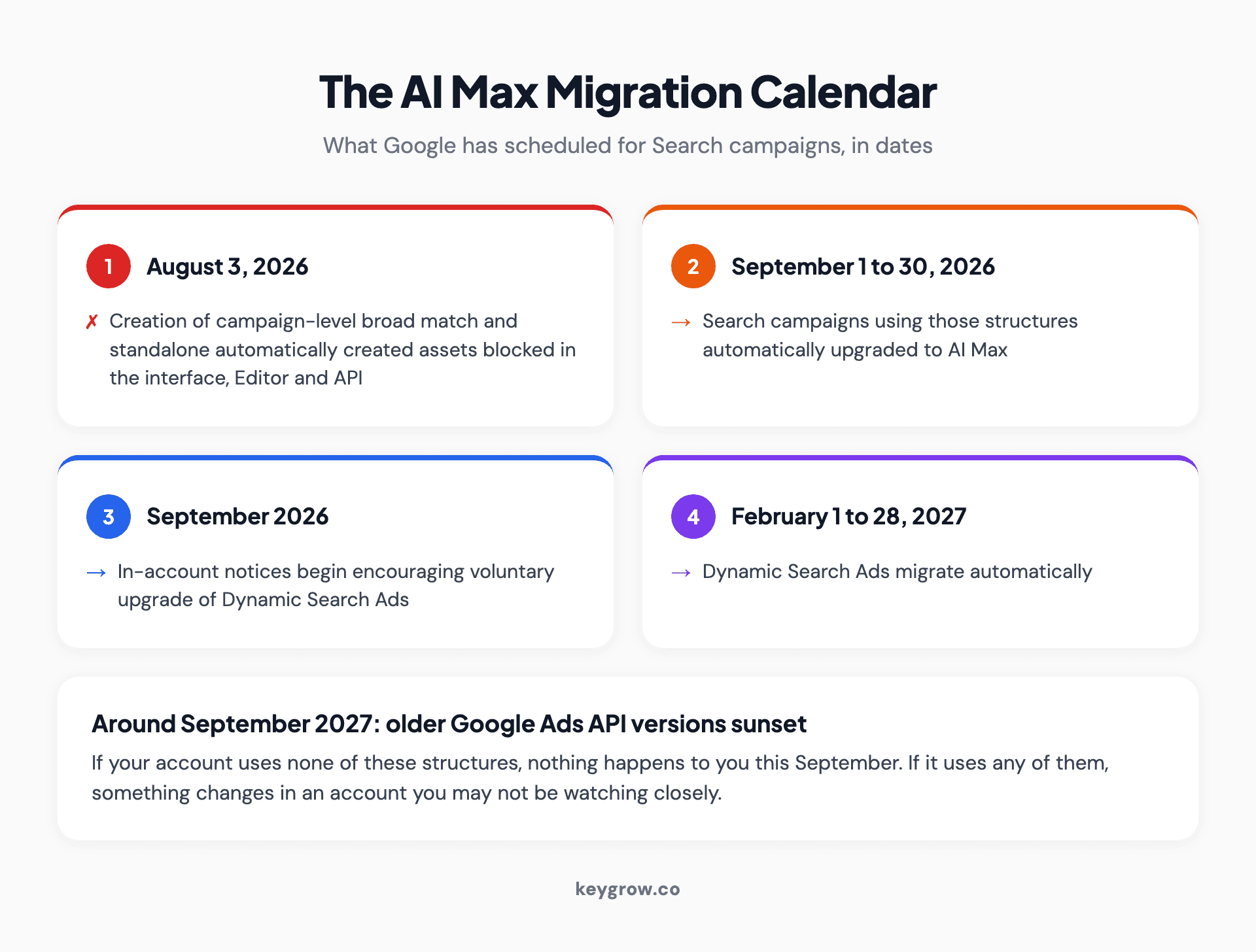
A five-row dated timeline of the Google AI Max migration from the August 2026 creation block through the September 2026 automatic upgrade to the February 2027 Dynamic Search Ads migration.
What to check before September 1
Thirty minutes, and it is the same list whether you welcome the change or dread it.
- Find out whether you are affected. Look for campaigns using campaign-level broad match and for standalone automatically created assets. If neither appears, stop here.
- Read your search terms report first. Take a clean 90-day snapshot now, so that when matching widens you have a genuine before to compare against. Without it you will be arguing from memory in October.
- Rebuild the negative keyword list. Keywordless matching widens what can trigger an ad, so the block list becomes the main boundary. Ours starts before launch rather than after the first invoice, and the method is in negative keywords in Google Ads.
- Check what counts as a conversion. If page views or unqualified form loads are set to primary, wider matching will find you far more of them. Fix this before the matching widens, not after.
- Decide about final URL expansion. Look at which pages on your site could receive traffic. Old landing pages, thin location pages, a blog archive, a careers page. Then set exclusions.
- Set your brand controls. Specify which brands your ads should and should not appear for. This is the single most useful lever in the whole feature set and most accounts have never touched it.
- Turn reporting to weekly for six weeks. Not because it will go wrong, but because a widened matching change is exactly the kind of thing you want to catch in week two rather than in the quarterly review.
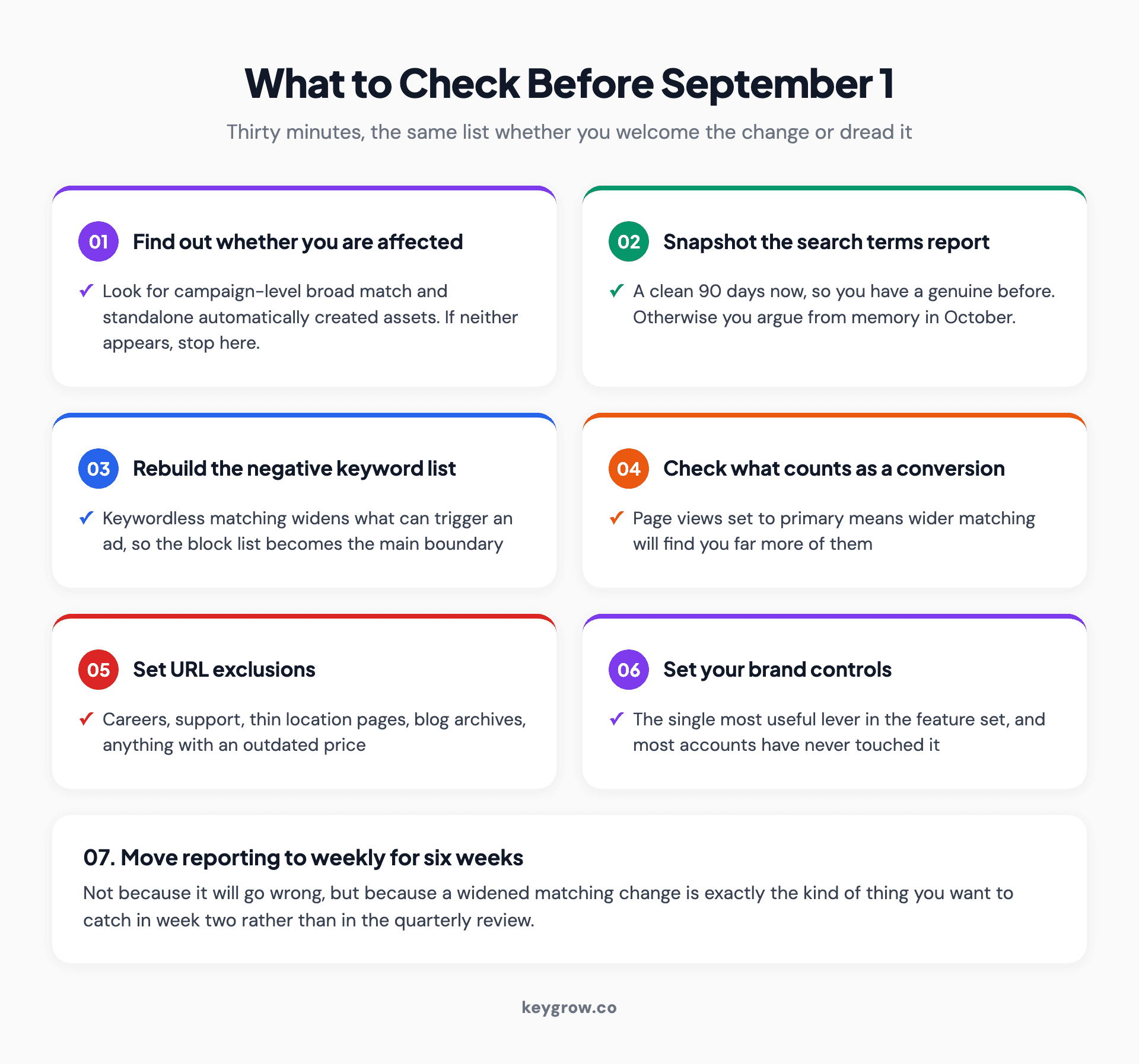
A seven-step checklist for the Google AI Max migration, from identifying affected campaigns through snapshotting search terms to setting brand controls and URL exclusions.
The controls you keep
Automation in Google Ads is rarely all or nothing, and the controls that survive are the ones worth learning.
- Brand settings. Include or exclude specific brands at campaign or ad group level. Use exclusions to stop appearing against searches for products you do not sell, and inclusions to keep the campaign anchored to your own.
- Locations of interest. Target on where the searcher is interested in, not only where they are. Useful in travel and in anything with a service area that differs from the customer's location.
- URL exclusions. Name pages that must never be used as a landing page. Careers, support, old campaign pages, anything with an outdated price.
- URL inclusions. Name pages the automation should consider that it might otherwise miss.
Two of those four decide most of the outcome. Brand settings stop you paying for searches about other people's products, and URL exclusions stop the system landing a buyer on a page written for somebody else.
The pattern here is the one that runs through every automated feature in this platform: you cannot control the bid, but you can control what the bidding is allowed to buy. That is not a small residue of control. It is most of the job.
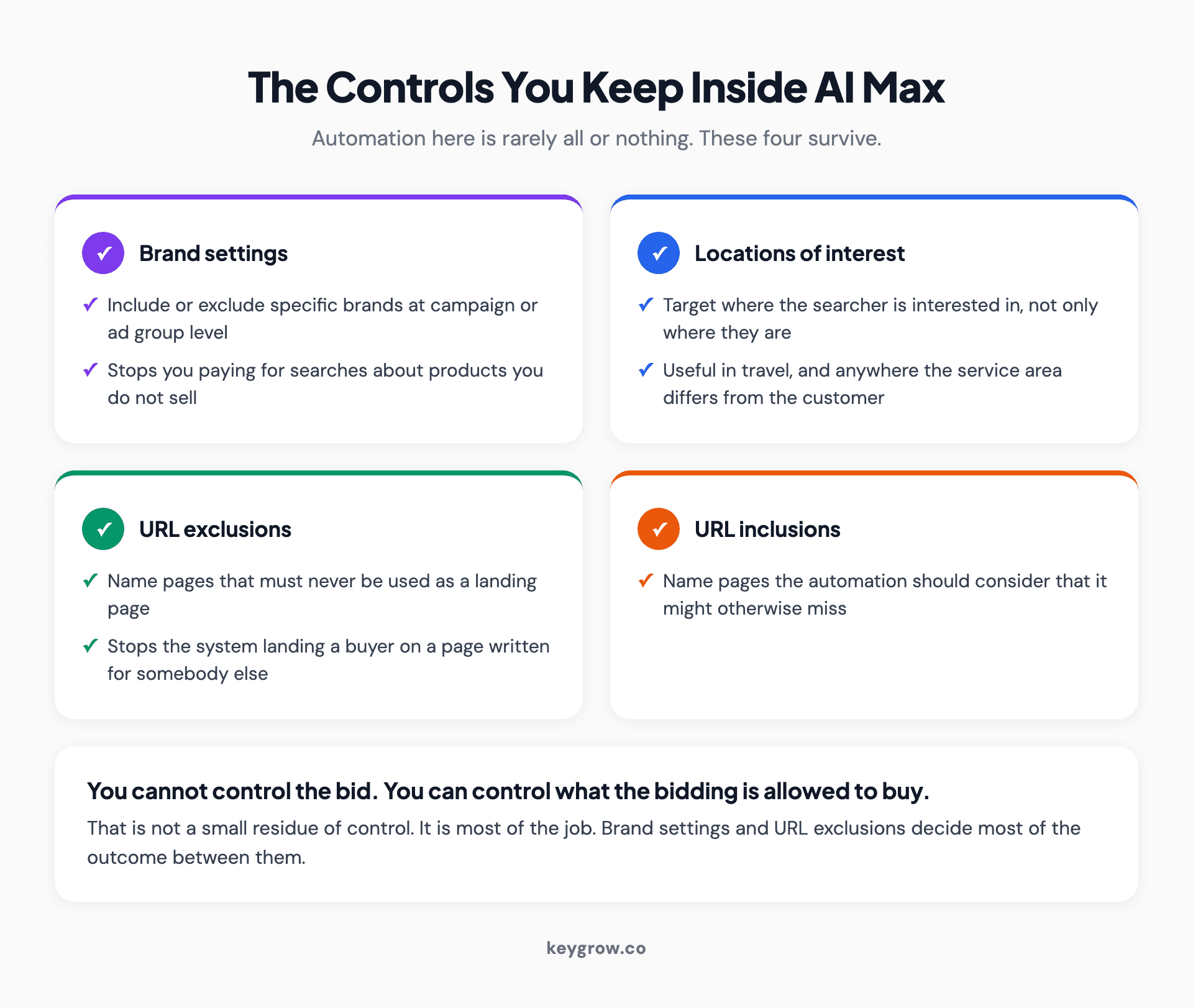
Four cards listing the controls advertisers keep inside AI Max: brand settings, locations of interest, URL exclusions and URL inclusions.

A close-up of a processor chip on a circuit board.
Where third-party AI tools genuinely help
Having looked at a lot of these, the honest summary is that the category splits into three, and only one of them is reliably worth paying for.
Monitoring and alerting: usually worth it. Software that watches for spend anomalies, broken tracking, disapproved ads, budget overruns and sudden performance drops earns its fee by catching things on the day they happen rather than in the monthly report. This is a genuinely hard problem for a human running twelve accounts and an easy one for a machine.
Analysis and clustering: often worth it. Grouping thousands of search terms into themes, spotting which asset combinations actually perform, finding wasted spend patterns. Useful, and largely a time saver rather than a judgment replacement.
Autonomous management: treat with care. Tools that promise to run the account without you are stacking one optimizer on top of another. Google's bidding is already optimizing toward your conversion objective; a second layer adjusting targets and pausing keywords on top of it can help, and can also produce oscillation where two systems keep reacting to each other. If you buy one, insist on a change log you can read, and check it in month two.
None of these fixes a badly defined objective. A tool that reallocates budget faster toward the wrong conversion just gets you to the wrong place sooner.
Where generative AI is worth using by hand
Separate from anything you buy, there is real value in using a general-purpose model as a working assistant. Three uses hold up.
First drafts of ad copy. Not final copy. Ten headline variants in twenty seconds, of which you keep two and rewrite three, is a genuine improvement on staring at a blank field. Everything still needs an editor who knows the offer.
Search term categorization. Paste a few thousand search terms, ask for themes and a proposed negative list, then review it yourself. The model is good at pattern recognition and bad at knowing that "cheap" is fine for one client and a disqualifier for another.
Scripts and reporting. Google Ads Scripts for niche automations, and summarizing performance data into something a business owner can read. Both are tasks where being slightly wrong is cheap and easy to spot.
What it cannot do is know your margins, your capacity, what a customer is worth to you over three years, or which of your leads your sales team quietly hates. Every important decision in an ads account depends on at least one of those, which is why the interesting work has not been automated and is not close to it.

A row of small robot figures seated at laptop computers.
The failure mode is the objective, not the model
Almost every account we audit that is disappointed by automation has the same problem, and it is not the automation.
The bidding is optimizing beautifully toward a conversion action that includes a page view, a phone number click that never connected and a newsletter signup. It is doing exactly what it was told. Adding a smarter model to that is like tuning an engine that is pointed at a wall.
A real example of the shape. A cash home buying client of ours was drowning in unusable inquiries and the instinct was to find better traffic. What actually worked was narrowing what the system was allowed to buy: negative keywords, tighter match types, and qualifying language in the ads themselves. Serious inquiries rose 600 percent across a single month on an unchanged budget. No model changed. The boundary changed.
That is the whole discipline in one line. Automation optimizes inside the space you give it, and the space is set by your conversion definitions, your negatives, your brand controls and your landing pages. Those four are now the account.
If you want the longer version of what a manager actually does once automation has taken the bidding, that is in Google Ads management services, and the reasons the platform now feels this complicated are in why Google Ads is so complicated.
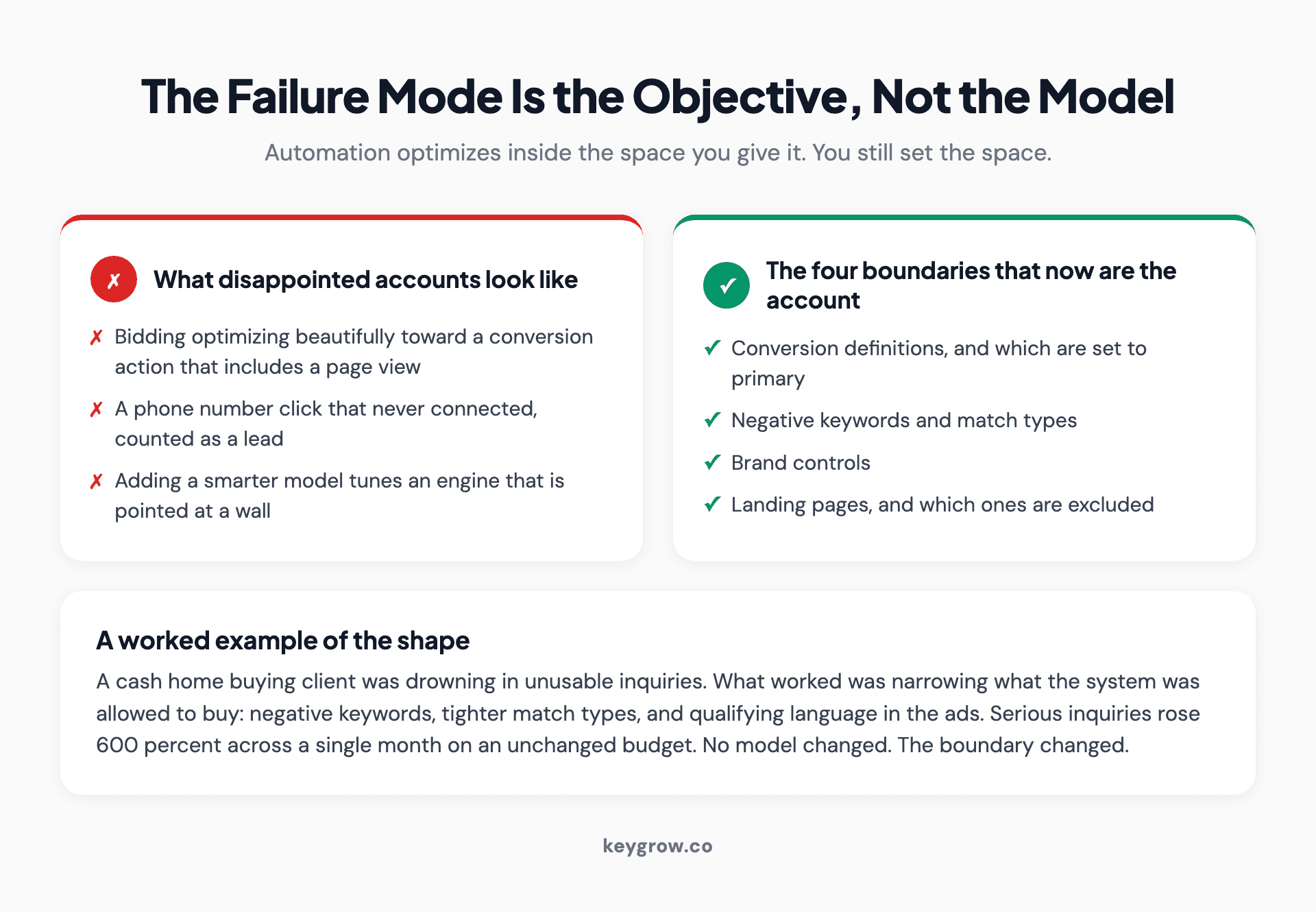
Two contrasting cards showing that automation optimizes inside the space it is given, with conversion definitions, negatives, brand controls and landing pages named as the four boundaries that now make up the account.
FAQs
What is AI Max in Google Ads?
AI Max is a set of AI targeting and creative features for Search campaigns. It has three parts: search term matching, which uses broad match and keywordless technology to reach queries beyond your keyword list; text customization, which generates ad copy from your existing ads, assets and landing page; and final URL expansion, which sends clicks to whichever page Google predicts will perform best. You keep brand settings, locations of interest, and URL inclusions and exclusions.
Is AI Max mandatory?
For some campaign structures it effectively is. Between September 1 and 30, 2026 Google automatically upgrades Search campaigns using campaign-level broad match or standalone automatically created assets to AI Max, and Dynamic Search Ads migrate automatically between February 1 and 28, 2027. Creating those legacy structures has been blocked since August 3, 2026. Campaigns that do not use them are not affected by the automatic migration.
Will AI Max make my Google Ads perform better?
It depends almost entirely on your inputs rather than on the feature. Wider matching finds more of whatever your conversion action rewards, so an account counting page views as conversions will get worse and an account counting qualified leads may well get better. Before the migration, check what is set as a primary conversion, refresh your negative keyword list, and set URL exclusions.
What are the best AI tools for Google Ads?
Sort them by job rather than by brand. Monitoring and alerting tools reliably earn their fee by catching spend anomalies and broken tracking on the day they happen. Analysis and clustering tools save real time on search term work. Fully autonomous management tools are worth more scrutiny, because they stack a second optimizer on top of Google's and can oscillate. Whatever you use, insist on a readable change log.
Can AI write my Google Ads copy?
It can write first drafts efficiently and it should not write your final copy. A general model produces ten usable headline variants in seconds but has no knowledge of your offer, your margins or what your customers actually object to. Use it to get past the blank field, then edit with someone who knows the business. Note that Google's own text customization already generates ad copy inside AI Max campaigns.
Should I turn off final URL expansion?
Not necessarily, but you should set exclusions before it runs. List the pages that must never receive ad traffic, such as careers, support, out-of-date campaign pages and anything with an old price. Sending paid traffic to a page nobody chose is a version of sending it to the homepage, which is the most expensive default in paid search and routinely the larger half of a bad cost per conversion.
Does AI replace a Google Ads manager?
It has replaced most of what a manager used to do by hand, which was bid adjustment. What is left is deciding what counts as a conversion, feeding real values back, maintaining the boundaries that automation operates inside, and judging whether the leads are any good. Those depend on knowing your margins, your capacity and your customer value, none of which any model has access to.
The model is not the problem
If your account underperforms with automation, the odds are heavily against the model being at fault. It is doing exactly what your conversion settings told it to do, inside exactly the boundaries your keywords and negatives allow.
So spend the next thirty minutes on the unglamorous version of AI work. Find out whether September's migration touches you. Snapshot your search terms while you still have a clean before. Check what is set to primary in your conversion actions. Set brand controls and URL exclusions. Then, if you still want a tool, buy one that alerts you when something breaks.
If you would rather hand that over, our PPC management runs month to month with no lock-in, and we will tell you before September whether the migration affects your account at all.



