

Google Ads is so complicated for three separate reasons, and only one of them is deliberate. Part of it is a genuinely hard problem. Part of it is twenty-plus years of features piled up and never removed. And part of it is that the defaults are tuned to get you spending rather than to protect you.
Most articles on this question pick the third reason and stop there, because it is the satisfying one. It is also the smallest of the three.
The useful version separates them, because you can do nothing about the first, very little about the second, and quite a lot about the third. By the end of this you will have a list of eight settings that decide almost everything, and permission to ignore most of the rest.
Three kinds of complexity, and only one is on purpose
Complexity that is unavoidable, complexity that accumulated, and complexity that serves Google. Telling them apart is most of the battle.
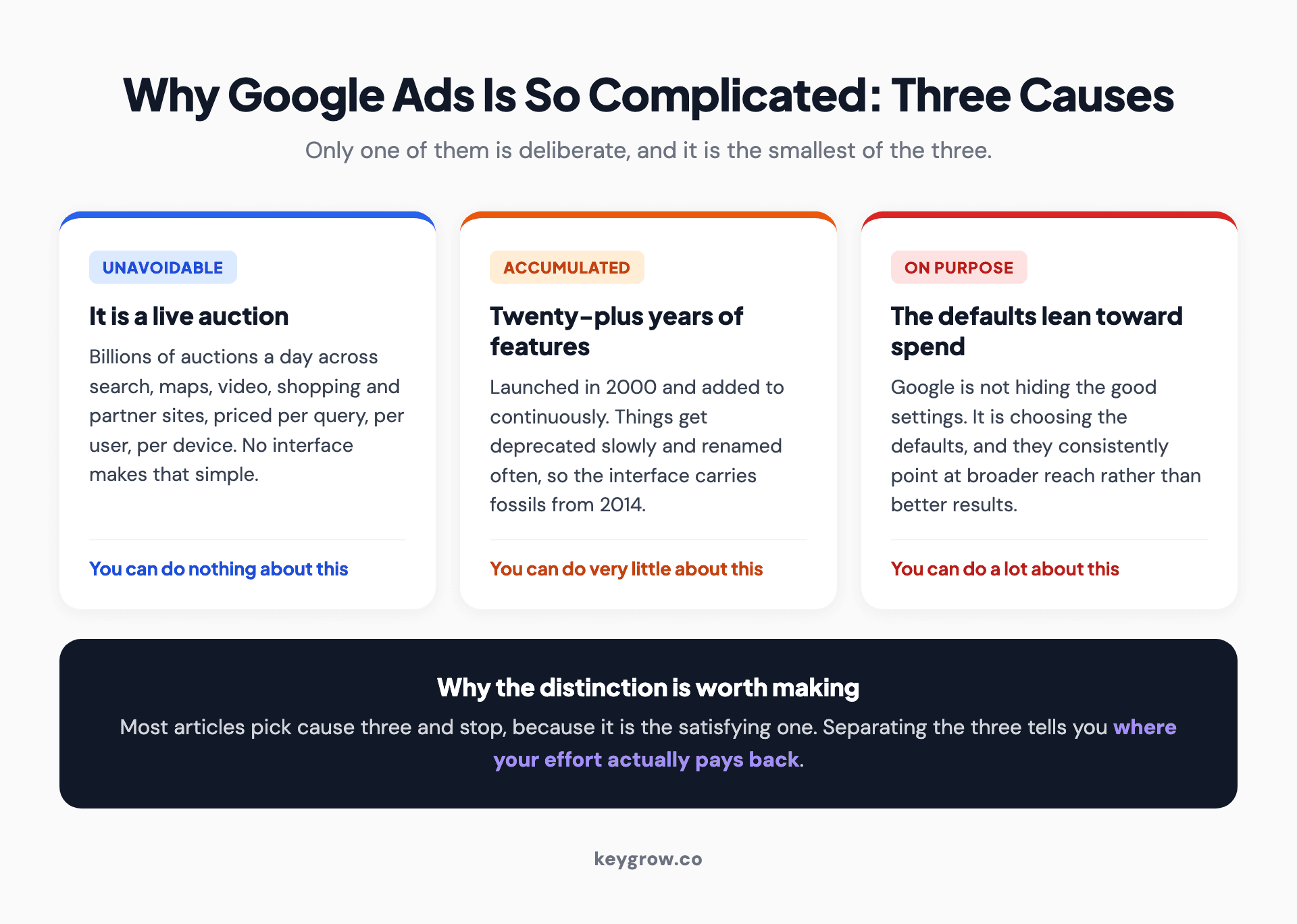
Three causes of Google Ads complexity: an unavoidable live auction, twenty years of accumulated features, and defaults deliberately tuned toward more spend.
The unavoidable kind comes from what the product does. A real-time auction, running billions of times a day, across search results, maps, video, shopping listings, and a few million partner sites, priced individually per query per user per device. No interface makes that simple, any more than a flight deck can be simplified into two buttons.
The accumulated kind comes from age. The platform launched in 2000 and has added features continuously since. Things get deprecated slowly and renamed often, so the interface carries fossils: settings that mattered in 2014, three names for the same concept, reporting columns nobody has used in a decade.
The third kind is the one that earns the cynicism, and it is real but narrower than the internet suggests. Google is not hiding the good settings. It is choosing the defaults, and the defaults lean toward broader reach and more spend. That is not a conspiracy so much as an incentive quietly doing its work, over and over, in dozens of small places.
The genuinely hard part: you are not buying ads, you are entering an auction
Every search runs a fresh auction, and your cost per click depends on other people's behavior as much as your own.

A dense analytics screen showing live campaign metrics changing in real time.
This is where most newcomers form the wrong mental model. They expect to buy a keyword at a price, the way you buy a billboard for a month. What actually happens is that you state the most you will pay, Google scores your ad against everyone else's, and the price you pay is derived from the bid and quality of the advertiser below you. Your competitor changing their budget on a Tuesday moves your cost on Wednesday.
Layered on top, Google now sets most bids for you through automated strategies, which trade control for pattern recognition across signals you cannot see. That trade is usually correct at volume and frequently wrong at low volume, because the system needs conversion data to learn from and a campaign producing four conversions a month gives it almost nothing.
None of that can be made simple. It can only be understood, and it is genuinely more complicated than the thing it replaced.
The accumulated part: seven campaign types and a museum of old settings
There are seven core campaign types now, and more if you count the simplified variants. Choosing wrongly here costs more than every other mistake combined.
Google's own campaign type guide walks through Search, Performance Max, Demand Gen, Video, Shopping, App, and Local. Each has its own settings, its own reporting, and its own idea of what a conversion is. A beginner opening the account is asked to choose between them in the first ninety seconds, before they have any basis for the decision.
The bidding menu has the same problem. Google's bid strategy guide lists strategies for clicks, conversions, conversion value, and impression share, several of which are near-identical in effect and different in name.
Here is the shortcut that saves most people six months. If people already search for what you sell, start with a Search campaign, one campaign, a handful of tightly themed ad groups. Ignore the other six. You can add Performance Max later once you have conversion data worth optimizing against, and you will understand what it is doing because you will have watched search terms with your own eyes first.
The reason this shortcut is not the default advice is that Performance Max is easier to launch and harder to diagnose. It asks for less and tells you less.
Where the defaults are genuinely not on your side
Four settings are set, out of the box, in the direction of more spend rather than better results. None of them is hidden. All of them are easy to miss.
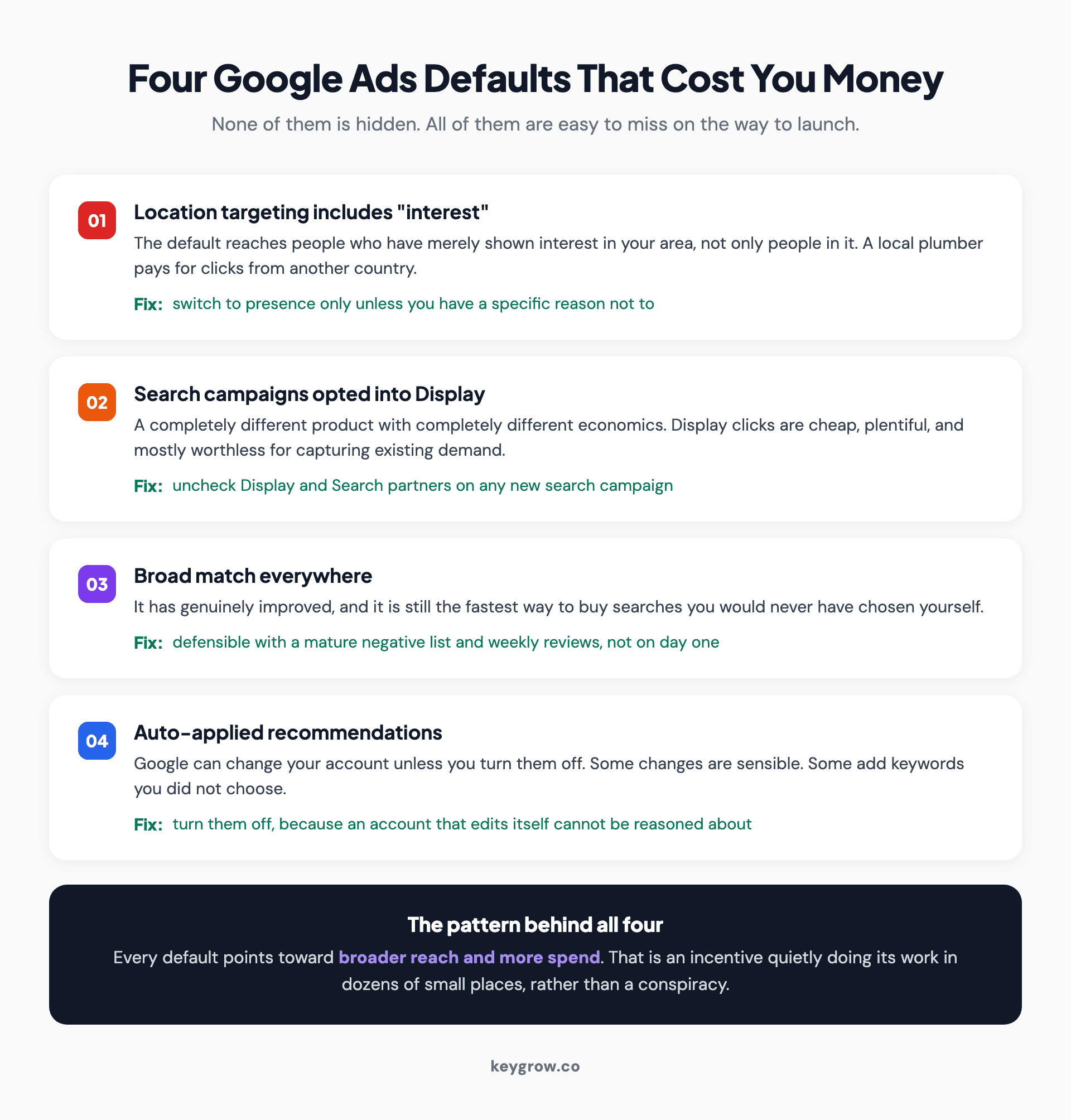
Four Google Ads defaults that cost money, each with a fix: location targeting including interest, search campaigns opted into Display, broad match everywhere, and auto-applied recommendations.
Location targeting is the expensive one. The default option includes people who have merely shown interest in your area, not only people in it. A plumber in Leeds paying for clicks from someone in another country researching Leeds is the classic version of this. Switch it to presence only unless you have a specific reason not to.
Then the network checkboxes. A Search campaign can be opted into Search partner sites and into the Display Network, which is a completely different product with completely different economics. Display clicks are cheap, plentiful, and mostly worthless to a business trying to capture existing demand, and they will happily consume a search budget while the reported click count looks excellent.
Broad match is the third. It has genuinely improved, and it is still the fastest way to spend money on searches you would never have chosen. It is defensible with a mature negative keyword list and weekly search term reviews. It is not defensible on day one.
And auto-applied recommendations, which let Google make changes to your account unless you turn them off. Some are sensible. Some add keywords you did not choose. Either way, an account that changes itself is an account you cannot reason about.
The eight settings that decide whether you make money
Out of several hundred controls, these eight account for nearly all of the outcome. Everything else is refinement.
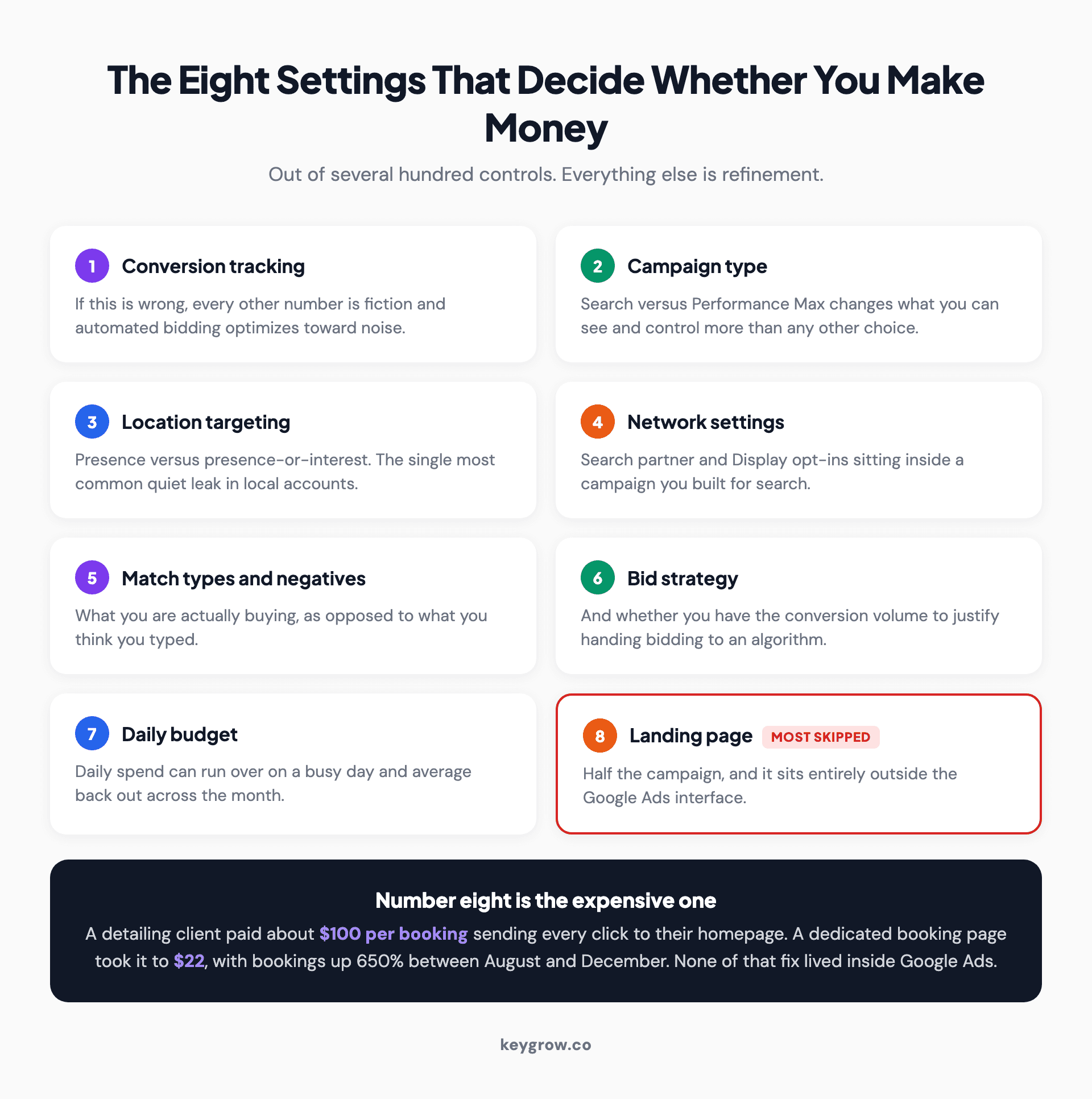
The eight Google Ads settings that determine profitability, from conversion tracking and campaign type through to the landing page, which is the most commonly skipped.
| # | Setting | Why it decides the outcome |
|---|---|---|
| 1 | Conversion tracking | If this is wrong, every other number is fiction and the automated bidding is optimizing toward noise |
| 2 | Campaign type | Search versus Performance Max changes what you can see and control more than any other single choice |
| 3 | Location targeting | Presence versus presence-or-interest, the single most common quiet leak |
| 4 | Network settings | Search partners and Display opt-ins on a search campaign |
| 5 | Match types and negatives | What you are actually buying, as opposed to what you think you typed |
| 6 | Bid strategy | And whether you have the conversion volume to justify an automated one |
| 7 | Daily budget | Remembering that daily spend can run over on a busy day and average out across the month |
| 8 | Landing page | The destination, which is half the campaign and sits outside Google Ads entirely |
Number eight is the one people skip, and it is the most expensive skip in paid search. Sending ad traffic to your homepage is the default nobody chose deliberately and almost everybody does.
A mobile detailing client came to us paying about $100 per booking, with every click landing on their homepage. We rebuilt the campaign structure and pointed the traffic at a dedicated booking page instead. Cost per conversion fell to $22, bookings rose 650 percent, and monthly revenue went from $1.2K to $5.1K between August and December. Nothing about that fix lived inside the Google Ads interface.
What you are allowed to ignore
Most of the interface. Genuinely.
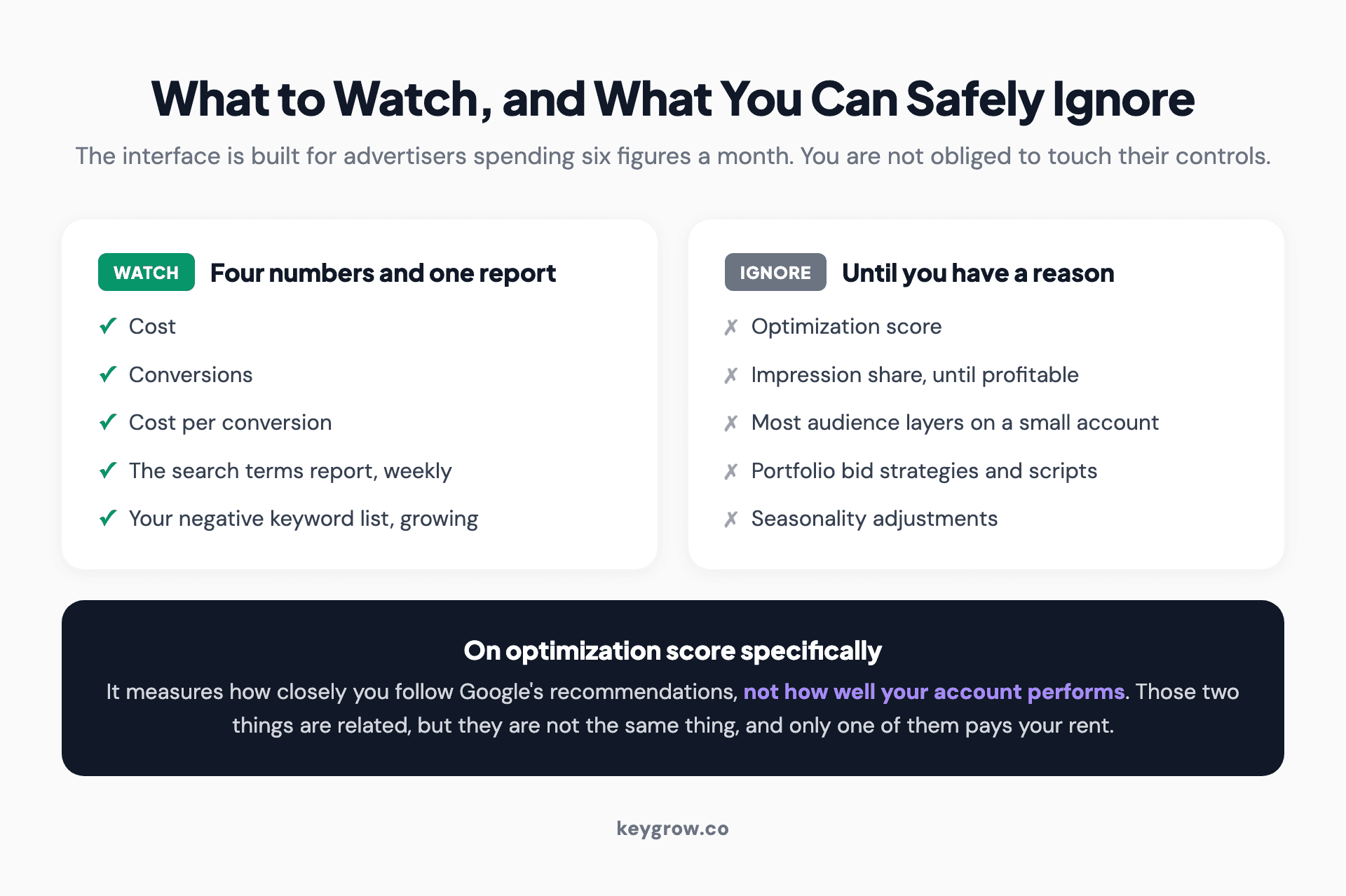
Two lists showing the four numbers and one report worth watching in Google Ads, against the metrics such as optimization score and impression share that can be ignored.
Ignore the optimization score, which is a measure of how closely you follow Google's recommendations rather than how well your account performs. Ignore impression share until you are profitable and want more volume. Ignore most audience layers on a small search account, because search intent is already the strongest signal you will get. Ignore the majority of reporting columns; you need cost, conversions, cost per conversion, and search terms.
Ignore ad extensions beyond the four or five that obviously apply to you. Ignore the seasonality adjustments, portfolio bid strategies, and scripts until you have a reason to want them, which for most small accounts is never.
The interface is built for advertisers spending six figures a month. Being shown their controls does not oblige you to touch them.
The simplest account that still works
One campaign, three to five ad groups, one page per ad group, and a negative keyword list you update weekly.
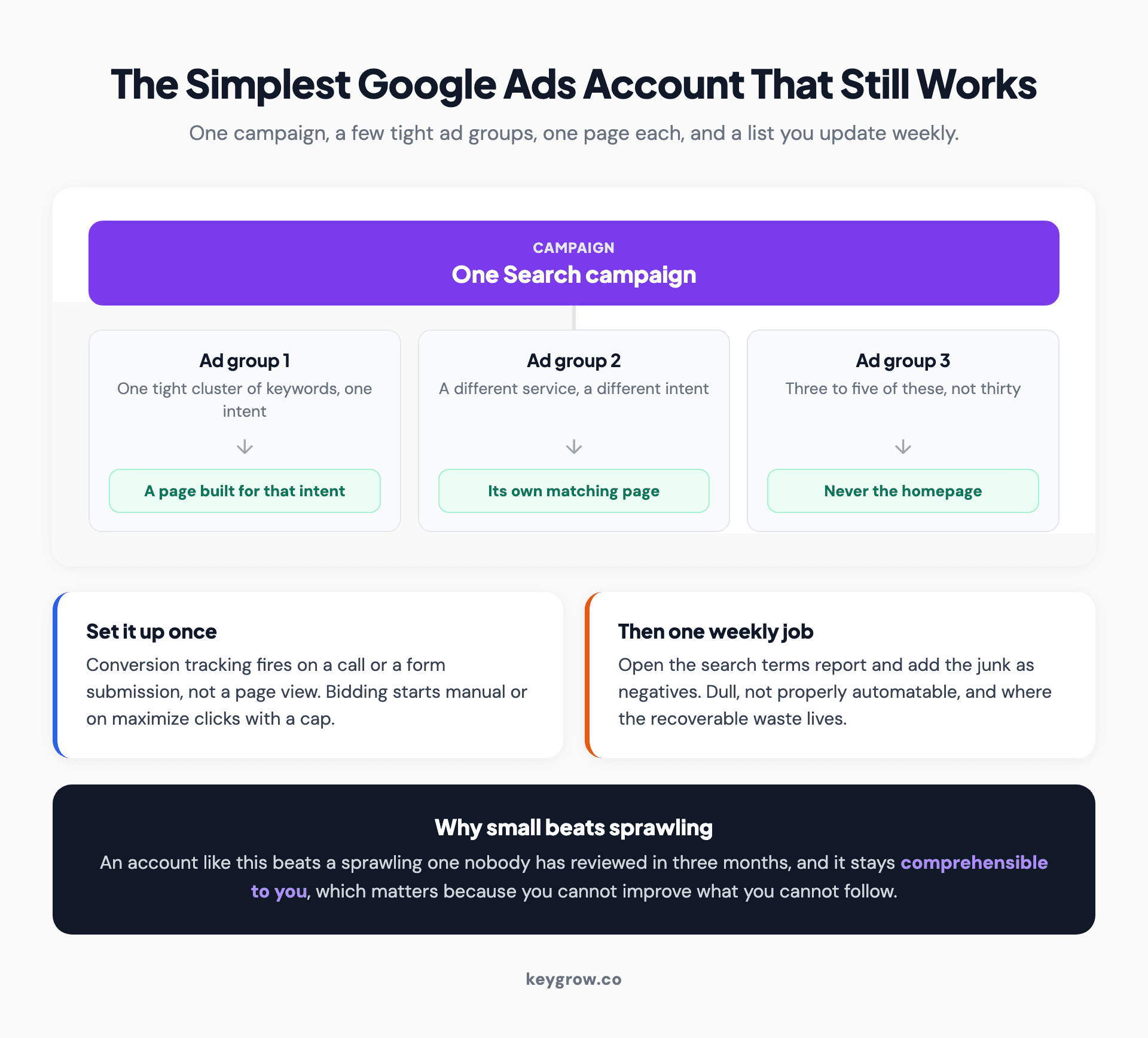
Diagram of a minimal Google Ads account: one Search campaign feeding three tightly themed ad groups, each pointing at its own landing page rather than the homepage.
That is the whole structure. Each ad group holds a tight cluster of keywords around one intent, and points at a page built for that intent. Conversion tracking fires on the thing you care about, which is a call or a form submission, not a page view. Bidding starts manual or on maximize clicks with a cap, moves to a conversion strategy once you have enough data for the algorithm to learn from.
Then one recurring job: open the search terms report weekly and add the junk as negatives. That job is dull, it is not automatable if you want it done properly, and it is where most of the recoverable waste in a small account lives.
An account like that will beat a sprawling one run by someone who has not looked at search terms in three months. It will also be comprehensible to you, which matters more than it sounds, because you cannot improve something you cannot follow.
When the complexity is worth paying someone else to absorb
The honest threshold is roughly when your monthly spend times the time you are losing exceeds what management costs.

A business owner mapping out campaign priorities on paper before deciding whether to hand account management over.
Below about two or three thousand a month, with a simple offer and one location, a business owner who reads carefully can run a decent account. It will not be optimal. It will be fine, and the money saved on fees is real. Plenty of people should do that, and we tell them so.
The case for handing it over gets strong when any of these are true: multiple locations or service lines, more than one campaign type in play, an offer where a lead is worth several hundred dollars, or the simple fact that you have not opened the search terms report in a month because running the business takes all of your time. That last one is the most common and the least discussed.
What you should not do is hand it over and stop looking. Ask for reporting that leads with cost per lead and booked jobs. If a monthly report opens with impressions and clicks, that is a report designed to look busy. Our PPC management work is month to month for the same reason, since an arrangement that has to keep earning its place tends to.
FAQs
Why has Google Ads become more complicated over time?
The platform launched in 2000 and has added features continuously without removing many, so the interface accumulates settings, renamed concepts, and reporting from earlier eras. Automation added another layer, replacing manual controls with systems that need to be understood rather than operated.
Is Google Ads complicated on purpose?
Partly, though less than commonly claimed. Google is not hiding the useful settings, but the defaults consistently lean toward broader reach and higher spend. Location targeting, network opt-ins, broad match, and auto-applied recommendations all default in the direction that costs more, and none of them is concealed.
Can a beginner run Google Ads without an agency?
Yes, for a simple offer at modest spend. One Search campaign, a few tightly themed ad groups, working conversion tracking, and a weekly search terms review will outperform most neglected accounts. It stops being realistic when you add locations, campaign types, or a budget large enough that small errors cost real money.
Which Google Ads setting wastes the most money?
Location targeting set to presence or interest rather than presence only, closely followed by search campaigns opted into the Display Network. Both are enabled by default in effect, both generate impressive-looking click volume, and both send traffic that rarely converts for a local business.
Should I use Performance Max or Search campaigns?
Start with Search if people already search for what you sell. It shows you which queries triggered your ads and gives you direct control over them. Performance Max is easier to launch and considerably harder to diagnose, which makes it a poor first campaign for someone still learning what their profitable searches are.
How much of the Google Ads interface do I actually need?
A small fraction. Cost, conversions, cost per conversion, and the search terms report cover most decisions in a small account. Optimization score, impression share, portfolio bid strategies, and most audience layers can be ignored until you have a specific reason to want them.
Why does my daily budget get exceeded?
Google can spend above your daily budget on individual days when traffic is high, then balance it out so the monthly total stays in line with your daily amount multiplied by the days in the month. It is expected behavior rather than an error, but it surprises people who read the daily figure as a hard ceiling.
If you only change one thing
Open your search terms report and read the last thirty days. Not the keyword report, the search terms report, which shows what people actually typed rather than what you asked to match.
Most people who believe Google Ads is too complicated to work have never seen that screen. It is where the complexity stops being abstract, because you can see with your own eyes that you paid for someone searching for a job at your company, or for a free version of your product, or for a town you do not serve. Those rows are the whole argument, and fixing them requires no expertise at all, just a negative keyword and thirty seconds.
Do that weekly and you will be ahead of most accounts of your size. If you want the longer version, we wrote a full PPC audit walkthrough, a guide to negative keywords, and a separate piece on why the clicks cost what they do.


