

Why is having duplicate content an issue for SEO? Not for the reason most people think. Google does not hand out a "duplicate content penalty," so you will not get punished for it. The real problem is quieter and more expensive: when the same content lives on more than one URL, Google has to guess which version to rank, your link signals get split across the copies, your own pages compete with each other, and crawl budget gets wasted on duplicates. The result is not a penalty, it is weaker rankings you never see coming.
That distinction matters, because the duplicate content penalty is one of the most persistent myths in SEO, and it gets used to scare business owners into expensive panic fixes. So before anything else: do not panic, but do clean it up.
First, the myth: there is no duplicate content penalty
Let me kill this one directly, with Google's own words. There is no penalty for having duplicate content, full stop. Google stated plainly that "there's no such thing as a 'duplicate content penalty.'" In the same post, Google added that duplicate content "is not grounds for action on that site unless it appears that the intent of the duplicate content is to be deceptive and manipulate search engine results."
That last clause is the only exception. If you are deliberately copying content across dozens of domains to game rankings, that is spam, and Google will act on it. But ordinary duplication, the kind every normal website has, is fine. Google's current documentation confirms it: "some duplicate content on a site is normal and it's not a violation of Google's spam policies."
So if there is no penalty, why does duplicate content keep showing up on every "fix your SEO" checklist? Because "no penalty" does not mean "no problem." Those are two different things, and conflating them is exactly what the myth gets wrong.
So what is the actual problem?
Duplicate content hurts you through four real mechanisms, none of which is a penalty and all of which quietly cost you rankings. Here is what is actually happening when the same content sits on multiple URLs.
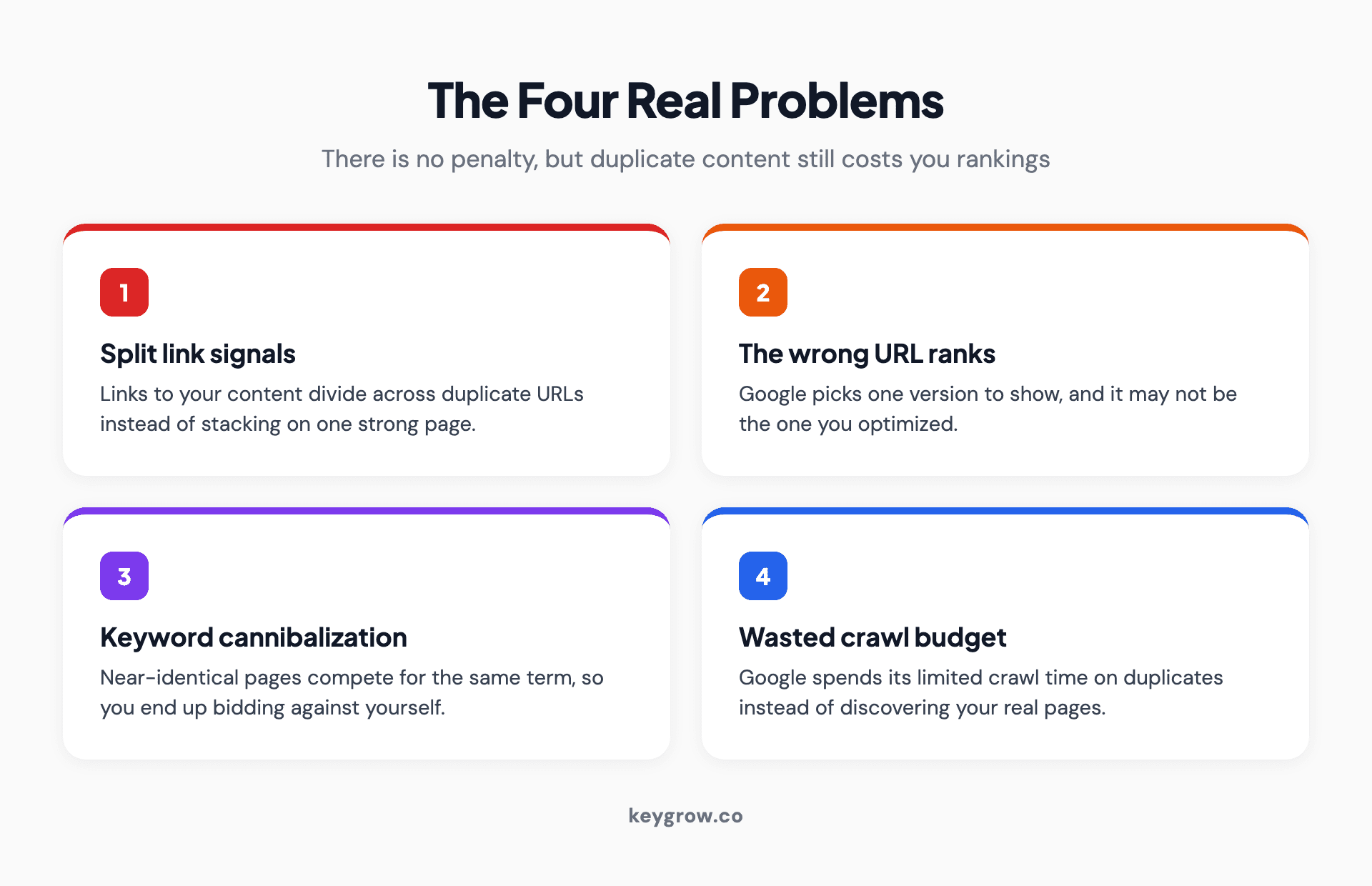
Infographic showing the four real SEO problems caused by duplicate content: split link signals, the wrong URL ranking, keyword cannibalization, and wasted crawl budget.
Your link signals get split. When other sites link to your content, but that content exists at three different URLs, those links get divided across all three instead of stacking on one. Google confirms a canonical "helps search engines to be able to consolidate the signals they have for the individual URLs, such as links to them, into a single, preferred URL." Without that consolidation, you have three weak pages instead of one strong one.
Google may rank the wrong version. When it finds duplicates, Google groups them into a cluster and picks one URL to represent it. The catch is that the one it picks may not be the one you want. Google's documentation warns directly that "Google may choose a different page as canonical than you do," which can mean an unoptimized or outdated version is the one that shows up.
Your pages compete with each other. This is keyword cannibalization. Two near-identical pages targeting the same term do not double your chances; they split the rankings between them, so instead of one page at position 3 you get two pages at positions 8 and 9. You end up bidding against yourself.
Crawl budget gets wasted. Google has a finite amount of attention for your site. When it spends that attention re-crawling duplicate URLs, it has less left for your real pages. Google says exactly this: if many URLs are duplicates, it "wastes a lot of Google crawling time on your site." On a large site, that delay in discovering new pages is a real cost.
None of these is a punishment. They are the natural consequence of making Google guess, and the fix is to stop making it guess.
What counts as duplicate content
Duplicate content is any substantial block of content that appears on more than one URL, either within your own site or across the web. Most of it is accidental and technical, not someone copying your articles. It splits into two kinds.
Internal duplication is the common, fixable kind, and it is more widespread than people realize. Google's Matt Cutts has put the share of duplicative content on the web at somewhere between 25 and 30 percent, per Search Engine Land, and a Semrush study of 100,000 sites found duplicate content was the single most common on-site issue, present on half of them. It usually comes from the plumbing of how websites work, not from bad writing.
External duplication is when your content appears on other domains: scrapers stealing it, or legitimate syndication where you republish an article on another site. This is less common but trickier, because you do not control the other domain.
The everyday causes are almost all internal and technical:
How to find duplicate content on your site
You cannot fix what you cannot see, and most duplicate content is invisible until you look for it. A few tools surface it quickly.
Google Search Console is the free starting point. Its Pages report shows pages excluded as "Duplicate, Google chose a different canonical than user" or "Alternate page with proper canonical tag," which tells you exactly where Google is making canonical decisions. For a fuller picture, a crawler like Screaming Frog, or the site audit in Semrush or Ahrefs, will flag duplicate pages, titles, and meta descriptions across your whole site in one pass. For copied content on other domains, a tool like Copyscape or Siteliner finds matching text elsewhere on the web. This is also one of the recurring things a regular site audit is meant to catch, so it does not pile up unnoticed.
How to fix duplicate content: the right tool for each cause
There is no single fix for duplicate content, because the right move depends on the cause. Match the fix to the problem and most duplication clears up fast.
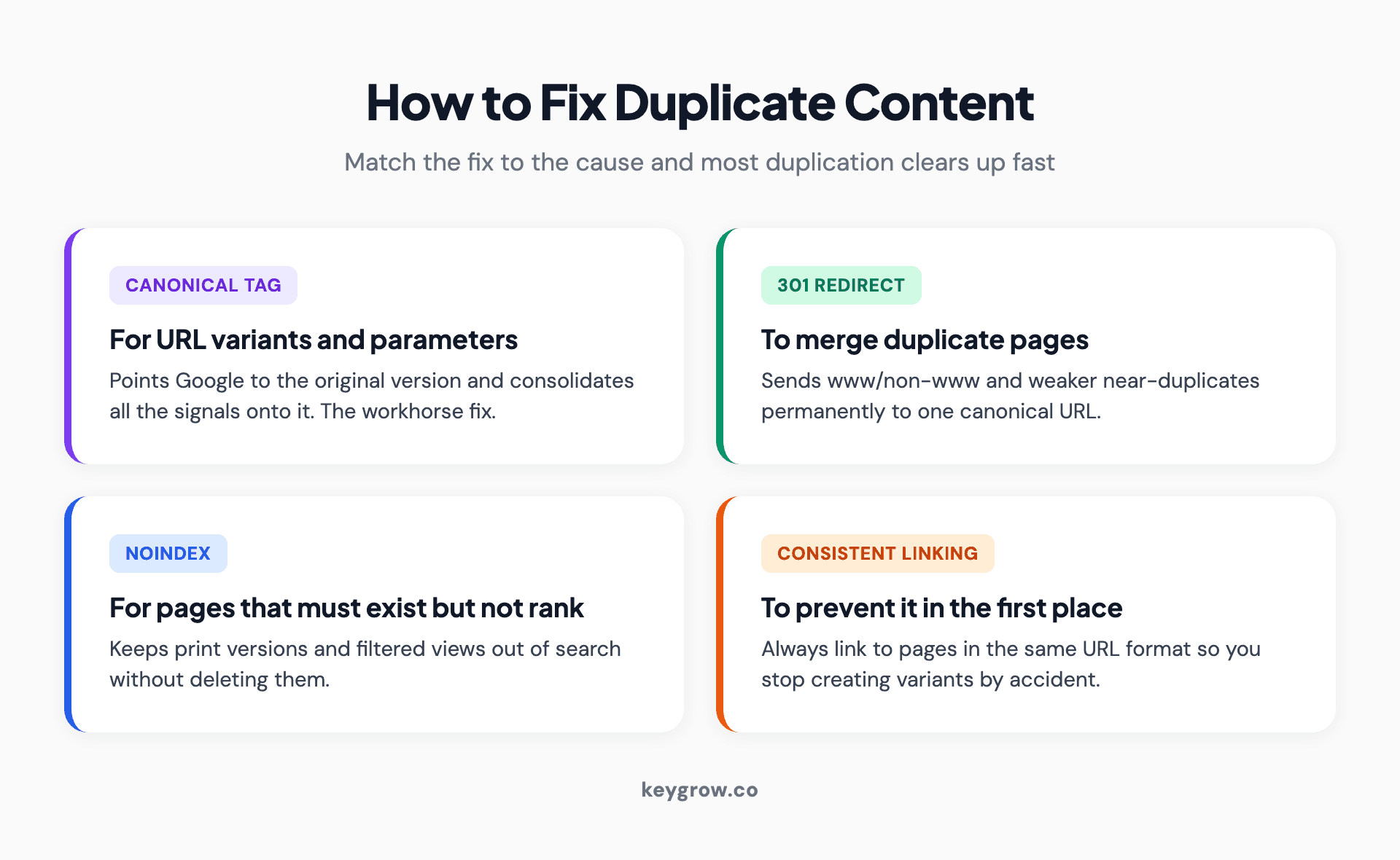
Infographic of the four main duplicate content fixes: canonical tags for variants, 301 redirects to merge pages, noindex for pages that must exist but not rank, and consistent internal linking.
| Cause | The right fix |
|---|---|
| URL variants (www/non-www, HTTP/HTTPS, trailing slash) | A 301 redirect to one canonical version, set site-wide |
| URL parameters, faceted navigation, session IDs | A canonical tag pointing to the clean URL |
| Near-duplicate pages you want to merge | A 301 redirect from the weaker page to the stronger one |
| Pages that must exist but should not rank (print, filtered views) | A noindex tag |
| Syndicated content on another domain | A cross-domain canonical, or ask the partner to link back to your original |
| Scraped content stolen by another site | A DMCA takedown request to Google |
The workhorse fix is the canonical tag, which tells Google which version is the original and consolidates signals onto it. We covered exactly how it works in our guide to meta data in SEO, so we will not repeat the detail here. The one habit that prevents most internal duplication in the first place is boring but effective: link to your pages consistently, always using the same URL format, so you stop creating variants by accident.
One honest note. If you run a small site and have a couple of hours, this is a job you can do yourself: most of it is one site-wide redirect, a handful of canonical tags, and the habit of linking consistently, all of it free to set up. And if someone is pressuring you to pay for an urgent duplicate-content cleanup by warning you about a penalty, that is a scare tactic, and now you know why. For most small sites, the fixes above are a one-time technical tidy-up, not an ongoing crisis.
Duplicate content and AI search
This is the part the older guides miss, and it changes the stakes a little. AI Overviews and answer engines pull from a small set of sources, and when your content is duplicated across several URLs, you are handing them the same problem you hand Google: which version do they cite? If your signals are split, the version they pick may not be your strongest, or they may skip you for a cleaner competitor.
There is also a newer risk. As AI-generated content floods the web, near-duplicate, low-originality pages are everywhere, and search engines are getting sharper at filtering them out. Thin pages that merely rephrase what already exists are exactly what gets ignored in AI search results. The defense is the same as it has always been, just more urgent: consolidate your duplicates so your authority sits on one strong page, and make sure that page says something genuinely worth citing.
FAQs
Is there really a duplicate content penalty from Google?
No. Google has stated directly that there is no such thing as a duplicate content penalty. The only exception is content duplicated deliberately to deceive or manipulate rankings, which counts as spam. Ordinary, accidental duplication is normal and not a violation, though it still causes practical SEO problems worth fixing.
How does duplicate content hurt SEO if there is no penalty?
It hurts through four indirect mechanisms: links to your content get split across duplicate URLs instead of consolidating on one, Google may rank a version you did not intend, near-identical pages compete with each other for the same keyword, and crawl budget gets wasted on duplicates. The result is weaker rankings, not a penalty.
How much duplicate content is acceptable before it hurts SEO?
There is no exact threshold, and some duplication is unavoidable and normal. Google says duplicate content is not a spam violation unless it is deceptive. The practical goal is not zero duplication but making sure each piece of important content has one clear canonical URL that collects all the signals.
How does Google decide which duplicate page to rank?
Google groups duplicate URLs into a cluster, selects the version it considers best as the canonical, and consolidates signals like links onto that representative URL. You can influence the choice with canonical tags and redirects, but Google may still pick a different page than you intended if your signals are mixed.
Why are duplicate page titles and meta descriptions bad for SEO?
Duplicate titles and meta descriptions make it harder for Google and users to tell your pages apart, which can dilute relevance and suppress click-through rate. They are often a symptom of deeper page-level duplication. Giving each page a unique title and description is a quick, high-value fix.
Can you use a canonical tag for syndicated or cross-domain content?
Yes. When you republish your content on another domain, a cross-domain canonical pointing back to your original tells Google which version should get the ranking credit. If the partner will not add one, ask for a clear link back to your original page instead, so the signals still flow to you.
What are the best tools to check for duplicate content?
Google Search Console shows canonical and duplicate decisions for free. Screaming Frog, Semrush, and Ahrefs crawl your whole site to flag duplicate pages, titles, and descriptions. For content copied on other domains, Copyscape and Siteliner find matching text across the web. Most regular SEO audits include a duplicate-content check.
Does duplicate content affect AI Overviews and ChatGPT?
Indirectly, yes. When your content is split across duplicate URLs, AI engines face the same canonical confusion Google does and may cite a weaker version or skip you. With AI-generated near-duplicate content rising, consolidating your duplicates onto one strong, original page is increasingly important for being cited.
The short version
Treat duplicate content as housekeeping, not an emergency. There is no penalty to fear, so the goal is simply to stop making Google guess: crawl the site to find the duplicates, point each set to one canonical URL with the right tool for the cause, and link to your pages the same way every time. For most sites that is a one-time tidy-up you can do in an afternoon, and the payoff is real. Your links, your rankings, and your crawl budget all stop leaking across copies and concentrate on one page strong enough to win.
If you would rather have someone find and fix the duplication for you as part of a wider technical cleanup, that is part of how our SEO service works. Tell us about your site and we will tell you what is splitting your signals.


