


A duplicate Google Business Profile is a second listing for a business that should only have one, and it splits your reviews, your ranking signals, and your customers between two places. The fix is either a merge or a removal, and picking the wrong one destroys reviews you cannot get back.
Start there, because most guides on this open with the steps. The steps are the easy part. Deleting the wrong listing is permanent.
Read this before you touch anything
Three facts that decide how carefully you need to move.
A deleted location cannot be recovered. Not by you, not by support. If you delete the verified profile with 80 reviews because you assumed it was the duplicate, those 80 reviews are gone.
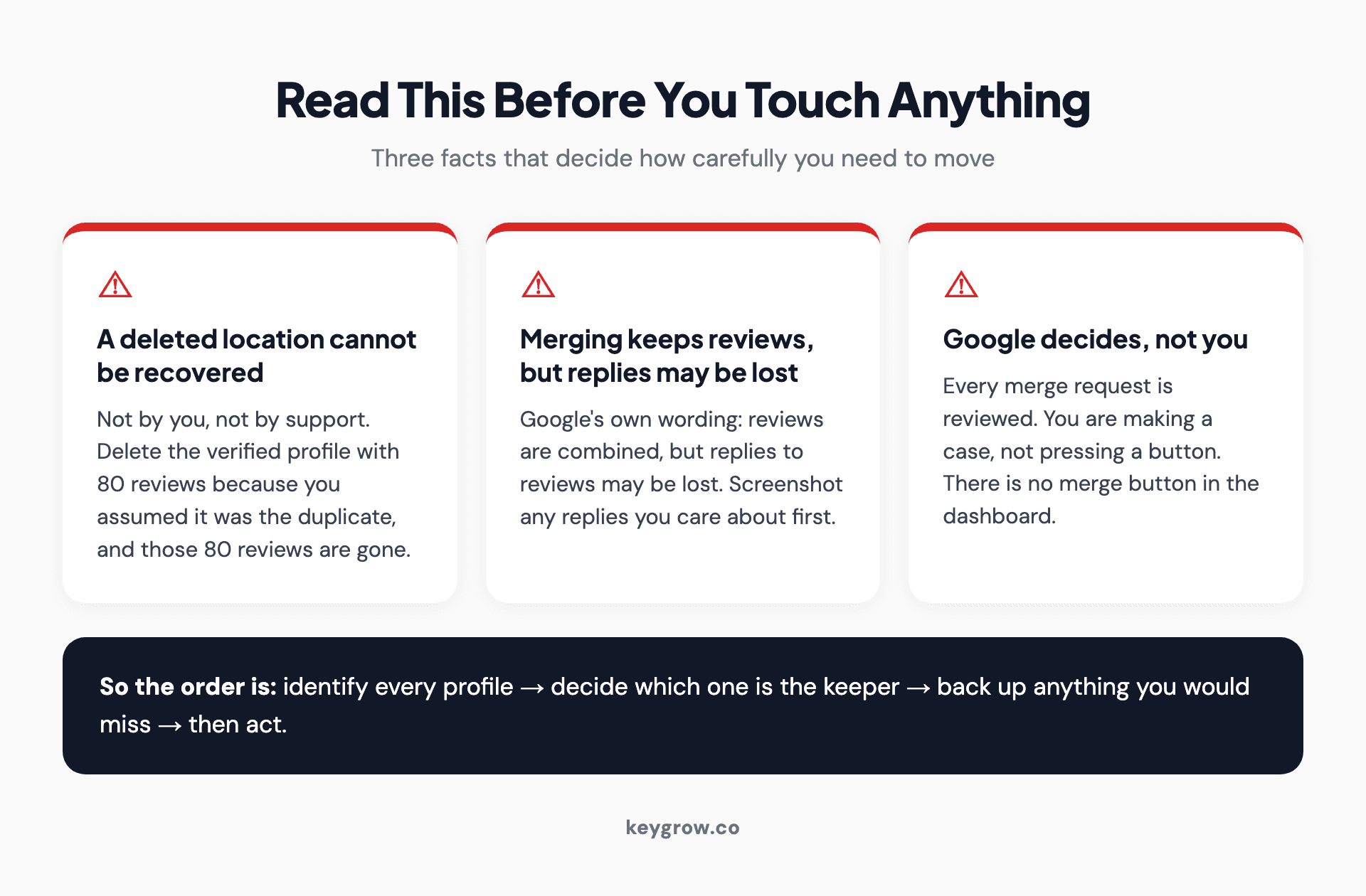
Three warnings before fixing a duplicate Google Business Profile: a deleted location cannot be recovered, merging keeps reviews but replies may be lost, and every merge request is reviewed by Google.
Merging combines reviews, but your replies may not survive. Google's own wording in the Business Profile Help is that when two profiles are merged, their reviews are combined, but replies to reviews may be lost. If you have spent two years writing thoughtful replies, screenshot them before you request anything.
Every merge request is reviewed by Google, and the outcome is theirs. You are making a case, not pressing a button. There is no merge button in the dashboard, whatever you may have read.
So the order is: identify, verify which one is the keeper, back up anything you would miss, then act.
Five kinds of duplicate, five different fixes
Most of the advice on this keyword treats "duplicate" as one thing. It is not, and the fix depends entirely on which one you have.
| What you are looking at | The right move |
|---|---|
| Two profiles, same business, same address, you own both | Merge. Keep the one with more reviews |
| A profile you created by accident that has no reviews and no verification | Delete it. Nothing of value is attached |
| Two profiles, same address, different owners | Request ownership first, then merge |
| A storefront profile and a service-area profile for the same business | Not two businesses. Pick the correct type and remove the other |
| A practice profile and a named practitioner profile | Usually not a duplicate. Leave both alone |
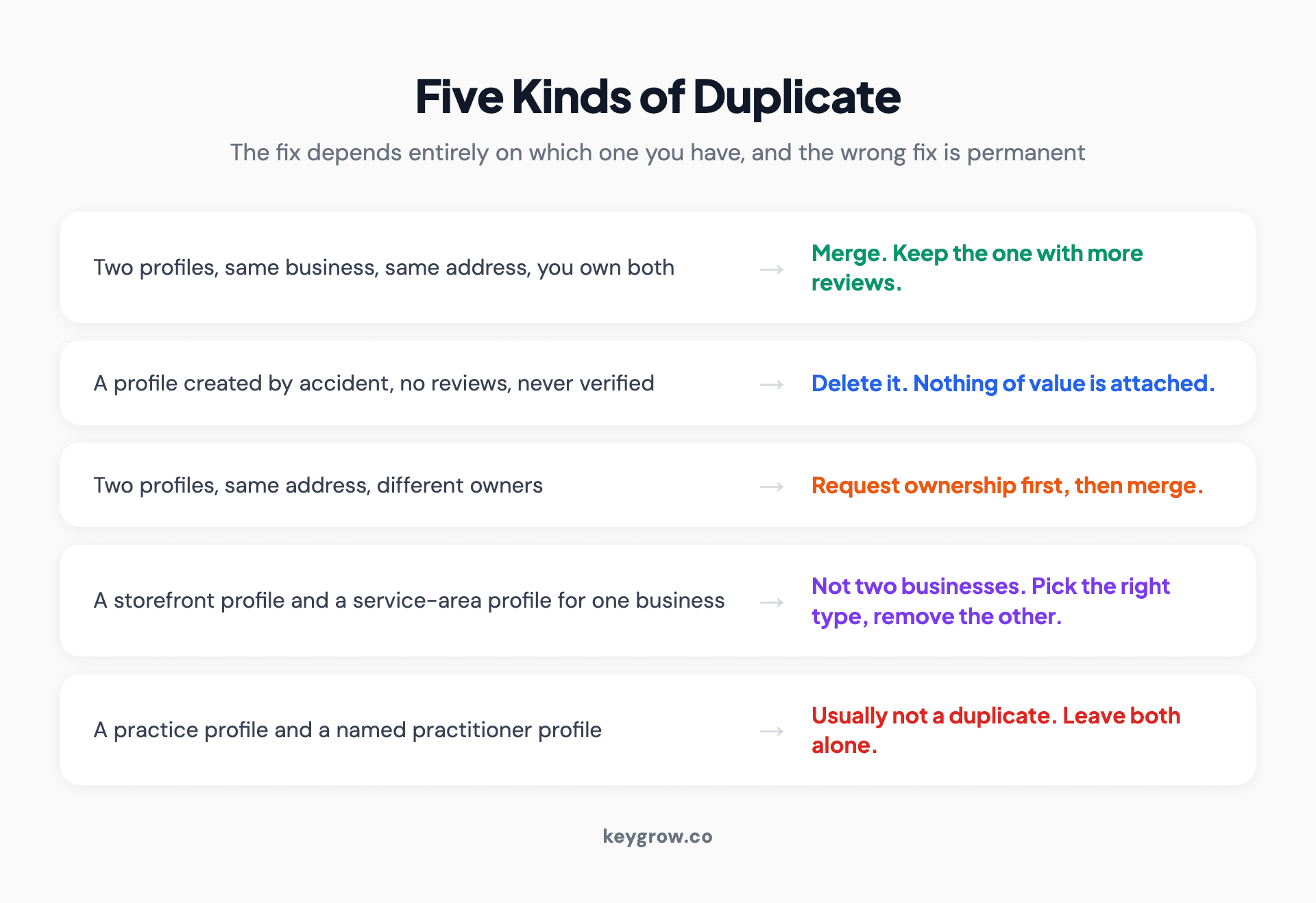
Five duplicate Google Business Profile situations matched to their fixes: merge two owned profiles, delete an accidental unverified one, request ownership before merging, pick the correct profile type for a storefront versus service-area mismatch, and leave practitioner profiles alone.
That last row is the one that costs people the most, and it gets its own section below.
Find all of them before you fix any of them
Fixing one duplicate and discovering a third next month is the normal experience. Look properly the first time.
Search Google Maps for your business name, then again for your phone number, then again for your street address without the business name. Those three searches surface different things, because duplicates are often created with a slightly different name or a missing suite number and will not appear in a name search.
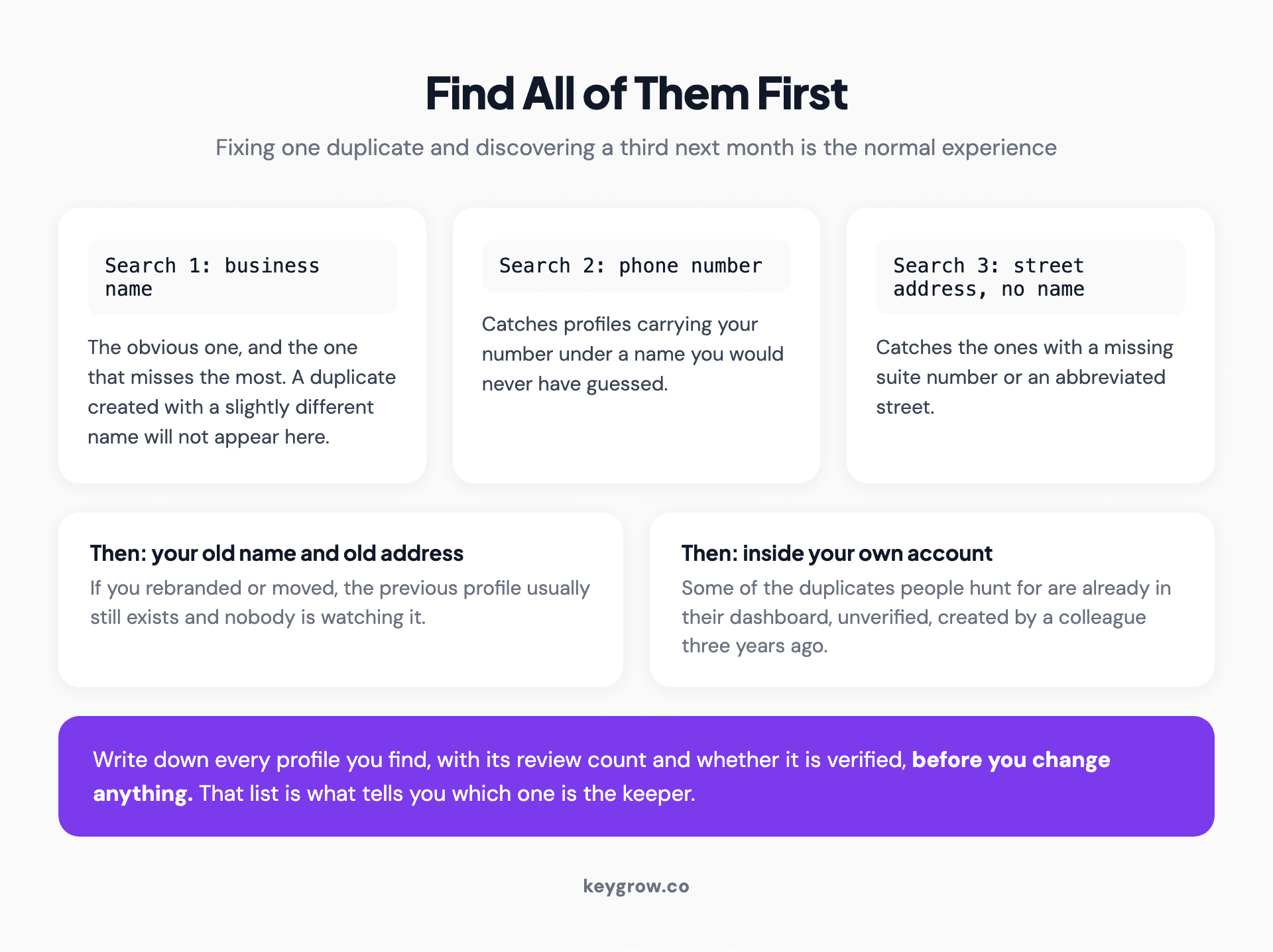
Three Google Maps searches for finding duplicate profiles, by business name, by phone number, and by street address without the name, plus checks on your old name, old address, and your own account.
Then search for your old name, if you have rebranded, and your old address, if you have moved. Both are common sources of orphaned profiles that nobody is watching.
Finally, check the profiles inside your own Google Business Profile account. Some of the duplicates people hunt for are already sitting in their own dashboard, unverified, created by someone at the company three years ago.
Write down every one you find, with its review count and whether it is verified, before you change anything.
The one that is not a duplicate: practitioner listings
If you run a dental practice, a law firm, a real estate office, or anything else where customers ask for a person by name, you may legitimately have more profiles than you think you should.
Google allows a separate profile for a public-facing practitioner alongside the profile for the business, and Sterling Sky's practitioner guide documents the eligibility rules in more detail than Google's own pages do. A practitioner qualifies when customers request them by name, when they have their own schedule, their own prices, their own accurate category, and sometimes work from different locations. Attorneys, doctors, realtors, insurance agents (we cover their naming rules in SEO for insurance agents), personal trainers, and hairdressers all fall inside this.

Rules for practitioner Google Business Profiles: Google will not merge them while the practitioner works there, one person gets one profile, solo practitioners should combine the practice and personal names, and the profiles should differ on phone number.
Those are not duplicates and Google will not merge them while the practitioner still works there.
The rules worth knowing:
- One person, one profile. A dentist does not get a listing for implants, another for veneers, and a third for general dentistry. That is a duplicate, and it is the version that actually gets removed.
- For a solo practitioner, Google's recommendation is a single listing combining both names, in the form "Practice Name: Practitioner Name". Running both separately is not a guideline violation, but the combined form is cleaner and less likely to be flagged.
- Practitioner and practice profiles should differ on phone number, and ideally on the suite or address detail, otherwise they look like duplicates to the systems that hunt for duplicates.
- When a practitioner leaves, the profile does not leave with them automatically. If the business controls it, they can request deletion. If the practitioner controls it, they can point it at their new employer, which is a problem worth preventing with a policy rather than fixing afterwards.
We see practices delete legitimate practitioner profiles during a tidy-up, then wonder where a third of their visibility went. If two profiles name two different people, they are probably not a duplicate.
Merging, and how it actually works
There is no merge control in the dashboard. What you do instead depends on the verification state.
If only one profile is verified, report the unverified one on Google Maps as a duplicate of the verified one, using Suggest an edit. This is the simplest case and it usually resolves without a human conversation.

A shop owner standing outside their store.
If both are verified, Google requires one to be unverified before a merge can happen. You do that by removing that profile from your account, which drops its verification. Then request the merge through support. This is the step people get wrong: they delete the profile rather than removing it from the account, and the difference matters.
If a merge is approved, expect three to ten business days, and check the surviving profile afterwards against a list you made beforehand. Hours, categories, service area, photos, and the short name all need to be confirmed rather than assumed.
Keep the profile with more reviews and more history unless there is a strong reason not to. Review volume is the hardest asset to rebuild, and profile age carries weight that a new listing does not have.
Removing, and when it is the right call
Removal is correct when the duplicate has nothing worth saving. No reviews on it, never verified, no photos, and no history behind it. That describes most accidental duplicates, and deleting one takes a minute. Our walkthrough of how to delete a Google Business Profile covers the exact clicks and what the removal leaves behind.
Removal is the wrong call any time reviews are attached. If the listing you want gone has 12 reviews, a merge preserves them and a deletion does not. Twelve reviews is months of asking customers.

Merge versus remove guidance for duplicate Google Business Profiles, with a warning that marking your real listing permanently closed or renaming a listing to force a match will get the account suspended.
Two things never to do, because both are routes to a suspension rather than a resolution:
- Do not mark your real listing as permanently closed to make a duplicate rank instead. A closed marker is a strong, visible, and slow-to-reverse signal.
- Do not rename a listing to force Google to treat it as a match for another. Name changes on an established profile trigger review, and this particular trick is well known to the systems that catch it.
If either has already happened and you are now looking at a suspension, you are now solving something else entirely, and a suspended Google Business Profile is where to pick that up.
When someone else owns the duplicate
Common after a staff departure, an agency change, or a previous owner who never handed anything over.
Use the request access flow on the profile. Google sends the current owner a notification and gives them three days to respond. If they approve, you get access and can proceed normally. If they decline, you can appeal or suggest edits. If they never respond, you can usually claim it.

A shop owner smiling in a room filled with stock.
If the email on the profile belongs to someone who left the company in 2019, the three days will pass with silence and you will be able to claim it. That is the intended path, and it is slower than people expect but it does work. Claiming it means passing verification yourself, and our guide to Google Business Profile verification covers each method Google may offer.
What does not work is trying to override ownership without documentation. Attempting that is a reliable way to get the account reviewed rather than the profile released.
Two businesses at one address are not duplicates
Google will not merge two genuinely distinct, eligible businesses that happen to share an address. A salon and a barber in the same unit, two professional firms in one office building, a restaurant and the catering company that runs out of its kitchen.
If Google has already merged two distinct businesses by mistake, that is appealable. You will need evidence, and the evidence Google asks for is permanent signage clearly showing both businesses at that location. A photo of two signs on the door does more than any amount of explaining.
This also cuts the other way. If your two profiles are actually one business wearing two names, no amount of signage argument will hold, and you are better off merging deliberately than waiting for Google to do it for you.
Where duplicates come from, so you stop making them
Worth two minutes because the prevention is easier than the fix.
- Someone created a listing without checking whether one existed. The most common cause, and usually a new marketing hire or a new agency.
- A move or a rebrand. The old profile keeps existing at the old address and nobody thinks to close it.
- Google generated one from other data. Unverified profiles appear from aggregated sources without anyone creating them, which is why Google's own guidelines on representing your business are written around one profile per real-world location.
- A data aggregator or directory pushed a variant. Slightly different name, missing suite number, different phone. Keeping your local citations consistent reduces this considerably.
- A multi-location business with no central control. Branch managers create profiles for their own locations. If you run more than a handful, local SEO across multiple locations covers the structure that prevents it.
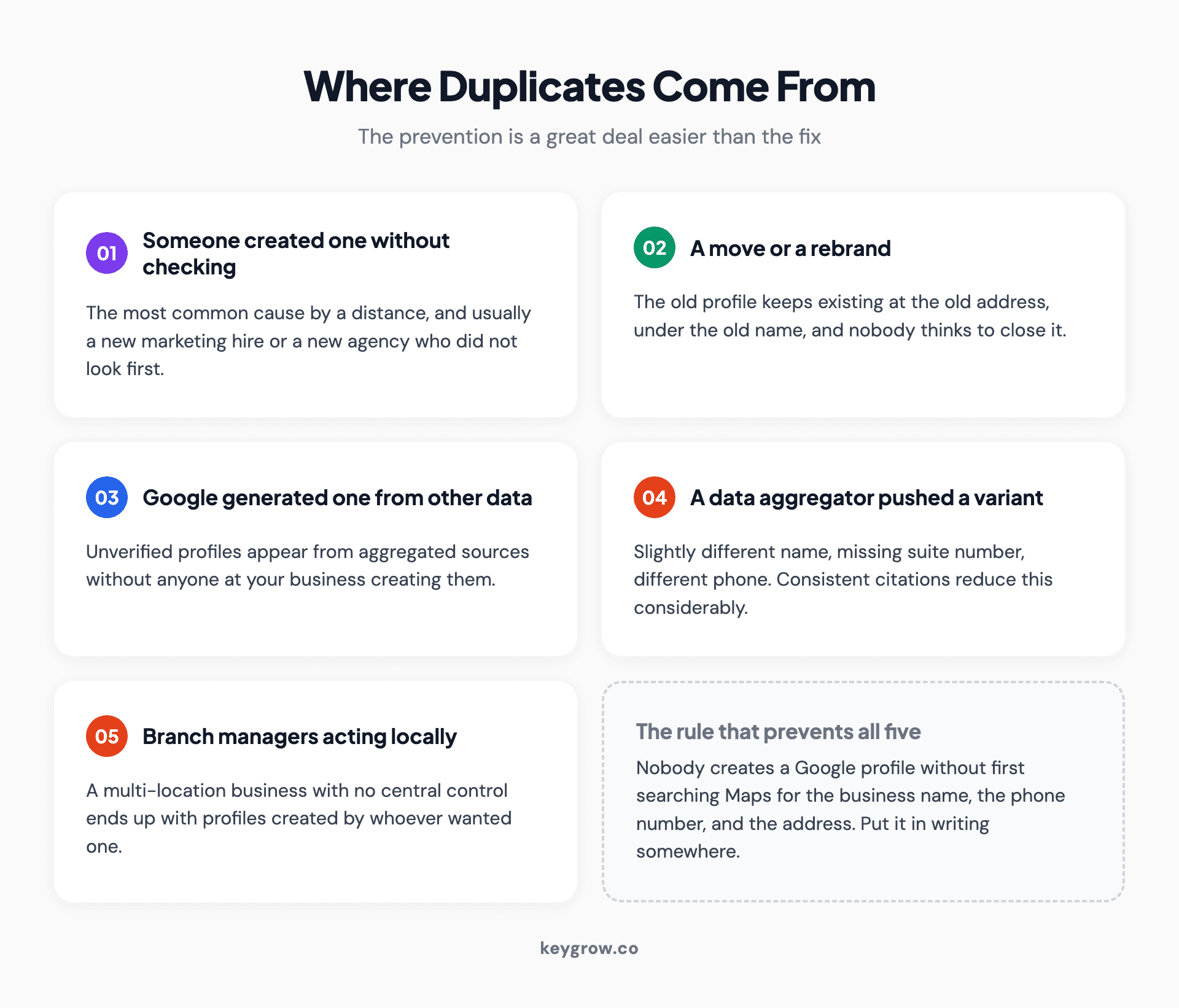
Five sources of duplicate Google Business Profiles: someone creating one without checking, a move or rebrand, Google generating one from aggregated data, a data aggregator pushing a variant, and branch managers creating their own.
The prevention is one rule: nobody creates a Google profile without checking Maps for the business name, the phone number, and the address first. Put it in writing somewhere.
Do you need help with this?
Mostly no, and that is worth saying plainly because this gets sold as a service.
Finding and fixing a duplicate is a one-time job. For a single-location business with one accidental duplicate and no ownership conflict, it is an afternoon, the tools are free, and there is nothing recurring about it. Paying a monthly fee to have someone watch for duplicates that appear once every three years is not a good trade. Ask what happens in month two.

A shopkeeper in a pink shirt and blue cap standing in their store.
Where outside help genuinely earns its fee: an ownership conflict with someone who will not respond, a suspension that followed a botched merge, a chain with forty locations and no idea which profiles exist, or a practitioner situation where deleting the wrong thing costs real visibility. Those are messy and the downside of getting them wrong is large. That work sits inside our SEO service rather than being sold as its own subscription, and it is month-to-month.
Once the duplicates are sorted, the profile that survives is the one that has to do the work, and optimizing that profile is where the actual local visibility comes from.
FAQs
How do I know if I have a duplicate Google Business Profile?
Search Google Maps three ways: by business name, by phone number, and by street address without the name. Duplicates often carry a slightly different name or a missing suite number, so a name search alone misses them. Also check for profiles under your old name or old address if you have rebranded or moved.
Can I merge two Google Business Profiles myself?
Not directly. There is no merge button in the dashboard. You report the duplicate on Google Maps using Suggest an edit, or contact support, and Google reviews the request. If both profiles are verified, one has to be unverified first by removing it from your account.
What happens to reviews when two profiles merge?
Reviews from both profiles are combined onto the surviving listing. Google notes that replies to reviews may be lost in the process, so take screenshots of any replies you care about before requesting a merge.
Should I delete a duplicate or merge it?
Delete only when the duplicate has no reviews, no verification, and no history. Merge whenever reviews are attached, because a deletion destroys them permanently and a merge preserves them. A deleted location cannot be recovered by you or by Google support.
How long does a Google Business Profile merge take?
Usually three to ten business days once the request is submitted, though it can run longer. All merge requests are subject to review, and approval is not automatic.
Are practitioner listings considered duplicates?
No. A profile for a named doctor, attorney, or realtor alongside the practice profile is allowed, and Google will not merge them while that practitioner still works there. What does count as a duplicate is one person holding several profiles for different specialties.
Can two different businesses share one address?
Yes, and Google will not merge them if both are genuinely distinct and eligible. If two separate businesses have been merged by mistake, you can appeal, and the evidence Google looks for is permanent signage clearly showing both businesses at the location.
What if someone else owns my duplicate profile?
Use the request access flow on the profile. Google notifies the current owner and gives them three days to respond. If they decline you can appeal, and if they never respond you can usually claim it. Do not try to force ownership without documentation, which tends to get your account reviewed instead.
The order to do this in
Find every profile first, using all three searches. Write down each one with its review count and verification status. Decide which single profile is the keeper, and it should almost always be the one with the most reviews. Screenshot any review replies you would miss.
Then act: delete the empty ones, report the unverified ones as duplicates of the keeper, and request a merge only where reviews are at stake. Leave practitioner profiles alone unless one person has several.
The whole thing is an afternoon for most businesses, and the afternoon is worth taking properly. Everything on a Google Business Profile can be rebuilt except the reviews.



