


A Google Business Profile for junk removal comes down to six settings, and most haulers get two of them wrong: the category and the service area. Fix those, list services by the item people want gone, post photos of real loads, and ask for a review before the truck leaves the driveway. That is the whole setup.
The rest of this guide is the order to do it in, with the junk removal details that general setup guides skip. One question shapes most of them: where does your truck go, and how far is the dump from there?
What the finished profile looks like
A finished junk removal profile shows one specific category, a service area drawn around real drive times, services named after items, recent photos of actual jobs, and a steady run of recent reviews with replies.
Here is that profile laid out piece by piece. Each callout below matches one of the six steps.
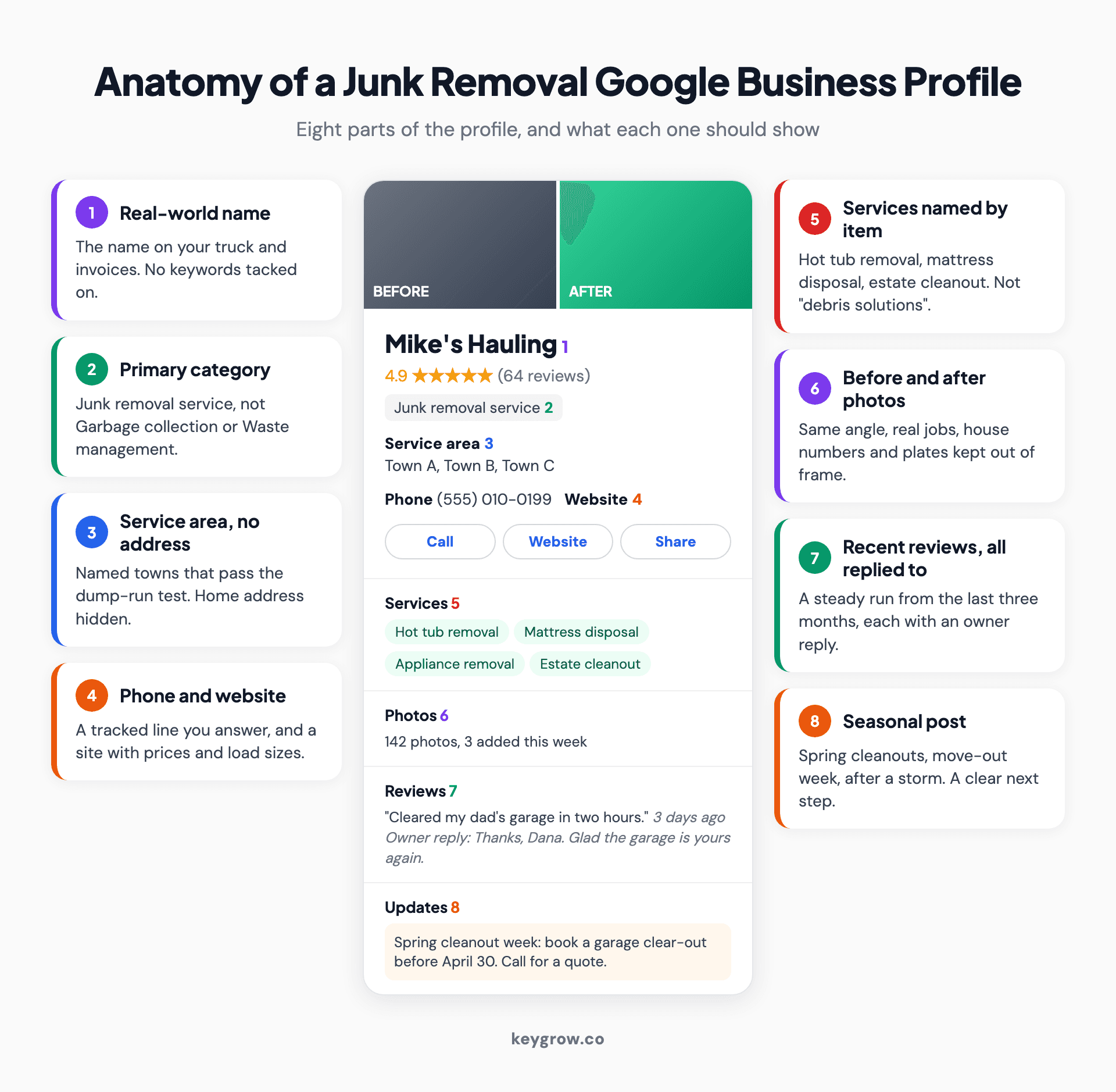
Annotated mockup of a Google Business Profile for a junk removal company, with callouts for the real business name, the Junk removal service category, a service area of named towns with no address shown, the phone and website, services named by item, before and after job photos, recent reviews with owner replies, and a seasonal post.
Step 1: Claim the profile as a service-area business
Most junk removal companies run from a home or a yard that customers never visit. That makes you a service-area business, so the address stays hidden and the profile shows the towns you serve instead.
Search your business name on Google Maps first. A previous owner, an old phone number or a customer may already have created a listing, and claiming it beats starting a second one. If you find two listings for the same company, our guide on how to delete a Google Business Profile covers which one to keep and how to remove the other.
Then go to business.google.com, add the business, and say you visit customers rather than the other way round.
Hide the address unless customers come to you. If you run a drop-off yard with signage and posted hours, you are a hybrid business and can show it. A driveway with a truck in it does not count.

A pile of boxes, a shopping cart, old appliances and household junk in the side yard of a brick house.
Use the name on your truck and your invoices. "Mike's Hauling" is a name. "Mike's Hauling | Junk Removal Near Me | Same Day" is the sort of thing Google's guidelines say can get a profile suspended, and competitors do report it.
Verification usually means a short video of your truck, your tools and proof you run the business. If it stalls, our walkthrough of Google Business Profile verification covers each method and what to do when one fails.
Step 2: Make "Junk removal service" your primary category
Your primary category should be Junk removal service. It is a fairly recent addition to Google's list, and plenty of older profiles still sit under Waste management service or Garbage collection service.
Check yours now.
A hauler listed as a garbage collector competes with municipal trash routes for searches it will never win, and misses the ones it should.
Google's guidelines ask for the fewest categories that describe the core business, so add secondaries only for work you do now and would book this week.
| Additional category | Add it when | Skip it when |
|---|---|---|
| Dumpster rental service | You drop off and collect your own roll-off bins | You only haul loads in a truck |
| Demolition contractor | You tear out sheds, decks or interiors yourself | You only remove debris someone else made |
| Moving company | You move furniture between homes, not just to the dump | Moving is an occasional favor |
| Waste management service | You hold commercial waste contracts | You serve homeowners only |
Type each one into the category box to see Google's exact current wording, because names change. Our post on choosing Google Business Profile categories covers the research behind how many to add and how to check what the top three map results use.
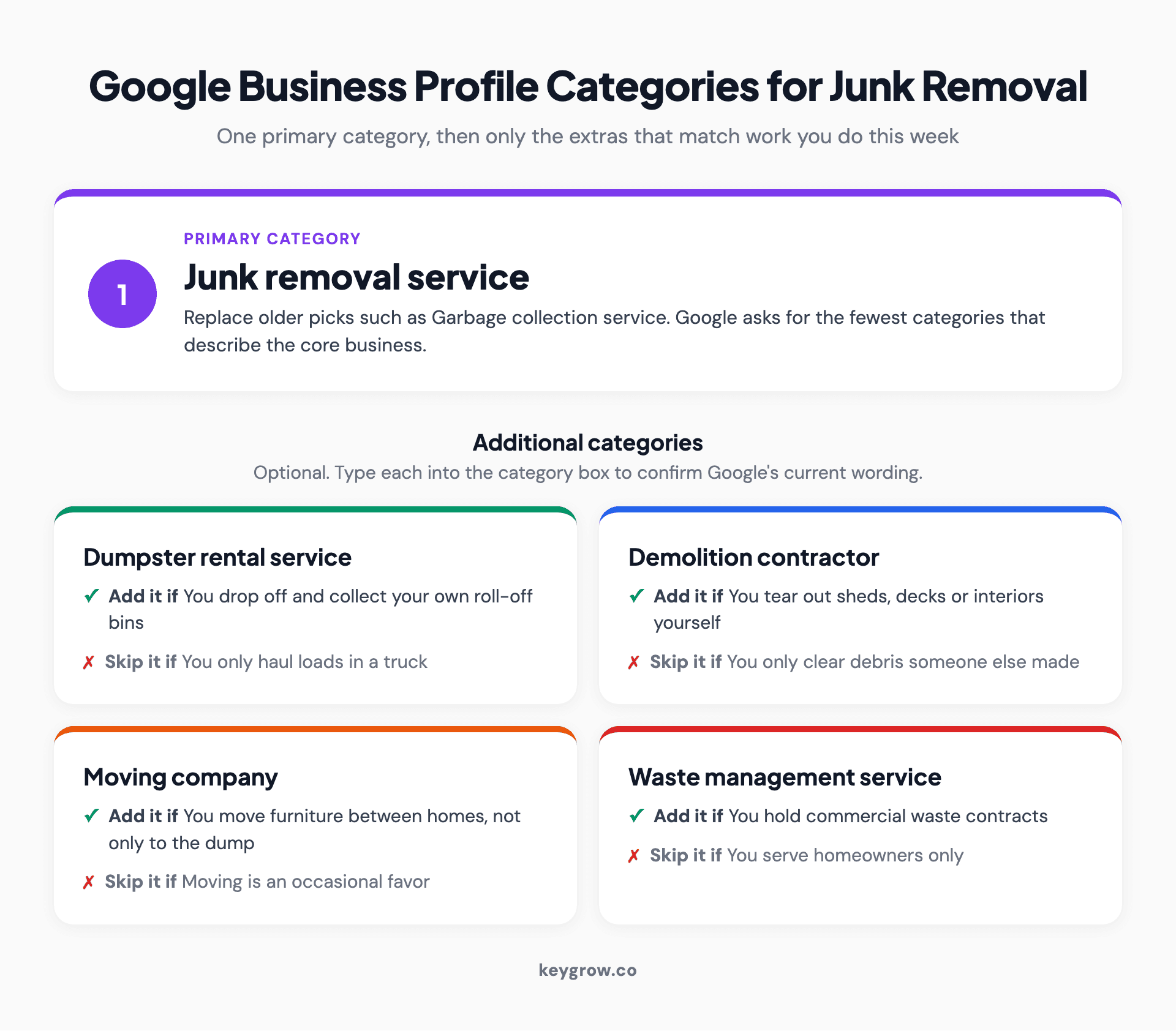
Card layout of Google Business Profile category choices for a junk removal company: Junk removal service as the primary category, then four additional categories, each with the condition that makes it worth adding.
Step 3: Draw the service area around your dump run
List the towns your truck can reach, load, unload at the transfer station and leave on time for the next booking. Google's limit is generous. Your schedule is the real limit.
Google's service area rules allow up to 20 service areas, say the area should not extend past about two hours of driving from your base, and no longer accept a radius around your address. Areas are cities, postal codes or regions, and edits can take up to 48 hours to show.
Treat two hours as the outer edge. A junk removal job does not end at the customer's door. It ends when the load is tipped and the truck is back. So run each town through a simple test: drive to the job, an hour to load, drive to the transfer station, about 20 minutes to unload, then back to the yard. If that loop fits inside four hours, a truck can do two jobs a day and the town goes on the list.
Here is the test for an illustrative two-truck hauler whose yard is ten minutes from the transfer station. The towns and drive times are assumptions for the example, not data.
| Town | Yard to job | Job to transfer station | Full loop | List it? |
|---|---|---|---|---|
| Town A | 10 min | 15 min | 1 hr 55 min | Yes |
| Town B | 25 min | 20 min | 2 hr 15 min | Yes |
| Town C | 45 min | 50 min | 3 hr 5 min | Yes, quote for the distance |
| Town D | 90 min | 95 min | 4 hr 35 min | No |
Town D is inside Google's two hours and still a bad idea, because one booking there costs the truck a whole afternoon.
One thing listing a town will not do is make you rank there. Distance from your business location is still one of Google's three local ranking factors, so the towns are about setting expectations for customers. If you want the full rules on hidden addresses and hybrid setups, see what a service-area business is.
Step 4: Name services after the thing people want gone
Nobody searches for "debris solutions". They search for hot tub removal, mattress disposal or a garage cleanout. List services the same way, one item or job type per line.

An open storage unit packed with a grill, a gas tank, a hand truck, cables and boxes waiting to be cleared.
A useful services list for most haulers looks like this:
- Furniture and mattress removal
- Appliance removal (fridges, washers, freezers)
- Hot tub and shed removal
- Garage, basement and storage unit cleanouts
- Estate and hoarder cleanouts
- Construction and renovation debris
- Yard waste and brush hauling
Leave off anything you turn away. If you do not take paint, chemicals or tires, do not list them. Put that in the description instead so the caller hears it before the truck rolls.
The business description gets 750 characters. Use them for what you take, where you go and how pricing works, in plain sentences. A worked example:
> We haul away furniture, appliances, hot tubs and everything in between across Town A, Town B and Town C. Pricing is by how much of the truck your load fills, and we quote on site before we lift anything. We donate and recycle what we can. We do not take paint, chemicals or tires.
That runs to about 300 characters. You do not have to fill the other 450.
Step 5: Post photos of real loads
Photos are proof that you did the work. Post real jobs: before and after from the same spot, the loaded truck, the crew, and the empty room at the end.
Google's photo guidelines ask for JPG or PNG files between 10 KB and 5 MB, at a recommended 720 by 720 pixels, in focus and without heavy filters. Videos can run up to 30 seconds.
Shoot from where you parked before you start, then again from the same spot when you finish. The matching angle is what makes the after shot believable.
Two things to keep out of frame: house numbers and license plates, and anything personal in an estate cleanout. Families clearing a parent's house do not want the photo albums on Google Maps.
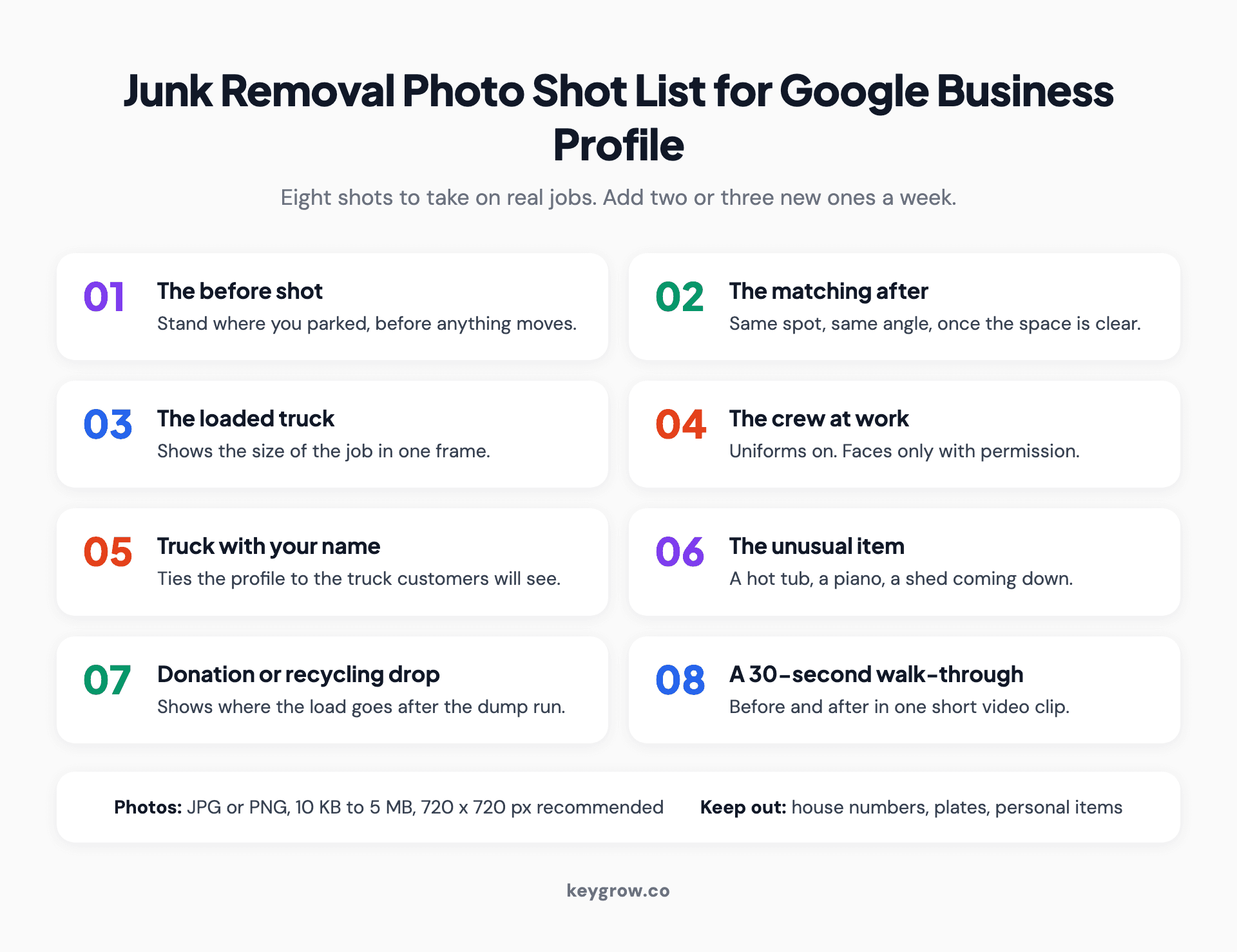
Numbered shot list of eight photos to add to a junk removal Google Business Profile: the before shot, the matching after shot, the loaded truck, the crew in uniform, the truck with the company name, an unusual item such as a hot tub, the donation or recycling drop, and a short walk-through video.
A steady habit beats a big upload. Two or three new job photos a week keeps the profile looking current, and it is the easiest of the six steps to hand to a crew lead.
Step 6: Ask for the review while the garage is still empty
The best moment to ask is the minute the job is done, with the customer standing in a room they have not seen clear in years. Ask then, and text the link before you drive off.
Recency matters more than the total.
BrightLocal's 2026 survey of 1,002 US consumers found 74 percent look for reviews written in the last three months, and 47 percent will not use a business with fewer than 20 reviews. A profile with 30 reviews and three from last week reads better than one with 80 and nothing since spring.
Get your link from the profile (our guide to your Google review link shows where) and save it as a text template on every crew phone.
Then the rules.
Google's review policy bans offering discounts or anything else in exchange for a review, and bans asking only the happy customers. Ask everyone, and reply to everyone. The same survey found 89 percent of consumers expect the owner to respond.
Reviews were part of the plan for Easy Cleanouts, a Missouri cleanout company. A review generation system was one of four parts of the local SEO work we ran for them, alongside service-area targeting, service-specific keywords and a mobile site with click-to-call. Monthly phone calls went from 8 to 50+ in six months.
If you would rather have someone run the profile, the reviews and the pages behind them, our SEO for junk removal companies covers all three. For a steady asking routine you can run yourself, our post on getting more Google reviews sets it up.
Time your posts to clear-out season
Posts help a customer pick you once they are already looking. They do not move you up the map. So time them to the moments people clear out.
The obvious windows are spring cleanouts, the end-of-month move-out rush, the week after a big storm, and the run-up to the holidays when people make room for guests. Write one post for each, with a photo from a real job and a clear next step: call or request a quote. Our breakdown of Google Business Profile posts covers what each post type is good for.
Track the calls yourself
Google removed call history from Business Profiles on July 31, 2024, along with profile chat. The profile's performance view still counts calls, but it no longer shows who called or when, so you cannot match a booking to the profile from inside Google.
The simplest fix is a question at booking: "How did you find us?" Write the answer next to the job. After a month you will know whether the map is sending real work or whether calls come from somewhere else.
The website field matters here too. A caller who taps through to a homepage with no prices and no load sizes often calls the next hauler instead. If your site is the weak link, our junk removal website design work starts with load sizes shown on your own truck and a quote form that takes photos.
When you do not need anyone to do this
Most single-truck haulers can do every step here themselves in an afternoon, then ten minutes a week after that. We tell owners that on the first call.
If you have more time than money, claim the profile, set the category, draw the service area and ask every customer for a review. With 47 percent of consumers skipping businesses under 20 reviews, getting to 20 is worth more than anything you could buy in month one.
Paid help starts making sense when you run several trucks, cover a metro where franchise brands own the map, or when your evenings are worth more spent quoting jobs than writing posts. In a metro like that, paid search can put your number above the franchises while the profile builds, which is the job our junk removal PPC services are set up to do.
FAQs
Can a junk removal company have a Google Business Profile without a storefront?
Yes. Most junk removal companies are service-area businesses: they go to the customer, so they hide their address and list the towns they serve. You need a real base of operations, but customers do not have to visit it.
What is the best Google Business Profile category for junk removal?
Junk removal service, as the primary category. Add secondary categories such as Dumpster rental service or Demolition contractor only if you do that work. Google's guidelines ask for the fewest categories that describe the core business.
Should I show my home address on my Google Business Profile?
No, not if customers do not come to you. Google's rules say a service-area business should hide its address. Show an address only if you run a staffed yard or drop-off point with signage that customers can visit.
How many service areas can I add for junk removal?
Google allows up to 20 service areas, and the whole area should stay within about two hours of driving from your base. For junk removal, list fewer than that. Only include towns where a job plus the dump run fits your schedule.
Can I give customers a discount for leaving a Google review?
No. Google's review policy bans offering discounts, payment or free services in exchange for reviews, and it also bans asking only happy customers. Ask every customer, with no incentive attached.
How long does it take a new junk removal profile to show up on Google Maps?
The profile appears once verification is approved, which can take a few days. Ranking in the map pack takes longer and depends on your distance from the searcher, your category, and how many recent reviews you have. Expect weeks to months, not days.
Do I need a separate profile for each town I serve?
No. A service-area business gets one profile that covers the whole area it serves. Creating extra profiles for nearby towns without a real staffed location in each breaks Google's guidelines and can get every listing suspended.
Book the next pickup from the map
Open your profile today and check two things: the primary category, and whether every listed town passes the dump-run test. Those two fixes cost nothing and take ten minutes. Then make the review ask part of how every job ends.
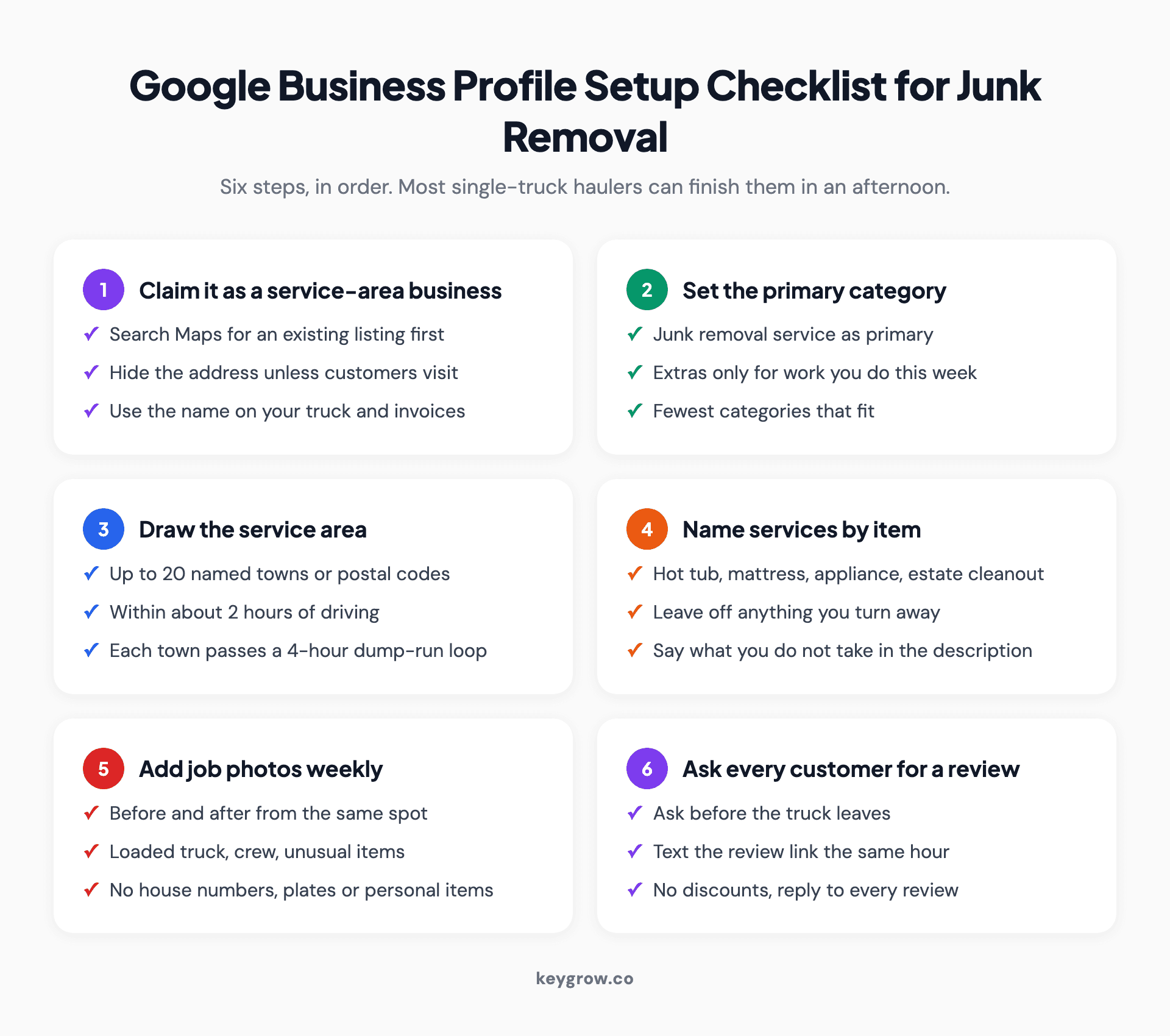
Checklist of the six steps to set up a Google Business Profile for junk removal: claim it as a service-area business, set Junk removal service as the primary category, list towns that pass the four-hour dump-run test, name services by item, add job photos weekly, and ask every customer for a review before leaving.
If you want a second pair of eyes on the profile, or someone to run it alongside your site, tell us about your business. We work month-to-month, and we will tell you if it is a job you can do yourself.