


The most reliable way to lower your cost per click in Google Ads is to raise the relevance of your keyword, ad, and landing page, then cut the searches you should never have paid for. Do those two things and your cost per click usually falls without touching a single bid, because Google rewards relevant ads with a lower price for the same position. If you want the market-level view of why clicks cost what they do in the first place, we have unpacked why Google Ads is so expensive separately.
Here is the part most cost-per-click guides get backwards. They start with bid strategies and budget caps, which are the last lever, not the first. The price of a click is mostly set by how well your ad matches the search, so the fastest way down is to fix the match, not to bid less and quietly drop off the page.
Below are the levers that actually move cost per click, in the order we pull them, and the one trap that makes a cheaper click cost you more.
What sets your cost per click in the first place
Google Ads runs an auction every time someone searches. Your position and your price come from your ad rank, which combines your bid with the quality of your ad and landing page. Two advertisers can bid the same amount and pay very different prices, because the more relevant ad earns a discount.
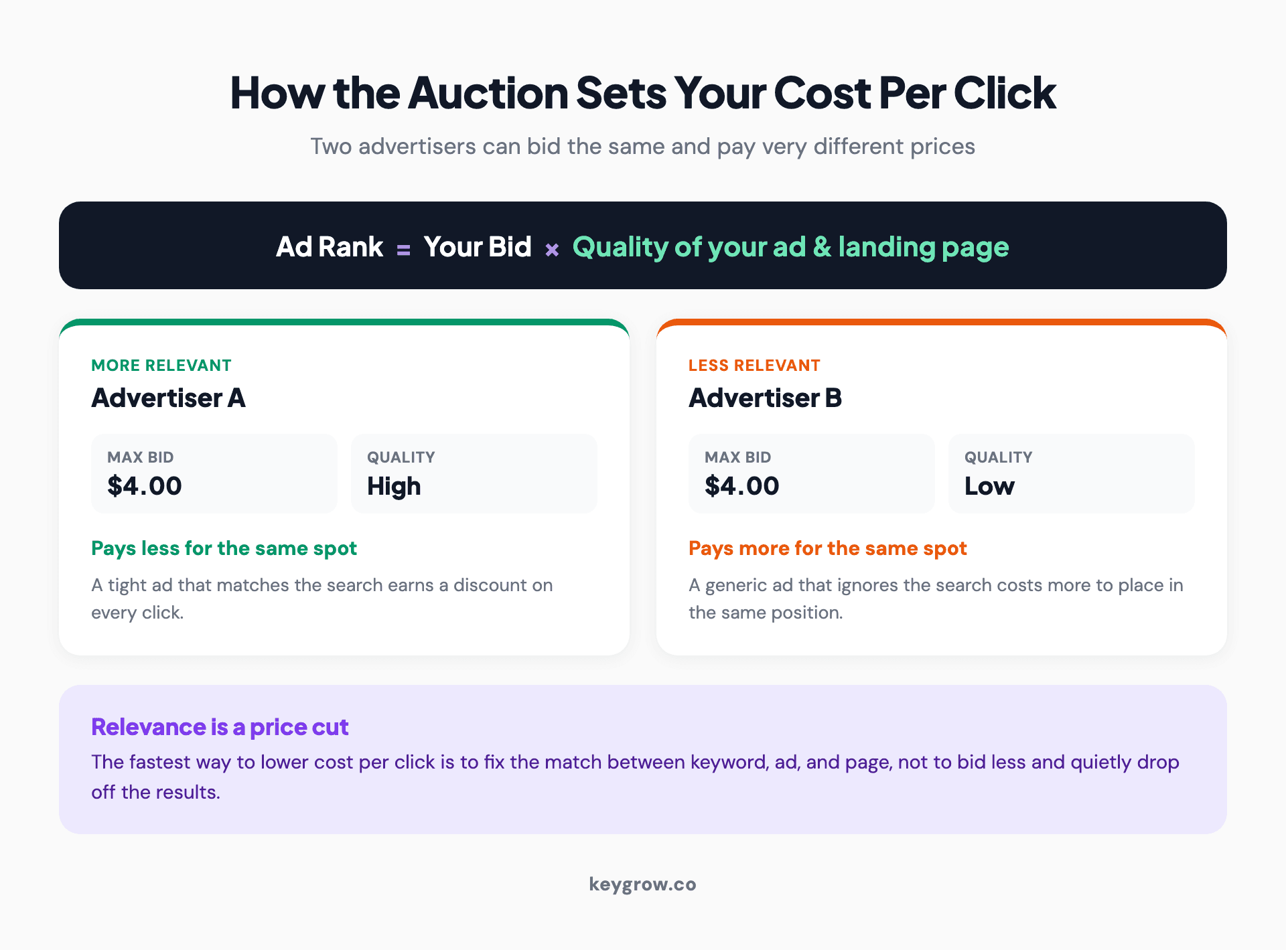
Diagram showing how the Google Ads auction sets cost per click: ad rank equals your bid times the quality of your ad and landing page, so two advertisers with the same bid pay different prices.
That is the whole game in one sentence: relevance is a price cut. Everything below is a way to earn more of it or to stop wasting the budget you already have.

Spheres balanced on a tilted board atop a marble pedestal, like the ad auction weighing your bid against the quality of your ad.
Lever 1: Raise your Quality Score
Quality Score is Google's read on how relevant your keyword, ad, and landing page are to a search, and it feeds straight into what you pay per click. A higher score for the same position means a lower price, so this is the single biggest lever on cost per click that does not involve spending less.
The fix is not a trick. Tighten your ad groups so each one covers a single theme, get the keyword into the headline and onto the landing page, and turn on the ad assets that lift click-through. We walk through the whole thing in how to improve your Google Ads Quality Score, and it is the first place to look when your clicks feel overpriced.
Lever 2: Cut the clicks you never wanted
You cannot lower the average cost of a click if a third of your clicks are junk. Broad match with no negative keyword list quietly buys you searches that were never going to convert, and each one drags your numbers down.
Open the search terms report, read what people actually typed, and add the irrelevant searches as negatives. This does not lower the price of a good click directly, but it stops the budget bleeding into bad ones, which is usually the bigger win. Our guide on how to use negative keywords in Google Ads covers how to build a list that protects the budget without blocking real customers.
Lever 3: Match your keywords to real intent
Match type decides how loosely Google interprets your keywords. Broad match reaches the most searches and the most waste. Phrase and exact match cost a little coverage and buy you a lot of control, and controlled traffic is cheaper traffic because more of it converts.
The move is rarely to go all-exact. It is to lead with tighter match types on your money keywords, let broad match explore only where you are actively reading the search terms report, and prune the loose keywords that pull in unrelated searches. Coverage you are not watching is just spend you have not audited yet.

A magnifying glass beside a small notebook and pencil on a white desk, a nod to checking which searches your keywords really match.
Lever 4: Bid where the conversions are, not everywhere
Once the account is clean, read the segments. Google shows you cost and conversions by time of day, day of week, device, and location. Almost every account has pockets that convert at a fraction of the rest, and those pockets are bid adjustments waiting to happen.
If Sunday nights or tablet clicks cost the same as everything else but convert half as well, you are overpaying for them. Trim the bids there and lean into the hours, devices, and areas that actually book work. This does not lower the headline cost per click so much as it shifts your budget toward the clicks worth paying for, which is the same thing in the end.
Lever 5: Find the cheaper keywords your competitors missed
The most expensive keywords are the obvious head terms everyone bids on. A competitive local trade shows this clearly; our guide on marketing a roofing company with Google Ads works the same long-tail logic in one vertical. The cheaper wins are usually one layer down: longer, more specific searches with clear intent and less competition. A plumber bidding on "plumber" fights the whole city. The same plumber bidding on "burst pipe repair near me" pays less and often converts better.
Look for the gaps, too. A keyword your competitors have not thought to bid on is frequently cheaper to win than outbidding everyone on the terms you already share. Our guide on checking competitor Google Ads shows how to find those openings before you raise a bid.
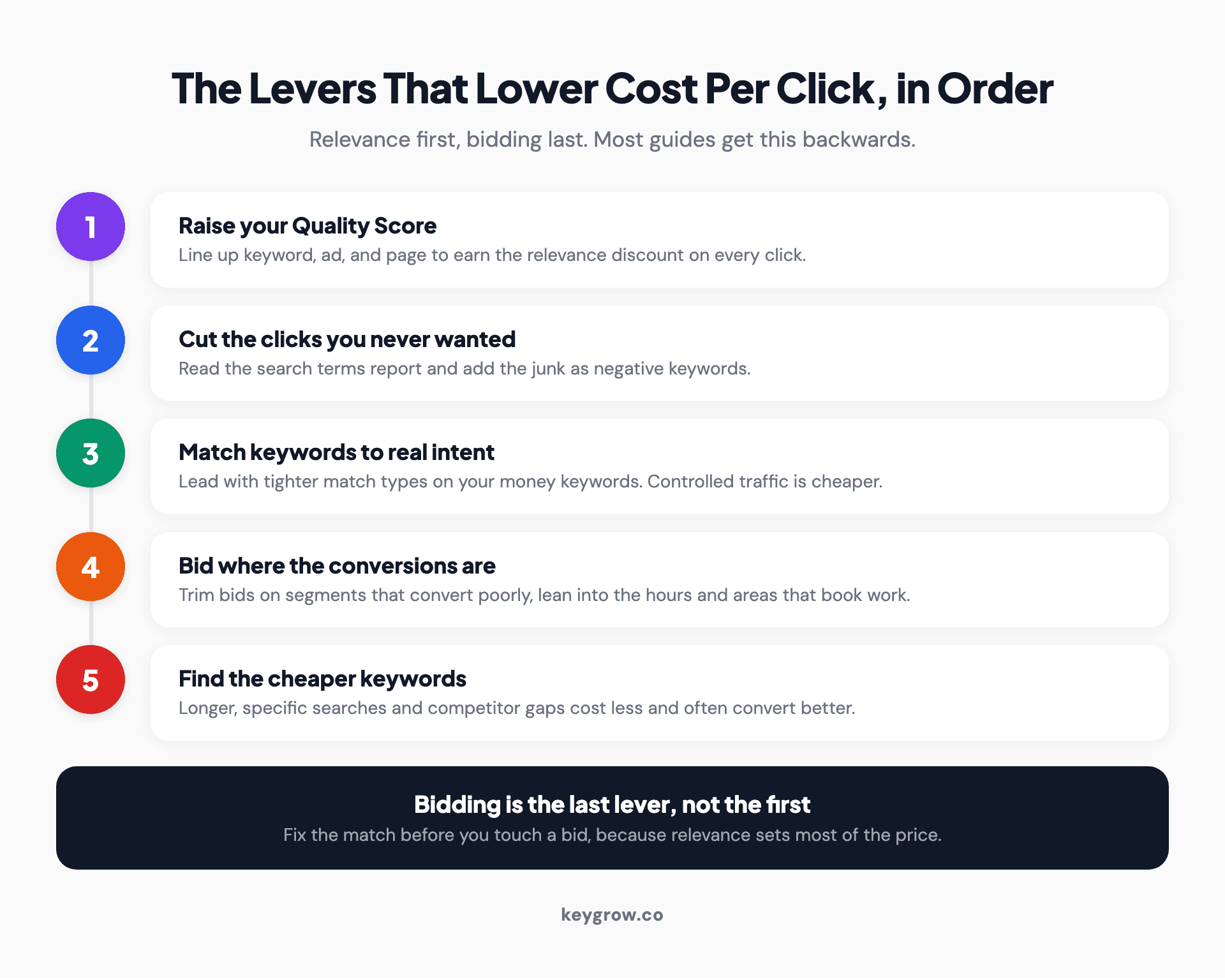
Numbered list of the five levers that lower cost per click, in the order to pull them: raise Quality Score, cut wasted clicks, tighten match types, adjust bids by segment, then find cheaper keywords.
A benchmark to judge your cost per click against
Once you have pulled these levers, sanity-check the number. Across 13,474 US search campaigns, WordStream's 2026 benchmarks put the median cost per click at $5.42. Use that as a rough gauge, not a target, because cost per click varies wildly by industry. Legal and insurance keywords can run many times higher than a local service, and that is not a problem to fix so much as the price of the market you are in.
| Lever | What it changes | Effort |
|---|---|---|
| Raise Quality Score | Lowers the price of each click for the same position | Medium |
| Add negative keywords | Stops budget leaking into junk searches | Low |
| Tighten match types | Buys control, cuts unrelated clicks | Low |
| Bid adjustments by segment | Shifts spend to clicks that convert | Medium |
| Long-tail and competitor gaps | Finds cheaper, higher-intent keywords | Medium |
The trap: a cheap click that never converts
Here is the honest part. Cost per click is a means, not the goal. It is easy to drive the number down by chasing loose, cheap traffic that fills your account with clicks and none of them book a job. A $2 click that never converts is more expensive than an $8 click that does.
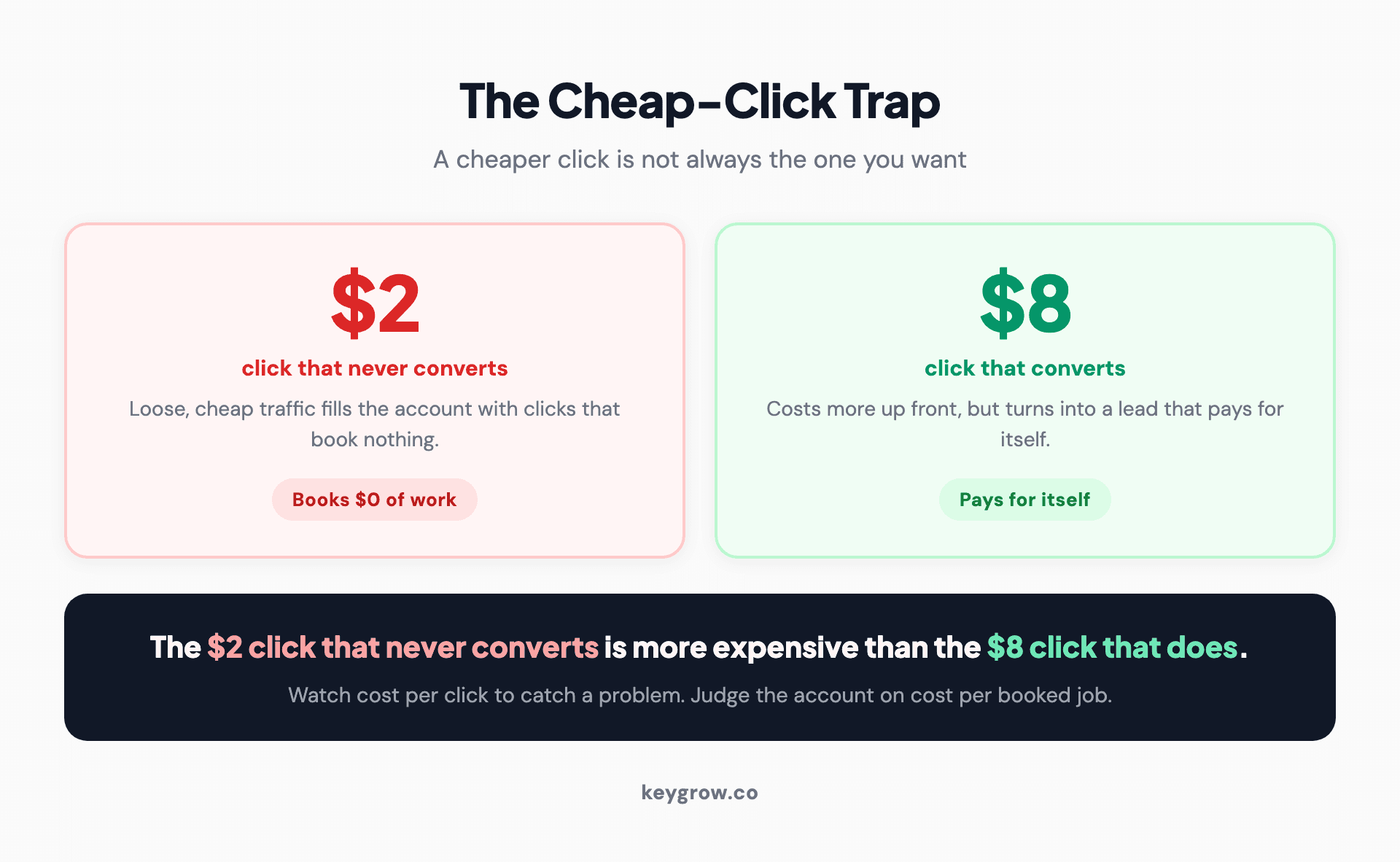
Two stat cards contrasting a two dollar click that never converts with an eight dollar click that does, showing the cheaper click can be the more expensive choice.
The metric that pays your bills is cost per booked job, or cost per qualified lead. Watch cost per click to catch a relevance problem or an overpriced keyword, but judge the account on what a lead is worth to you. If you are not sure what that number is yet, our guide on measuring the lifetime value of PPC leads is the place to start, because it tells you how high a click can cost before it stops being worth buying.
FAQs
What is a good cost per click in Google Ads?
There is no single good number, because cost per click varies by industry and keyword. The 2026 median across US search campaigns is about $5.42, but legal, insurance, and B2B keywords run far higher, while many local services run lower. Judge your cost per click against your own history and, more importantly, against what a converted lead is worth to you.
Why is my cost per click so high?
Usually it is low relevance, high competition, or both. If your keyword, ad, and landing page do not line up, Google charges you more for the same position through a lower Quality Score. If you are bidding on broad, competitive head terms, the auction itself is expensive. Start by tightening relevance, then look at whether a longer, more specific keyword would cost less and convert better.
Does raising my bid lower my cost per click?
No, raising your bid raises the maximum you are willing to pay. What lowers the price for a given position is a higher Quality Score. You can often hold your position and pay less by improving ad relevance and the landing page, rather than bidding more.
Do negative keywords lower cost per click?
Not the price of an individual click directly, but they lower your effective cost per click by stopping the budget from being spent on searches that never convert. Removing junk clicks improves the average quality and cost of the traffic you do pay for.
Should I always try to lower my cost per click?
No. Cost per click is a diagnostic, not the target. The goal is the lowest cost per booked job or qualified lead, and sometimes a more expensive click converts far better and is the cheaper choice overall. Optimize for what a lead is worth, not for the cheapest possible click.
What to do this week
Open your search terms report and your Quality Score column side by side. The search terms show you the clicks to stop paying for, and the Quality Score shows you which keywords are overpriced because the ad and page do not match. Fix those two before you touch a single bid, because bidding is the last lever, not the first.
If your account is large enough that this is a weekly job rather than an afternoon, or you have pulled these levers and the number still will not move, our paid search team runs this same process and reports on cost per booked job, not just cost per click. Tell us your numbers on the get started page and we will tell you honestly whether there is room to bring the cost down.



